1. Introdução
This manual provides essential information for the safe and efficient use of your TCL 55Q6C 55-inch QD-Mini LED Smart TV. Please read it thoroughly before operating the device and retain it for future reference. Your new television features 4K HDR Premium 1000nits display, Google TV technology, Dolby Vision IQ and Atmos, an Onkyo 2.1 audio system, Motion Clarity Pro at 144 Hz, and Game Master capabilities.
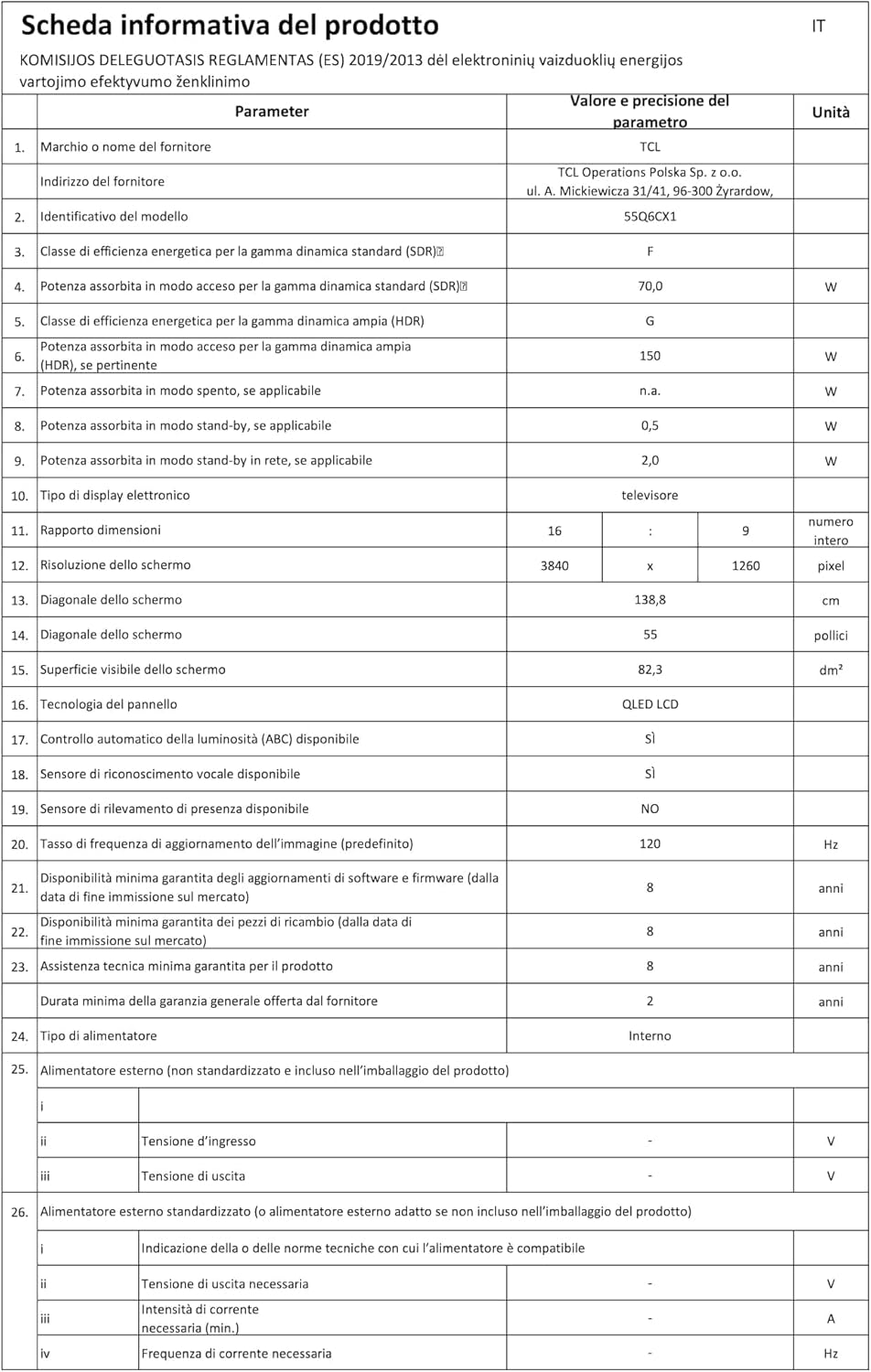
Figure 1: The TCL 55Q6C 55-inch QD-Mini LED Smart TV integrated into a modern living room.
2. Informações de segurança
Siga sempre estas precauções básicas de segurança ao usar sua televisão:
- Não exponha a TV à chuva ou umidade para evitar incêndio ou choque elétrico.
- Não obstrua as aberturas de ventilação. Certifique-se de que haja espaço suficiente ao redor da TV para uma circulação de ar adequada.
- Não coloque a TV sobre um carrinho, suporte, tripé, braçadeira ou mesa instáveis.
- Utilize apenas o cabo de alimentação fornecido com a TV.
- Proteja o cabo de alimentação para que não seja pisado ou comprimido.
- Desligue a TV da tomada durante tempestades com raios ou quando não for utilizá-la por longos períodos.
- Deixe toda a manutenção a cargo de pessoal qualificado.
- Mantenha as peças pequenas e as baterias fora do alcance das crianças.
3. Configuração
3.1 Desembalagem e Montagem
Carefully remove the TV from its packaging. Ensure all components (Power Cable, Remote Control, Stand) are present. Follow the instructions provided in the separate quick start guide for stand assembly or wall mounting.
3.2 Conectando Dispositivos
Your TCL 55Q6C TV offers various connectivity options. Refer to the diagram below for port locations and connect your external devices such as gaming consoles, Blu-ray players, or sound systems.
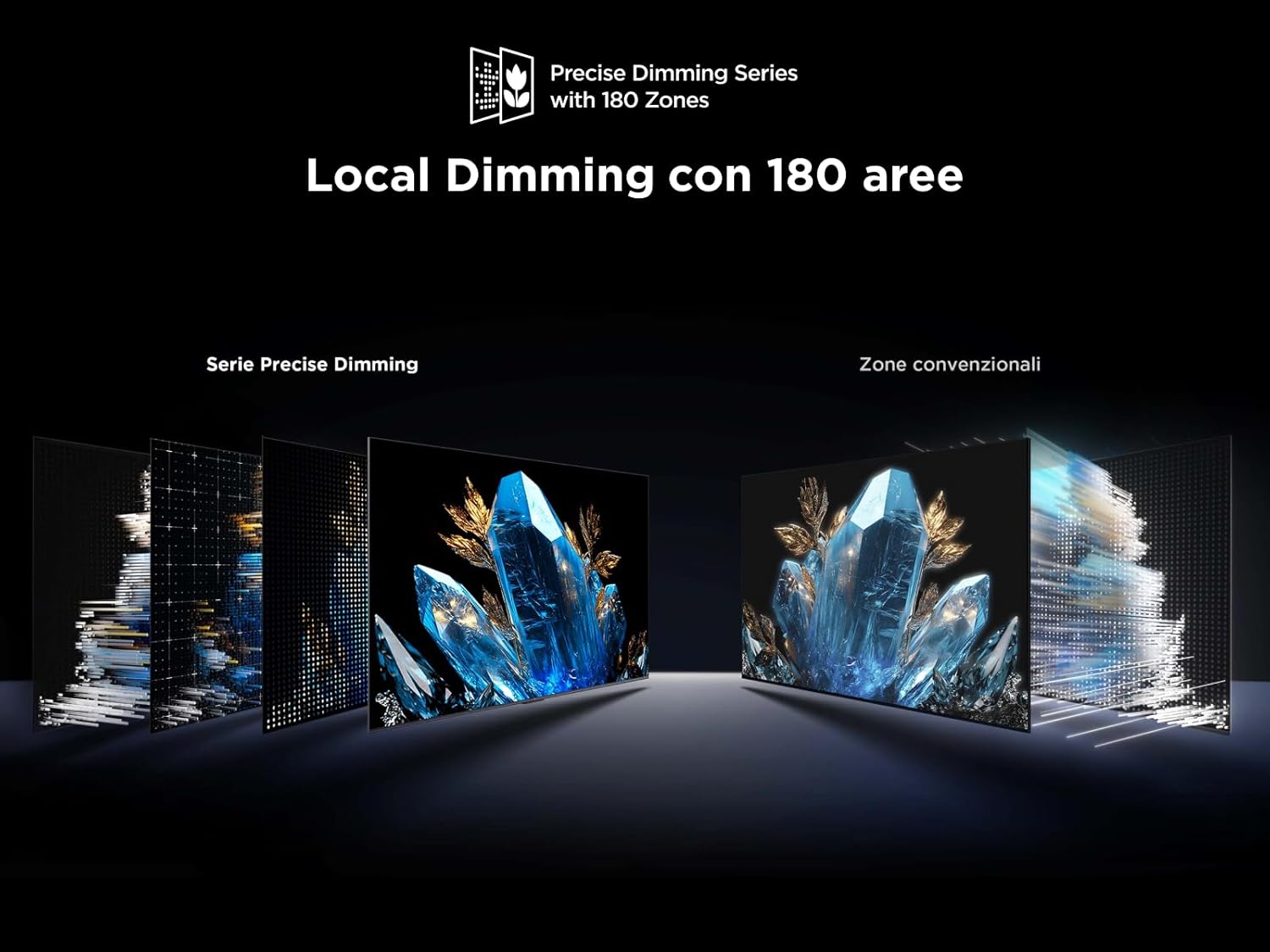
Figura 2: Traseira view of the TCL 55Q6C TV showing HDMI, USB, LAN, Optical, Cable, Satellite, and CI Slot ports.
- HDMI: Connect up to 4 HDMI devices for high-definition video and audio.
- USB: Conecte dispositivos de armazenamento USB para reprodução de mídia.
- LAN (Ethernet): Connect to your wired network for internet access.
- Óptico: Para saída de áudio digital para uma barra de som ou sistema de home theater.
- Cable/Satellite: Connect your antenna or satellite dish.
- Slot CI: For Conditional Access Modules (CAM) from your service provider.
- Wi-Fi e Bluetooth: Built-in wireless connectivity for internet and accessories.
3.3 Inicialização
After connecting all necessary cables, plug the power cord into an electrical outlet. Press the power button on the remote control or the TV itself. Follow the on-screen instructions to complete the initial setup, including network connection and Google TV configuration.
4. Instruções de operação
4.1 Interface do Google TV
Your TCL 55Q6C TV runs on Google TV, providing a personalized entertainment experience. Navigate through the interface using your remote control to access apps, streaming services, and live TV. You can also use Google Assistant for voice commands.
Vídeo 1: Acabouview of TCL Q6C features, including QD-Mini LED, QLED, Onkyo audio, AiPQ processor, Game Master, and Google TV interface.
4.2 Configurações de imagem e som
Access the settings menu to adjust picture modes (e.g., Standard, Movie, Game), brightness, contrast, and color settings. The TV features QD-Mini LED and QLED technology for vibrant colors and deep blacks, enhanced by TCL All-domain Halo Control for precise dimming.

Figure 3: Diagram illustrating the QD-Mini LED backlight technology for enhanced picture quality.

Figure 4: Visual representation of Local Dimming technology with 180 zones, improving contrast compared to conventional zones.
For audio, the integrated Onkyo 2.1 sound system with Dolby Atmos provides an immersive experience. Adjust sound modes and equalizer settings to your preference.
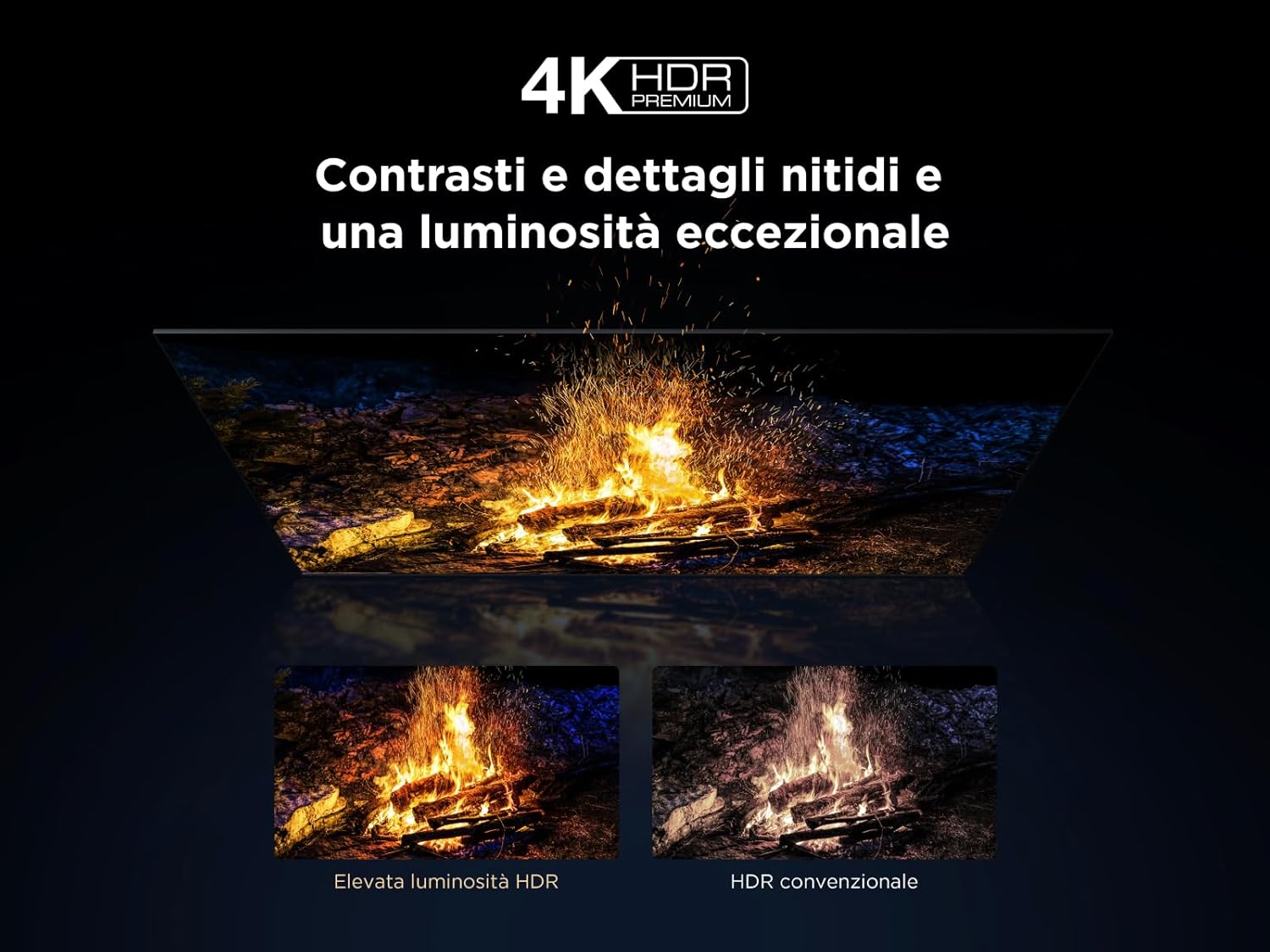
Figure 5: Illustration of the Onkyo 2.1 Hi-Fi audio system components, delivering cinematic sound.
4.3 Recursos de jogos
The TV's Game Master features, combined with a 144 Hz Motion Clarity Pro display, ensure smooth and responsive gaming. Enable Game Mode in settings for optimized input lag and refresh rates.
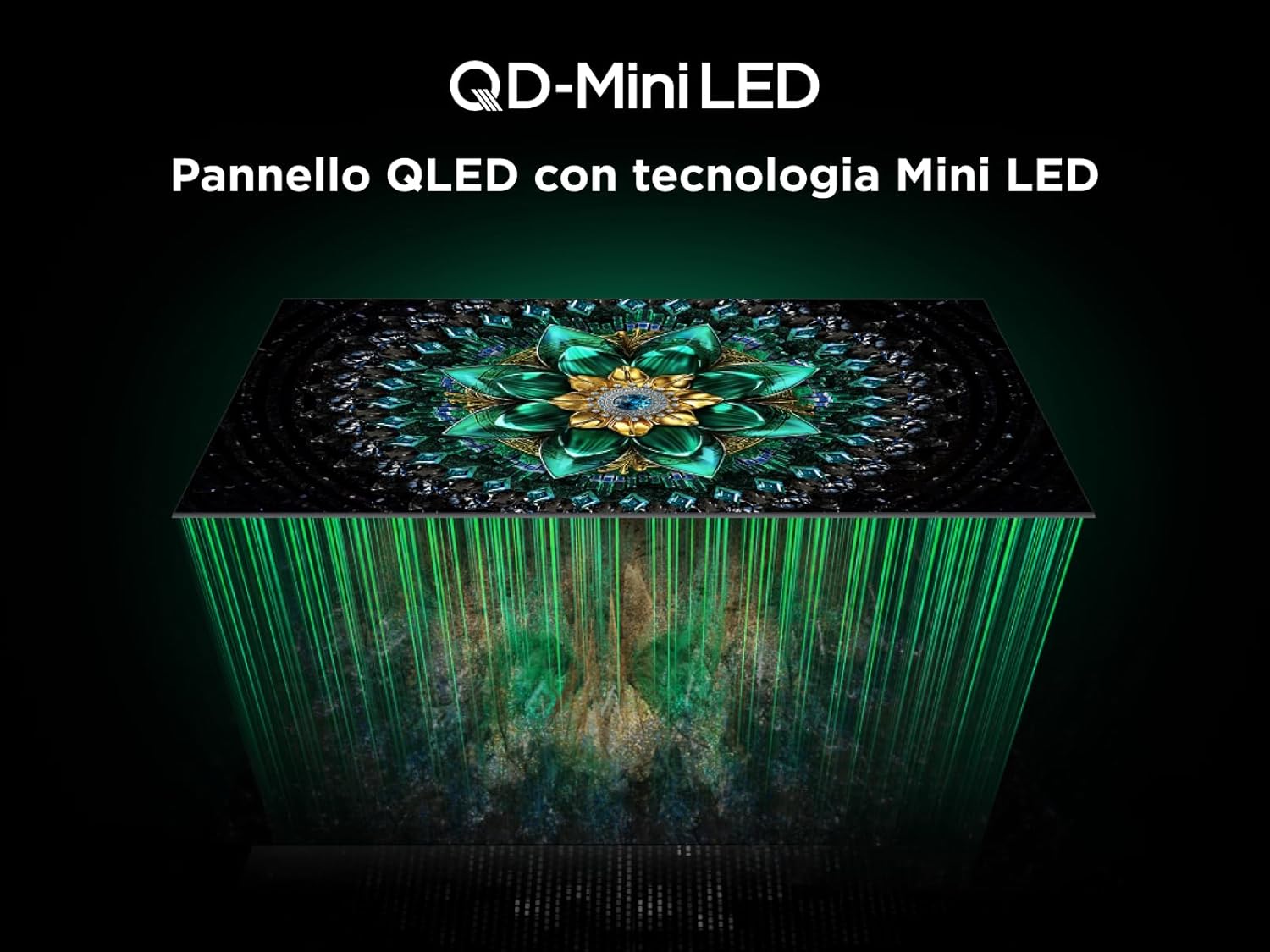
Figure 6: Visual demonstrating the 144Hz Motion Clarity Pro for fluid images, ideal for fast-paced content and gaming.
4.4 AiPQ Pro Processor
The integrated AiPQ Pro Processor optimizes picture and sound in real-time, enhancing contrast, color, clarity, and motion for an improved viewexperiência.

Figure 7: Diagram illustrating the AiPQ Pro Processor and its various AI-driven optimization functions for picture quality.
4.5 Casting and Screen Mirroring
Utilize Miracast, Google Cast, and Airplay 2 to wirelessly stream content from your smartphone, tablet, or PC directly to your TV screen.
5. Manutenção
Para garantir a longevidade e o desempenho ideal da sua TV, siga estas orientações de manutenção:
- Limpando a tela: Limpe suavemente a tela com um pano macio e sem fiapos. Para manchas persistentes, esfregue levemente.ampLimpe o pano com água ou um produto de limpeza específico para telas. Evite produtos químicos agressivos.
- Limpando a moldura: Use um pano macio e seco para limpar a moldura e o suporte da TV.
- Ventilação: Ensure the ventilation openings on the back of the TV are not blocked by dust or objects.
- Cabo de alimentação: Verifique regularmente se há danos no cabo de alimentação.
- Armazenar: Se for guardar a TV por um longo período, desligue-a da tomada e cubra-a para protegê-la da poeira.
6. Solução De Problemas
Antes de entrar em contato com o suporte ao cliente, tente estas etapas comuns de solução de problemas:
| Problema | Possível causa | Solução |
|---|---|---|
| Sem energia | Power cord unplugged; power outlet not working. | Verifique a conexão do cabo de alimentação; teste a tomada com outro aparelho. |
| Sem imagem, mas com som. | Fonte de entrada incorreta selecionada; problema de retroiluminação. | Verify input source; try another HDMI port; contact support if issue persists. |
| Sem som, mas com imagem. | Volume muted; incorrect audio output setting; external audio device issue. | Unmute volume; check audio output settings; verify external audio device connections. |
| Controle remoto não funciona | Batteries dead or incorrectly inserted; obstruction between remote and TV. | Substitua as pilhas; certifique-se de que haja linha de visão desobstruída para o receptor de infravermelho da TV. |
| Problemas de conexão de rede | Sinal Wi-Fi fraco; senha incorreta; problema no roteador. | Restart router; re-enter Wi-Fi password; try wired Ethernet connection. |
7. Especificações
Below are the key technical specifications for the TCL 55Q6C 55-inch QD-Mini LED Smart TV:
| Recurso | Detalhe |
|---|---|
| Marca | TCL |
| Modelo | Q6C Series 2025 |
| Tamanho da tela | 55 polegadas |
| Tecnologia de tela | QD-Mini LED, QLED, HVA Panel |
| Resolução | 4K (3840 x 2160 pixels) |
| Taxa de atualização | 144 Hz (Motion Clarity Pro) |
| Suporte HDR | 4K HDR Premium 1000nits, Dolby Vision IQ |
| Sistema de áudio | Onkyo 2.1, Dolby Atmos |
| Sistema operacional | Google TV |
| Processador | Processador AiPQ Pro |
| Conectividade | 4x HDMI, 1x USB, Ethernet (LAN), Optical Audio Out, Cable/Satellite, CI Slot, Wi-Fi, Bluetooth |
| Proporção da tela | 16:9 |
| Dimensões do produto (DxLxA) | 30 cm de largura x 122.4 cm de comprimento x 77 cm de altura |
| Componentes incluídos | Cabo de alimentação, controle remoto, suporte |

Figure 8: Energy efficiency label for the TCL 55Q6C TV. For more details, visit the official EPREL database: https://eprel.ec.europa.eu/qr/2179781

Figure 9: Detailed product information sheet for the TCL 55Q6C TV, including power consumption and other technical data.
8. Garantia e Suporte
Your TCL 55Q6C TV comes with a manufacturer's warranty. Please refer to the warranty card included in the packaging for specific terms and conditions. For technical support, service, or additional information, please visit the official TCL webou entre em contato com a central de atendimento ao cliente local.
You can also find more information on the TCL brand store: TCL Brand Store


