Introdução
Thank you for choosing the hOmeLabs 25 Pint Wi-Fi Dehumidifier. This manual provides essential information for the safe operation, maintenance, and troubleshooting of your new appliance. Designed for efficient moisture removal in spaces up to 3,500 sq ft, this dehumidifier features Wi-Fi smart control, quiet operation, and flexible drainage options to enhance your indoor environment.
Instruções importantes de segurança
Please read all instructions carefully before using the dehumidifier. Failure to follow these instructions may result in electric shock, fire, or serious injury.
- Sempre ligue o desumidificador a uma tomada elétrica aterrada.
- Não opere a unidade se o cabo de alimentação ou plugue estiver danificado.
- Certifique-se de que a unidade esteja colocada em uma superfície nivelada e estável para evitar que tombe.
- Não bloqueie as entradas ou saídas de ar. Mantenha uma distância mínima de 50 cm (8 polegadas) ao redor do aparelho.
- Desligue o desumidificador da tomada antes de limpá-lo, movê-lo ou realizar qualquer manutenção.
- Não utilize o aparelho em áreas onde líquidos ou gases inflamáveis sejam armazenados.
- Este aparelho é apenas para uso residencial.
- Mantenha crianças e animais de estimação afastados do aparelho durante o funcionamento.
Produto acimaview
Familiarize yourself with the components of your hOmeLabs dehumidifier.

The hOmeLabs 25 Pint Wi-Fi Dehumidifier shown alongside its blue and white product packaging, highlighting its compact design and brand.

An illustration showing the dimensions of the dehumidifier: 19.6 inches high, 12.2 inches wide, and 8.2 inches deep, emphasizing its compact form factor.

A close-up of the dehumidifier's control panel, displaying buttons for Wi-Fi, fan speed, timer, comfort mode, and indicators for tank full and filter status.

The dehumidifier positioned in a gym setting next to a yoga mat, illustrating its compact design and emphasizing its ultra-quiet operation at 47 dB.
Componentes principais:
- Painel de controle: Visor digital e botões para configurações.
- Entrada/Saída de Ar: Por onde o ar entra e sai da unidade.
- Tanque de água: Removable bucket for collected moisture.
- Saída de drenagem contínua: Port for connecting a drain hose for continuous operation.
- Caster Wheels & Handle: Para facilitar o transporte.
- Filtro Lavável: Located at the back for air purification.
Instruções de configuração
- Desembalagem: Retire cuidadosamente o desumidificador da embalagem. Guarde os materiais da embalagem para armazenamento ou transporte futuros.
- Colocação: Place the unit upright on a firm, level surface in the area where dehumidification is desired. Ensure there is at least 8 inches (20 cm) of space around all sides of the unit for proper airflow. Avoid placing it near heat sources or in direct sunlight.
- Conexão de energia: Plug the power cord into a grounded 110-120V/60Hz electrical outlet. The unit will beep once, and the display will light up.
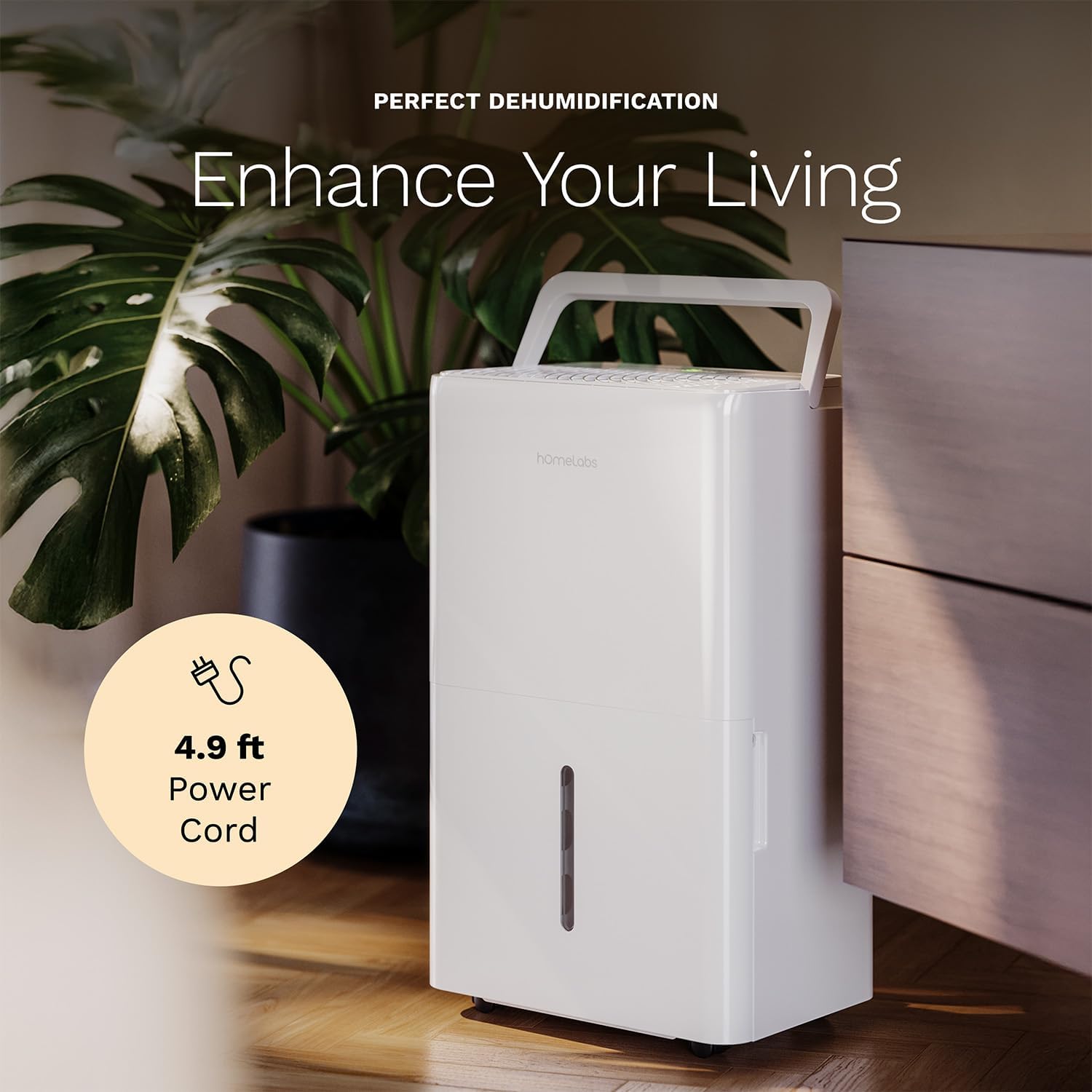
The dehumidifier positioned in a room, highlighting its 4.9 ft power cord for flexible placement.
- Opção de drenagem (opcional):

An image illustrating the two drainage options: using the built-in tank (manual emptying) or connecting a gravity drain hose for continuous drainage.
- Drenagem manual: The unit will collect water in the internal tank. When the tank is full, the unit will automatically shut off and indicate "Tank Full". Empty the tank as described in the Maintenance section.
- Drenagem Contínua: For continuous operation without emptying the tank, attach the included drain hose to the continuous drain outlet. Ensure the hose is sloped downwards to a suitable drain (e.g., floor drain, large bucket) to allow gravity drainage.
Instruções de operação
Funções do painel de controle:
- Botão de energia: Pressione para ligar ou desligar a unidade.
- Botões de ajuste de umidade (+/-): Adjust the desired humidity level from 35% to 85% relative humidity (RH) in 5% increments.
- Botão de velocidade do ventilador: Cycle through High, Medium, and Low fan speeds.
- Botão do temporizador: Set a timer for automatic ON/OFF operation (1-24 hours).
- Comfort Mode Button: Activates a preset humidity level for optimal comfort.
- Botão Wi-Fi: Activates Wi-Fi pairing mode.
Controle inteligente por Wi-Fi:
Your dehumidifier can be controlled remotely via Wi-Fi using a smartphone app, Google Assistant, or Alexa.

The dehumidifier shown with icons indicating compatibility with Google Home and Alexa, along with a smartphone icon representing app control for remote operation.
- Baixar aplicativo: Download the hOmeLabs app from your smartphone's app store (iOS or Android).
- Emparelhamento: Follow the in-app instructions to pair your dehumidifier with your home Wi-Fi network. This typically involves pressing and holding the Wi-Fi button on the control panel until the indicator light flashes.
- Controle remoto: Once paired, you can adjust settings, monitor humidity levels, and set schedules from anywhere using your smartphone.
Manutenção
A manutenção regular garante o desempenho ideal e prolonga a vida útil do seu desumidificador.
Esvaziar o depósito de água:
- When the water tank is full, the "Tank Full" indicator will illuminate, and the unit will stop operating.
- Retire cuidadosamente o reservatório de água da parte frontal da unidade.
- Esvazie a água coletada em uma pia ou ralo.
- Deslize o tanque vazio de volta para dentro da unidade até que ele se encaixe no lugar com um clique. A unidade voltará a funcionar.
Limpeza do filtro de ar:
The "Filter" indicator light will illuminate after 250 hours of operation, reminding you to clean the filter. Clean the filter every two weeks or more frequently depending on usage and air quality.
- Desligue o desumidificador e desconecte-o da tomada.
- Remova o filtro de ar da parte traseira da unidade.
- Lave o filtro com água morna e sabão. Enxágue bem.
- Deixe o filtro secar completamente ao ar livre antes de reinstalá-lo. Não use secadora nem calor direto.
- Once the filter is reinstalled, press and hold the "Filter" button for 3 seconds to reset the filter timer.
Limpeza geral:
- Limpe o exterior da unidade com um pano macio e úmidoamp pano.
- Não utilize produtos químicos agressivos, abrasivos ou solventes.
- Limpe o reservatório de água regularmente para evitar o crescimento de mofo e bolor.
Solução de problemas
Consulte esta seção para obter informações sobre problemas comuns e suas soluções.
| Problema | Possível causa | Solução |
|---|---|---|
| O desumidificador não liga. | No power; Power cord not plugged in; Tank full. | Check power supply; Plug in power cord securely; Empty water tank. |
| O aparelho está funcionando, mas não está coletando água. | Umidade muito alta; temperatura ambiente muito baixa; filtro de ar entupido. | Lower desired humidity setting; Ensure room temperature is above 41°F (5°C); Clean air filter. |
| A unidade é barulhenta. | Unidade desnivelada; Filtro de ar obstruído; Ventoinha obstruída. | Place on a level surface; Clean air filter; Check for obstructions in fan area. |
| Problemas de conexão Wi-Fi. | Senha de Wi-Fi incorreta; roteador muito distante; problemas com o aplicativo. | Verify Wi-Fi password; Move unit closer to router; Restart app/unit. |
Especificações
| Recurso | Detalhe |
|---|---|
| Marca | Laboratórios domésticos |
| Nome do modelo | hOmelabs - Dehumidifier - 25 Pint - WIFI (HME0088) |
| Capacidade de desumidificação | 25 Pints per Day (at 80°F, 60%RH) / MAX 64 Pints (at 95°F, 90%RH) |
| Área de cobertura | Até 3,500 pés quadrados |
| Volume do tanque | 1 galões |
| Dimensões do produto (P x L x A) | 8.2"P x 12.2"L x 19.6"A |
| Peso do item | 27.1 libras |
| Modo de operação | Automático |
| Características especiais | Adjustable Humidity Control, Automatic Defrost, Automatic Moisture Removal, Automatic Shutoff, Bucket Storage, Digital Display, Portable, Quiet Operation, Removable Tank, Timer, Washable Filter, Wi-Fi Enabled |
| Eficiência Energética | Energy Star Most Efficient 2024 Certified |
Garantia e Suporte
Your hOmeLabs 25 Pint Wi-Fi Dehumidifier comes with a standard manufacturer's warranty. For detailed warranty information, please refer to the official warranty document provided with your purchase or visit the hOmeLabs website.
Documento de garantia: Baixar garantia (PDF)
For technical support, troubleshooting assistance, or to inquire about replacement parts, please contact hOmeLabs customer service. Contact information can typically be found on the hOmeLabs website ou na embalagem do seu produto.