Introdução
The VTech PAW Patrol Light-Up Missions Pup Pad is an interactive electronic learning toy designed for children aged 3 years and up. This device features 26 light-up letter buttons and offers various activities to help children learn letters, words, spelling, and counting, all while engaging with their favorite PAW Patrol characters.

Frente view of the VTech PAW Patrol Light-Up Missions Pup Pad, displaying its interactive screen and character details.
O que está na caixa
- PAW Patrol Light-Up Missions Pup Pad
- Guia de início rápido
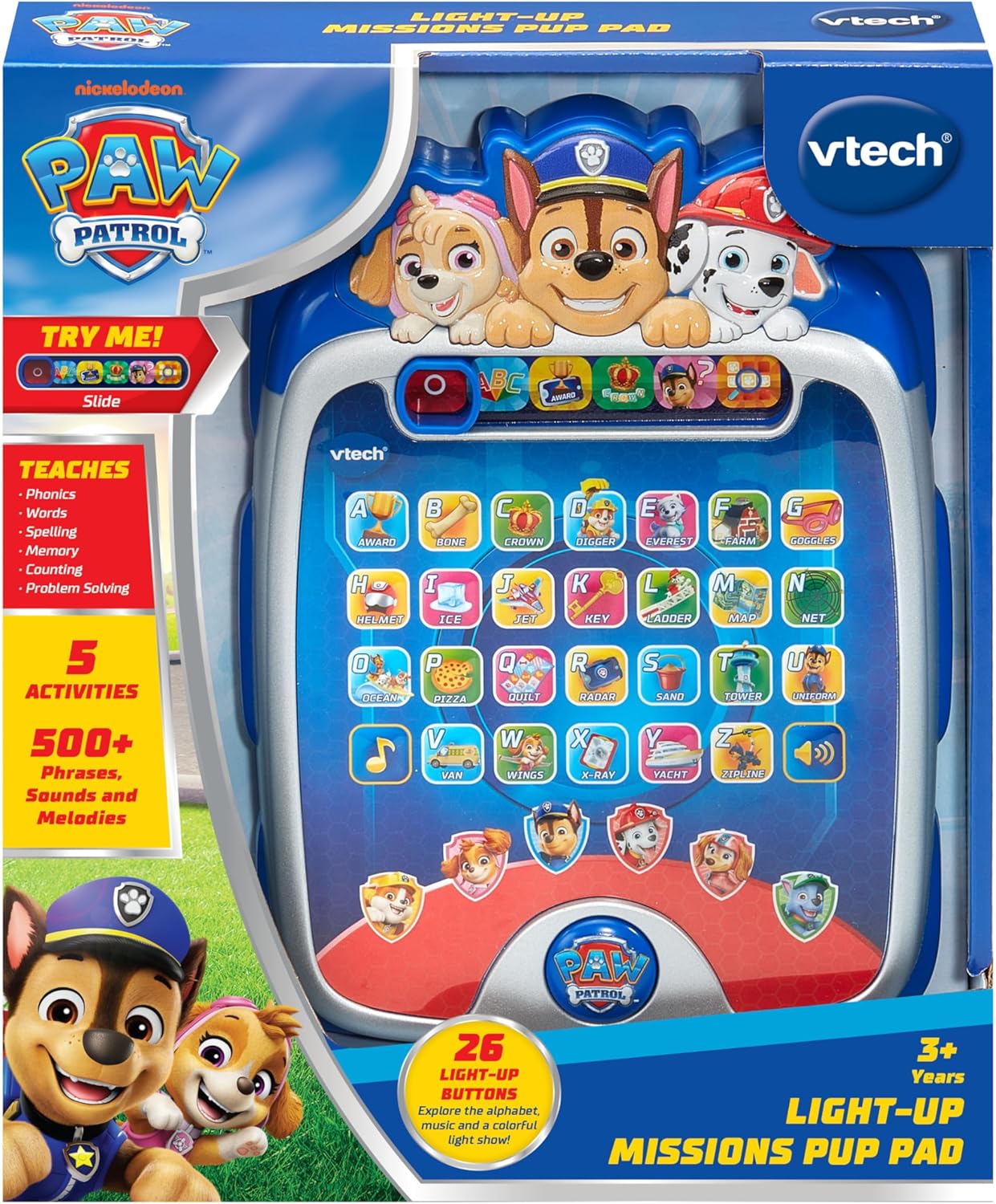
The PAW Patrol Light-Up Missions Pup Pad as it appears in its packaging.
Instalação da bateria
The Pup Pad requires 3 AA batteries for operation. Batteries are included for demonstration purposes only. For regular use, new batteries are recommended.
- Localize o compartimento da bateria na parte traseira da unidade.
- Usando uma chave de fenda, afrouxe o parafuso da tampa do compartimento da bateria.
- Remova a tampa.
- Insira 3 pilhas AA novas, certificando-se da polaridade correta (+/-).
- Recoloque a tampa do compartimento da bateria e aperte o parafuso.
Use sempre pilhas novas do tipo recomendado. Não misture pilhas novas com usadas, nem pilhas de tipos diferentes.
Começando
To power on the Pup Pad, locate the On/Off switch, typically found on the side or top of the device. Slide the switch to the 'On' position. The device will greet you and prompt you to begin an activity.

The Pup Pad screen with all letter buttons lit up, indicating it is ready for play.
Operating Modes and Activities
The Pup Pad offers several interactive learning activities. Use the mode selector buttons at the top of the screen to switch between activities.
1. Explore Letters and Words
Press any of the 26 light-up letter buttons to hear the letter's name, its phonetic sound, and a word starting with that letter. The device will also provide a fun fact about the word.
2. Spelling Practice
In this mode, the Pup Pad will prompt you to spell a word. Press the light-up letter buttons in the correct sequence to spell the word. The device provides guidance and positive reinforcement.
3. Counting Game
Follow the light-up sequence of the letter buttons to practice counting. The device will guide you through the numbers.
4. Guessing Game
Ryder will give clues, and you need to press the correct letter button on the Pup Pad to guess the word or object. This activity encourages problem-solving skills.
5. Pup Character Buttons
Press the six character buttons featuring PAW Patrol pups (Chase, Marshall, Skye, Rubble, Rocky, Liberty) to hear their special skills and learn how to spell their names.

A child engaging with the Pup Pad on the floor.

A child playing with the Pup Pad while seated on a couch.
Vídeo oficial do produto
This official video demonstrates the various interactive features and learning activities of the VTech PAW Patrol Light-Up Missions Pup Pad.
Manutenção
- Limpeza: Limpe a unidade com um pano levemente damp pano. Não use produtos químicos agressivos ou produtos de limpeza abrasivos.
- Armazenar: Store the Pup Pad in a cool, dry place away from direct sunlight and moisture when not in use.
- Cuidados com a bateria: Remova as pilhas se o aparelho não for usado por um longo período para evitar vazamentos.
Solução de problemas
| Problema | Solução |
|---|---|
| O aparelho não liga nem responde. | Verifique a instalação das pilhas. Certifique-se de que as pilhas sejam novas e estejam inseridas corretamente. Substitua-as, se necessário. |
| O som está distorcido ou muito baixo/alto. | While there is no dedicated volume button, ensure the speaker is not obstructed. Replace batteries if sound issues persist. |
| Lights are not working correctly. | Replace batteries. If the issue continues, contact customer support. |
Especificações
- Dimensões do produto: 7.24 x 9.84 x 1.8 polegadas
- Peso do item: 1 libra
- Número do modelo: 80-582400
- Idade recomendada pelo fabricante: 3 anos ou mais
- Baterias: 3 AA batteries (included for demo purposes)
- Fabricante: VTech
- Data de lançamento: 5 de junho de 2025
Garantia e Suporte
For warranty information or technical support, please refer to the contact details provided in the Quick Start Guide or visit the official VTech webGuarde o comprovante de compra como prova para eventuais solicitações de garantia.


