1. Introdução
Thank you for choosing the EvoFox Deathray V2 Gaming Keyboard and Mouse Combo. This manual will guide you through the setup, operation, and maintenance of your new gaming peripherals. Designed for precision and comfort, this combo enhances your gaming and productivity experience.

Image: The EvoFox Deathray V2 Gaming Keyboard and Mouse Combo, showcasing both devices connected via their braided cables.
2. Conteúdo da embalagem
- EvoFox Deathray V2 Gaming Keyboard
- EvoFox Deathray V2 Gaming Mouse
- Manual do usuário (este documento)
3. Instruções de configuração
- Conecte o teclado: Plug the USB connector of the EvoFox Deathray V2 Keyboard into an available USB port on your computer.
- Conecte o mouse: Plug the USB connector of the EvoFox Deathray V2 Mouse into another available USB port on your computer.
- Instalação do driver: Seu sistema operacional deve detectar e instalar automaticamente os drivers necessários. Normalmente, não é necessária a instalação de software adicional para o funcionamento básico.
- Colocação: Place the keyboard and mouse on a flat, stable surface for optimal performance.
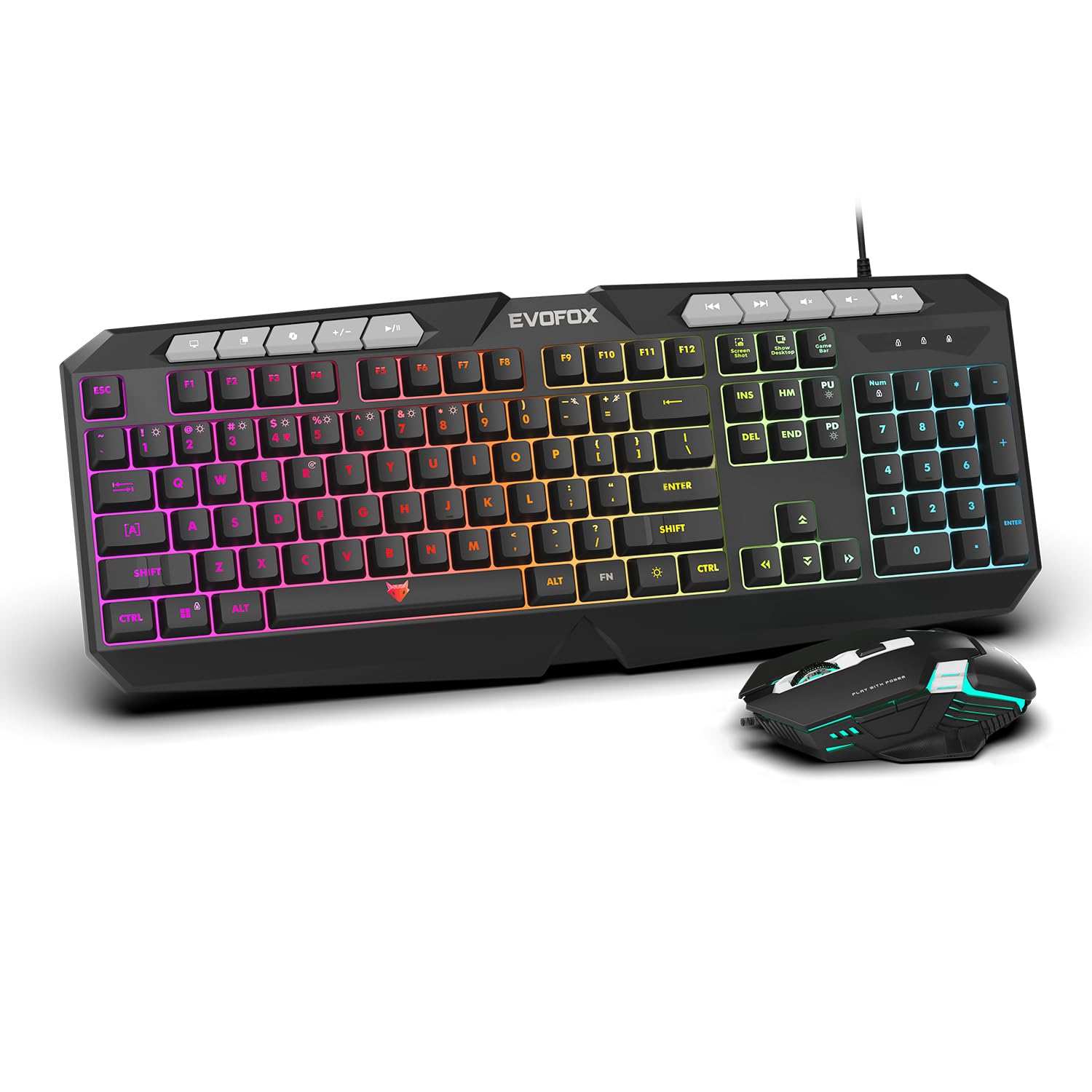
Imagem: Um close-up view of the EvoFox Deathray V2 Keyboard and Mouse, illustrating their wired connection readiness.
4. Operando o teclado
4.1. Funções básicas
The EvoFox Deathray V2 Keyboard features a full-size layout with standard QWERTY keys, a numeric keypad, and function keys (F1-F12).
4.2. Teclas multimídia
Dedicated multimedia keys are located above the function keys for quick access to media controls:
- Volume Up/Down/Mute: Controle os níveis de áudio.
- Reproduzir/Pausar, Faixa anterior/seguinte: Gerenciar a reprodução de mídia.
4.3. Teclas de função especiais
The keyboard includes special shortcut keys for enhanced productivity and gaming:
- Captura de tela: Captures a screenshot of your display.
- Mostrar area de trabalho: Minimizes all open windows to show the desktop.
- Xbox Game Bar: Opens the Xbox Game Bar for gaming features.
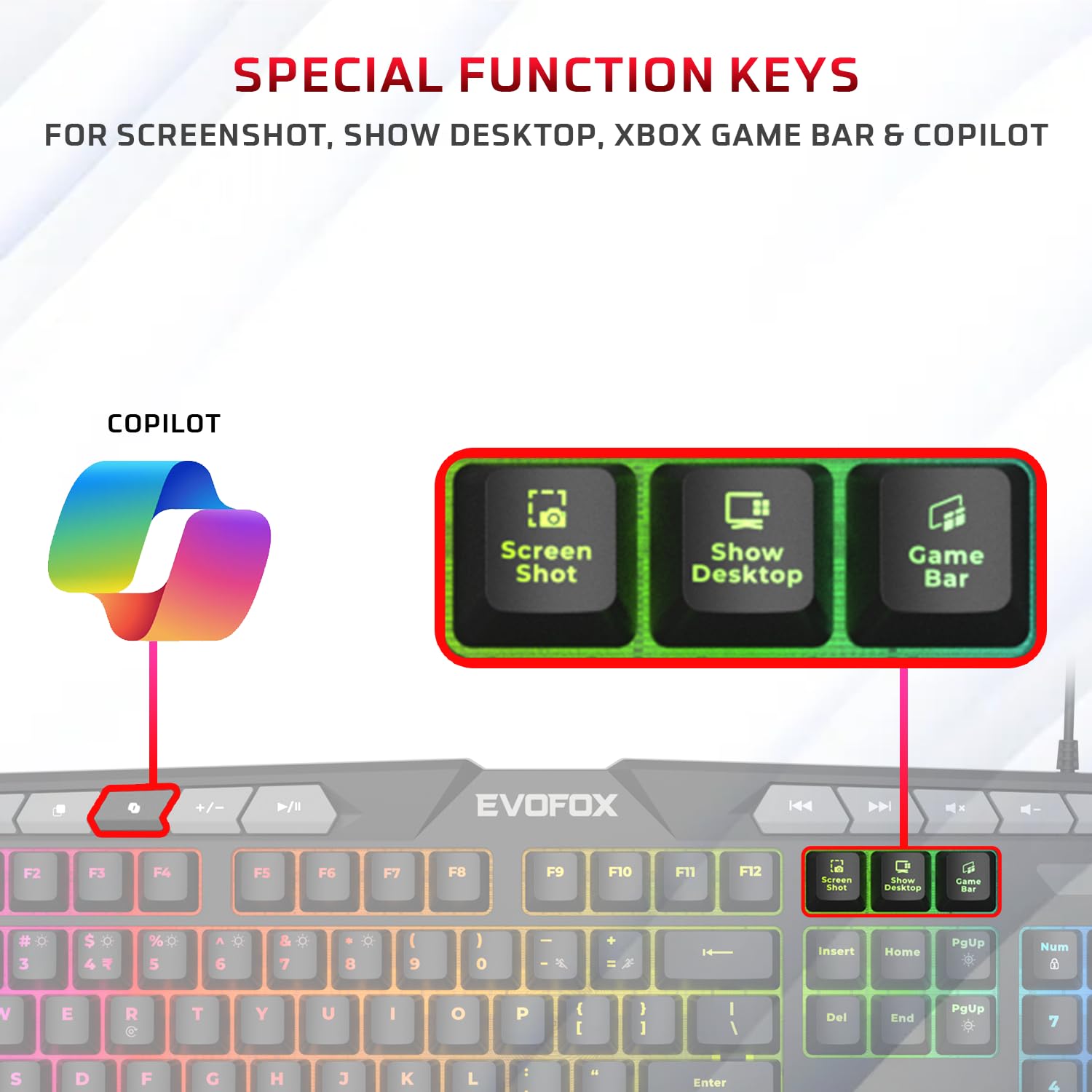
Imagem: Uma imagem detalhada view of the EvoFox Deathray V2 Keyboard highlighting the dedicated Screenshot, Show Desktop, and Game Bar keys.
4.4. Teclas Anti-Ghosting
The keyboard features 19 anti-ghosting keys, ensuring that multiple simultaneous key presses are registered accurately, which is crucial for gaming.

Image: The EvoFox Deathray V2 Keyboard, visually indicating the 19 anti-ghosting key zones for precise input.
5. Operando o Mouse
5.1. Botões e funções
The EvoFox Deathray V2 Mouse features 6 buttons for versatile control:
- Clique esquerdo
- Clique com o botão direito
- Roda de rolagem (clicável)
- Botão de ajuste de DPI
- Botão Avançar
- Botão para trás
5.2. Ajuste de DPI
The mouse offers adjustable DPI (Dots Per Inch) settings to change cursor sensitivity. Press the DPI button located behind the scroll wheel to cycle through the available DPI levels:
- 1200 DPI
- 1800 DPI
- 2400 DPI
- 3600 DPI
Each DPI level may be indicated by a specific LED light pattern or color change on the mouse.

Image: The EvoFox Deathray V2 Mouse, illustrating its ergonomic design and the DPI adjustment button.

Image: A close-up of the EvoFox Deathray V2 Mouse, highlighting its 6-button design, rugged braided cable, and magnetic ring for data transmission.
6. Lighting Customization
6.1. Keyboard RGB Backlighting
The EvoFox Deathray V2 Keyboard features 6-zone RGB backlighting with multiple lighting modes. Use the dedicated lighting control keys (often marked with a light bulb icon or specific function key combinations) to cycle through different effects and adjust brightness.
- 8 modos de iluminação: Cycle through various preset lighting effects.
- Iluminação personalizada: Some modes may allow for custom color assignments or patterns.

Image: The EvoFox Deathray V2 Keyboard displaying its vibrant 6-zone customizable RGB backlighting.
6.2. Mouse LED Lighting
The EvoFox Deathray V2 Mouse features 7-color LED lighting, often with a breathing effect, which changes automatically. There are typically no user-adjustable settings for the mouse lighting beyond its default cycling pattern.

Image: The EvoFox Deathray V2 Mouse illuminated with its 7-color rainbow LED lighting, featuring a breathing effect.
7. Manutenção
Proper maintenance ensures the longevity and optimal performance of your EvoFox Deathray V2 combo.
- Limpeza: Use um pano macio e seco para limpar o teclado e o mouse. Para sujeira mais persistente, use um pano levemente umedecido.amp cloth can be used, ensuring no liquid enters the devices. Avoid harsh chemicals or abrasive materials.
- Remoção de poeira: Use ar comprimido para remover poeira e detritos entre as teclas do teclado e ao redor do sensor do mouse.
- Cuidados com os cabos: Avoid sharp bends or excessive pulling on the braided cables to prevent damage.
- Armazenar: Quando não estiverem em uso por longos períodos, guarde os dispositivos em um ambiente limpo e seco, longe da luz solar direta e de temperaturas extremas.

Image: A close-up of the EvoFox Deathray V2 Keyboard, highlighting its durable design with a 1.8m braided cable and soft membrane keys.
8. Solução De Problemas
| Problema | Possível causa | Solução |
|---|---|---|
| Teclado/Mouse não responde | Conexão USB solta, porta USB com defeito, problema de driver. |
|
| Teclas não registradas ou com status fantasma | Software conflict, physical obstruction, hardware issue. |
|
| O cursor do mouse está se movendo de forma errática ou não se move. | Sensor sujo, superfície inadequada, sensor defeituoso. |
|
| Iluminação RGB não funciona | Lighting mode off, brightness too low, software issue. |
|
9. Especificações
| Recurso | Detalhe |
|---|---|
| Modelo do produto | V2 - 2 in 1 |
| Conectividade | USB com fio |
| Tipo de teclado | Membrane, Full-Size |
| Retroiluminação do Teclado | 6-Zone RGB with 8 modes |
| Anti-Ghosting | 19 Chaves |
| Botões do mouse | 6 Buttons (Left, Right, Scroll Click, DPI, Forward, Backward) |
| Configurações de DPI do mouse | 1200 / 1800 / 2400 / 3600 DPI |
| Iluminação do mouse | 7-Color LED Lighting (Breathing Effect) |
| Tipo de cabo | Braided Cable (1.8m for keyboard) |
| Mouse Switches | Huano switches, rated for 10 million clicks |
| Dimensões do produto (teclado) | 50 x 18 x 4 cm |
| Peso do item | 800 g |
| País de origem | China |
10. Garantia e Suporte
EvoFox products are designed for durability and performance. For warranty information, technical support, or service inquiries, please refer to the official EvoFox webou entre em contato diretamente com o suporte ao cliente.
Fabricante: Allied Electronics & Magnetics Private Limited
Endereço: C-64/4, Okhla Phase - 2, New Delhi - 110020, India
Guarde o comprovante de compra para reclamações de garantia.
11. Informações de segurança
- Do not expose the devices to liquid or excessive moisture.
- Evite temperaturas extremas.
- Não tente desmontar ou reparar os dispositivos por conta própria. Isso anulará a garantia.
- Mantenha fora do alcance de crianças.


