1. Introdução
Welcome to the DOOGEE Tab A9 Pro user manual. This guide provides essential information to help you set up, operate, and maintain your new Android tablet. Please read this manual thoroughly before using the device to ensure proper functionality and safety.
2. O que está na caixa
The DOOGEE Tab A9 Pro package includes the following items:
- 1 x DOOGEE Tab A9 Pro Tablet
- 1 x Cabo USB Tipo C
- 1 x Carregador
- 1 x SIM Ejector Pin
- 1 x caixa de embalagem
- 1 x Manual do Usuário
- 1 x Cartão de garantia
- 1 x Screen Protector (pré-aplicado)
3. Produto acabadoview
The DOOGEE Tab A9 Pro features a sleek design and powerful components for an optimal user experience.
Principais características:
- Mostrar: 10.1-inch IPS HD Ultra-Clear Display (1280x800 pixels, 16.7 million colors, 16:10 aspect ratio, 1200:1 contrast, 2.5D cover glass).
- Processador: Unisoc T310 Quad-core, 2 GHz.
- Armazenamento de memória: 20GB RAM (4GB base + 16GB virtual), 128GB ROM, expandable up to 2TB with microSD.
- Bateria: 6580 mAh Lithium battery for extended use.
- Câmeras: 8MP Rear Camera, 5MP Front Camera.
- Sistema operacional: Android 15.
- Conectividade: Wi-Fi (2.4G/5G), Bluetooth 5.0.
- Áudio: Dual 1217 BOX Speakers, 3.5mm Audio Jack.
- Segurança: Desbloqueio facial.
- Dimensões: 24.53 x 16.33 x 0.99 cm; 478 grams.
Componentes físicos:
Familiarize yourself with the tablet's physical layout.
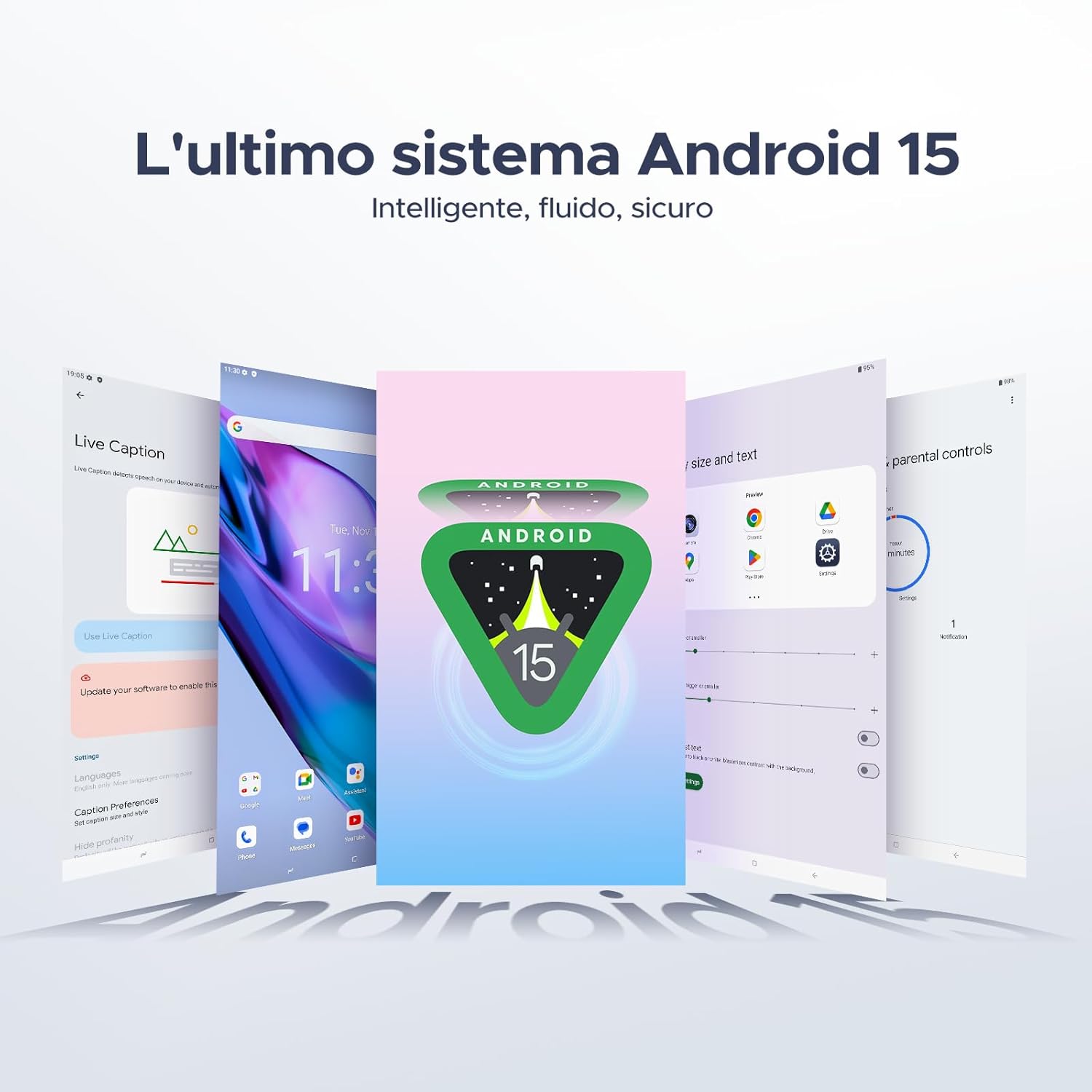
Figura 3.1: Frente e verso view of the DOOGEE Tab A9 Pro Tablet.

Figura 3.2: Lateral view showing power button, volume controls, and ports.

Figure 3.3: Available color options for the DOOGEE Tab A9 Pro Tablet.
4. Configuração
4.1 Inicialização Inicial
- Pressione e mantenha pressionado o botão Liga/Desliga localizado na lateral do tablet até que o logotipo da DOOGEE apareça.
- Siga as instruções na tela para selecionar seu idioma, conectar-se a uma rede Wi-Fi e configurar sua conta do Google.
4.2 Carregando a bateria
Before first use, fully charge the tablet's battery.
- Conecte o cabo USB tipo C à porta de carregamento do tablet.
- Conecte a outra extremidade do cabo ao carregador fornecido e, em seguida, ligue o carregador a uma tomada elétrica.
- O indicador de carregamento aparecerá na tela.

Figure 4.1: Illustration of the 6580 mAh high-capacity battery.
4.3 Inserindo um cartão microSD
To expand storage, insert a microSD card (sold separately).
- Localize a bandeja do cartão SIM/microSD na lateral do tablet.
- Insert the SIM ejector pin into the small hole next to the tray to open it.
- Place the microSD card into the designated slot on the tray.
- Empurre a bandeja de volta para o tablet com cuidado até ouvir um clique.

Figure 4.2: Storage capacity details, including expandable memory.
5. Instruções de operação
5.1 Navegando no Android 15
Your tablet runs on the latest Android 15 system, offering an intelligent, fluid, and secure experience.

Figura 5.1: A interface do sistema operacional Android 15.
5.2 Recursos de exibição
The 10.1-inch IPS HD display provides a wide visual field. Utilize features like Eye-Caring Mode and Dark Mode for enhanced viewconforto.

Figure 5.2: Details of the 10.1-inch IPS HD Ultra-Clear Display.

Figura 5.3: Modo de proteção ocular e Modo escuro para maior conforto visual.
5.3 Utilização da câmera
Capture moments with the 8MP main camera and take clear selfies or video calls with the 5MP front camera. The tablet also supports Beauty Mode and Google Smart Camera features.

Figure 5.4: The 8MP main camera for clear photos.

Figure 5.5: The 5MP front camera for selfies and video calls.

Figure 5.6: Beauty Mode for enhancing photos.

Figure 5.7: Google Smart Camera features for enhanced photography.
5.4 Áudio e Conectividade
Enjoy clear audio through the dual 1217 BOX speakers or connect headphones via the 3.5mm audio jack. The tablet supports Wi-Fi 5 (2.4G/5G) for stable and fast internet access.

Figure 5.8: Dual 1217 BOX speakers for crystal clear audio.

Figure 5.9: Standard 3.5mm audio jack for stable, distortion-free transmission.

Figure 5.10: Wi-Fi 5 for seamless connectivity.
5.5 Segurança e Privacidade
Unlock your tablet effortlessly using Face Unlock. Android 15 also provides enhanced privacy features, including precise permission control, robust data encryption, and proactive app screening.

Figure 5.11: Face recognition unlock for easy access.

Figure 5.12: Enhanced privacy shield features of Android 15.
5.6 Recursos de Produtividade
The tablet supports efficient split-screen multitasking and comes with WPS Office integrated for productivity on the go.

Figure 5.13: Efficient split-screen multitasking.

Figure 5.14: WPS Office integrated for PC-level productivity.
5.7 Recursos Adicionais
The tablet offers Sleep Mode, Multi-user System, and Parental Control features for a versatile user experience.

Figure 5.15: Discover more with Android 15 features.
5.8 Vídeos de Produtos
Watch these official videos for a visual guide to the DOOGEE Tab A9 Pro's features.
Video 5.1: DOOGEE Tab A9 Pro product overview (Préview).
Video 5.2: DOOGEE Tab A9 Pro features highlight (Preview).
Video 5.3: DOOGEE Tab A9 Pro design and performance (Preview).
6. Manutenção
6.1 Limpeza do tablet
- Use um pano macio e sem fiapos para limpar a tela e a carcaça do tablet.
- Evite usar produtos químicos agressivos ou materiais abrasivos, pois podem danificar a superfície.
6.2 Cuidados com a bateria
- Evite expor o tablet a temperaturas extremas.
- Para otimizar a vida útil da bateria, evite descarregá-la completamente com frequência.
6.3 Atualizações de Software
Regularly check for and install software updates to ensure your tablet has the latest features and security enhancements. Go to Configurações > Sistema > Atualização do sistema para verificar atualizações.
7. Solução De Problemas
If you encounter issues with your DOOGEE Tab A9 Pro, refer to the following common solutions:
| Problema | Solução |
|---|---|
| O tablet não liga. | Ensure the battery is charged. Connect the charger and wait a few minutes before attempting to power on again. If it still doesn't turn on, press and hold the power button for 10-15 seconds to force a restart. |
| A tela não responde | Restart the tablet. If the issue persists, perform a factory reset (note: this will erase all data). |
| Problemas de conexão Wi-Fi | Restart your Wi-Fi router and the tablet. Forget the network in tablet settings and reconnect. Ensure you are within range of the Wi-Fi signal. |
| Aplicativos travando ou congelando | Clear the cache and data for the problematic app (Settings > Apps > [App Name] > Storage > Clear Cache/Clear Data). If the issue continues, uninstall and reinstall the app. Ensure your tablet's software is up to date. |
| A bateria descarrega rapidamente | Reduce screen brightness, close unused apps running in the background, disable Wi-Fi/Bluetooth when not in use, and check for power-intensive apps in battery usage settings. |
Se essas soluções não resolverem o problema, entre em contato com o suporte ao cliente.
8. Especificações
Detailed technical specifications for the DOOGEE Tab A9 Pro:
| Recurso | Especificação |
|---|---|
| Marca | DOOGEE |
| Número do modelo | Tab A9 PRO |
| Sistema operacional | Androide 15 |
| Processador | Unisoc T310 Quad-core, 2 GHz |
| BATER | 20 GB (4GB base + 16GB virtual) |
| Armazenamento interno (ROM) | 128 GB |
| Armazenamento expansível | Até 2 TB via cartão microSD (vendido separadamente) |
| Tamanho da tela | 10.1 polegadas |
| Resolução da tela | 1280 x 800 pixels |
| Câmera Traseira | 8 MP |
| Câmera Frontal | 5 MP |
| Conectividade | Wi-Fi (802.11ac, 2.4G/5G), Bluetooth 5.0 |
| Capacidade da bateria | 6580 Miliamper-hour (mAh) |
| Dimensões do produto | 24.53 x 16.33 x 0.99 cm |
| Peso do item | 478 gramas |
| Cor | BLACK (also available in Glacier Blue, Meteorite Gray) |
9. Garantia e Suporte
Your DOOGEE Tab A9 Pro comes with a manufacturer's warranty. Please refer to the included Warranty Card for details on coverage and terms. For technical support, troubleshooting assistance beyond this manual, or warranty claims, please contact DOOGEE customer service through their official website ou o varejista onde o produto foi comprado.
Para mais informações, visite o Loja DOOGEE na Amazon.


