Introdução
Thank you for choosing the Pro Breeze 25L Smart Dehumidifier. This appliance is designed to efficiently remove excess moisture from your indoor environment, helping to prevent mold, mildew, and dampness. Featuring smart Wi-Fi connectivity, a digital display, and multiple operating modes, this dehumidifier offers advanced control and convenience. Please read this manual thoroughly before operation to ensure safe and optimal performance.
Instruções importantes de segurança
Sempre siga as precauções básicas de segurança ao usar aparelhos elétricos para reduzir o risco de incêndio, choque elétrico e ferimentos.
- Certifique-se de que a fonte de alimentação corresponda ao voltage especificado na etiqueta de classificação.
- Não utilize o desumidificador se o cabo ou a ficha estiverem danificados.
- Keep the appliance at least 20 cm (8 inches) away from walls and other objects to ensure proper airflow.
- Não mergulhe a unidade, o cabo de alimentação ou a ficha em água ou outros líquidos.
- Unplug the dehumidifier before cleaning, maintenance, or when not in use.
- Este aparelho é somente para uso interno.
- Não bloqueie a entrada ou saída de ar.
- Supervisione as crianças e certifique-se de que elas não brinquem com o aparelho.
- Não tente reparar ou modificar a unidade por conta própria. Contate pessoal de serviço qualificado.
Características do produto

Image: The Pro Breeze 25L Smart Dehumidifier, showcasing its compact design and highlighting features such as Wi-Fi compatibility, 25L extraction rate, energy efficiency, and laundry mode. Dimensions are also indicated.
- Desumidificação potente: Extracts up to 25 liters of moisture per day, effectively combating persistent humidity, mold, and condensation in large rooms.
- Grande tanque de água: Features a 5.5-liter water tank with automatic shut-off when full. A drainage hose is included for continuous operation.
- Eficiência energética: Utilizes a high-performance compressor, 24-hour timer, and automatic stop system to reduce energy consumption.
- Operação silenciosa: Designed with silent technology, making it suitable for use in bedrooms, living rooms, offices, and other quiet environments.
- Controle inteligente via aplicativo: Manage all functions remotely using the free Pro Breeze app or voice commands with Alexa and Google Home (compatible with iPhone and Android).
- Digital Display & Humidity Sensor: An intuitive LED screen allows selection of fan speed and humidity levels between 30% and 80%. The smart sensor displays real-time humidity and automatically stops the dehumidifier once the target is reached.
- Vários modos de operação: Includes a 24-hour timer and 4 operating modes, including a dedicated Modo de Secagem de Roupa. Also features a Bloqueio de criança, Automatic Defrost Mode, e Exibição noturna.

Image: The Pro Breeze dehumidifier positioned next to a large 25-liter water bottle, visually representing its daily moisture extraction capacity and the benefit of fewer tank emptying cycles.
Conteúdo da embalagem
Por favor, marque a caixa para os seguintes itens:
- Pro Breeze 25L Smart Dehumidifier Unit
- Mangueira de drenagem contínua
- Manual do usuário
Configurar
- Desembalagem: Retire cuidadosamente o desumidificador da embalagem. Guarde a embalagem para armazenamento ou transporte futuros.
- Colocação: Place the dehumidifier on a firm, level surface. Ensure there is at least 20 cm (8 inches) of clear space around the air inlet and outlet to allow for efficient airflow. Avoid placing it near heat sources or in direct sunlight.
- Conexão de energia: Conecte o cabo de alimentação a uma tomada elétrica aterrada. Certifique-se de que o volumetage atende aos requisitos da unidade.
- Instalação do tanque de água: Certifique-se de que o reservatório de água esteja inserido corretamente na unidade. O desumidificador não funcionará se o reservatório não estiver encaixado corretamente ou estiver cheio.
- Drenagem contínua (opcional): For continuous operation without emptying the tank, connect the provided drainage hose to the continuous drainage port on the back of the unit. Route the hose to a suitable drain, ensuring it is sloped downwards to allow water to flow freely.
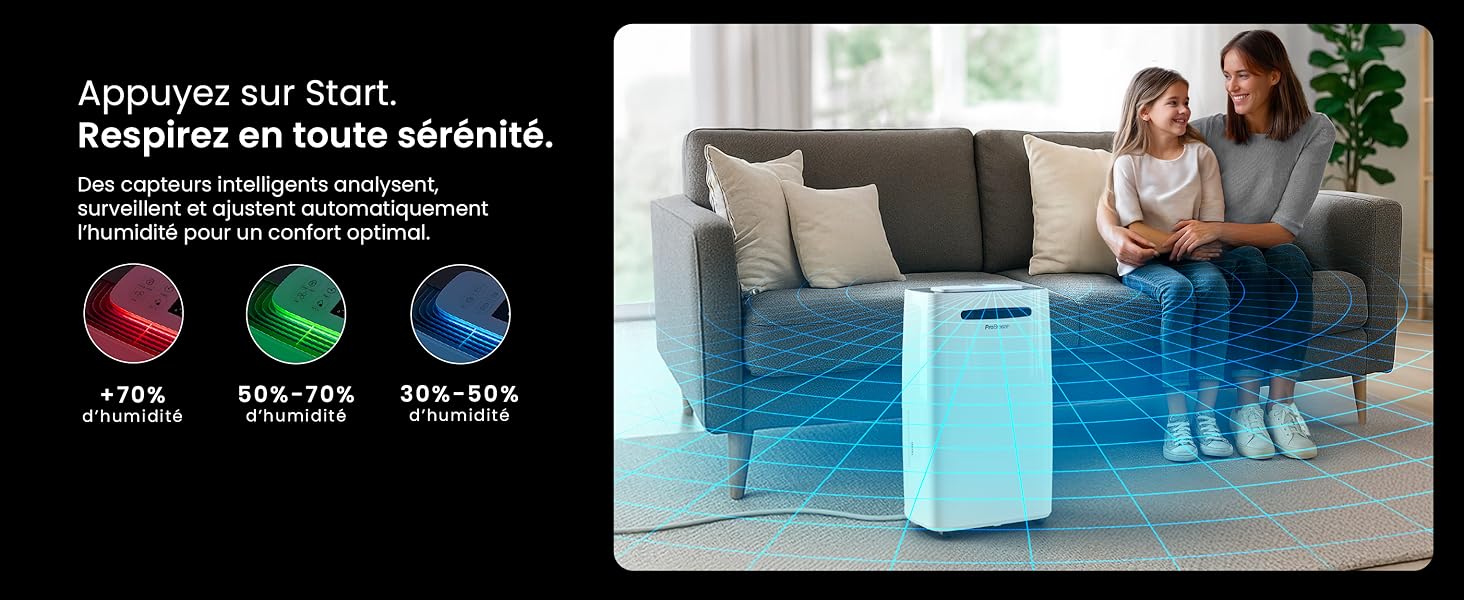
Image: The dehumidifier shown in different environments such as a garage, home office, and laundry room, illustrating its versatility and suitability for various spaces. Icons for continuous drainage and automatic defrost are also present.
Instruções de operação
Painel de controle encerradoview

Imagem: Uma imagem detalhada view of the dehumidifier's illuminated digital control panel, showing buttons for power, mode, fan speed, timer, child lock, and humidity settings, along with the LED display.
The intuitive LED display and touch controls allow for easy operation.
- Botão de energia: Pressione para ligar ou desligar a unidade.
- Botão de modo: Cycle through available operating modes: Normal, Secagem de roupa, e Modo noturno.
- Botão de velocidade do ventilador: Adjust the fan speed between Baixo e Alto.
- Humidity Setting (SET %): Use the up/down arrows to set your desired humidity level (30% - 80%). The unit will operate until this level is reached.
- Botão do temporizador: Set a 24-hour timer for automatic power ON or OFF.
- Botão de bloqueio para crianças: Pressione e segure para ativar/desativar o bloqueio infantil, evitando alterações acidentais nas configurações.
- Botão de exibição: Turn the LED display lights ON or OFF, useful for night mode.
Controle por Wi-Fi e aplicativo

Image: A user interacting with the Pro Breeze mobile application on a smartphone, demonstrating remote control capabilities for the dehumidifier. The app shows current humidity and temperature settings.
The Pro Breeze 25L Smart Dehumidifier can be controlled remotely via the Pro Breeze app. Download the app from your smartphone's app store and follow the in-app instructions to connect your device to your home Wi-Fi network. Once connected, you can control all functions, set schedules, and monitor humidity levels from anywhere.
The unit is also compatible with Amazon Alexa and Google Home for voice control. Refer to the app's help section for detailed instructions on integrating with these smart home platforms.
Manutenção
Esvaziando o tanque de água
When the water tank is full, the dehumidifier will automatically shut off and an indicator light will illuminate. Carefully remove the water tank from the unit, empty the collected water, and reinsert the tank securely. The unit will resume operation.
Limpeza do filtro de ar
A clogged filter can reduce efficiency. It is recommended to clean the air filter every two weeks or more frequently depending on usage and air quality.
- Desligue o desumidificador e desconecte-o da tomada.
- Localize e remova o filtro de ar (geralmente na parte traseira ou lateral da unidade).
- Limpe o filtro com um aspirador de pó ou lave-o delicadamente com água morna e sabão.
- Enxágue bem e deixe o filtro secar completamente ao ar antes de reinseri-lo na unidade.
Limpeza do Exterior
Limpe o exterior do desumidificador com um pano macio, damp pano. Não utilize produtos químicos agressivos, produtos de limpeza abrasivos ou solventes, pois estes podem danificar a superfície.
Armazenar
If storing the unit for an extended period, ensure the water tank is empty and clean, and the filter is clean and dry. Store the dehumidifier in a cool, dry place, preferably in its original packaging.
Solução de problemas
| Problema | Possível causa | Solução |
|---|---|---|
| O desumidificador não liga. | No power; water tank full or incorrectly inserted; ambient temperature too low. | Check power connection; empty and reinsert water tank; ensure room temperature is above 5°C (41°F). |
| O aparelho está funcionando, mas não está coletando água. | Humidity level too low; air filter clogged; room temperature too low; unit size too small for space. | Adjust desired humidity setting lower; clean air filter; ensure room temperature is adequate; consider if unit is appropriate for room size. |
| A unidade é barulhenta. | A unidade não está em uma superfície nivelada; filtro de ar obstruído; componentes internos vibrando. | Place on a flat, stable surface; clean air filter; if noise persists, contact support. |
| Problemas de conexão Wi-Fi. | Incorrect Wi-Fi password; unit too far from router; router issues; app issues. | Verify Wi-Fi password; move unit closer to router; restart router; reinstall Pro Breeze app. |
| A geada aparece nas bobinas. | Baixa temperatura ambiente. | The unit has an automatic defrost function. If frost persists, increase room temperature. |
Especificações
| Especificação | Detalhe |
|---|---|
| Número do modelo | PB-D-37W-W-EU |
| Marca | Brisa profissional |
| Moisture Extraction Capacity | 25 litros/dia |
| Capacidade do tanque de água | 5.5 litros |
| Dimensões (C x L x A) | 38.6 cm x 26 cm x 50 cm |
| Peso | 15.1 quilos |
| Velocidades do ventilador | 2 |
| Características especiais | Adjustable Humidity Control, Night Mode, Continuous Drainage, Wi-Fi Connectivity, Digital Display, 24h Timer, Laundry Drying Mode, Child Lock, Automatic Defrost |
| Área de piso recomendada | Até 322 pés quadrados (30 m²) |

Image: The Pro Breeze dehumidifier highlighting its elegant and discreet design, along with its dimensions (50cm H, 38.6cm L, 26cm P) and four easy-to-move caster wheels.
Garantia e Suporte
Pro Breeze products are manufactured to the highest standards. This product comes with a standard manufacturer's warranty. For specific warranty details, please refer to the warranty card included in your package or visit the official Pro Breeze website.
If you encounter any issues or have questions regarding your dehumidifier, please contact Pro Breeze customer support. Contact information can typically be found on the Pro Breeze website ou na embalagem do produto.


