1. Introdução
Thank you for choosing the LifeBasis KS-2626E Rechargeable Power Scrubber Mini. This cordless electric cleaning brush is designed to simplify your cleaning tasks with its high-frequency vibration technology and versatile brush heads. Please read this manual thoroughly before use to ensure safe and optimal performance.
2. O que está incluído
Your LifeBasis Power Scrubber Mini package contains the following items:
- 1 x Rechargeable Power Handle
- 1 x Large Brush Head
- 1 x Grout Brush Head
- 1 x Soft Bristle Brush Head
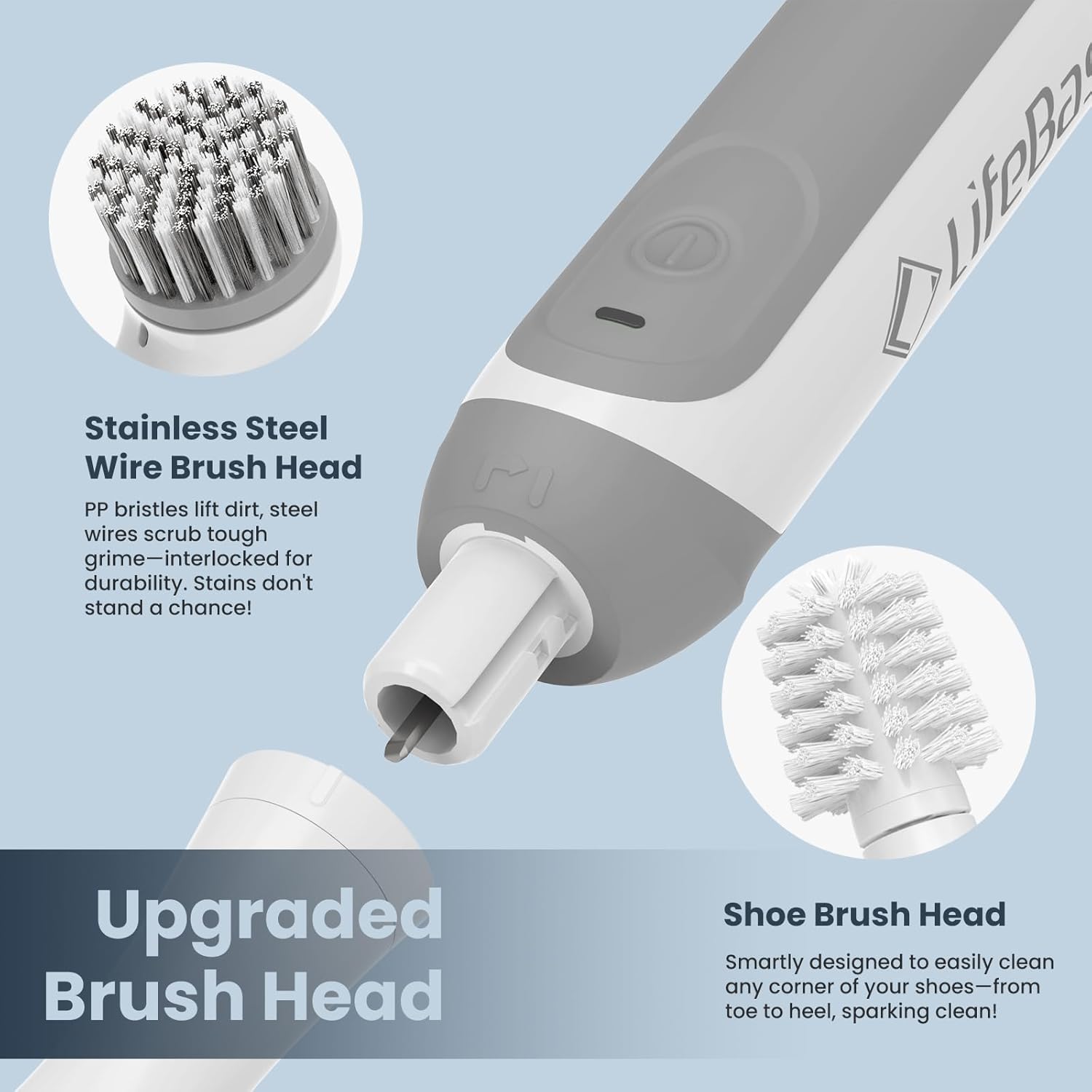
- 1 x Shoe Brush Head
- 1 x Velcro Head
- 3 x Scrubber Pad Refills
- 3 x Microfiber Pad Refills
- 1 x cabo de carregamento tipo C
- 1 x Cordão
- 1 x Manual do produto


3. Configuração
3.1 Attaching Brush Heads
- Select the desired brush head.
- Align the brush head with the snap-fit joint on the power handle.
- Insert the brush head and rotate it clockwise until the vertical line engraved on the brush head aligns with the line on the handle, indicating it is securely locked.
- To remove, rotate counter-clockwise and pull it out.

3.2 Carregando o dispositivo
The LifeBasis Power Scrubber Mini is equipped with a built-in rechargeable battery. Before first use, fully charge the device.
- Open the protective cover at the bottom of the handle to reveal the Type-C charging port.
- Connect the provided Type-C charging cable to the port and a suitable USB power adapter (not included).
- The LED indicator light will show the charging status:
- Verde: Totalmente carregado
- Amarelo: Bateria fraca
- Vermelho: Carregando
- A full charge typically takes 3-4 hours and provides 90-150 minutes of working time.
- Ensure the protective cover is securely closed after charging to maintain IPX7 water resistance.


4. Instruções de operação
4.1 Ligar/Desligar
To turn the scrubber on or off, simply press the power button located on the handle. The device features high-frequency vibration up to 5,800 per minute for efficient cleaning.
4.2 Brush Head Functions
Choose the appropriate brush head for your cleaning task:
- Pincel grande: Ideal for large flat surfaces such as hard floors, walls, doors, windows, counters, patio furniture, pools, and for removing soap scum or carpet stains.
- Escova para rejunte: Designed for tile grout, edges, corners, and other hard-to-reach places.
- Escova de cerdas macias: Suitable for delicate and fragile surfaces like glass or shoes.
- Shoe Brush: Specifically shaped for cleaning shoes and other similar items.
- Velcro Head: Use with the included scrubber pads (for tough stains) or microfiber pads (for gentle cleaning) on tableware, gas ranges, sinks, bathtubs, and ceramic surfaces.


5. Manutenção
5.1 Cleaning the Device and Brush Heads
- After each use, remove the brush head from the power handle.
- Rinse the brush head thoroughly under running water to remove any cleaning solution or debris.
- Limpe a alça de energia com anúncioamp cloth. Do not immerse the entire power handle in water, as only the brush head is designed for direct water contact.
- Deixe todos os componentes secarem completamente ao ar livre antes de remontá-los ou guardá-los.
5.2 Armazenamento
Store the LifeBasis Power Scrubber Mini and its accessories in a cool, dry place away from direct sunlight and extreme temperatures. Keep out of reach of children.
6. Solução De Problemas
- O dispositivo não liga: Ensure the battery is charged. Check the LED indicator for charging status. If the battery is fully charged and the device still doesn't turn on, contact customer support.
- Reduced power/performance: The battery may be low. Recharge the device. If performance remains low after a full charge, contact customer support.
- Brush head detaches during use: Ensure the brush head is correctly installed and rotated clockwise until securely locked.
- Barulho excessivo: Some brush heads, particularly the shoe brush, may produce more noise due to their design and thorough cleaning action. This is normal. If the noise is unusual or excessive, ensure the brush head is properly attached.
7. Especificações
| Recurso | Detalhe |
|---|---|
| Marca | base de vida |
| Número do modelo | KS-2626E |
| Cor | Branco |
| Material do cabo | Borracha |
| Material | Nylon, Rubber |
| Recurso especial | Non Abrasive |
| Recomendação de superfície | Interior |
| Peso do item | 14.4 onças |
| Bateria | Built-in 2500mAh (Rechargeable) |
| Tempo de carregamento | 3-4 horas |
| Tempo de trabalho | 90-150 minutos |
| Frequência de vibração | Até 5,800 por minuto |
| Resistência à água | IPX7 (Do not immerse the whole cleaning brush in water) |
8. Garantia e suporte
LifeBasis is committed to providing high-quality products. While specific warranty details are not provided in this manual, if you have any questions or encounter issues with your LifeBasis Power Scrubber Mini, please contact our customer support team. We are dedicated to providing a solution as soon as possible.
For further assistance, please refer to the contact information provided on the product packaging or the official LifeBasis website.


