1. Introdução
Thank you for choosing the GTRACING Gaming Desk. This manual provides essential information for the safe and efficient assembly, operation, and maintenance of your new desk. Please read these instructions carefully before beginning assembly and retain them for future reference.
2. Informações importantes de segurança
Always assemble the desk according to the provided instructions. Be cautious when moving the desk, as it can be heavy and may pose a risk of injury if not handled properly.
- Certifique-se de que todas as conexões estejam firmes antes de usar.
- Do not overload the desk or monitor stand beyond the recommended weight capacity (300 lbs).
- Keep liquids away from electrical components (power outlets, USB ports, LED lights).
- Children should not climb on or play with the desk.
- Descarte os materiais de embalagem de forma responsável.
3. Conteúdo da embalagem
Verify that all components are present before assembly. If any parts are missing or damaged, please contact GTRACING customer support.
- Desk components (desktop panels, legs, monitor stand parts)
- Integrated power strip (2 AC outlets, 2 USB ports)
- Fita de LED
- Extended mouse pad
- Headphone hooks (x2)
- Ferragens de montagem (parafusos, porcas, etc.)
- Ferramentas de montagem
- Manual de instruções
4. Instruções de montagem
Assembly is required. Please follow the detailed step-by-step instructions provided in the separate assembly guide included with your package. All necessary tools are included.
- Desembale todos os componentes e verifique se correspondem à lista de conteúdo da embalagem.
- Identifique todos os equipamentos e ferramentas.
- Assemble the desk frame and legs.
- Attach the desktop panels.
- Install the monitor stand.
- Mount the integrated power strip.
- Attach the LED light strip.
- Install the headphone hooks.
- Place the extended mouse pad.

Image: All components of the GTRACING Gaming Desk laid out, ready for assembly. This includes the desktop pieces, legs, monitor stand, and various hardware.

Image: A fully assembled GTRACING Gaming Desk, showcasing the monitor stand, LED lighting, and carbon fiber texture.
5. Instruções de operação
5.1. Sistema de Iluminação LED
The GTRACING Gaming Desk features an integrated LED light strip to enhance your gaming or work environment. The LED lights offer 16 color changes and 6 dynamic modes.
- Connect the LED light strip to the designated power source.
- Use the included remote control to power on/off, change colors, and select dynamic modes.
- Para um funcionamento ideal, certifique-se de que o controle remoto tenha uma bateria funcionando e esteja apontado para o receptor de LED.
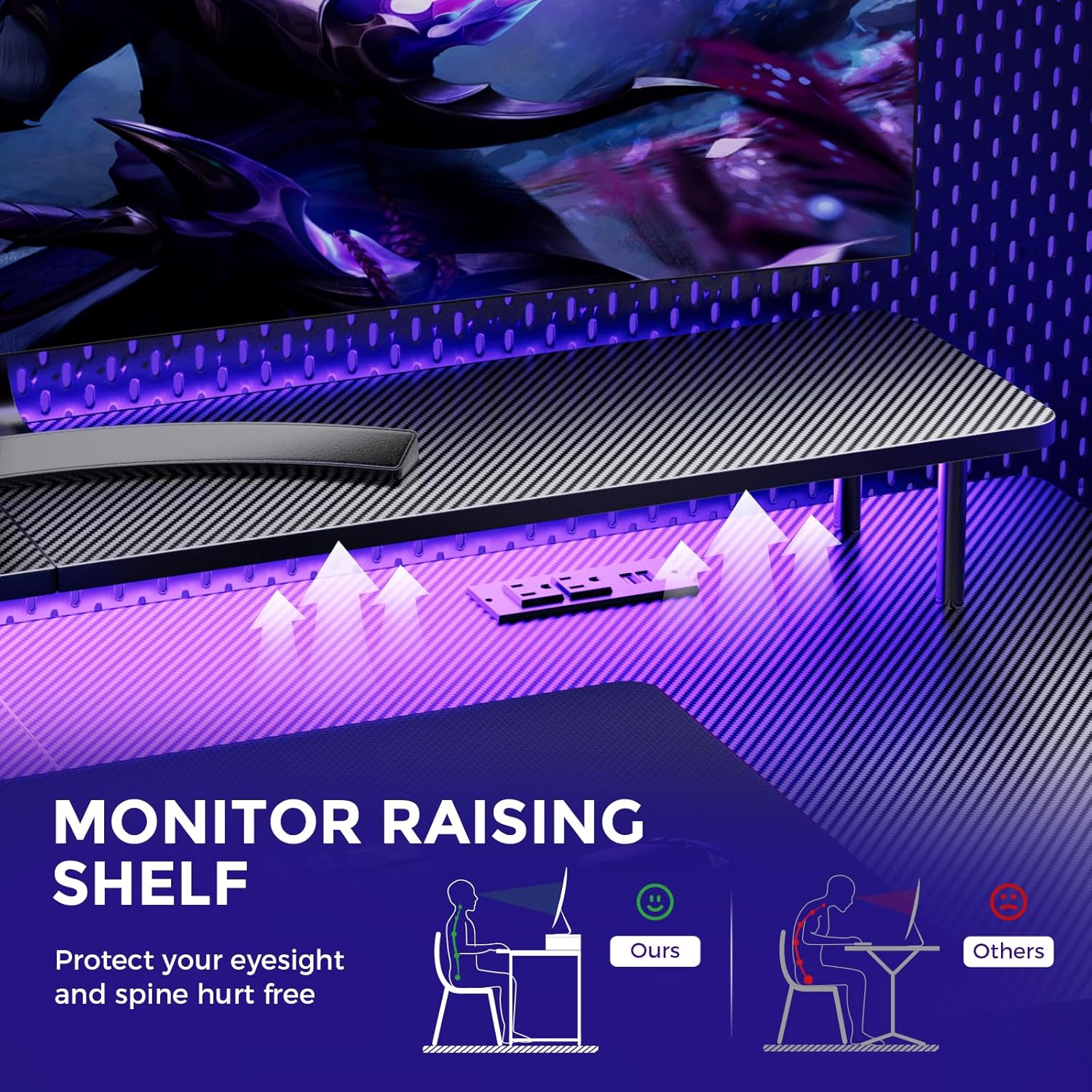
Image: A hand holding a remote control, demonstrating the control over the RGB LED light strip installed beneath the monitor stand of the desk.
Video: An official product video demonstrating the GTRACING 55 Inch Gaming Desk with LED Lights, showcasing its features and aesthetic appeal in a gaming setup.
5.2. Integrated Power Outlets & USB Ports
The desk includes a built-in power strip with 2 AC outlets (120V/12A) and 2 USB charging ports (5V/2A) for convenient device charging and power supply.
- Ligue o cabo de alimentação principal da mesa a uma tomada de parede.
- Connect your devices to the AC outlets or USB ports as needed.
- Avoid exceeding the maximum power rating of the outlets.

Imagem: Um close-up view of the recessed power strip on the desk, showing two AC outlets and two USB charging ports in use, charging a phone and earbuds.
5.3. Ergonomic Monitor Stand
The raised monitor stand positions your screen at eye level, promoting better posture and reducing neck strain during extended use. It also provides additional storage space.

Image: A diagram comparing correct ergonomic posture achieved with the monitor stand to incorrect posture without it, highlighting benefits for eyesight and spine.
6. Manutenção
- Limpeza: Limpe a superfície de fibra de carbono com um pano macio e seco.amp pano. Evite produtos químicos agressivos que podem danificar o acabamento.
- Hardware: Verifique periodicamente todos os parafusos e porcas para garantir que permaneçam apertados. Aperte-os, se necessário.
- Componentes elétricos: Keep the power outlets and USB ports free from dust and debris. Do not attempt to repair electrical components yourself.
7. Solução De Problemas
7.1. LED Lights Not Working or Remote Not Responding
- Verifique a conexão de energia: Ensure the LED light strip is securely plugged into the power source and the desk's main power cord is connected to a live wall outlet.
- Bateria remota: Verify that the remote control has a fresh battery and is inserted correctly.
- Linha de visão: Ensure there is a clear line of sight between the remote control and the LED receiver. Obstructions can block the signal.
- Controle manual: If the remote is unresponsive, check if there's a manual button on the LED controller itself to cycle through modes or power on/off.
7.2. Instabilidade da mesa
- Aperte as ferragens: Re-check and tighten all assembly screws and bolts.
- Nível da superfície: Certifique-se de que a mesa esteja colocada em uma superfície plana e nivelada.
8. Especificações
| Recurso | Detalhe |
|---|---|
| Marca | GTRACING |
| Número do modelo | 114vc07 |
| Dimensões do produto | 24"P x 55"L x 30"A |
| Cor | Carbono Negro |
| Tipo de material superior | Fibra de carbono |
| Material base | Aço inoxidável |
| Recomendação de peso máximo | 300 libras |
| Régua de tomadas integrada | 2 tomadas CA (120V/12A), 2 portas USB (5V/2A) |
| Características especiais | Built-In USB Outlet, Ergonomic, Monitor Stand, LED Lights, Headphone Hook |
| Montagem necessária | Sim (Ferramentas incluídas) |

Image: A detailed diagram illustrating the dimensions of the GTRACING Gaming Desk, including the main desktop and the monitor stand.
9. Garantia e Suporte ao Cliente
GTRACING is committed to providing high-quality products and customer satisfaction. For any questions, concerns, or missing parts, please contact our customer service team.
- Free Replacement/Refund: Dentro de 30 dias após a compra.
- Free Replacement/Repair: Within 1 year of purchase.
- Informações de contato:
- E-mail: info@gtracing.com
- Phone: 1-888-660-5669 (9:00-5:30 PST Mon-Fri)
- Website: www.gtracing.com

Image: GTRACING customer service representatives ready to assist with product inquiries and support.


