1. Introdução
Thank you for choosing the havit OWS915 Open Ear Headphones. These headphones are designed to provide a comfortable and secure listening experience while maintaining awareness of your surroundings. Featuring Bluetooth 5.4 connectivity, 64 hours of total playtime with the charging case, IPX5 water resistance, and Environmental Noise Cancellation (ENC) for clear calls, the OWS915 is suitable for various activities.
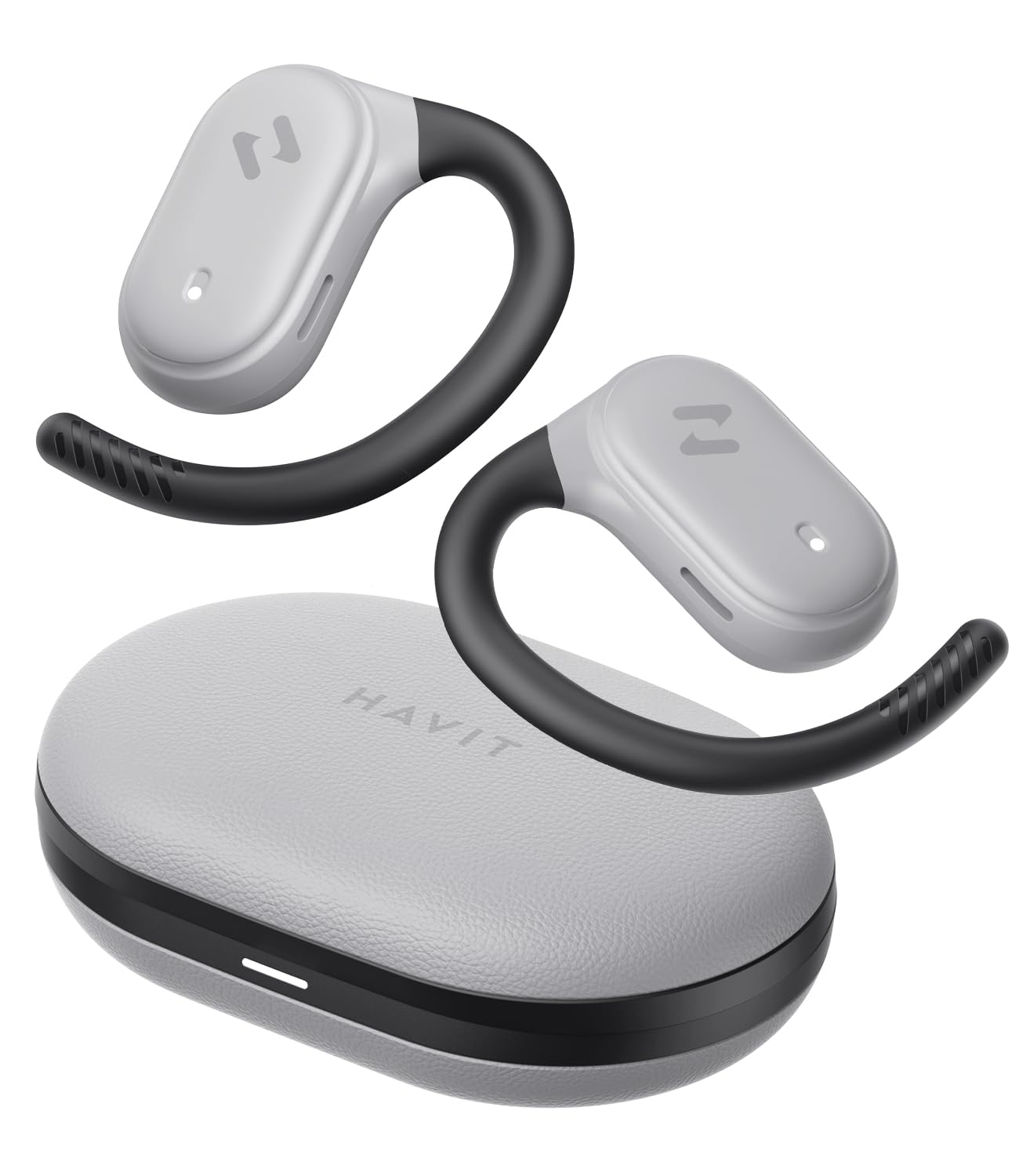
Image: havit OWS915 Open Ear Headphones and their charging case, showcasing o design do produto.
2. O que está na caixa
- havit OWS915 Open Ear Headphones (Left and Right)
- Estojo de carregamento
- Cabo de carregamento USB-C
- Manual do usuário

Image: A visual representation of all items included in the havit OWS915 product packaging.
3. Instruções de Uso
Para obter o máximo conforto e qualidade de som, certifique-se de que os fones de ouvido estejam sendo usados corretamente.
- Abra o estojo de carregamento e remova os fones de ouvido.
- Place the earhook over the top of your ear.
- Adjust the earbud so that the speaker rests comfortably outside your ear canal, directing sound towards your ear.

Image: A three-step visual guide demonstrating the proper way to position the open-ear headphones on the ear.
4. Configuração
4.1 Emparelhamento Inicial
- Certifique-se de que os fones de ouvido estejam carregados.
- Abra o estojo de carregamento. Os fones de ouvido entrarão automaticamente no modo de emparelhamento, indicado por uma luz LED piscando.
- No seu dispositivo (smartphone, tablet, computador), ative o Bluetooth e procure por dispositivos disponíveis.
- Select "havit OWS915" from the list of devices.
- Assim que estiverem conectados, o indicador LED nos fones de ouvido deixará de piscar.
4.2 Carregando os fones de ouvido e o estojo
The headphones provide up to 8.5 hours of playtime on a single charge, with the charging case extending this to a total of 64 hours.
- Fones de ouvido para carregamento: Coloque os fones de ouvido no estojo de carregamento. Eles começarão a carregar automaticamente. As luzes indicadoras nos fones de ouvido mostrarão o status do carregamento.
- Estojo de carregamento: Connect the provided USB-C cable to the charging port on the case and to a power source. The indicator light on the case will show charging progress.

Image: The havit OWS915 headphones in their charging case, highlighting the 8.5 hours of playtime per charge and 64 hours total with the case.
5. Instruções de operação
5.1 Controles de toque
The havit OWS915 headphones feature intuitive touch controls on each earbud.
| Função | Ação |
|---|---|
| Reproduzir/Pausar | Toque em qualquer fone de ouvido duas vezes |
| Música Anterior | Touch and hold left earbud for 1 second |
| Próxima música | Touch and hold right earbud for 1 second |
| Atender/encerrar chamada | Toque em qualquer fone de ouvido duas vezes |
| Rejeitar chamada | Touch and hold either earbud for 1 second |
| Assistente de voz | Toque no fone de ouvido esquerdo três vezes |
| Modo de jogo/modo de música | Toque no fone de ouvido direito três vezes |

Image: A visual guide detailing the various touch control functions on the havit OWS915 earbuds.
5.2 HAVIT LIFE APP
Enhance your listening experience by downloading the HAVIT LIFE APP. The app allows you to:
- Customize EQ settings to match your audio preferences.
- Ajuste as funções de controle por toque.
- Monitor headphone battery levels.
- Switch between game and music modes.

Image: Screenshots of the HAVIT LIFE APP, demonstrating options for equalizer settings and other customizations.
6. Características e Tecnologia
6.1 Open-Ear Design and Comfort
The OWS915 headphones feature an open-ear design with lightweight (7.9 grams) and soft TPU materials, ensuring a comfortable and secure fit for extended wear without fatigue. This design allows you to remain aware of your surroundings.

Image: A person wearing the havit OWS915 headphones, illustrating the comfortable and secure open-ear design.
6.2 Powerful Sound Performance
Equipped with advanced 14.2mm dynamic drivers and bass enhancement technology, these headphones deliver rich bass and vibrant 3D surround sound for an immersive audio experience.

Image: An illustration of the 14.2mm dynamic drivers, highlighting their role in delivering powerful bass.
6.3 Crystal Clear Calls with 4-Microphone ENC
The integrated 4-microphone Environmental Noise Cancellation (ENC) technology ensures your voice is transmitted clearly during calls, even in noisy environments.
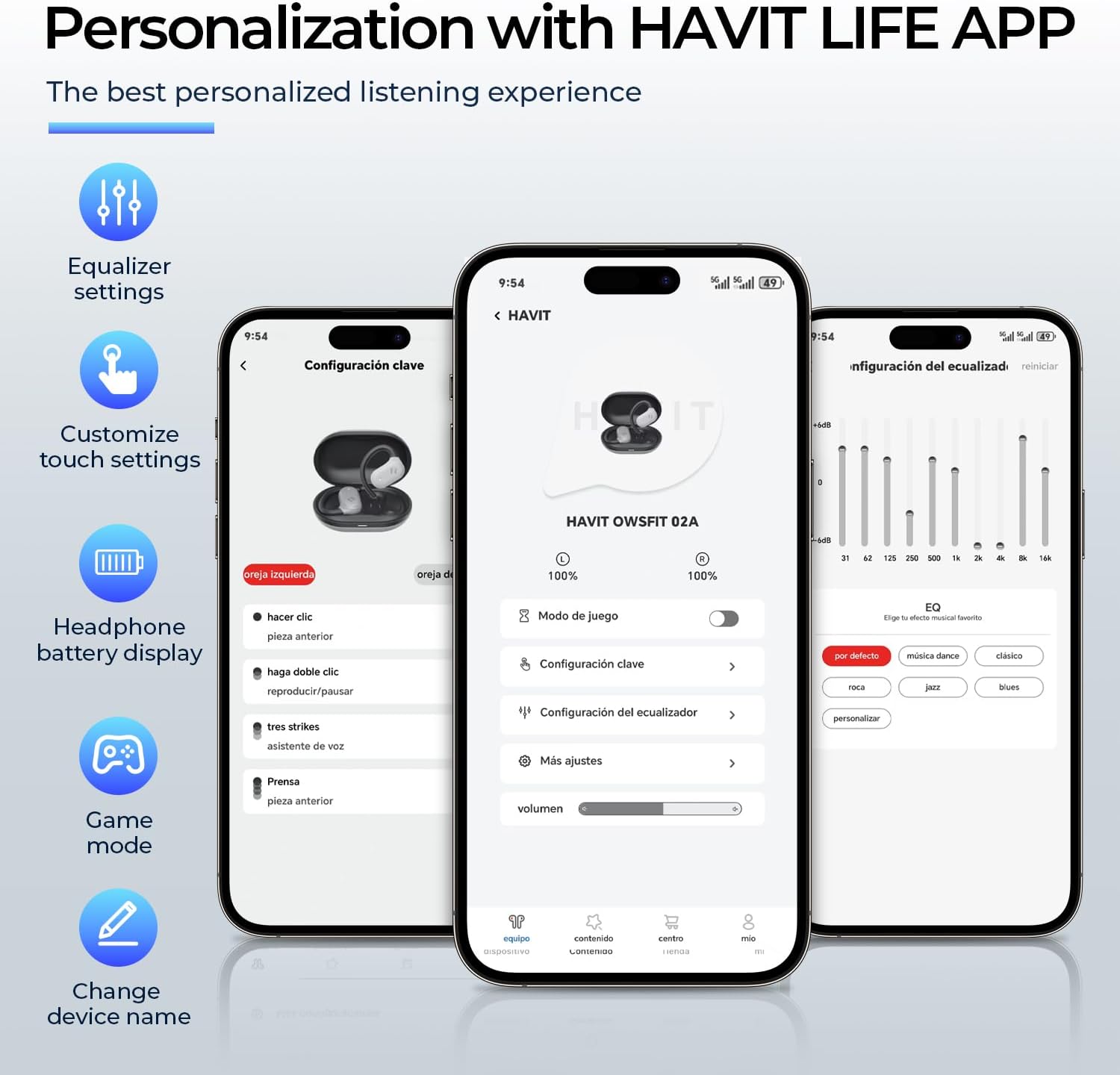
Image: A person using the havit OWS915 headphones for a call, illustrating the clear communication provided by 4-microphone ENC technology.
6.4 Cutting-Edge Directional Audio Technology
Innovative directional audio technology provides precise sound placement, minimizing sound leakage while improving bass quality. This allows you to enjoy your audio without disturbing others and without compromising your awareness.

Image: A visual representation of the directional audio technology, showing sound waves directed towards the ear with minimal leakage.
6.5 Resistência à água IPX5
With an IPX5 rating, the OWS915 headphones are resistant to sweat and splashes, making them suitable for workouts, outdoor activities, and light rain.
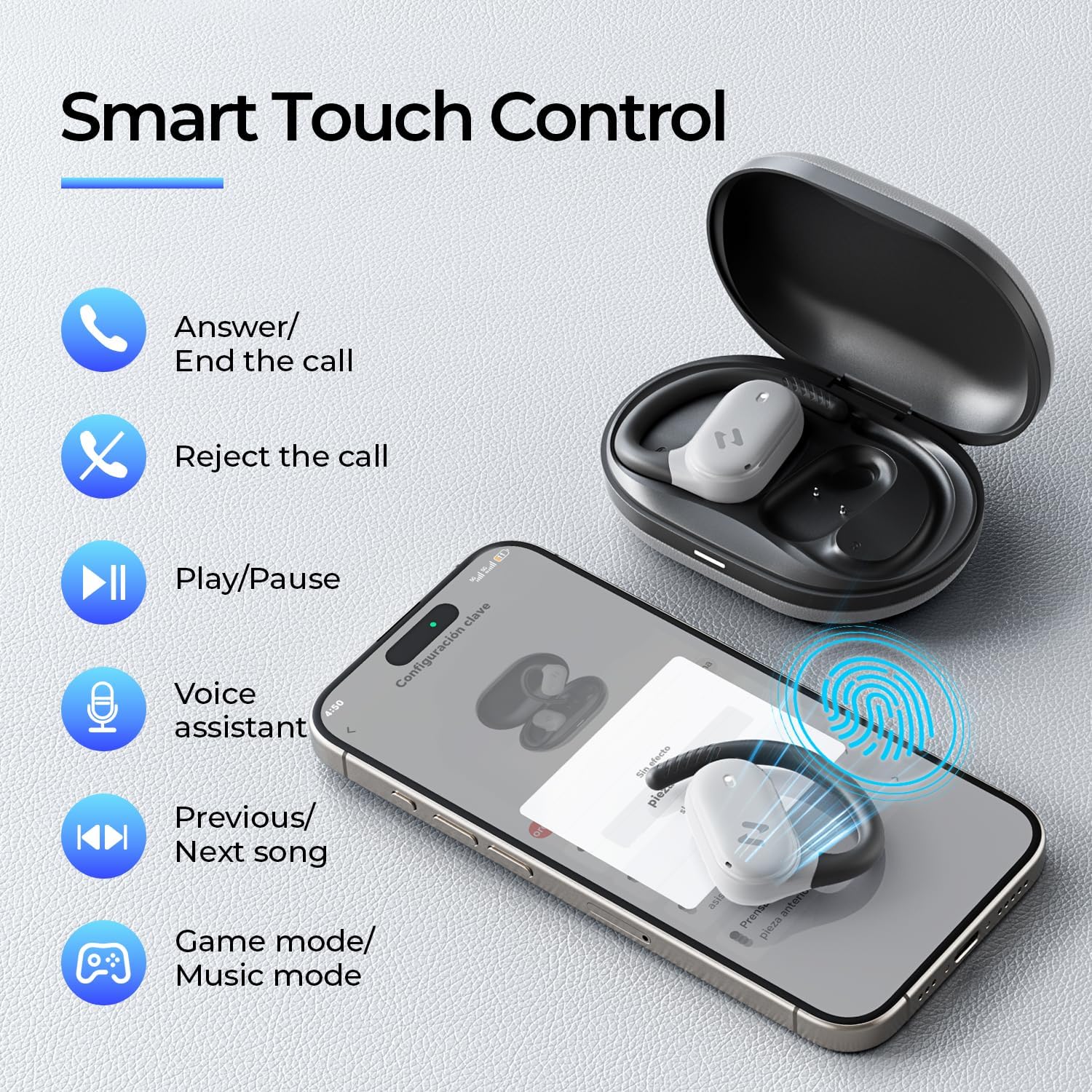
Image: The havit OWS915 headphones partially submerged in water, demonstrating their IPX5 water and sweat resistance.
7. Manutenção
- Limpeza: Limpe regularmente os fones de ouvido e o estojo de carregamento com um pano macio e seco. Evite usar materiais abrasivos ou produtos químicos agressivos.
- Exposição à água: While IPX5 rated, avoid submerging the headphones in water. If exposed to sweat or splashes, wipe them dry before placing them back in the charging case.
- Armazenar: Store the headphones in their charging case when not in use to protect them and ensure they remain charged.
- Cuidados com a bateria: To prolong battery life, avoid fully discharging the headphones or charging case frequently. Charge them regularly.
8. Solução De Problemas
- Sem energia: Certifique-se de que os fones de ouvido e o estojo de carregamento estejam totalmente carregados.
- Falha no emparelhamento:
- Certifique-se de que o Bluetooth esteja ativado no seu dispositivo.
- Ensure the earbuds are in pairing mode (flashing LED).
- Desative o Bluetooth em outros dispositivos próximos que possam estar tentando se conectar.
- Tente reiniciar os fones de ouvido (consulte o manual completo para obter instruções específicas de reinicialização, se necessário).
- Sem som:
- Verifique o nível de volume tanto no seu dispositivo quanto nos fones de ouvido.
- Certifique-se de que os fones de ouvido estejam conectados corretamente ao seu dispositivo.
- Tente reproduzir o áudio de um aplicativo ou fonte diferente.
- Má qualidade de chamada:
- Certifique-se de que os microfones não estejam obstruídos.
- Vá para uma área com menos ruído de fundo.
- Check your device's network connection.
9. Especificações
| Recurso | Especificação |
|---|---|
| Nome do modelo | OWS915 |
| Tecnologia de Conectividade | Sem fio (Bluetooth 5.4) |
| Alcance Bluetooth | 10 metros |
| Duração da bateria (fones de ouvido) | 8.5 horas (carga única) |
| Tempo total de jogo (com estojo) | 64 horas |
| Nível de resistência à água | IPX5 (à prova d'água) |
| Tamanho do driver de áudio | 14.2 milímetros |
| Método de controle | Aplicativo, Toque |
| Componentes incluídos | Microfone |
| Peso do item (fones de ouvido) | 7.9 gramas (cada) |
| Peso da maleta de transporte | 77.8 gramas |
| Material | PC + ABS + TPU |
| Resposta de frequência | 20 kHz |
| Sensibilidade | 118 dB |
| Impedância | 32 Ohms |
10. Video Guide
Assista a este vídeo oficial para uma explicação visual completa.view of the havit OWS915 Open Ear Headphones.
Video: An official product video from HAVIT Direct showcasing the havit OWS915 Open Ear Headphones, including their design and features.
11. Garantia e Suporte
havit products come with a standard warranty. For detailed warranty information, technical support, or customer service inquiries, please refer to the warranty card included in your product packaging or visit the official havit webVocê também pode entrar em contato diretamente com o vendedor para obter assistência.
Suporte online: www.havit.com/support


