1. Introdução
This manual provides essential information for the safe and efficient use of your HOTWAV R9 Plus Rugged Tablet. Please read it thoroughly before operating the device to ensure optimal performance and longevity. This tablet is designed for durability and high performance in various environments.
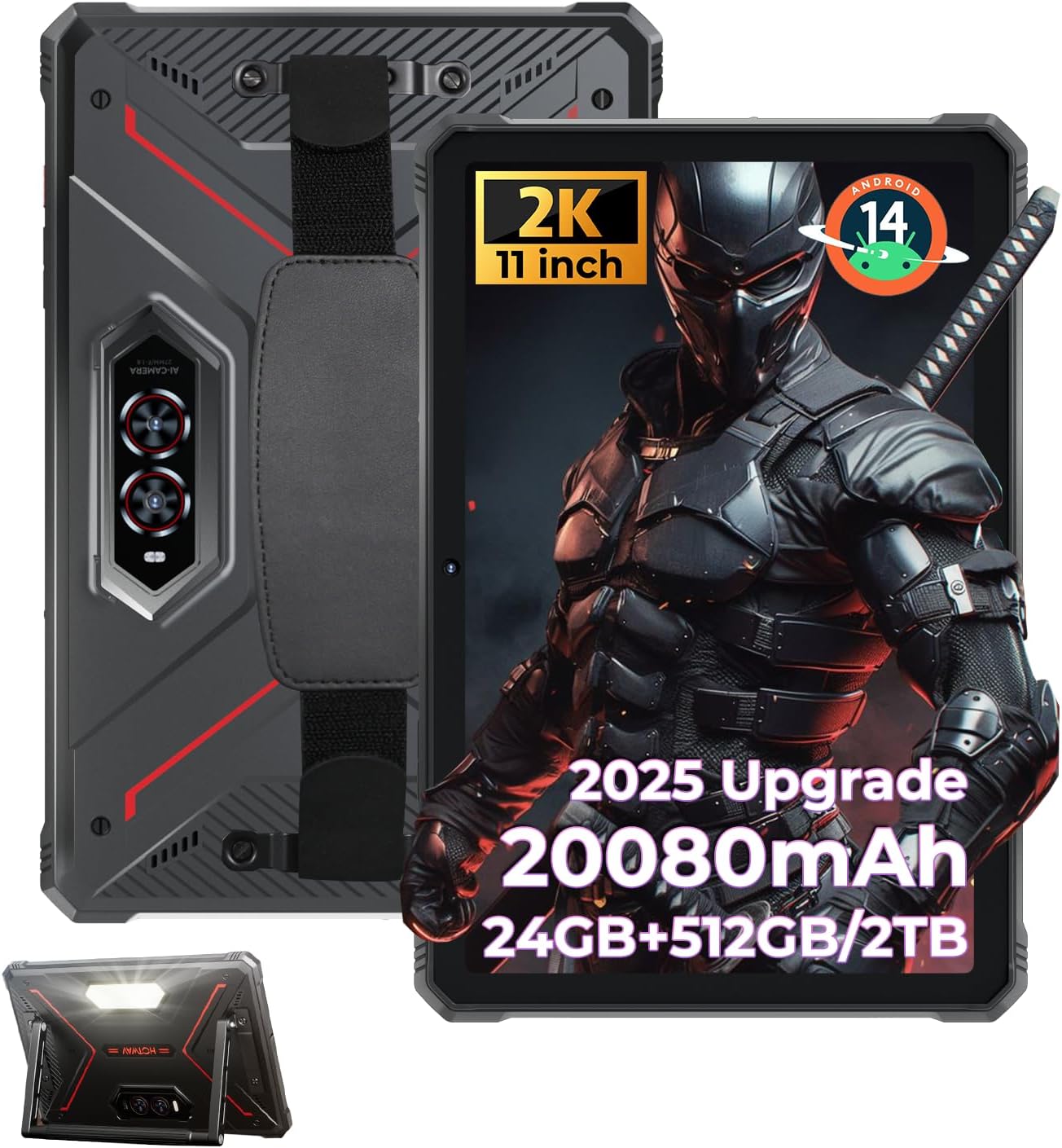
Figure 1: HOTWAV R9 Plus Rugged Tablet Overview
2. Principais características
- Durabilidade: IP68, IP69K, and MIL-STD-810H certified for water, dust, and drop resistance.
- Mostrar: 11-inch 2K FHD+ IPS scratch-resistant display (1200x1920 resolution).
- Desempenho: Unisoc T7280 Octa-Core processor with 24GB RAM (8GB fixed + 16GB expandable) and 512GB ROM, expandable up to 2TB via TF card.
- Bateria: 20080mAh mega battery with 20W fast charging and OTG reverse charging support.
- Câmeras: 64MP rear camera, 16MP front camera, with underwater photography capability.
- Sistema operacional: Android 14 with Gemini AI Smart Assistant.
- Conectividade: Dual SIM 4G LTE, 2.4G/5G dual-band WiFi, Bluetooth 5.0, multi-satellite GPS (GPS/Beidou/GLONASS/Galileo), Face ID.
- Características adicionais: C ajustávelampinglight, aluminum stand, and attachable hand strap.
3. Configuração
3.1 Inicialização Inicial
- Pressione e mantenha pressionado o botão Liga/Desliga localizado na lateral do tablet até que a tela acenda.
- Siga as instruções na tela para selecionar seu idioma e região.
3.2 Configuração da conta do Google
To access the Google Play Store and other Google services, you will need to sign in with your Google account. You can create a new account if you do not have one. This step can be skipped, but functionality will be limited.
3.3 Security Setup (PIN/Pattern/Password)
For enhanced security, set up a screen lock method. A PIN of at least 4 digits is required, with a 6-digit PIN recommended. Other options include pattern or password.
3.4 Conexão Wi-Fi
Connect your tablet to a Wi-Fi network for internet access. Go to Settings > Network & Internet > Wi-Fi, select your network, and enter the password.
3.5 Instalação do aplicativo
Once connected to Wi-Fi and signed into your Google account, you can download and install applications from the Google Play Store.
Vídeo 1: Acabouview of the HOTWAV R9 Plus Rugged Tablet, demonstrating various features and usage scenarios.
4. Operação
4.1 Campinglight Function
The tablet features a powerful Campinglight on its rear. Access its controls through the quick settings panel or a dedicated app to adjust brightness (up to 350 lumens) and modes (Lighting, Sharp Light, SOS, High-Medium-Low, Dauer).

Figure 2: Rear Campinglight in operation.
4.2 Modo de câmera subaquática
Utilize the tablet's waterproof design for underwater photography. Activate the underwater camera mode from the camera app settings to capture photos and videos while submerged.

Figure 3: Tablet used for underwater photography.
4.3 Modo Luva
The R9 Plus supports Glove Mode, enhancing touchscreen sensitivity for use with gloves. This feature is beneficial in cold weather, construction sites, or outdoor activities.

Figure 4: Tablet touchscreen responsive with gloves.
4.4 OTG Carregamento Reverso
The tablet supports OTG (On-The-Go) reverse charging, allowing it to function as a power bank to charge other devices. Connect your device to the tablet using a compatible OTG cable.

Figure 5: OTG reverse charging in action.
5. Conectividade
5.1 Dual SIM 4G LTE
The tablet supports dual SIM cards for 4G LTE connectivity, allowing for flexible network usage. Insert your SIM cards into the designated tray.
Wi-Fi 5.2 5G e Bluetooth 5.0
Enjoy fast and stable wireless connections with 2.4G/5G dual-band WiFi and Bluetooth 5.0 for connecting peripherals.
5.3 Multi-Satellite GPS
The tablet integrates GPS, Beidou, GLONASS, and Galileo for accurate and reliable positioning and navigation.

Figure 6: Multi-satellite GPS for precise navigation.
5.4 Face ID
Unlock your tablet quickly and securely using facial recognition technology.
6. Desempenho e Armazenamento
6.1 Processador
The HOTWAV R9 Plus is powered by a Unisoc T7280 Octa-Core chip, providing efficient performance for multitasking and demanding applications.

Figura 7: Processador Octa-Core Unisoc T7280.
6.2 RAM & ROM
The tablet features 24GB RAM (8GB fixed + 16GB expandable) and 512GB of internal storage (ROM), which can be expanded up to 2TB using a TF (microSD) card.

Figure 8: Memory and storage capacity.
6.3 Gemini AI Smart Assistant
The tablet is equipped with Gemini AI Smart Assistant for instant answers, multi-language support, and seamless device synchronization.
7. Display & Camera
7.1 Exibição
Experience vibrant visuals on the 11-inch 2K FHD+ IPS scratch-resistant display with a resolution of 1200x1920 pixels and a 14.5:9 screen ratio.

Figure 9: 11-inch 2K FHD+ Display.
7.2 Câmeras
The tablet features a 64MP rear camera for high-resolution photos and videos, and a 16MP front camera for selfies and video calls.

Figure 10: Dual camera system (64MP Rear + 16MP Front).
8. Durabilidade
The HOTWAV R9 Plus is built to withstand harsh conditions, certified with IP68, IP69K, and MIL-STD-810H standards. It is drop-proof up to 1.2m and water/dust-resistant up to 2m depth for at least 30 minutes.

Figure 11: Durability features (Drop-proof, Waterproof, Dust-proof).
8.1 Corning Gorilla Glass 3
The display is protected by Corning Gorilla Glass 3, offering enhanced scratch resistance and durability.
9. Bateria e Carregamento
The tablet is equipped with a massive 20080mAh battery, providing extended usage times:
- Até 3000 horas de tempo de espera.
- Até 100 horas de conversação.
- Até 1000 horas de reprodução de música.
It supports 20W fast charging via a Type-C port for quick power replenishment.

Figure 12: 20080mAh Massive Battery.
10. Solução De Problemas
10.1 Compatibilidade de Rede
Please note that HOTWAV rugged tablets are not compatible with AT&T, Cricket, or Verizon networks. They fully support T-Mobile, Mint, Boost, and Google Fi.
10.2 Questões Gerais
- O dispositivo não está respondendo: Pressione e mantenha pressionado o botão Liga/Desliga por 10 a 15 segundos para forçar a reinicialização.
- Problemas de conexão Wi-Fi: Ensure your Wi-Fi router is working correctly and the password is entered accurately. Try restarting both the tablet and the router.
- Desempenho lento: Close unused applications, clear cache, or restart the tablet. Consider freeing up storage space.
11. Manutenção
- Limpeza: Use um pano macio e macioamp cloth to clean the tablet's screen and body. Avoid harsh chemicals or abrasive materials.
- Armazenar: Guarde o comprimido em local fresco e seco, longe da luz solar direta e de temperaturas extremas.
- Cuidados com a bateria: Evite descarregar completamente a bateria com frequência. Para armazenamento prolongado, carregue a bateria até cerca de 50-60%.
- Proteção Portuária: Certifique-se de que todas as tampas das portas estejam bem fechadas para manter a resistência à água e à poeira.
12. Especificações
| Recurso | Especificação |
|---|---|
| Modelo | R9 Mais |
| Sistema operacional | Androide 14 |
| Tamanho da tela | 11 polegadas |
| Resolução da tela | 1920 x 1200 pixels (2K FHD+) |
| Processador | Unisoc T7280 Octa-Core |
| BATER | 24GB (8GB fixed + 16GB expandable) |
| Armazenamento interno (ROM) | 512 GB |
| Armazenamento expansível | Até 2 TB via cartão TF |
| Câmera Traseira | 64MP |
| Câmera Frontal | 16MP |
| Capacidade da bateria | 20080mAh |
| Carregamento rápido | 20 W |
| Resistência à água/poeira | IP68 e IP69K |
| Resistência à queda | MIL-STD-810H (1.2m) |
| Tipo sem fio | 802.11ac, 802.11n (2.4G/5G WiFi) |
| Bluetooth | 5.0 |
| GPS | GPS/Beidou/GLONASS/Galileo |
| Peso do item | 4.02 libras |
| Dimensões do produto | 26.5 x 16.8 x 1.2 polegadas |
13. Garantia e suporte
The HOTWAV R9 Plus tablet comes with:
- A 30-day no-questions-asked return policy.
- A 2-year warranty.
- Suporte técnico vitalício.
- Atendimento ao cliente 24 horas.
For any inquiries or support, please contact HOTWAV customer service.


