Informações importantes de segurança
Please read this manual thoroughly before assembly and use. Retain this manual for future reference. Incorrect assembly or use may result in product damage or personal injury.
- Capacidade de peso: Não exceda a capacidade máxima de peso de 77 libras (35 kg).
- Compatibilidade de tamanho de TV: This stand is designed for televisions between 21 e 60 polegadas.
- Compatibilidade VESA: Ensure your TV's VESA mounting pattern is between 100x100mm e 400x400mm.
- Superfície estável: Sempre coloque o suporte da TV em uma superfície plana, estável e nivelada.
- Crianças e animais de estimação: Keep children and pets away from the stand during assembly and ensure the TV is securely mounted to prevent tipping.
- Aperte todos os fixadores: Periodically check and retighten all screws and bolts to ensure stability.
Conteúdo da embalagem
Verifique se todos os componentes estão presentes e sem danos antes de iniciar a montagem. Caso alguma peça esteja faltando ou danificada, entre em contato com o suporte ao cliente.
- Poste de suporte principal
- X-shaped base with pre-installed casters
- conjunto de suporte de montagem de TV
- All necessary hardware (screws, washers, spacers)
- Ferramentas de montagem

Imagem: Acimaview of the TV stand's dimensions, weight capacity, and VESA compatibility.
Instruções de Montagem (Configuração)
Follow these steps carefully for proper assembly. It is recommended to have a second person assist with mounting the television.
- Descompacte os componentes: Retire cuidadosamente todas as peças da embalagem e disponha-as sobre uma superfície macia e limpa para evitar arranhões.
- Monte a base: The X-shaped base comes with casters pre-installed. Ensure all casters are securely attached.
- Attach the Main Support Pole: Secure the main support pole to the center of the X-shaped base using the provided fasteners. Ensure it is firmly tightened for stability.
- Prepare TV Mounting Brackets: Attach the vertical mounting brackets to the back of your television. Select the appropriate screws, washers, and spacers from the hardware kit that fit your TV's VESA holes. Do not overtighten.
- Monte a TV no suporte: With assistance, carefully lift the television and hook the brackets onto the main support pole's mounting plate. Ensure the TV is centered and level.
- Proteja a TV: Engage the safety locks on the TV mounting brackets to prevent accidental dislodgement.
- Gerenciamento de cabos: Utilize the integrated cable management features within the support pole to route and conceal TV cables for a tidy appearance and to prevent tripping hazards.
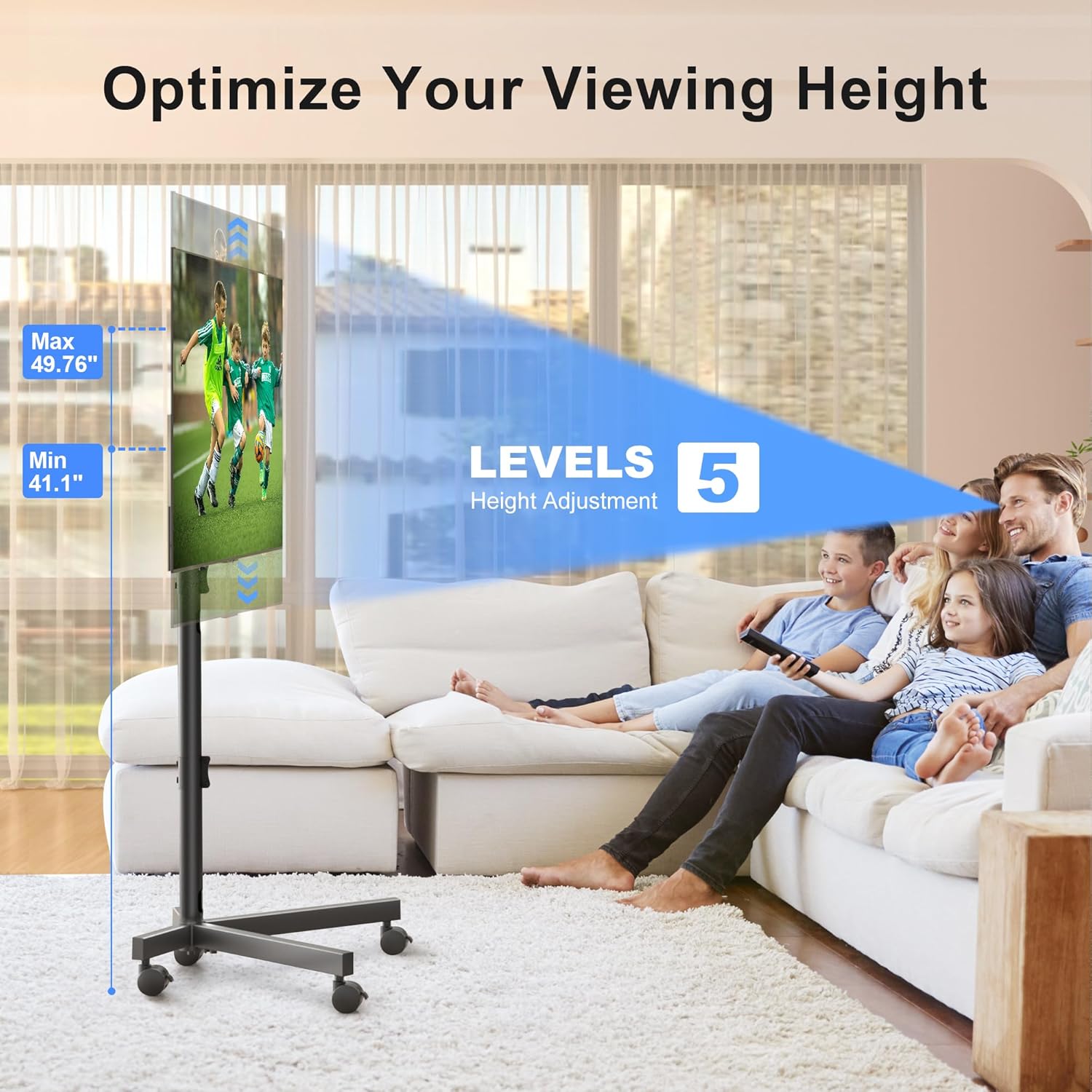
Image: The sturdy X-shaped base design, engineered to minimize tip-over risk.

Image: Key features including anti-drop design, safety lock, cable management, and lockable casters.
Instruções de operação
The XINLEI Mobile TV Stand offers versatile adjustments for optimal viewindo.
- Ajuste de altura: The TV stand features 5 levels of height adjustment, allowing you to position your TV screen between 41.1 polegadas e 49.76 polegadas from the floor. To adjust, loosen the securing bolts on the main support pole, raise or lower the TV to the desired height, and then firmly retighten the bolts.
- Ajuste de inclinação: The TV mounting plate can be tilted +5° upwards to -10° downwards. This allows you to reduce glare and optimize your viewing angle. To adjust the tilt, loosen the tilt adjustment knobs on the side of the mounting plate, set the desired angle, and then firmly retighten the knobs.
- Mobilidade: The 360° lockable casters provide smooth movement across various floor types. To move the stand, unlock all casters. To secure the stand in place, press down on the locking mechanism on each caster until it clicks.
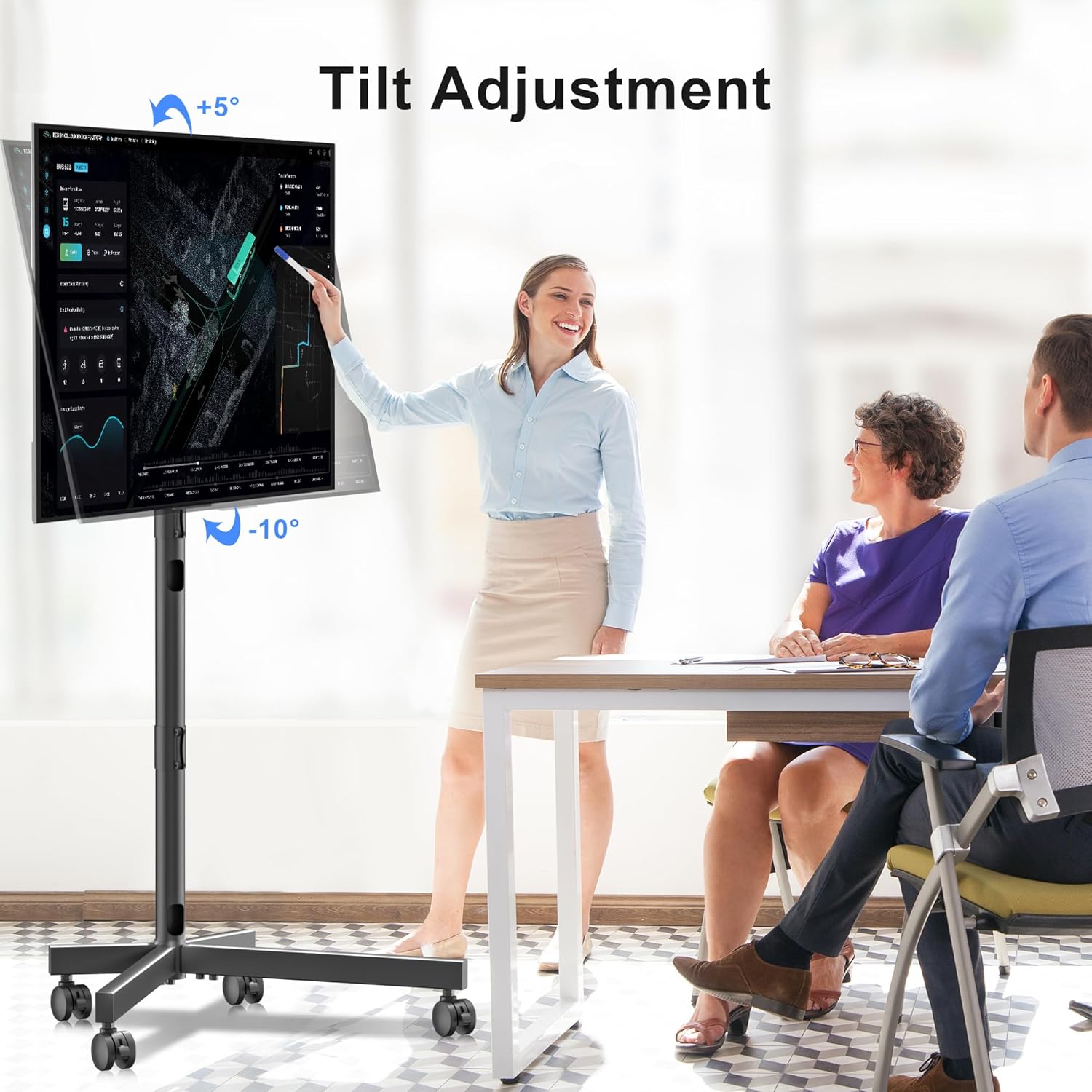
Image: Illustration of the TV stand's adjustable height feature.

Image: Demonstration of the TV stand's tilt adjustment capability.
Manutenção
A manutenção regular garante a longevidade e o funcionamento seguro do seu suporte de TV.
- Limpeza: Limpe o suporte com um pano macio e seco. Para manchas persistentes, use um pano levemente umedecido.amp Pode-se usar um pano e secar imediatamente. Evite produtos de limpeza abrasivos ou solventes.
- Verificação do fixador: Periodically (e.g., every 3-6 months) inspect all bolts and screws to ensure they are tight. Retighten as necessary.
- Inspeção de rodízios: Check casters for any debris or hair that might impede smooth movement. Clean as needed.
Solução de problemas
If you encounter issues with your XINLEI Mobile TV Stand, refer to the following common solutions.
- O suporte está instável:
- Certifique-se de que todos os parafusos de montagem estejam bem apertados.
- Verifique se o suporte está em uma superfície plana e nivelada.
- Confirme se o peso da TV não excede 35 kg (77 libras).
- Difficulty adjusting height/tilt:
- Loosen the adjustment knobs/bolts sufficiently before attempting to move the TV.
- Ensure no cables are snagged or obstructing movement.
- Rodízios não giram suavemente:
- Check if casters are locked. Unlock them for movement.
- Remove any debris (e.g., hair, lint) from the caster wheels.
For further assistance, please contact XINLEI customer support. We provide reliable after-sale service and professional technical support.
Especificações
| Número do modelo | ML55SE |
| Marca | XINLEI |
| Tamanhos de TV compatíveis | 21 - 60 polegadas |
| Capacidade máxima de peso | 77 libras (35 kg) |
| Compatibilidade VESA | Dimensões mínimas: 100x100mm, dimensões máximas: 400x400mm |
| Faixa de ajuste de altura | 41.1 inches - 49.76 inches (5 levels) |
| Ajuste de inclinação | +5° / -10° |
| Material | Metal |
| Cor | Preto |
| Peso do item | 10.89 libras |
| Dimensões da embalagem | 17.44 x 11.02 x 4.96 polegadas |
Garantia e Suporte
XINLEI stands behind the quality of its products. For specific warranty details, please refer to the warranty card included with your purchase or visit the official XINLEI website. If you require technical support, have questions about assembly, or need replacement parts, please contact our customer service team. Contact information can typically be found on our website ou na embalagem do produto.


