1. Introdução
This manual provides essential information for the proper use and maintenance of your Logic B10L 4G Bar Phone. Please read it carefully to ensure optimal performance and longevity of your device. The Logic B10L is designed for reliable communication with modern 4G connectivity, a user-friendly interface, and essential features.
2. Conteúdo da embalagem
Verifique se todos os itens estão presentes na embalagem do seu produto:
- Logic B10L 4G Bar Phone
- Bateria de íons de lítio de 1800mAh
- Adaptador de energia
- Manual do usuário (este documento)
3. Phone Layout and Components
Familiarize yourself with the physical components of your Logic B10L phone.

Imagem 3.1: Frente e verso view of the Logic B10L 4G Bar Phone. The front displays the 2.4-inch LCD screen and alphanumeric keypad. The back shows the VGA camera with flash and the Logic B10L branding.
- 2.4-inch Curved LCD Display: Main screen for viewinformações de ing.
- Teclado alfanumérico: Para discagem de números e entrada de texto.
- Navigation Key (D-pad): Para navegação no menu.
- Teclas de chamada/encerramento: To initiate and end calls.
- VGA Camera with Flash: Located on the rear for capturing photos.
- Porta Micro USB: Para carregamento e transferência de dados.
- Conector de áudio de 3.5 mm: Para fones de ouvido.
- Torchlight: Integrated flashlight, accessible via a dedicated key.
4. Configuração
4.1. Instalação da bateria
- Remove the back cover of the phone by gently prying it from the designated notch.
- Alinhe a bateria de íon-lítio de 1800 mAh com os contatos dentro do compartimento da bateria.
- Press the battery down until it is securely in place.
- Recoloque a tampa traseira, certificando-se de que ela se encaixe no lugar.
4.2. Instalação do cartão SIM
The Logic B10L supports Dual Nano SIM cards.
- With the back cover and battery removed, locate the SIM card slots.
- Insert your Nano SIM card(s) into the designated slot(s) with the gold contacts facing down, following the orientation indicated on the phone.
- Certifique-se de que o(s) cartão(ões) SIM estejam totalmente encaixados.
4.3. Instalação do cartão microSD (opcional)
You can expand the phone's storage up to 32GB using a MicroSD card.
- With the back cover and battery removed, locate the MicroSD card slot.
- Insert the MicroSD card into the slot with the gold contacts facing down, following the indicated orientation.
- Pressione suavemente até ouvir um clique.
4.4. Carregando a bateria
- Connect the Micro USB end of the power adapter to the Micro USB port on your phone.
- Conecte a outra extremidade do adaptador de energia em uma tomada de parede.
- O indicador de bateria na tela mostrará o status do carregamento.
- Depois de totalmente carregado, desconecte o carregador.
5. Instruções de operação
5.1. Ligar/desligar
- Para ligar: Pressione e segure o Finalizar chamada/energia Pressione a tecla até que a tela acenda.
- Para desligar: Pressione e segure o Finalizar chamada/energia key until the power-off options appear, then select 'Power Off'.
5.2. Navegação Básica
Use the navigation key (D-pad) to move through menus and options. The center key typically acts as a selection button.
5.3. Fazendo chamadas
- From the home screen, use the keypad to dial the desired phone number.
- Pressione o Chamar tecla para iniciar a chamada.
- Para encerrar uma chamada, pressione a tecla Encerrar chamada chave.
5.4. Envio de mensagens
- Acesse o menu 'Mensagens'.
- Selecione 'Nova mensagem' ou 'Criar mensagem'.
- Digite o número do destinatário ou selecione-o em seus contatos.
- Digite sua mensagem usando o teclado alfanumérico.
- Pressione 'Enviar'.
5.5. Uso da câmera
The Logic B10L features a VGA camera with flash for capturing photos.
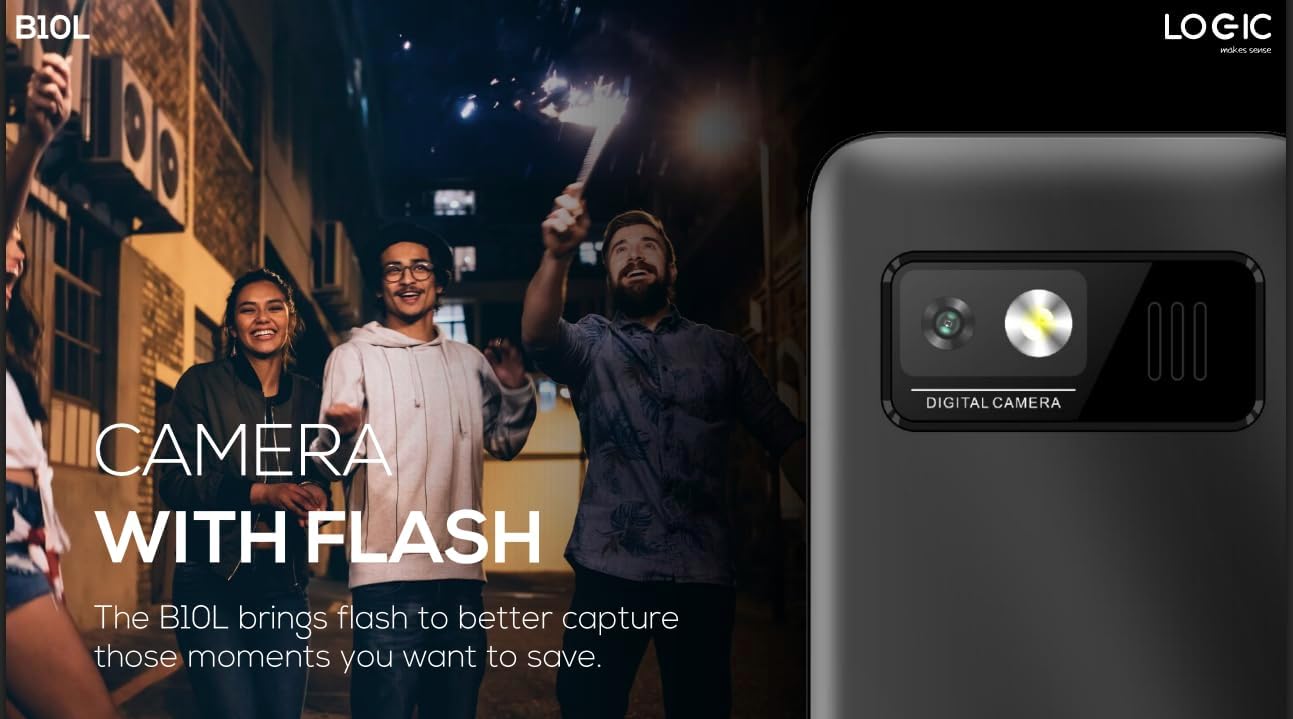
Imagem 5.1: Traseira view of the Logic B10L phone, highlighting the VGA camera and flash module. This feature allows for capturing images even in low-light conditions.
- Acesse o aplicativo 'Câmera' no menu principal.
- Enquadre sua foto usando a tela como um... viewlocalizador.
- Press the designated 'Capture' or 'OK' key to take a photo.
- Photos are saved to the phone's memory or MicroSD card.
5.6. Rádio FM sem fio
Enjoy your favorite radio stations without needing headphones.
- Go to the 'FM Radio' application in the menu.
- Use the navigation keys to scan for available stations.
- Selecione uma estação para ouvir.
5.7. Luz de tocha
The phone includes a direct access key for the torchlight function.

Imagem 5.2: Lado profissionalfile of the Logic B10L phone, illustrating the dedicated direct access key for activating the built-in torchlight. This provides quick illumination.
- Press the dedicated torchlight key on the side of the phone to turn the flashlight on or off.
5.8. Conectividade Bluetooth
Connect your phone to other Bluetooth-enabled devices.
- Acesse 'Configurações' e depois 'Bluetooth'.
- Ative o Bluetooth.
- Procurar Entre os dispositivos disponíveis, selecione aquele com o qual deseja emparelhar.
- Digite a senha, se solicitado.
5.9. 4G LTE and VoLTE
The Logic B10L supports 4G LTE for faster data speeds and VoLTE for clearer voice calls.

Imagem 5.3: The Logic B10L phone screen showing the 'VoLTE' logo, indicating support for Voice over LTE for enhanced call quality and simultaneous voice and data usage.
- Ensure your SIM card and network provider support 4G LTE and VoLTE services.
- These features are typically enabled by default when available.
5.10. Curved LCD Display
The phone features a 2.4-inch curved LCD screen for clear visuals.
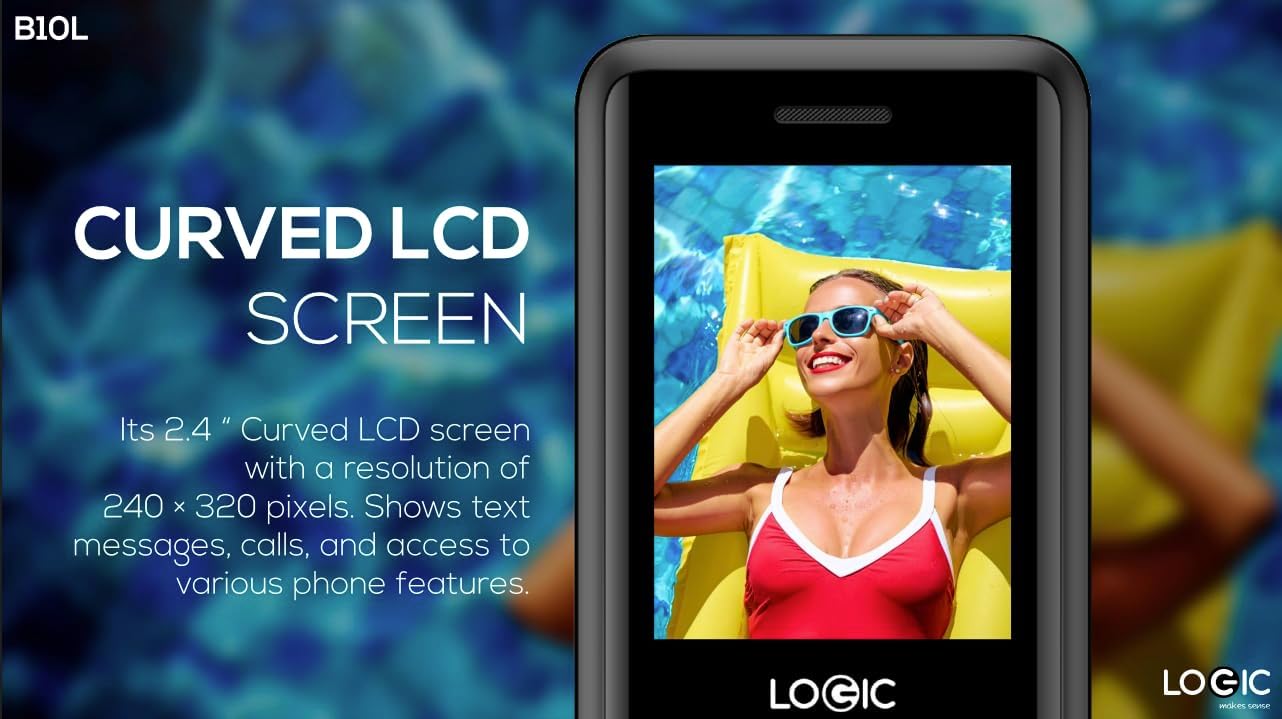
Imagem 5.4: Close-up of the Logic B10L's 2.4-inch curved LCD screen, displaying a colorful image. The curved design enhances viewing comfort and aesthetics.
6. Manutenção
6.1. Limpando seu telefone
- Use um pano macio, seco e sem fiapos para limpar a tela e a carcaça do telefone.
- Evite usar produtos químicos agressivos, solventes de limpeza ou materiais abrasivos.
6.2. Cuidados com a bateria
- Não exponha a bateria a temperaturas extremas.
- Evite descarregar completamente a bateria com frequência.
- Se o telefone não for usado por um longo período, carregue a bateria até cerca de 50% antes de guardá-lo.
6.3. Armazenamento
- Guarde o telefone em local fresco e seco, longe da luz solar direta e da umidade.
- Mantenha fora do alcance de crianças e animais de estimação.
7. Solução De Problemas
This section addresses common issues you might encounter with your Logic B10L phone.
| Problema | Solução possível |
|---|---|
| O telefone não liga | Verifique se a bateria está instalada e carregada corretamente. Conecte o carregador e tente novamente. |
| Não consigo fazer nem receber chamadas. | Check if the SIM card is properly inserted. Verify network signal strength. Contact your service provider. |
| Bateria não carrega | Ensure the charger is correctly connected to the phone and a working power outlet. Try a different charger or cable if available. |
| Má qualidade de chamada | Move to an area with better network coverage. Check for obstructions around the phone's antenna. |
| MicroSD card not detected | Ensure the MicroSD card is correctly inserted. Try reinserting it or using a different card to check for card malfunction. |
8. Especificações
Detailed technical specifications for the Logic B10L 4G Bar Phone.
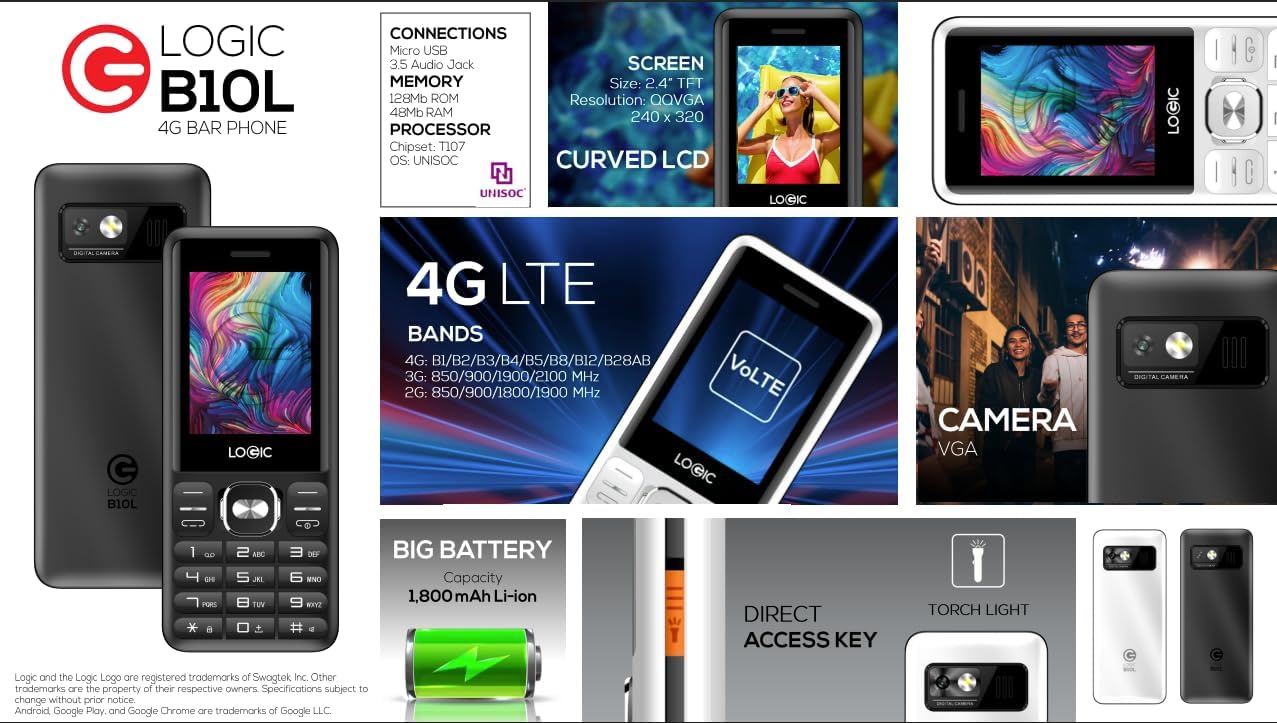
Imagem 8.1: A visual summary of the Logic B10L's key features and specifications, including screen size, memory, processor, 4G LTE bands, battery capacity, and direct access torchlight.
- Nome do modelo: B10L
- Número do modelo do item: LO-27B10L90-C
- Sistema operacional: Sistema Operacional Núcleo
- Tecnologia celular: 4G LTE, VoLTE
- Operadora sem fio: Desbloqueado
- Mostrar: 2.4-inch Curved LCD (240x320 resolution)
- Câmera: VGA Rear Camera with Flash
- Bateria: 1800mAh Li-ion (3.7 Volts)
- Memória RAM: 48 MB
- Armazenamento interno: 0.13 GB (expansível até 32 GB via MicroSD)
- Suporte SIM: Dual Nano SIM
- Conectividade: Bluetooth, Micro USB, 3.5mm Audio Jack
- Características especiais: Wireless FM Radio, Direct Access Torchlight
- Fator de forma: Telefone Bar
- Peso do item: 7 onças
- Dimensões da embalagem: 5.67 x 2.8 x 2.44 polegadas
9. Garantia e Suporte
For warranty information and technical support, please refer to the warranty card included in your package or visit the official Logic webGuarde o comprovante de compra como prova de aquisição.
If you encounter issues not covered in this manual, please contact Logic customer support for assistance.


