1. Produto acabadoview
The PGST Home Security Alarm System is a comprehensive, DIY-friendly solution designed to protect your home or business without monthly fees. It features a 4.3-inch color IPS capacitive touchscreen for intuitive operation, real-time status display, and supports multilingual menus, voice operation, and SMS alerts.
This system is highly customizable, allowing you to easily expand your security setup with additional PGST accessories, such as door sensors, motion detectors, SOS buttons, remote controls, doorbells, and outdoor sirens. It supports multi-channel alarm modes and can be configured manually to suit your specific needs.

Figura 1: Overview of the PGST Home Security Alarm System and its included components.
2. O que está incluído
The 12-piece PGST Home Security Alarm Kit typically includes:
- 1 x Alarm Host (Main Control Panel with 4.3-inch color IPS display)
- 2 x Controles remotos
- 2 x Motion Detection Sensors (Infrared)
- 4 sensores de contato para portas/janelas
- 2 x RFID Tags
- 1 x Wireless Siren
- Adaptador de energia para central de alarme
- Hardware de montagem

Figure 2: The alarm host provides complete control over all connected accessories.
3. Setup and Accessory Pairing
The system is designed for easy DIY installation. Follow the steps below to pair your accessories with the main alarm host. For a visual guide, please refer to the official accessory connection video.
Official Accessory Connection Video
Video 1: Detailed guide on connecting and pairing accessories with the PGST Home Security System.
3.1. Emparelhamento de controles remotos
- No menu principal, navegue até Partes.
- Selecione Remoto.
- Toque no Adicionar (+) ícone.
- Press any button on your remote control. The system will confirm successful learning.
- Repeat for all remote controls.
3.2. Pairing Infrared (Motion) Detectors

Figure 3: Motion detection sensor with its effective range and field of view.
- No menu principal, navegue até Partes.
- Selecione Detetor.
- Toque no Adicionar (+) ícone.
- Choose the desired alarm type (e.g., Alarme de pânico) and arming mode (e.g., Braço Ativo).
- Wave your hand in front of the infrared detector to trigger it. The system will confirm successful learning.
3.3. Pairing Magnetic Door/Window Sensors

Figure 4: Door and window sensors provide real-time monitoring and trigger alarms upon unauthorized entry.
- No menu principal, navegue até Partes.
- Selecione Detetor.
- Toque no Adicionar (+) ícone.
- Choose the desired alarm type (e.g., Alarme do Sistema) and arming mode (e.g., Braço Ativo).
- Separate the two parts of the magnetic door sensor to trigger it. The system will confirm successful learning.
3.4. Pairing RFID Tags
- No menu principal, navegue até Partes.
- Selecione RFID.
- Toque no Adicionar (+) ícone.
- Coloque o RFID tag on the designated RFID sensing area of the alarm host. The system will confirm successful learning.
3.5. Pairing SOS Buttons (Panic Alarm)
- No menu principal, navegue até Partes.
- Selecione Detetor.
- Toque no Adicionar (+) ícone.
- Choose the desired alarm type (e.g., Alarme de pânico) and arming mode (e.g., Braço Ativo).
- Press the SOS button. The system will confirm successful learning.
3.6. Pairing Doorbells
- No menu principal, navegue até Partes.
- Selecione Detetor.
- Toque no Adicionar (+) ícone.
- Choose the desired alarm type (e.g., Living Room Alarm) and arming mode (e.g., Campainha).
- Press the doorbell button. The system will confirm successful learning.
3.7. Pairing Wireless Siren
- No menu principal, navegue até Partes.
- Selecione Siren Aprenda.
- Turn on the siren switch.
- Long-press the button on the siren until you hear three beeps. The system will confirm successful learning.
3.8. Pairing Smoke/Gas Alarm
- No menu principal, navegue até Partes.
- Selecione Detetor.
- Toque no Adicionar (+) ícone.
- Choose the desired alarm type (e.g., Alarme de gás) and arming mode (e.g., Braço Ativo).
- Press and hold the button on the smoke/gas alarm. The system will confirm successful learning.
4. Instruções de operação
4.1. Armar e desarmar o sistema
- Controle remoto: Use the arm/disarm buttons on the remote control.
- RFID Tag: Toque no RFID tag on the designated area of the alarm host to arm or disarm.
- Tela sensível ao toque: Use the intuitive touchscreen interface to arm, stay arm, or disarm the system.
- Phone App: Control all systems in your home from your cell phone using the dedicated app.
- Controle de voz: The system is compatible with Alexa, allowing for convenient voice control.

Figure 5: Control your security system remotely via the mobile application.
4.2. Funcionalidade do sensor
- Detecção de movimento: When armed, motion detectors will trigger an immediate alarm upon sensing movement.
- Sensores de porta/janela: Monitor door/window status in real-time. When opened while armed, they trigger a 120dB siren and send instant push alerts to your smartphone.
- Função SOS: In an emergency, pressing the SOS button will trigger an alarm and notify pre-set contacts.

Figure 6: Versatile door/window sensors for various entry points.
4.3. Power Failure Backup
The alarm system is designed to continue functioning for up to 5-8 hours during a sudden loss of power or internet connection at home, ensuring continuous protection.
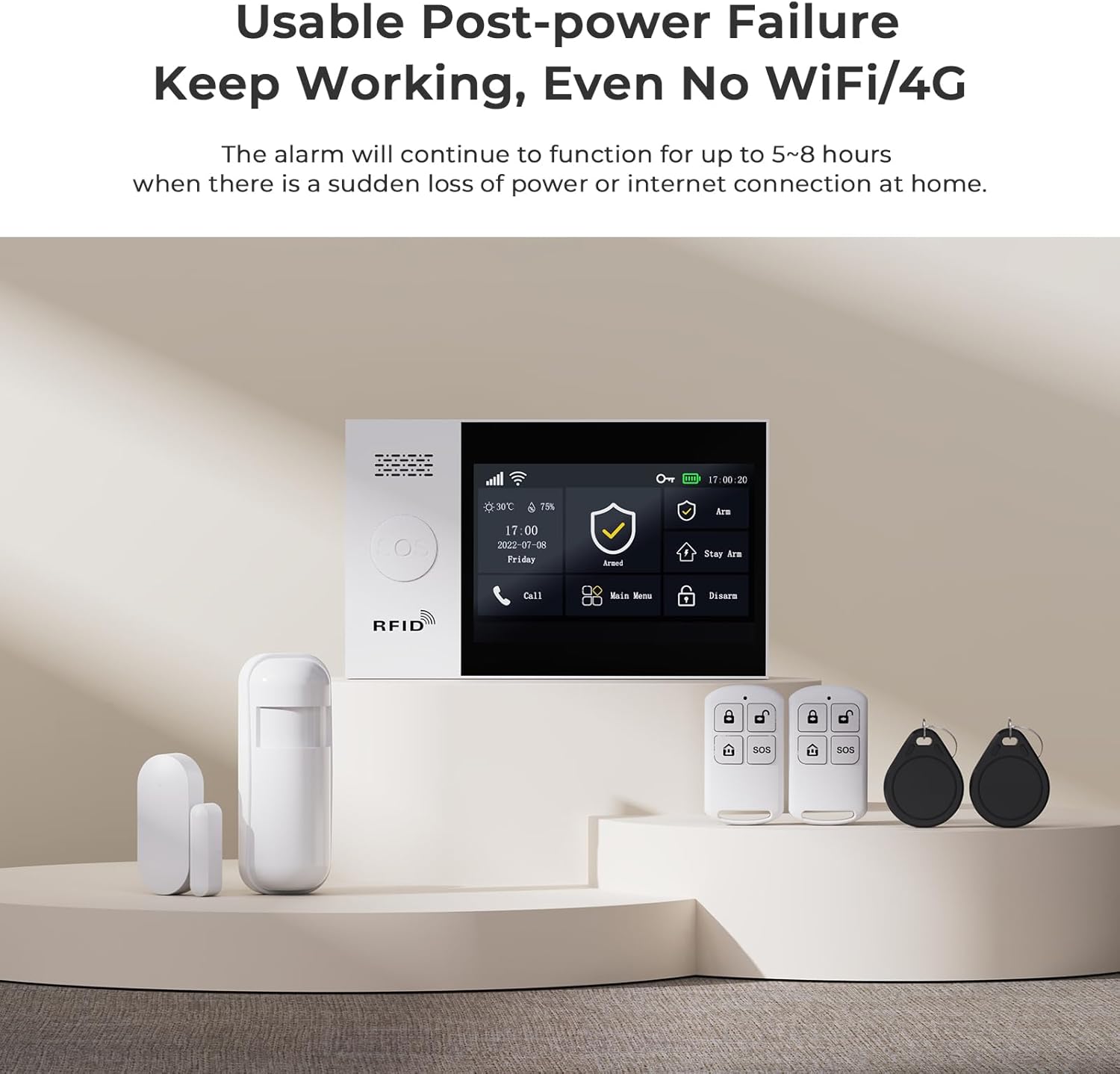
Figure 7: The system maintains functionality even during power outages or loss of internet connection.
5. Manutenção
Regular maintenance is crucial for optimal performance. Keep sensors clean and free from obstructions. Check battery levels periodically for wireless components and replace them as needed. Ensure the main unit's power supply is secure.
6. Solução De Problemas
Caso encontre algum problema, consulte as seguintes dicas comuns de resolução de problemas:
- Accessory Not Pairing: Ensure the accessory is powered on and within range of the main unit. Re-attempt the pairing process carefully following the steps in Section 3.
- Alarmes falsos: Check motion sensor placement to avoid triggering by pets or environmental factors. Ensure door/window sensors are securely mounted and not misaligned.
- No Alerts on Phone: Verify your phone's internet connection and app notification settings. Ensure the alarm host has a stable internet connection (Wi-Fi or 4G/2G/3G if applicable).
- Sistema não responde: Try restarting the main alarm host by disconnecting and reconnecting its power.
For persistent issues, please contact customer support as detailed in Section 8.
7. Especificações
| Recurso | Detalhe |
|---|---|
| Marca | PGST |
| Número do modelo | PG107 |
| Fonte de energia | Battery Powered (Lithium Ion battery included) |
| Tecnologia de Conectividade | Wired (for main unit power), Wireless (for sensors) |
| Dimensões do item (C x L x A) | 1 x 0.98 x 1 polegadas (unidade principal) |
| Peso do item | 1.68 libras (0.76 kg) |
| Mostrar | 4.3 inch color IPS display, capacitive touch screen |
| Componentes incluídos | Alarm Host, Remote Control, Motion Detection, Door Sensor (as part of 12-piece kit) |
8. Garantia e Suporte
PGST is committed to providing reliable security solutions. This product comes with:
- Suporte técnico vitalício: Access to professional assistance for any technical queries or issues.
- Resposta rápida: Dedicated support available within 365 days for prompt resolution of concerns.
For support, please refer to the contact information provided with your product packaging or visit the official PGST website.


