1. Introdução
This manual provides detailed instructions for the installation, operation, and maintenance of your Ulecoce Keyless Entry Door Lock Deadbolt with Handle Set. This smart lock offers multiple access methods and enhanced security features for your home or office.

Image 1.1: The Ulecoce Keyless Entry Door Lock Deadbolt with Handle Set in satin nickel finish, installed on a dark door.
2. Recursos do Produto
- Entrada sem chave: Supports 100 user codes (97 user, 3 admin), one-time codes, and 2 backup physical keys.
- Smart Access Management: Generate and share temporary or permanent codes for family, house sitters, or guests.
- Segurança aprimorada: Features auto-lock, one-touch locking, anti-peeping code input, and low battery alerts.
- Durabilidade: Designed to withstand extreme temperatures (-4℉ to 140℉) and is IP54 waterproof.
- Poder: Operates on 4 AA batteries (not included) with an approximate 180-day lifespan.

Imagem 2.1: Terminadoview of the Ulecoce Keyless Entry Door Lock Set highlighting its main features.
3. Especificações
| Atributo | Detalhe |
|---|---|
| Marca | Ulecoce |
| Nome do modelo | WZ-U18L-S-0513-TP |
| Tipo de bloqueio | Deadbolt |
| Material | Metal |
| Cor | Níquel acetinado |
| Dimensões do item (C x L x A) | 1 x 1 x 1 polegadas |
| Peso do item | 3.36 libras |
| Características especiais | Anti-Peeping Password, Auto-Lock, Keyless Entry, One-Touch Lock |
| Uso recomendado | Porta da frente |
| Fonte de energia | 4 Pilhas AA (não incluídas) |
| Temperatura de operação | -4 ℉ a 140 ℉ (-20 ℃ a 60 ℃) |
| Umidade operacional | 0% a 95% |
| Classificação à prova d'água | IP54 |
| Certificação | Certificado ANSI Grau 3 |
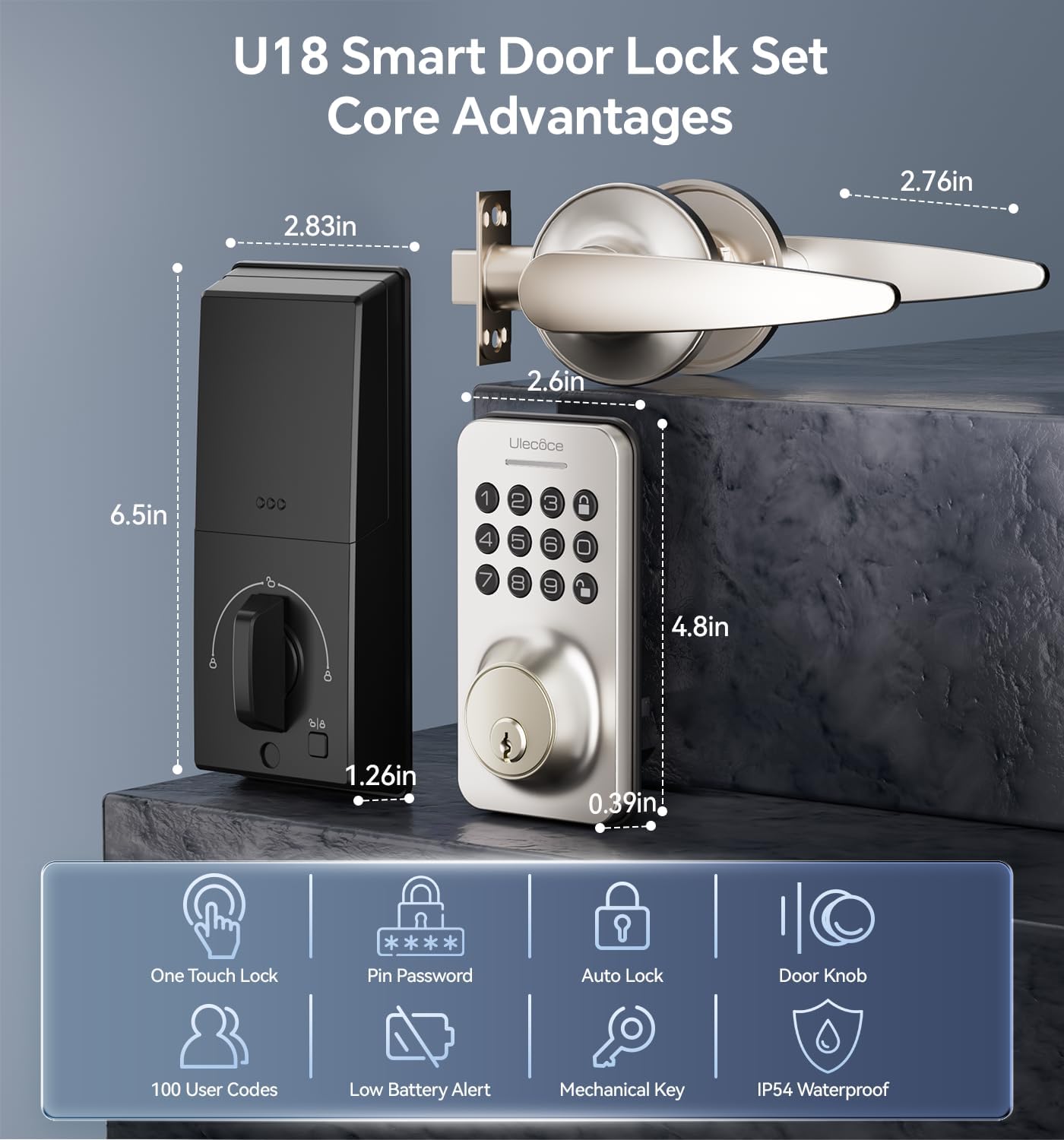
Image 3.1: Dimensions and key features of the Ulecoce U18 Smart Door Lock Set.

Image 3.2: ANSI Grade 3 certification and durability test results for the Ulecoce smart lock.
4. Configuração e instalação
The Ulecoce Keyless Entry Door Lock is designed for easy installation, requiring only a screwdriver. No additional drilling or professional locksmith services are typically needed. It is compatible with both left and right-hand doors.
4.1 Verificação de pré-instalação
Before beginning installation, ensure your door meets the compatibility requirements for latch hole and backset dimensions.
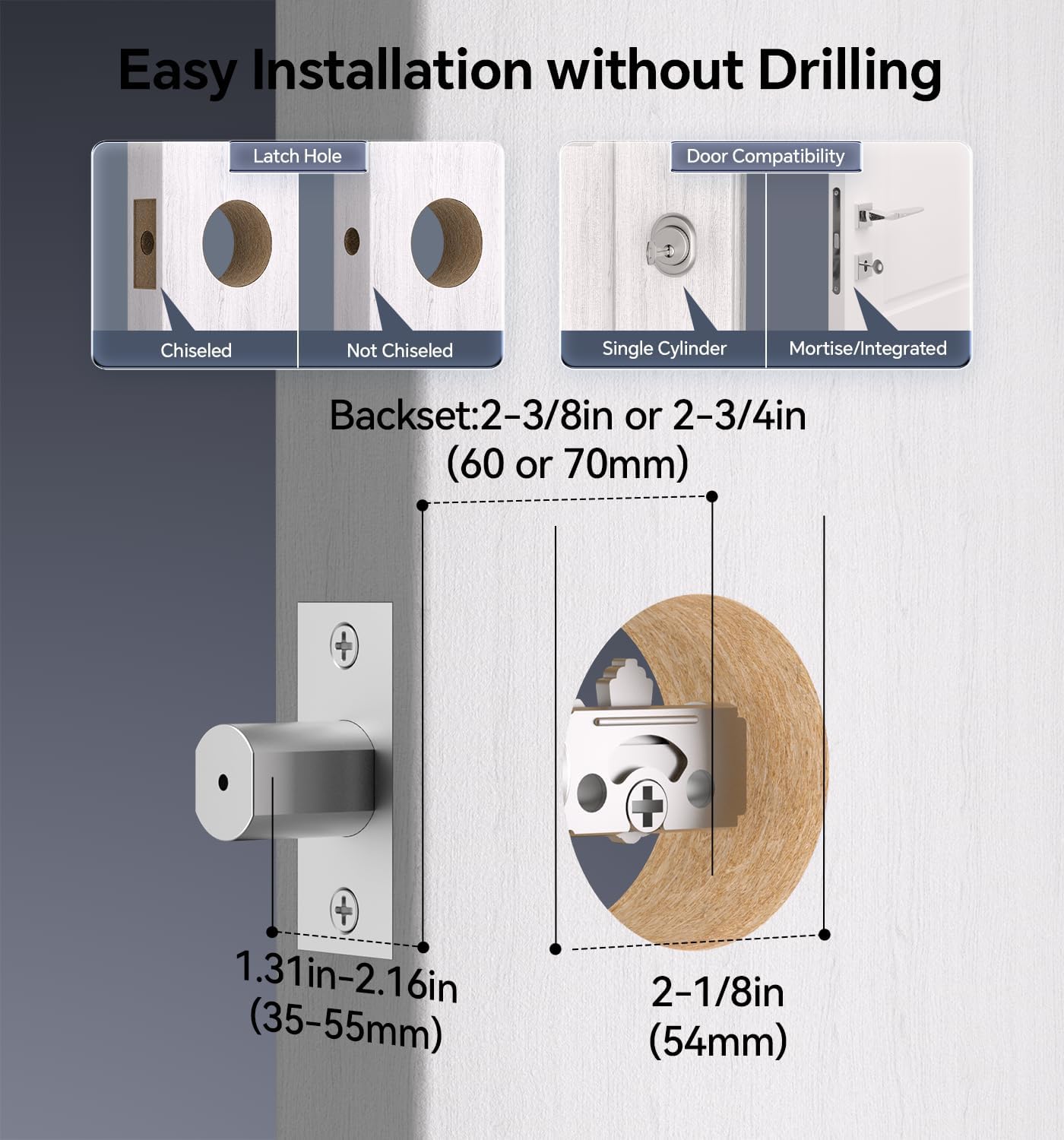
Image 4.1: Door compatibility and latch hole requirements for installation.

Image 4.2: Check door dimensions and lock measurements before purchase.
4.2 Etapas de instalação
- Prepare the door: Ensure the door is properly prepped with the correct bore hole and backset.
- Instale a lingueta e a placa de batente.
- Instale o conjunto do teclado externo.
- Install the interior assembly, connecting the cable.
- Secure the lock with screws.
- Insira 4 pilhas AA (não incluídas) no compartimento de pilhas.
- Test the lock's functionality.

Image 4.3: Installation process using a screwdriver.

Image 4.4: The lock is compatible with both left and right-hand door orientations.
5. Instruções de operação
The Ulecoce smart lock offers various convenient ways to unlock and manage access.
5.1 Métodos de desbloqueio
- Código do teclado: Enter your programmed user code on the keypad.
- Códigos de uso único: Gere códigos temporários para uso único.
- Chave física: Use the provided backup keys for manual unlocking.
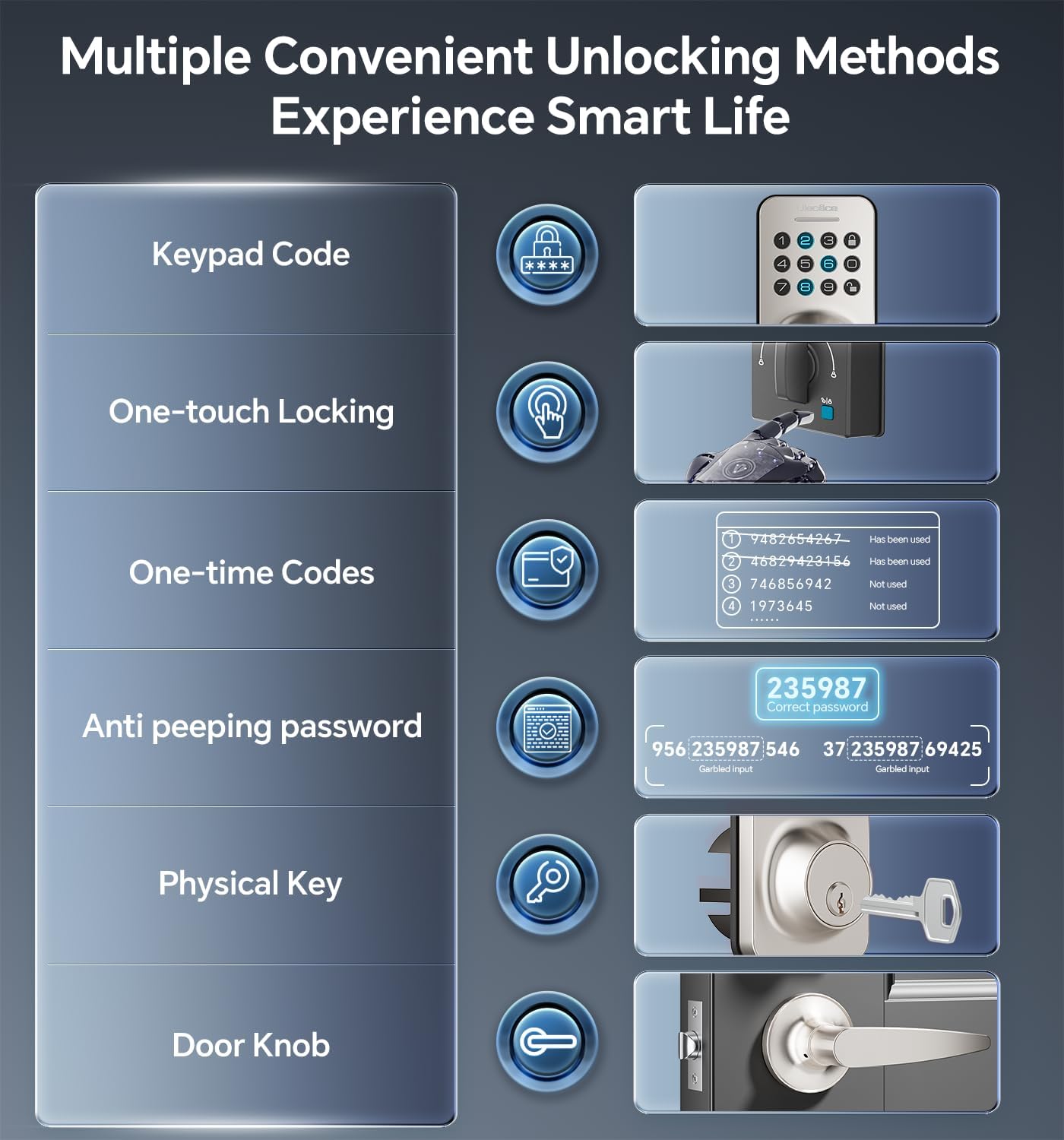
Image 5.1: Multiple methods available for unlocking the door.
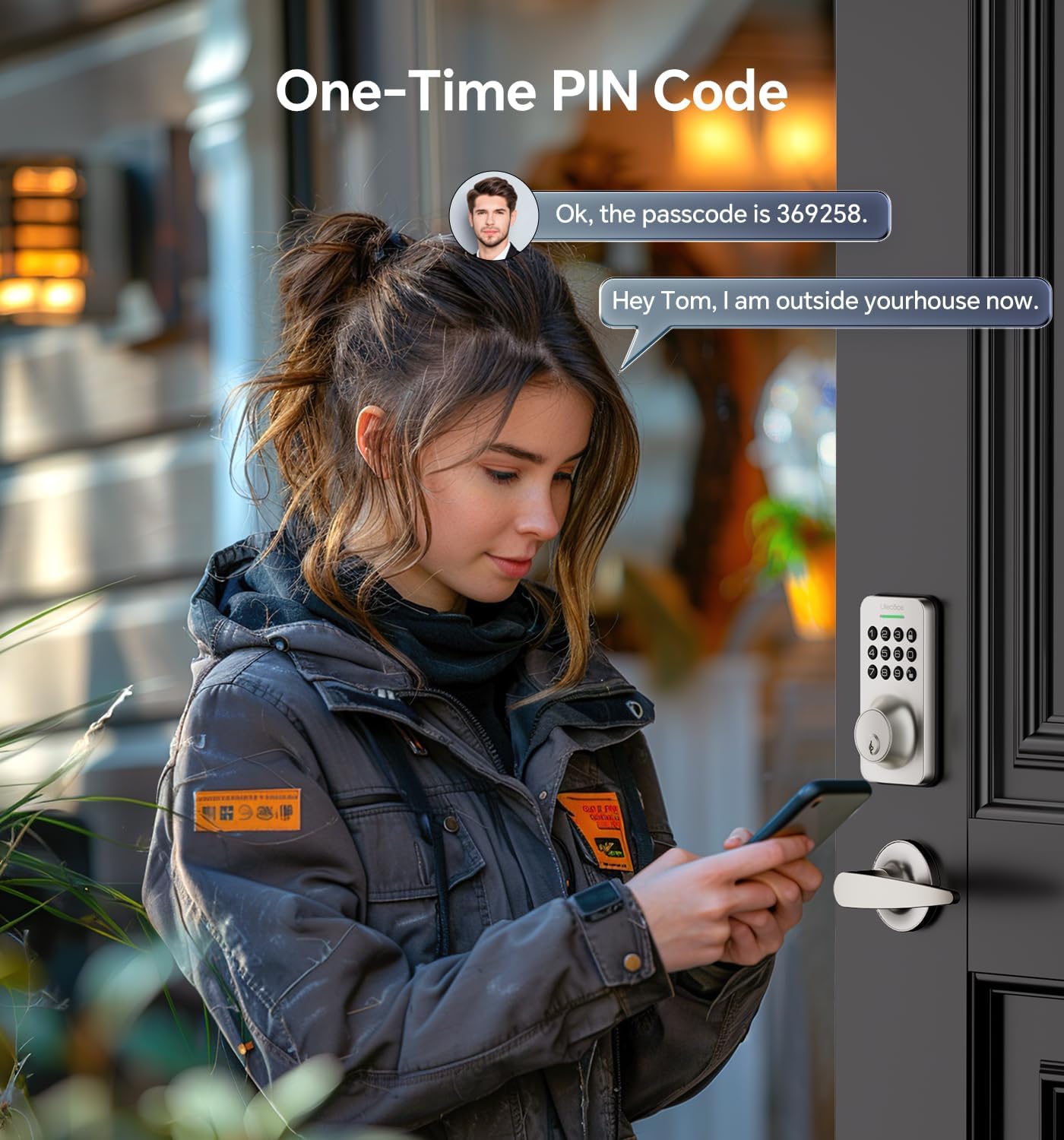
Image 5.2: Using a one-time PIN code for temporary access.
5.2 Senha Anti-Espionagem
To prevent others from guessing your code, you can enter random digits before or after your actual passcode. The lock will recognize the correct consecutive sequence within the input.
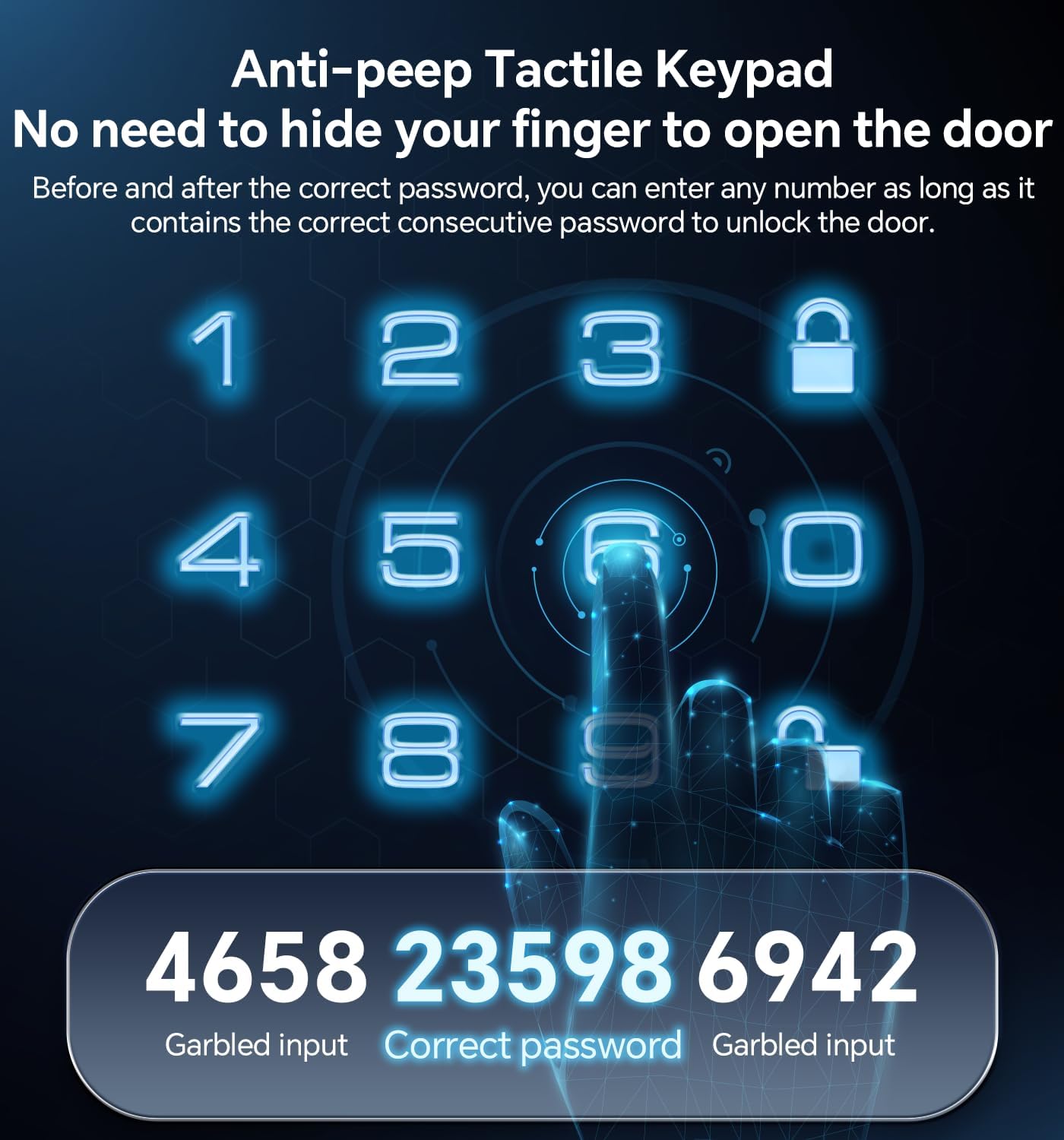
Imagem 5.3: Example of using the anti-peeping password feature.
5.3 Auto-Lock and One-Touch Locking
- Bloqueio automático: A fechadura pode ser programada para travar automaticamente após um período definido (10 a 30 segundos) assim que a porta for fechada.
- Bloqueio com um toque: A dedicated button on the interior assembly allows for quick manual locking.

Image 5.4: The auto-lock feature provides convenience and security.
6. Manutenção
6.1 Substituição da bateria
The lock is powered by 4 AA batteries (not included). When the battery level is low, the lock will provide an alert. Replace all four batteries promptly to ensure continuous operation.

Image 6.1: Low battery indicator and backlit keypad for visibility.
6.2 Limpeza
Clean the lock's exterior with a soft, dry cloth. Avoid using abrasive cleaners or solvents, as these can damage the finish or electronic components.
7. Solução De Problemas
- A fechadura não responde: Verifique o nível da bateria e substitua-a, se necessário. Certifique-se de que o teclado esteja limpo e livre de detritos.
- Código não funciona: Verify the code is entered correctly. Ensure the anti-peeping feature is used as intended. If issues persist, reset the code or use a physical key.
- O travamento automático não está sendo acionado: Check the auto-lock settings to ensure it is enabled and the timer is set appropriately.
- A chave física não está funcionando: Ensure the key is fully inserted and turned correctly. Check for any obstructions in the keyway.
Para obter mais assistência, consulte a seção Garantia e Suporte.
8. Garantia e Suporte
Ulecoce provides a Garantia do produto de 3 anos and lifetime after-sales service for this product. Our customer support team is available 24/7 via email to assist with any questions or concerns you may have.
Please feel free to contact us for support.


