Introdução
The DAYTECH Emergency Call Button is a smart device designed to provide immediate assistance for seniors and individuals requiring quick support. This system offers security and rapid help with a single button press, integrating with the Tuya Smart application for comprehensive monitoring and alerts.
Key features include instant notifications to selected contacts, 24/7 monitoring capabilities, flexible system expansion, and app-controlled customization for user-friendly operation.

Descrição da imagem: This image displays the versatility of the DAYTECH emergency call button system, showing different users such as an elderly woman, a person in a hospital bed, a child, and a pregnant woman, all wearing or interacting with the emergency call devices. This illustrates the broad applicability of the system for various individuals who might need immediate assistance.
Conteúdo da embalagem
Verifique se todos os componentes estão presentes no seu pacote:
- 1 x unidade receptora
- 1 x Emergency Call Wristband Button
- 1 x Emergency Call Pendant Button
- 1 x bateria AAA (incluída)

Descrição da imagem: This image shows the complete DAYTECH emergency call system. It features the main receiver unit, which is a white square device with a blue bell icon. Alongside it are two emergency call buttons: one designed as a wristband and another as a pendant, both prominently displaying 'SOS' in red. A smartphone screen on the right illustrates the accompanying Tuya Smart app interface, demonstrating the system's digital integration.
Instruções de configuração
- Instale as baterias: Insert the provided AAA battery into the receiver unit. Ensure correct polarity. The emergency call buttons use CR2032 batteries, which are pre-installed.
- Baixe o aplicativo Tuya Smart: Download and install the free Tuya Smart or Smart Life application on your smartphone from your device's app store.
- Cadastre-se/Faça login: Abra o aplicativo e cadastre-se para criar uma nova conta ou faça login com uma conta existente.
- Adicionar dispositivo: Follow the in-app instructions to add the DAYTECH Emergency Call Button system. Ensure your smartphone is connected to a 2.4GHz Wi-Fi network during the pairing process.
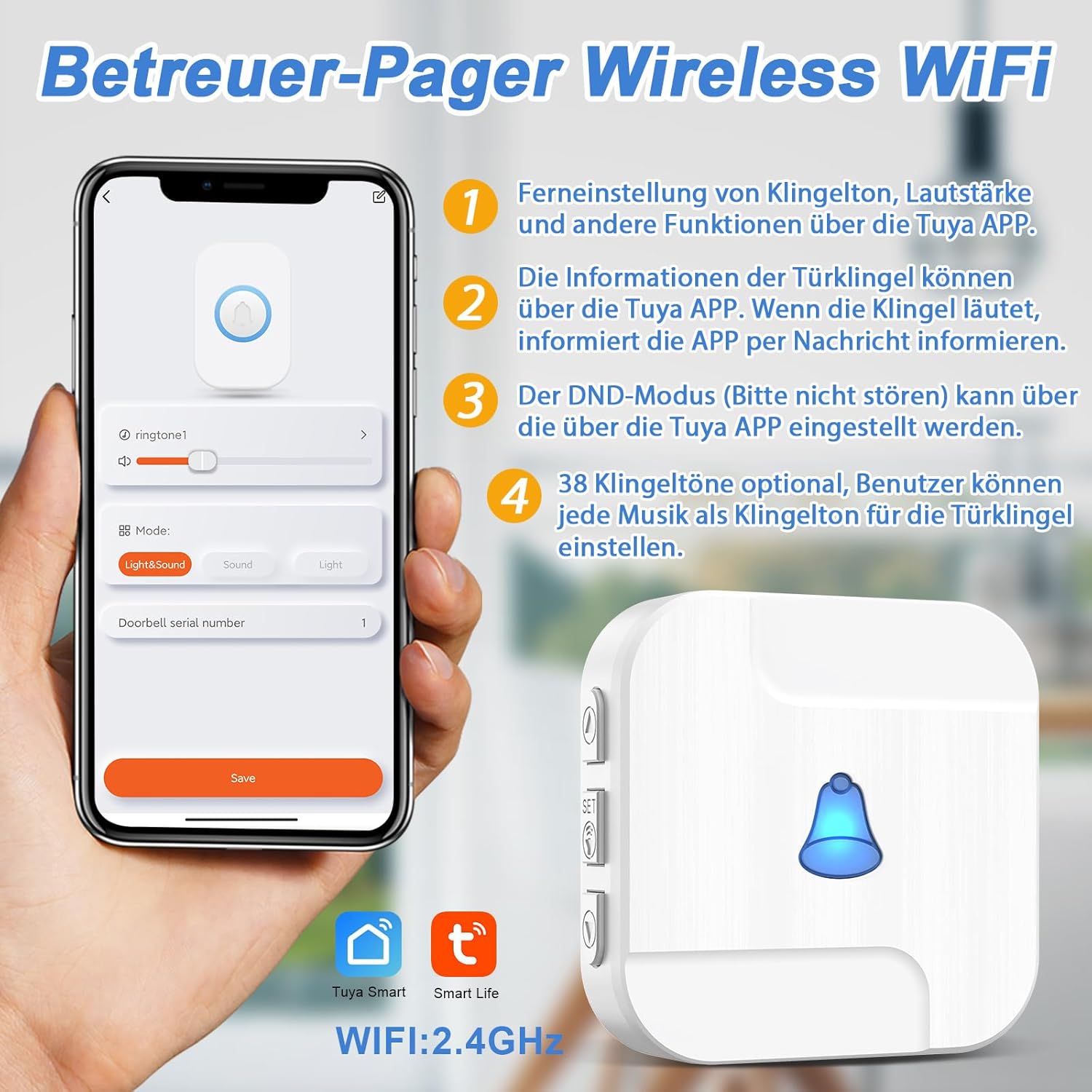
- Configurar definições: Use the Tuya app to customize settings such as ringtones, volume levels, and LED signal behaviors for the receiver.
- Share Access (Optional): If desired, share device access with family members through the app so they can also receive notifications.

Descrição da imagem: This image shows a smartphone displaying the Tuya Smart app's settings for the emergency call system. The interface allows users to configure various parameters such as the device name, ringtone volume, ring duration, and delay time. It also presents different operational modes, enabling personalized setup of the alert system.

Descrição da imagem: This image illustrates the Tuya Smart app interface for customizing the wireless WiFi pager. The screen displays options for selecting different ringtones, adjusting the volume, and choosing between various alert modes such as 'Light&Sound', 'Sound only', or 'Light only'. This allows users to tailor the notification method to their preferences.
Instruções de operação
Triggering an Emergency Alert
To activate an emergency alert, simply press the large 'SOS' button on either the wristband or pendant device. Upon activation:
- The receiver unit will emit an audible alarm and/or visual signal (depending on app settings).
- Your smartphone, and any other linked family members' smartphones, will receive an immediate notification via the Tuya Smart app.
- The system operates reliably as long as your smartphone maintains a Wi-Fi connection, ensuring alerts are transmitted even over long distances.
Descrição da imagem: This image depicts the three-step process of an emergency alert. The first panel shows an elderly woman pressing the SOS button on her wristband. The second panel illustrates the receiver unit activating with a musical note, signifying an alert. The third panel shows a person receiving an immediate notification on their smartphone, demonstrating the system's rapid response.
System Range and Connectivity
The system is designed for broad coverage within a typical home or care environment. The emergency buttons communicate wirelessly with the receiver, which then uses your home's 2.4GHz Wi-Fi network to send notifications to your smartphone. The effective range between the button and receiver can vary based on environmental factors such as walls and interference.
Descrição da imagem: This image provides an overhead diagram of a house, illustrating the signal transmission range of the DAYTECH emergency call system. The central receiver unit is depicted, with emergency SOS buttons placed in various rooms. Signal ranges of 20 meters, 50 meters, and 70 meters are indicated, showing how the system covers different areas of the home. A smartphone is shown receiving notifications, emphasizing remote alert capabilities.
Manutenção
Substituição da bateria
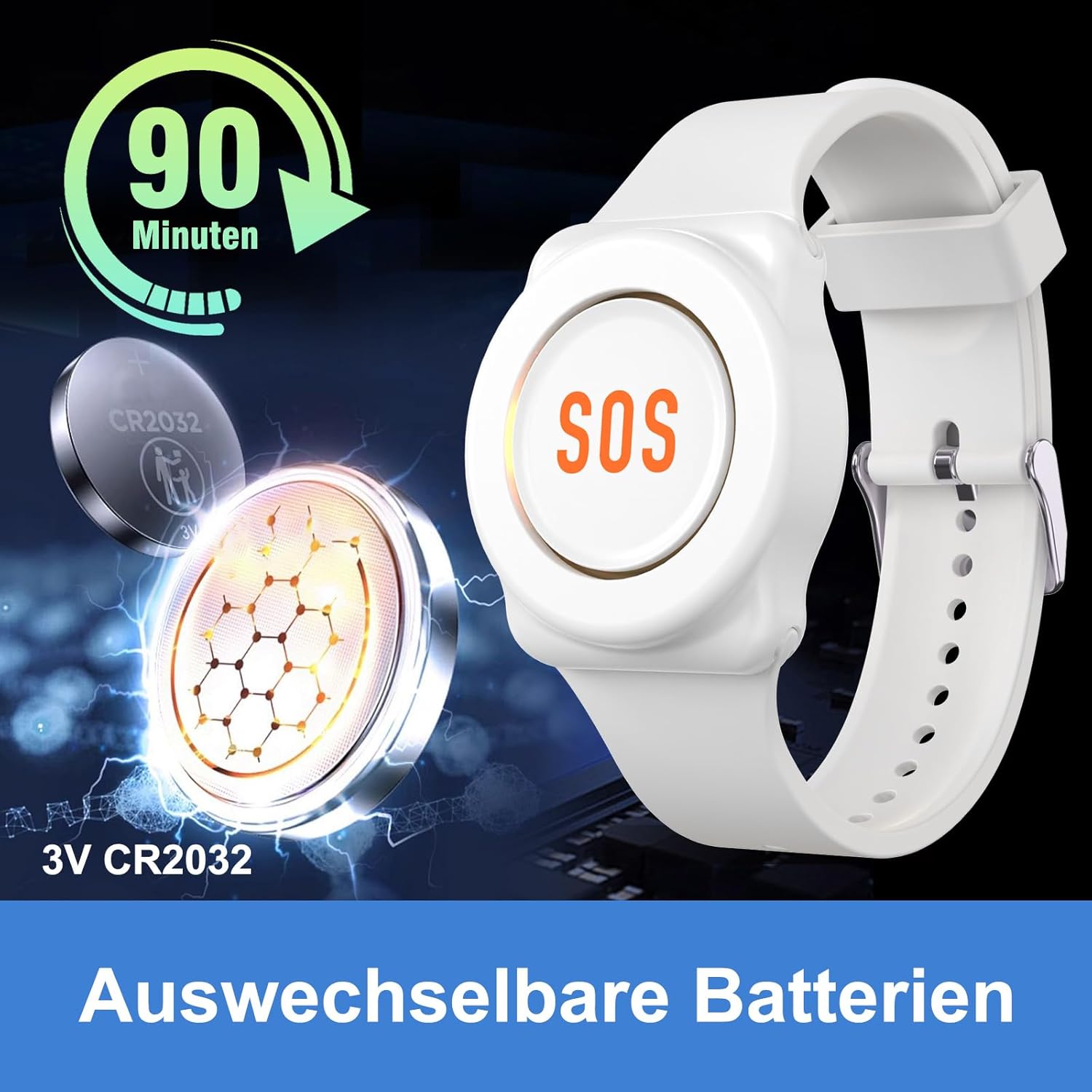
The emergency call buttons (wristband and pendant) are powered by CR2032 coin cell batteries. The receiver unit uses AAA batteries. When the battery in an emergency call button is low, an LED indicator will illuminate on the button itself. Additionally, the Tuya Smart app will send an immediate warning to your smartphone, prompting timely battery replacement.
To replace the CR2032 battery in the emergency call button:
- Carefully open the battery compartment on the back of the button.
- Remova a bateria CR2032 antiga.
- Insert a new 3V CR2032 battery, ensuring the positive (+) side faces up.
- Feche o compartimento da bateria com segurança.

Descrição da imagem: Esta imagem fornece um close-up. view of the DAYTECH emergency call wristband button with its battery compartment open. A CR2032 3V coin cell battery is visible inside, ready for replacement. The text '90 Minuten' (90 minutes) is prominently displayed, which may refer to the battery's operational duration or a recommended replacement interval.
Solução de problemas
- Nenhuma notificação recebida:
- Certifique-se de que seu smartphone tenha uma conexão de internet estável (Wi-Fi ou dados móveis).
- Verify that the Tuya Smart app has notification permissions enabled in your phone's settings.
- Check if the receiver unit is powered on and connected to your 2.4GHz Wi-Fi network.
- Confirm that the emergency call button has sufficient battery power. Replace if necessary.
- Limited Signal Range:
- The effective range between the emergency button and the receiver can be affected by thick walls, metal objects, or other wireless interference.
- Try repositioning the receiver unit to a more central location within the desired coverage area.
- Consider adding additional receivers or signal repeaters if a larger coverage area is required.
- Difficulty with App Setup:
- Ensure your Wi-Fi network is 2.4GHz. The device may not connect to 5GHz networks.
- Restart your router, smartphone, and the receiver unit, then attempt the pairing process again.
- Refer to the Tuya Smart app's help section for specific pairing instructions or common issues.
- Receptor não responde:
- Check if the receiver unit is properly plugged in and powered on.
- Verify that the AAA battery in the receiver is correctly installed and not depleted.
- If the issue persists, try resetting the receiver unit (refer to the app for specific reset procedures).
Especificações
| Marca | DAYTECH |
| Número do modelo | TY02-TY01 |
| Dimensões do produto (C x L x A) | 6 x 4 x 6 cm |
| Peso | 500 gramas |
| Fonte de energia | Alimentado por bateria |
| Tipo de bateria do receptor | 1 x pilhas AAA (incluídas) |
| Button Battery Type | CR2032 (incluído) |
| Composição da Bateria | Alkaline (AAA), Lithium (CR2032) |
| Método de controle | Botão de pressão |
| Dispositivos compatíveis | Smartphone (via Tuya Smart app) |
| Conectividade sem fio | 2.4GHz WiFi |
Informações de garantia
Specific warranty details for the DAYTECH Emergency Call Button (Model TY02-TY01) are not provided in this manual. Please refer to the product packaging or the manufacturer's official webPara obter as informações mais recentes sobre a garantia, acesse o site.
Apoiar
For technical assistance, troubleshooting beyond this manual, or general inquiries regarding your DAYTECH Emergency Call Button (Model TY02-TY01), please consult the following resources:
- Do fabricante Website: Visit the official DAYTECH webSite com suporte ao produto, perguntas frequentes e informações de contato.
- Aplicativo Tuya Smart: The Tuya Smart application often includes a help section or customer support contact within the app itself.
Please have your product model number (TY02-TY01) and purchase details ready when contacting support.


