1. Introdução
Thank you for choosing BUGANI Buds True Wireless Earbuds. This manual provides detailed instructions on how to set up, operate, and maintain your earbuds to ensure optimal performance and longevity. Please read this manual thoroughly before using the product.
2. Conteúdo da embalagem
- 1 pair of BUGANI B09 True Wireless Earbuds
- 1 cabo de carregamento USB-C
- 3 pairs of Eartips (S, M, L)
- 3 pairs of Silicone Ear Hooks (S, M, L)
- 1 Guia do Usuário
3. Produto acabadoview
Familiarize yourself with the components of your BUGANI Buds.
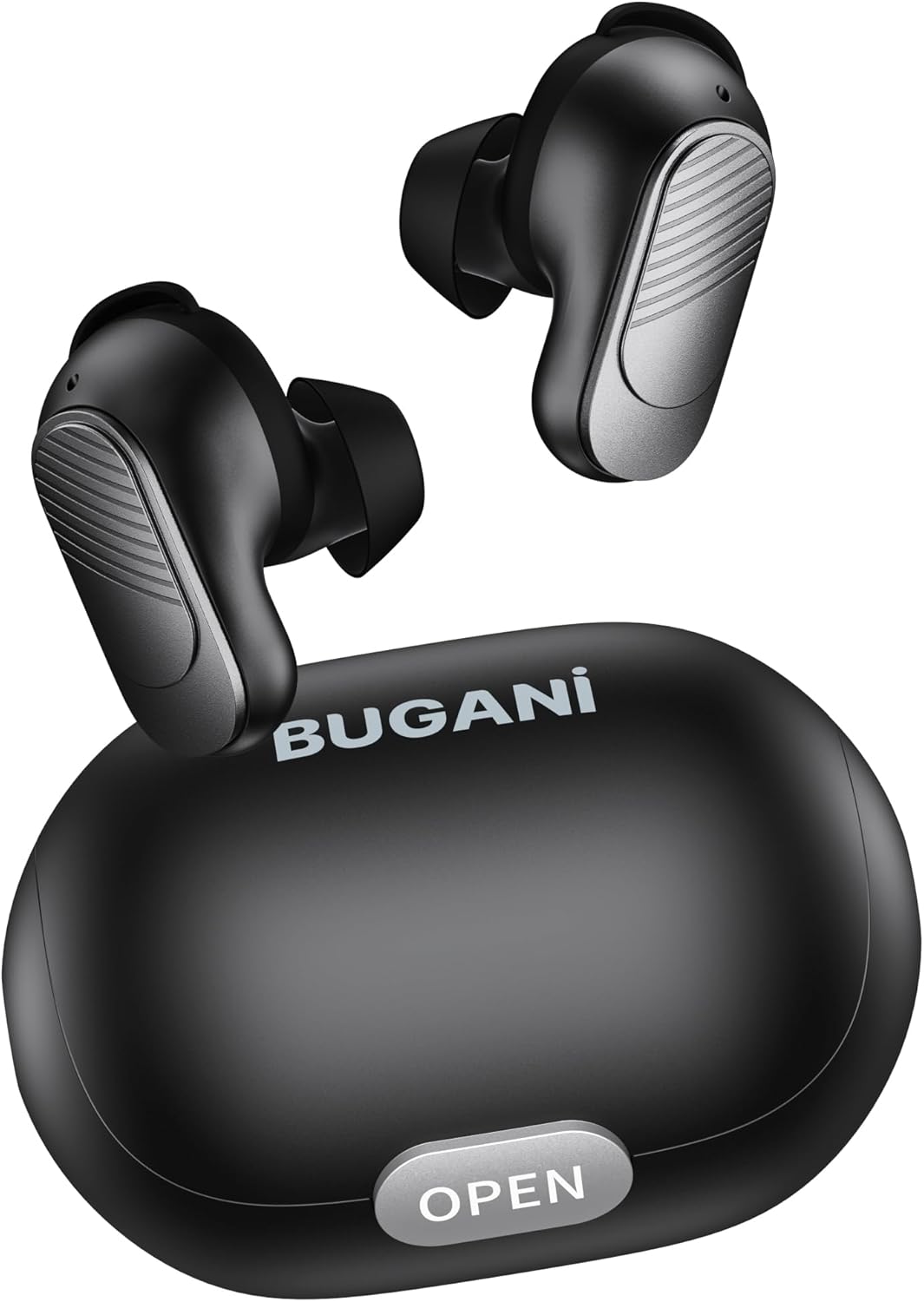
Image: BUGANI Buds True Wireless Earbuds with their charging case. The earbuds are black with silver accents, and the case is a sleek black oval shape with an "OPEN" button.

Image: An exploded diagram showing the internal components of a BUGANI Bud earbud, highlighting the driver and circuit board for enhanced sound quality.

Image: Illustration demonstrating the battery life of BUGANI Buds. It shows 6 hours of playback on a single charge and an additional 24 hours with the charging case, totaling 30 hours.

Image: A woman using BUGANI Buds during a phone call, with an inset showing the earbud and the "MIC" label, indicating the dual microphone for clear calls.

Image: A woman exercising while wearing BUGANI Buds, with an overlay showing the IPX6 water resistance icon, signifying protection against sweat and splashes.

Image: A woman wearing BUGANI Buds, with insets highlighting the lightweight design (3.9g) and the ergonomic fit with proper ear wingtips for comfort.
4. Configuração
4.1 Carregamento Inicial
Before first use, fully charge the earbuds and the charging case. Connect the USB-C charging cable to the charging port on the case and a power source. The indicator lights on the case will show charging status.
4.2 Como escolher as ponteiras auriculares certas
Select the eartips (S, M, L) and silicone ear hooks that provide the most comfortable and secure fit for your ears. A proper seal is crucial for optimal sound quality and noise isolation.
5. Instruções de operação
5.1 Ligar/Desligar
- Ligar: Abra o estojo de carregamento e os fones de ouvido ligarão automaticamente.
- Desligar: Coloque os fones de ouvido de volta no estojo de carregamento e feche a tampa. Eles desligarão automaticamente e começarão a carregar.
5.2 Emparelhamento Bluetooth
- Certifique-se de que os fones de ouvido estejam dentro do estojo de carregamento e que a tampa esteja aberta.
- No seu dispositivo (smartphone, tablet, etc.), ative o Bluetooth.
- Procurar "BUGANI Buds" in the list of available Bluetooth devices.
- Select "BUGANI Buds" to connect. Once connected, you will hear a confirmation tone.
- Os fones de ouvido se reconectarão automaticamente ao último dispositivo emparelhado ao serem retirados do estojo, caso o Bluetooth esteja ativado no dispositivo.
5.3 Controles de toque
The BUGANI Buds feature intuitive touch controls on each earbud:
| Ação | Fone de ouvido esquerdo | Fone de ouvido direito |
|---|---|---|
| Reproduzir/Pausar | Toque Único | Toque Único |
| Próxima faixa | Toque duplo | |
| Faixa anterior | Toque duplo | |
| Atender/encerrar chamada | Toque Único | Toque Único |
| Rejeitar chamada | Pressão Longa (2s) | Pressão Longa (2s) |
| Ativar Assistente de Voz | Toque triplo | Toque triplo |
5.4 Carregando os fones de ouvido e o estojo
- Fones de ouvido: Place the earbuds into the charging case. They will automatically charge.
- Estojo de carregamento: Connect the USB-C cable to the charging port on the case and a USB power adapter (not included). The indicator lights will show the charging status.
6. Manutenção
- Limpe os fones de ouvido e o estojo de carregamento regularmente com um pano macio e seco.
- Não utilize produtos de limpeza abrasivos ou solventes.
- Mantenha os contatos de carregamento dos fones de ouvido e do estojo limpos para garantir um carregamento adequado.
- Guarde os fones de ouvido no estojo de carregamento quando não estiverem em uso para protegê-los e mantê-los carregados.
- Evite expor os fones de ouvido a temperaturas extremas, umidade ou luz solar direta.
- While IPX6 water-resistant, do not immerse the earbuds in water.
7. Solução De Problemas
| Problema | Solução possível |
|---|---|
| Fones de ouvido não emparelham |
|
| Apenas um fone de ouvido funcionando |
|
| Má qualidade de som |
|
| Fones de ouvido não carregam |
|
8. Especificações
| Recurso | Detalhe |
|---|---|
| Nome do modelo | B09 |
| Marca | BUGANI |
| Tecnologia de Conectividade | Sem fio (Bluetooth 5.3) |
| Tecnologia de comunicação sem fio | Bluetooth |
| Tipo de controle | Controle de toque |
| Nível de resistência à água | IPX6 (à prova d'água) |
| Faixa de frequência | 20 Hz - 20,000 Hz |
| Composição da Bateria | Íon de lítio |
| Bateria recarregável | Sim |
| Colocação da orelha | Intra-auricular |
| Fator de forma | Intra-auricular |
| Material | Plástico |
| Cor | Preto |
| ASIN | B0FBRKTKTS |
9. Garantia e Suporte
For warranty information and technical support, please refer to the official BUGANI webou entre em contato com o serviço de atendimento ao cliente. Guarde o comprovante de compra para eventuais solicitações de garantia.
Return Policy: This product typically has a 30-day refund/replacement return policy.
Manufacturer: BUGANI


