1. Introdução
This manual provides detailed instructions for the installation, operation, and maintenance of your PHORUS 48-inch Tropical Palm Leaf Ceiling Fan. Please read this manual thoroughly before installation and retain it for future reference. This ceiling fan is designed for both indoor and outdoor covered areas, offering a unique tropical aesthetic with modern functionality.
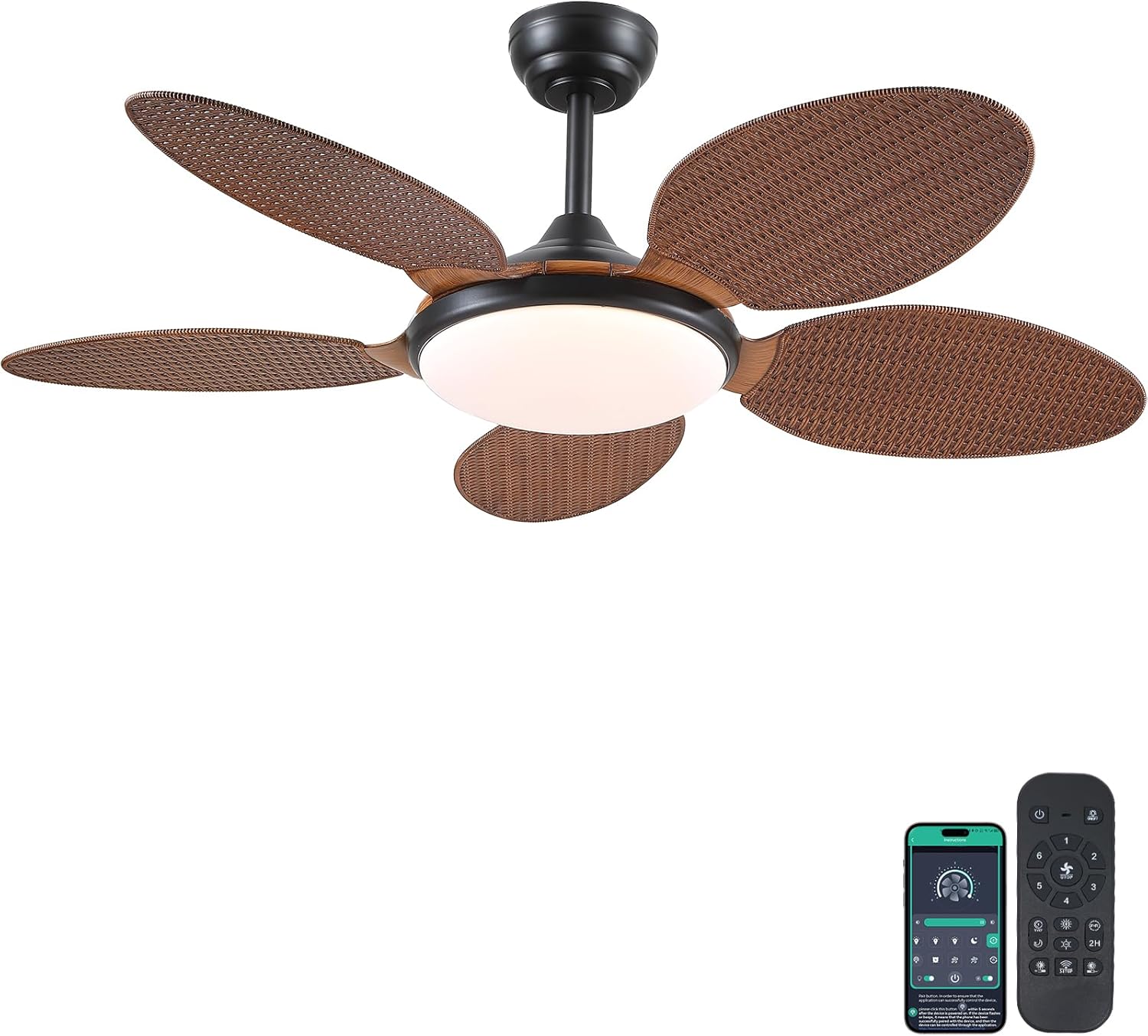
Image 1.1: PHORUS 48-inch Tropical Palm Leaf Ceiling Fan.
2. Informações de segurança
- Certifique-se de que a fonte de alimentação principal esteja desconectada antes da instalação, manutenção ou limpeza.
- All electrical connections must comply with local codes and ordinances, as well as national electrical codes. If you are unfamiliar with electrical wiring, consult a qualified electrician.
- The mounting structure must be capable of supporting the weight of the fan (approximately 12.58 pounds) plus the dynamic load during operation.
- Não dobre os suportes das lâminas durante a instalação ou limpeza.
- Certifique-se de que haja espaço suficiente entre as pás do ventilador e quaisquer obstáculos.
- This fan is suitable for use in damp locais, mas não devem ser expostos diretamente à água.
3. Conteúdo da embalagem
Verifique se todos os componentes listados abaixo estão incluídos na sua embalagem. Caso alguma peça esteja faltando ou danificada, entre em contato com o suporte ao cliente.

Imagem 3.1: Terminadoview of included components and fan dimensions.
- Conjunto do corpo do ventilador
- 5 Palm Leaf Blades
- Dossel
- Hastes de extensão (opções de 4 e 8 polegadas)
- Lamp Sombra
- Controle remoto
- Receptor remoto
- Suporte de montagem
- Kit de ferragens (parafusos, conectores de fios, etc.)
- Manual de instruções
4. Configuração e instalação
Follow these steps carefully for proper installation. For a visual guide, please refer to the installation video provided below.
4.1. Guia de Instalação em Vídeo
Video 4.1: Detailed installation guide for the PHORUS 48-inch Palm Leaf Ceiling Fan with lights.
4.2. Instalação passo a passo
- Prepare the Fan Body: Attach the LED light board to the fan body assembly using the provided screws.
- Fixar as pás do ventilador: Secure each of the five palm leaf blades to the fan body. Ensure the correct side of the blade is facing upwards as indicated in the video.
- Montagem da haste de extensão: Insert the downrod through the canopy and secure it to the fan body. Feed the electrical wires through the downrod.
- Instale o suporte de montagem: Secure the mounting bracket to your ceiling junction box. Ensure it is firmly attached and can support the fan's weight.
- Conexões de fiação: Connect the fan's electrical wires to your household wiring. Typically, this involves connecting the black live wire, white neutral wire, and yellow ground wire. Refer to the wiring diagram in the installation video for precise connections.
- Pendure o ventilador: Com cuidado, levante o conjunto do ventilador e encaixe-o no suporte de montagem.
- Instalar receptor remoto: Place the remote receiver within the canopy, ensuring wires are not pinched. Connect the receiver to the fan and household wiring as per the diagram.
- Cobertura Segura: Slide the canopy up to the ceiling and secure it to the mounting bracket with screws.
- Instale Lamp Sombra: Anexar o lamp shade to the bottom of the fan body.
The fan is equipped with 4-inch and 8-inch downrods to accommodate various ceiling heights. It can also be used with sloped ceilings up to 15 degrees.
5. Instruções de operação
Your PHORUS ceiling fan can be controlled via the included remote control or a smart application on your mobile device.
5.1. Operação de controle remoto

Image 5.1: Remote control layout with function descriptions.
The remote control allows you to adjust the following settings:
- Ligar/desligar: Ligue ou desligue o ventilador e a luz.
- Velocidade do ventilador: Select from 6 wind speeds (1-6).
- Luz ligada / desligada: Control the integrated LED light independently.
- Temperatura de cor: Adjust between 3 light colors: 3000K (Warm Light), 4500K (Natural Light), and 6000K (White Light).
- Ajuste de brilho: Ajuste a intensidade da luz de 10% a 100%.
- Função reversa: Change the direction of the fan blades for summer (downdraft) or winter (updraft) modes. Press the F\R key and wait 5-8 seconds for the fan to stop completely and then automatically reverse.
- Temporizador: Set a 2-hour timer for automatic shutdown.
Remote Code Pairing:
If your remote control is not responding, you may need to pair it with the fan. Follow these steps:
- Turn off the main power supply to the fan for one minute.
- Turn on the main power supply and simultaneously long-press the code key on the remote control for 3-5 seconds.
- The fan light will blink 2-3 times to indicate successful code matching.
Video 5.2: Instructions for remote code pairing.
5.2. Controle por aplicativo inteligente
The fan supports control via a smart application. Scan the QR code in Image 5.1 or visit https://www.jasonghost.com/fanlamppro/ to download the "Fan Lamp Pro" app.
Video 5.3: Guide for setting up and using the smart app control.
The app provides comprehensive control over fan speeds, light settings (color temperature and brightness), and the reverse function, similar to the remote control. All settings will be remembered after power cycling.

Image 5.4: Customizable light effects and dimming range.

Image 5.5: Fan airflow modes (summer/winter) and 6-speed settings.
6. Manutenção
A manutenção regular garante o desempenho ideal e a longevidade do seu ventilador de teto.
- Limpeza: Periodically clean the fan blades and light cover with a soft, damp pano. Não utilize produtos de limpeza abrasivos ou solventes que possam danificar o acabamento.
- Aperte os fixadores: Check all screws and fasteners on the fan body and mounting bracket annually. Tighten any loose connections to prevent wobbling or noise.
- Pó: Dust the fan motor housing and canopy regularly to prevent dust buildup, which can affect performance.
7. Solução De Problemas
Se você tiver problemas com o seu ventilador, consulte os problemas e soluções comuns a seguir:
| Problema | Possível causa | Solução |
|---|---|---|
| Ventilador não inicia | No power supply; Loose wire connections; Remote not paired. | Check circuit breaker/wall switch; Verify all wire connections are secure; Perform remote code pairing (refer to Section 5.1). |
| A luz não funciona | Loose wire connection; LED driver issue. | Check light wiring connections; Contact customer support if LED driver is suspected. |
| O ventilador balança | Lâminas soltas ou peças de fixação desbalanceadas; Lâminas desequilibradas. | Ensure all blade screws and mounting bracket screws are tight; Use a balancing kit (not included) if necessary. |
| Controle remoto não responde | Low battery; Remote not paired. | Replace AAA batteries (2 required, included); Perform remote code pairing (refer to Section 5.1). |
| Ruído excessivo | Parafusos soltos; Problema no motor. | Check and tighten all screws; Ensure blades are securely attached. If noise persists, contact customer support. |
8. Especificações
- Marca: FÓRUS
- Modelo: B0FC1SY1B2
- Cor: 48" Dark Brown
- Material: Acrílico, Plástico
- Estilo: Tropical
- Tipo de quarto: Bedroom, Dining Room, Garage, Kids Room, Kitchen
- Uso interno/externo: Indoor (suitable for damp Localizações)
- Fonte de energia: DC
- Características especiais: Operável por aplicativo, Luz LED, Funcionamento silencioso, Controle remoto, Temporizador
- Método de controle: Aplicativo, remoto
- Número de fontes de luz: 1
- Componentes incluídos: Light Kit, Remote Control
- Peso do item: 12.58 libras
- Número de itens: 1
- O quetage: 60 watts
- Tipo de Controlador: Controle de aplicativo, controle remoto
- Contagem de unidades: 1.0 contagem
- Tipo de montagem: Montagem no teto
- Montagem necessária: Sim
- Tamanho: Medium (48 inches)
- Usos recomendados para o produto: Circulação de ar
- Dimensões do produto: 48 x 48 x 15.15 polegadas
- Baterias: São necessárias 2 pilhas AAA (incluídas)
9. Garantia e Suporte
PHORUS provides a one-year quality warranty for this product. We also offer free replacement service for any damage and quality problems encountered during the warranty period. If you have any questions or require assistance, please contact PHORUS customer support for a satisfactory answer within 24 hours.