Introdução
Thank you for choosing the FEYA M-Y10 Motorcycle Helmet Headset. This device is designed to enhance your riding experience with wireless communication, music playback, and hands-free calling. Please read this manual carefully to ensure proper use and optimal performance of your headset.
Conteúdo da embalagem

This image displays the FEYA M-Y10 headset along with its accessories, including speakers, microphones, mounting clips, and charging cable.
- FEYA M-Y10 Headset Unit
- Helmet Speakers and Microphone (soft and hard mic options)
- Velcro Double-sided Tape for Speakers
- Base for Mounting (clip-style)
- Cabo de carregamento USB Tipo-C
- Manual do usuário (este documento)
Principais características
- Wireless V5.3 Technology: Supports simultaneous connection to two smartphones for stable and efficient communication.
- Cancelamento inteligente de ruído: Features 40mm graphene diaphragm speakers and dual noise-cancelling microphones (DSP and 8.0 CVC) to reduce engine noise, wind noise, and traffic sounds, ensuring clear audio.
- Vida útil da bateria estendida: Equipped with a 1000mAh battery, offering up to 80 hours of music playback and 750 hours of standby time on a 2-hour charge.
- Classificação à prova d'água IPX6: Designed to withstand dust, rain, fog, and snow, operating effectively in temperatures as low as -29°C (-20°F).
- AI Voice Assistant & Auto Answer: Activate Siri or other voice assistants with a short press. Automatically answers incoming calls after 10 seconds, allowing hands-free operation.
- Easy Installation & Lightweight Design: Simple to install on various helmet types. Weighs only 45g, reducing helmet burden.
Configurar
1. Instalação
The FEYA M-Y10 headset features a detachable mounting design for easy installation on most helmet types. Before installation, measure the available space inside your helmet for the speakers (speaker thickness 15.2mm / width 45mm). If space is insufficient, some internal padding modification may be required.
- Attach the clip-style base to the side of your helmet. Ensure it is securely fastened.
- Insert the headset unit into the base until it clicks into place.
- Peel off the backing from the Velcro double-sided tape and attach it to the back of the speakers.
- Carefully position the speakers inside your helmet, aligning them with your ears for optimal sound.
- Attach the microphone to a suitable position inside the helmet, ensuring it is close to your mouth for clear voice pickup. Choose between the soft mic or hard mic based on your helmet type and preference.
- Connect the speaker and microphone cables to the headset unit.

This image illustrates the detachable mounting design, highlighting how the headset unit can be easily attached and removed from its base on the helmet.
2. Carregamento inicial
Before first use, fully charge the headset. Connect the provided USB Type-C charging cable to the headset's charging port and a suitable USB power source. The charging indicator will show the charging status. A full charge takes approximately 2 hours.

This image shows the headset being charged via its Type-C port, emphasizing its 1000mAh battery and fast charging capability.
3. Emparelhamento com um Smartphone
The FEYA M-Y10 uses Wireless V5.3 technology for stable connections.
- Verifique se o fone de ouvido está desligado.
- Press and hold the Power button for approximately 3 seconds until the indicator light flashes, indicating pairing mode.
- On your smartphone, enable Wireless (Bluetooth) and search for "FEYA M-Y10" (or similar device name).
- Select the device to connect. Once paired, the indicator light will change, and you may hear a confirmation tone.
- The headset can connect to two smartphones simultaneously. Repeat the pairing process for a second device if needed.

This image highlights the advanced V5.3 wireless chip, ensuring a stable and efficient connection for your devices.
Instruções de operação
1. Ligar/desligar
- Ligar: Pressione e mantenha pressionado o botão Liga/Desliga por aproximadamente 3 segundos até que a luz indicadora acenda.
- Desligar: Pressione e mantenha pressionado o botão Liga/Desliga por aproximadamente 5 segundos até que a luz indicadora se apague.
2. Reprodução de música
- Reproduzir/Pausar: Short press the "M" button.
- Próxima faixa: Pressione rapidamente o botão "+".
- Faixa anterior: Pressione rapidamente o botão "-".
- Aumentar o volume: Pressione e segure o botão "+".
- Volume baixo: Pressione e segure o botão "-".

This image depicts a rider enjoying music through the 40mm speakers, highlighting the lossless stereo sound experience.
3. Gerenciamento de chamadas
- Atender chamada: The headset will automatically answer incoming calls after 10 seconds.
- Encerrar chamada: Short press the "M" button during a call.
- Rejeitar chamada: Long press the "M" button when a call comes in.
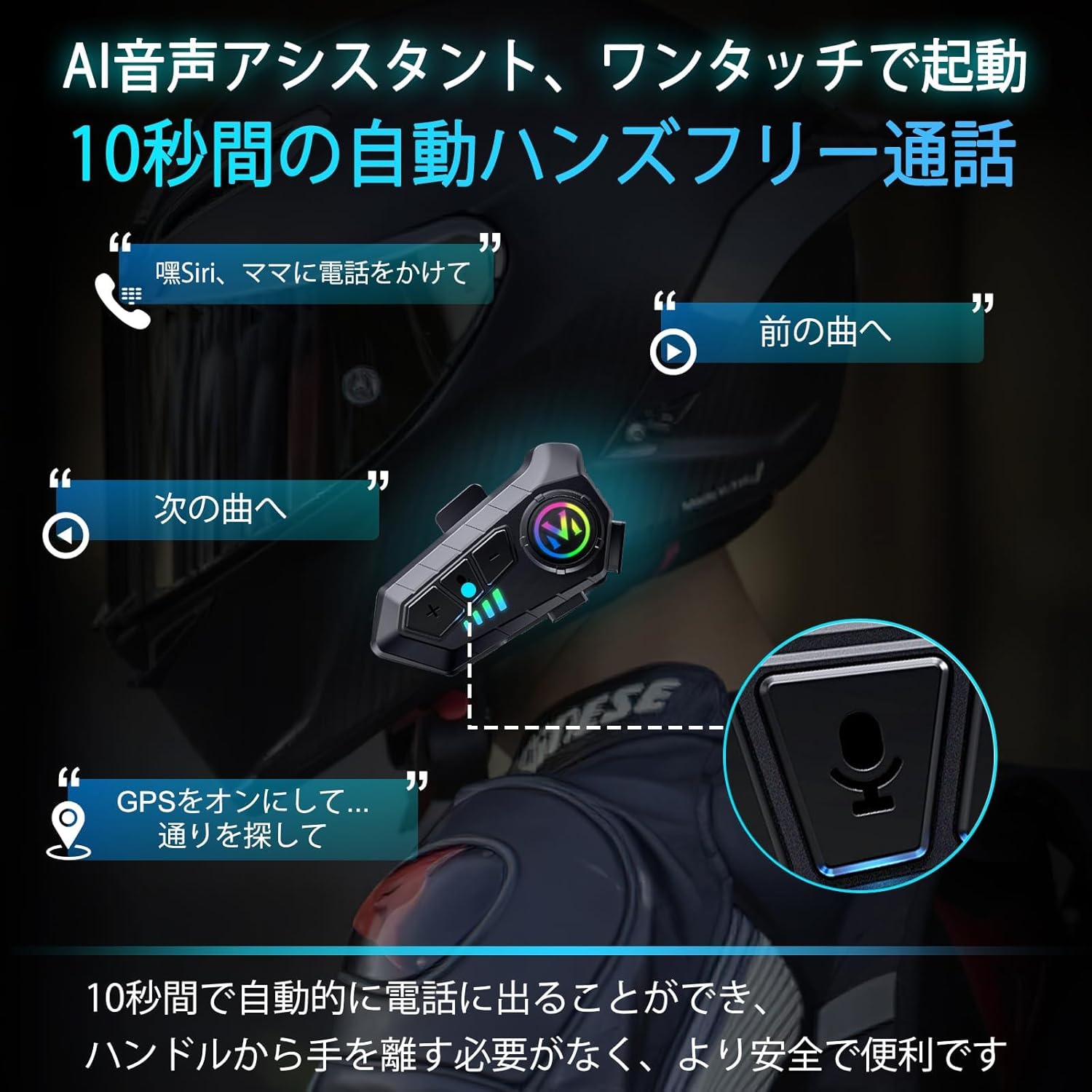
This image demonstrates the AI voice assistant and automatic call answering features, allowing riders to manage calls and navigation hands-free.
4. Ativação do Assistente de Voz
- Activate Voice Assistant (Siri/AI): Short press the Voice Control button (often the "M" button or a dedicated button, refer to product diagram if available).
5. Language Switching
To switch the voice prompt language:
- Ensure the headset is powered on and disconnected from any smartphone.
- Double-click the "M" button to cycle through available languages.
Manutenção
1. Carregamento
Charge the headset using the provided Type-C cable. A full charge takes approximately 2 hours and provides up to 80 hours of music playback or 18 months of standby time. The battery level can be displayed on your smartphone.
2. Limpeza e armazenamento
- Wipe the headset unit with a soft, dry cloth. Do not use harsh chemicals or abrasive cleaners.
- The headset is IPX6 waterproof, meaning it is protected against high-pressure water jets. However, avoid submerging it in water.
- Guarde o fone de ouvido em local fresco e seco, longe da luz solar direta e de temperaturas extremas.

This image demonstrates the IPX6 dust and waterproof performance of the headset, ensuring durability in various weather conditions.
Solução de problemas
| Problema | Possível causa | Solução |
|---|---|---|
| O dispositivo não liga. | Bateria fraca. | Carregue totalmente os fones de ouvido. |
| Não foi possível emparelhar com o smartphone. | Headset not in pairing mode; smartphone Wireless (Bluetooth) off; too far from device. | Ensure headset is in pairing mode (flashing indicator). Turn on smartphone Wireless. Keep devices within 1 meter. |
| Sem som ou volume muito baixo. | Volume too low; speakers not positioned correctly; poor connection. | Increase volume on headset and smartphone. Adjust speaker position. Re-pair the device. |
| Qualidade de chamada ruim. | Microphone not positioned correctly; excessive environmental noise. | Adjust microphone closer to mouth. Ensure noise cancelling features are active. |
| Desligamento automático. | No smartphone connection for 5 minutes. | This is a power-saving feature. Reconnect to your smartphone to resume use. |
Especificações
| Recurso | Detalhe |
|---|---|
| Nome do modelo | M-Y10 (Internal Model: B35S) |
| Tecnologia sem fio | Sem fio V5.3 |
| Tamanho do alto-falante | 40 mm |
| Capacidade da bateria | 1000mAh |
| Porta de carregamento | USB Tipo C |
| Tempo de carregamento | Aproximadamente 2 horas |
| Tempo de reprodução de música | Até 80 horas |
| Tempo de espera | Up to 750 hours (18 months) |
| Classificação à prova d'água | IPX6 |
| Controle de Ruído | Active Noise Cancellation (DSP & CVC 8.0) |
| Impedância | 32 Ohms |
| Temperatura de operação | Effective down to -29°C (-20°F) |
| Peso | Aprox. 45g |
| Material | Plástico |
Garantia e Suporte
FEYA products are designed for durability and performance. For warranty information, please refer to the product packaging or contact your retailer. If you encounter any issues or have questions regarding your FEYA M-Y10 headset, please contact FEYA customer support through the official website or your purchase platform for assistance.
Each product is verified with a unique code before shipment to ensure authenticity and quality.


