Produto acimaview
The Anweller P7BF is a versatile smart padlock offering multiple unlocking methods for enhanced security and convenience. It features fingerprint recognition, passcode entry, and mobile app control.
Principais características
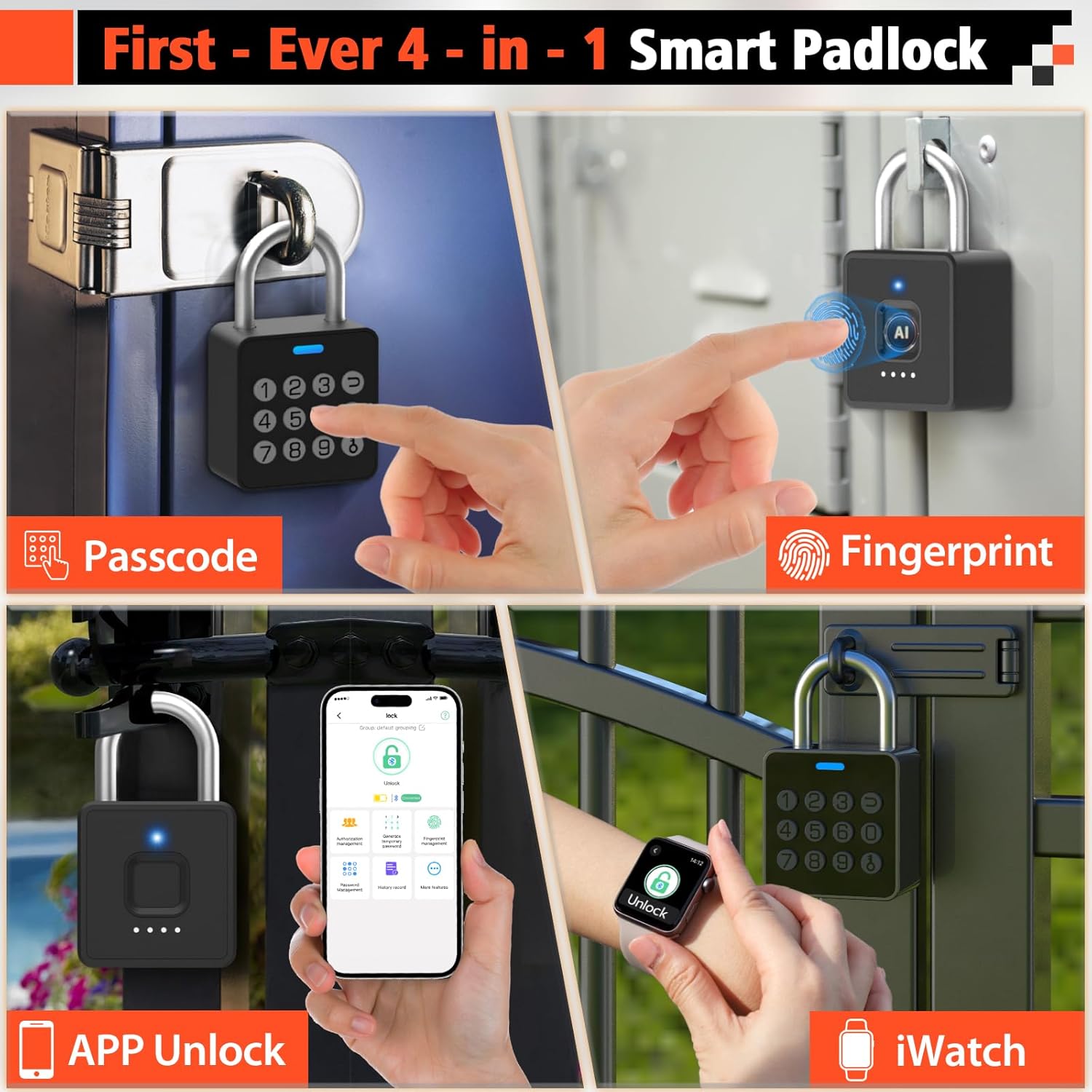
- Desbloqueio 4 em 1: Fingerprint, Passcode, Mobile App, and iWatch.
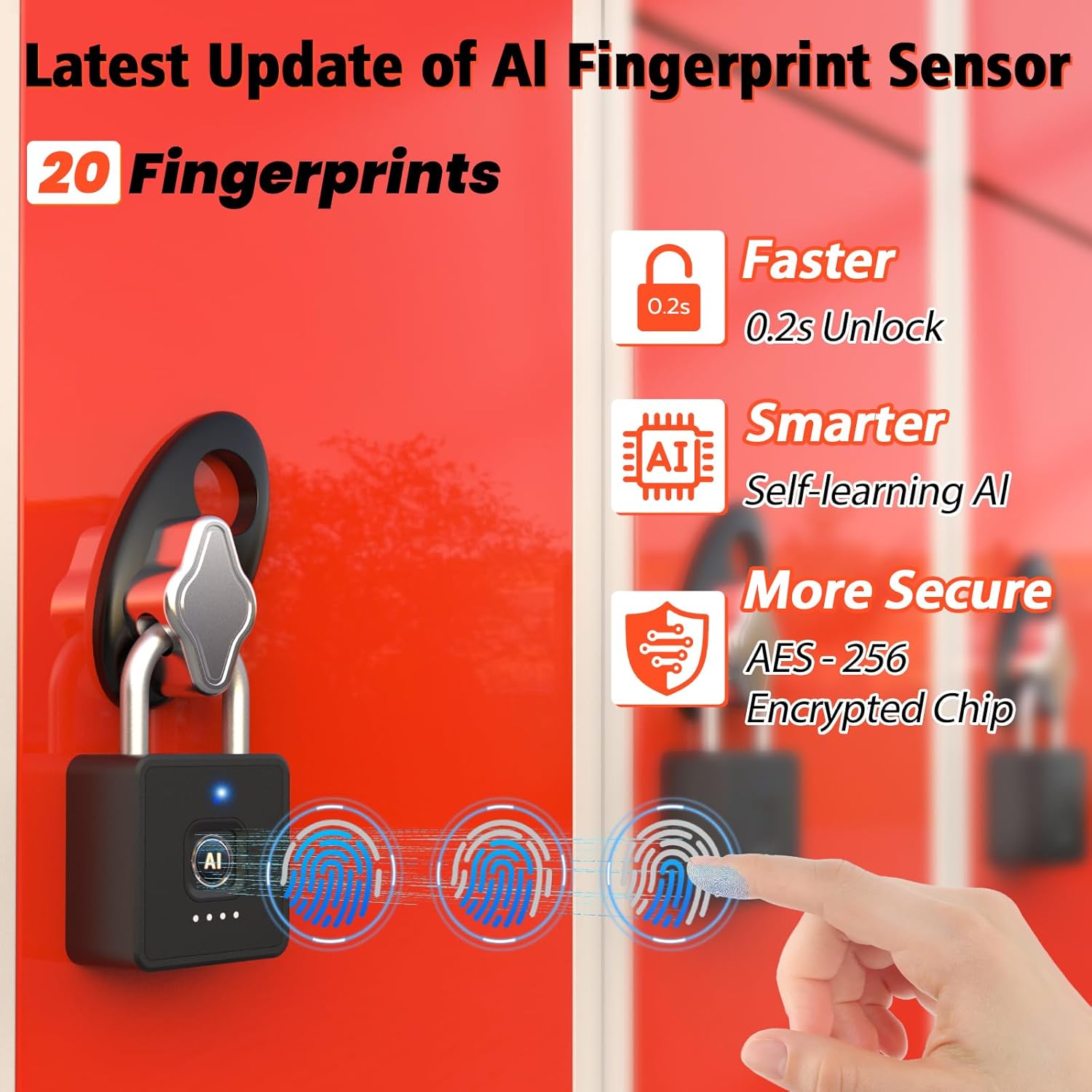
- Reconhecimento rápido de impressões digitais: Unlocks in 0.2 seconds. Supports up to 20 fingerprints.
- Multi-function Passwords: Permanent, Guest (scheduled), and One-time codes.
- Controle de aplicativo inteligente: Bluetooth connectivity for user management, password generation, and unlock records.
- Design durável: IP65 waterproof and dustproof, withstands temperatures from -4°F to 113°F.
- Bateria de longa duração: Up to 180 days standby time, Type-C charging.

O que está incluído
- Anweller Smart Padlock
- Cabo de carregamento tipo C
- Manual do usuário
Guia de configuração
Carregamento inicial
Before first use, fully charge the padlock using the provided Type-C cable. The charging port is typically located at the bottom or side of the lock. A full charge ensures optimal performance.

Instalação e conexão do aplicativo
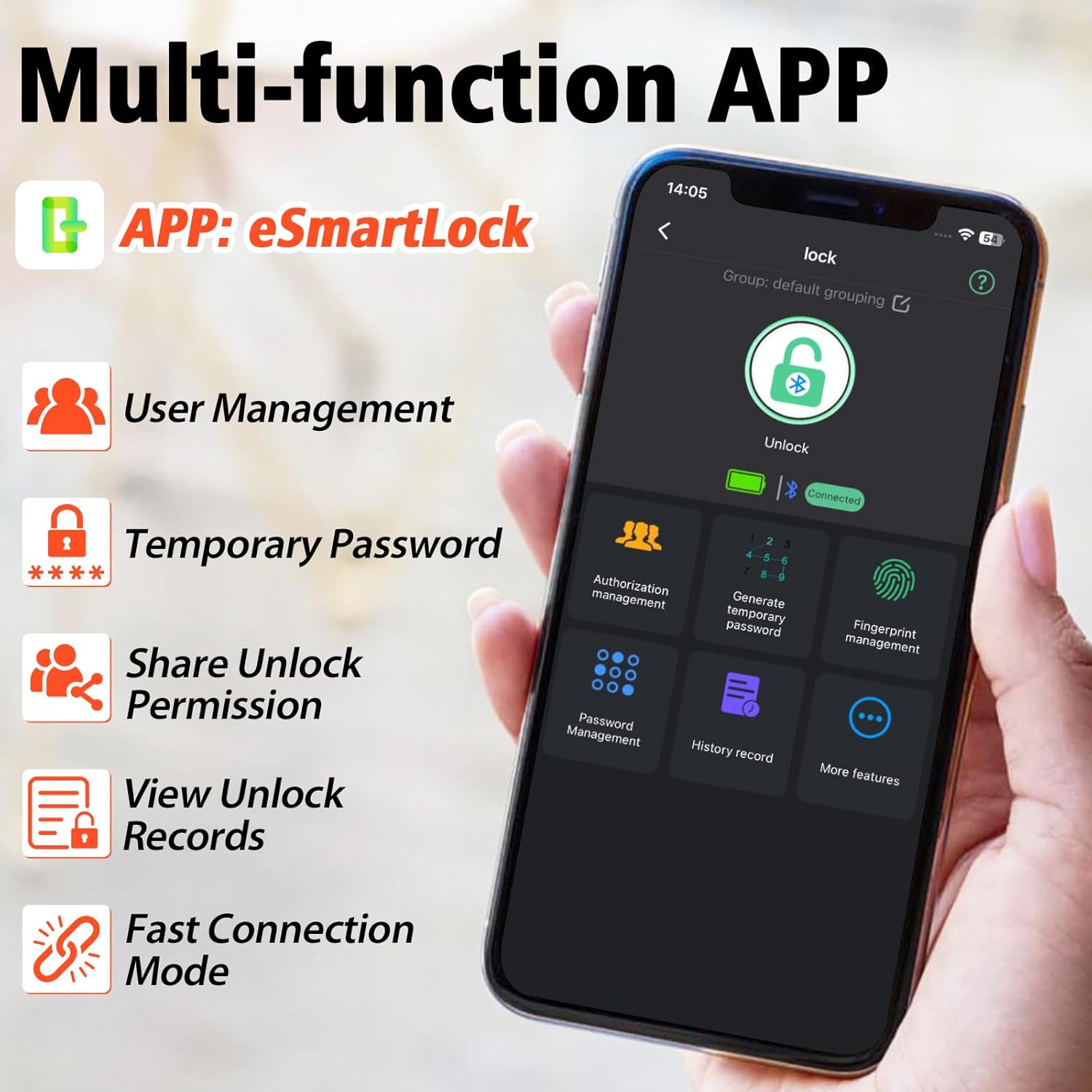
- Download the "eSmartLock" app from your device's app store (Android or iOS).
- Abra o aplicativo e crie uma conta.
- Certifique-se de que o Bluetooth do seu telefone esteja ativado.
- In the app, select "Add Device" and follow the on-screen instructions to pair with your Anweller P7BF padlock. The lock's indicator light will typically flash during pairing.
Registrando impressões digitais
- Once connected via the app, navigate to "Fingerprint Management".
- Select "Add Fingerprint" and follow the app's prompts to register your fingerprint. You will typically need to place your finger on the sensor multiple times from different angles.
- Register all desired fingerprints (up to 20).
Setting Passcodes
- In the app, go to "Password Management".
- You can set permanent passcodes (up to 20), generate guest passwords with scheduled entry times, or create one-time passwords.
- Follow the app's instructions to create and manage your desired passcodes.

Instruções de operação
Desbloqueio com impressão digital
Place your registered finger firmly on the fingerprint sensor. The lock will unlock in approximately 0.2 seconds if the fingerprint is recognized.
Unlocking with Passcode
Enter your registered passcode on the keypad and press the unlock button (often represented by a key or checkmark symbol).
Unlocking via Mobile App
Open the "eSmartLock" app on your smartphone. Ensure Bluetooth is active and you are within range of the padlock. Tap the "Unlock" button within the app interface.
Unlocking via iWatch
If configured, use the dedicated iWatch app to unlock the padlock.
Manutenção
Gerenciamento de bateria
The padlock is powered by a rechargeable Lithium-ion battery. When the battery is low, the indicator light may flash differently, or the app will notify you. Charge the lock using the provided Type-C cable. Avoid prolonged exposure to extreme temperatures to preserve battery life.
Limpeza
Wipe the lock body and fingerprint sensor with a soft, dry cloth. Do not use abrasive cleaners or solvents.
Condições ambientais
The lock is IP65 rated for water and dust resistance, making it suitable for outdoor use. However, avoid submerging it in water or exposing it to harsh chemicals.

Solução de problemas
Fingerprint Not Recognized
- Certifique-se de que seu dedo esteja limpo e seco.
- Try placing your finger on the sensor from different angles.
- Se o problema persistir, registre novamente sua impressão digital.
- Ensure the sensor is clean and free of debris.
Passcode Not Working
- Double-check that you are entering the correct passcode.
- Verify if the passcode is still active (for guest or one-time codes).
- Ensure the lock's battery is not critically low.
Problemas de conectividade do aplicativo
- Certifique-se de que o Bluetooth esteja ativado em seu smartphone.
- Make sure you are within Bluetooth range of the padlock.
- Reinicie o aplicativo ou o seu smartphone.
- Verifique se o aplicativo requer uma atualização.
Lock Not Responding
- The battery might be completely drained. Connect the lock to a Type-C charger.
- If the lock is completely unresponsive after charging, contact customer support.
Especificações
| Propriedade | Valor |
|---|---|
| Marca | Anweller |
| Número do modelo | P7BF |
| Dimensões do produto (C x L x A) | 4.42 x 2.46 x 7.49 cm |
| Peso | 240 gramas |
| Material | Aço inoxidável |
| Cor | Preto |
| Tipo de bloqueio | Biométrico |
| Características especiais | Anti-drill, Cut-resistant |
| Tipo de Bateria | 1 bateria de íon-lítio (incluída) |
| Tipo de controlador | Androide, iOS |
| Classificação à prova d'água | IP65 |
| Temperatura de operação | -4°F a 113°F |
| Unlock Cycle Lifespan | 10,000 ciclos |
| Capacidade de peso | 220 libras |
Garantia e Suporte
For warranty information and technical support, please refer to the contact details provided with your purchase or visit the official Anweller website. Guarde o comprovante de compra para solicitações de garantia.
