Introdução
Thank you for choosing the GOBOULT Crown Smart Watch. This manual provides essential information for the proper setup, operation, and maintenance of your device. Please read it thoroughly to ensure optimal performance and longevity of your smartwatch.
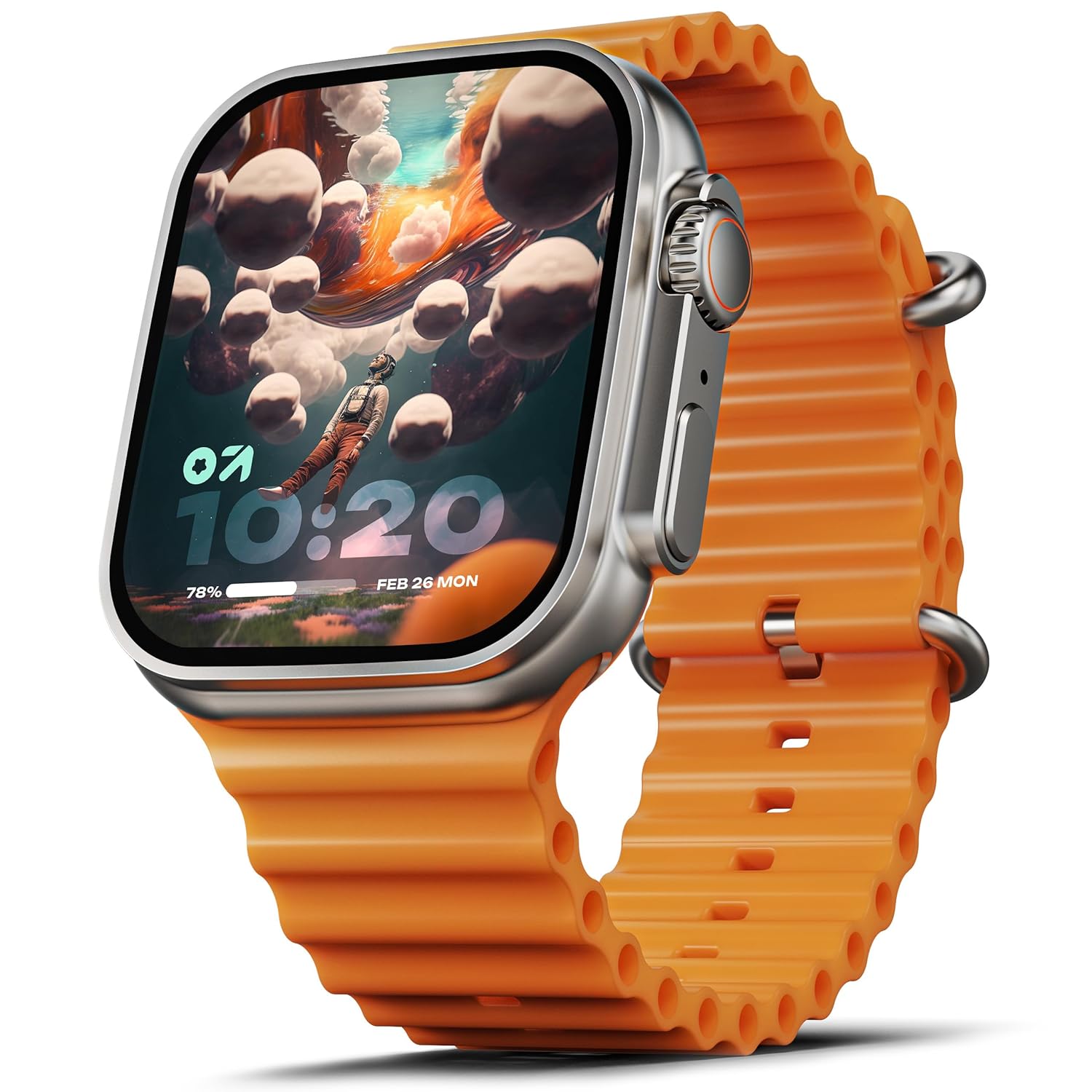
Image: The GOBOULT Crown Smart Watch, featuring a large display and an orange silicone strap.
O que está na caixa
Ao abrir a caixa, verifique se todos os seguintes itens estão incluídos:
- GOBOULT Crown Smart Watch
- Cabo de carregamento
- Manual do usuário
- Cartão de garantia
Começando
1. Carregando o relógio inteligente
Before initial use, fully charge your GOBOULT Crown Smart Watch. Connect the provided charging cable to the charging port on the back of the watch and to a standard USB power adapter. The watch display will indicate charging status.
2. Ligar / desligar
To power on, press and hold the side button until the GOBOULT logo appears. To power off, navigate to the settings menu on the watch, select 'Power Off', and confirm.
3. Emparelhando com seu smartphone
- Download the official GOBOULT companion app from your smartphone's app store (available for Android and iOS).
- Certifique-se de que o Bluetooth esteja ativado em seu smartphone.
- Open the GOBOULT app and follow the on-screen instructions to search for and pair with your Crown Smart Watch.
- Confirme o pedido de emparelhamento tanto no seu telefone quanto no relógio.
Instruções de operação
Exibição e navegação

Image: Close-up of the smartwatch display, highlighting its 1.95-inch size and 900 Nits brightness for clear visibility.
- Tela HD de 1.95": The large, high-definition screen provides clear visuals and responsive touch interaction.
- Brilho de 900 nits: Ensures excellent visibility even in bright outdoor conditions.
- Working Rotating Crown: Use the functional rotating crown on the side of the watch to scroll through menus, zoom in/out, and switch watch faces.
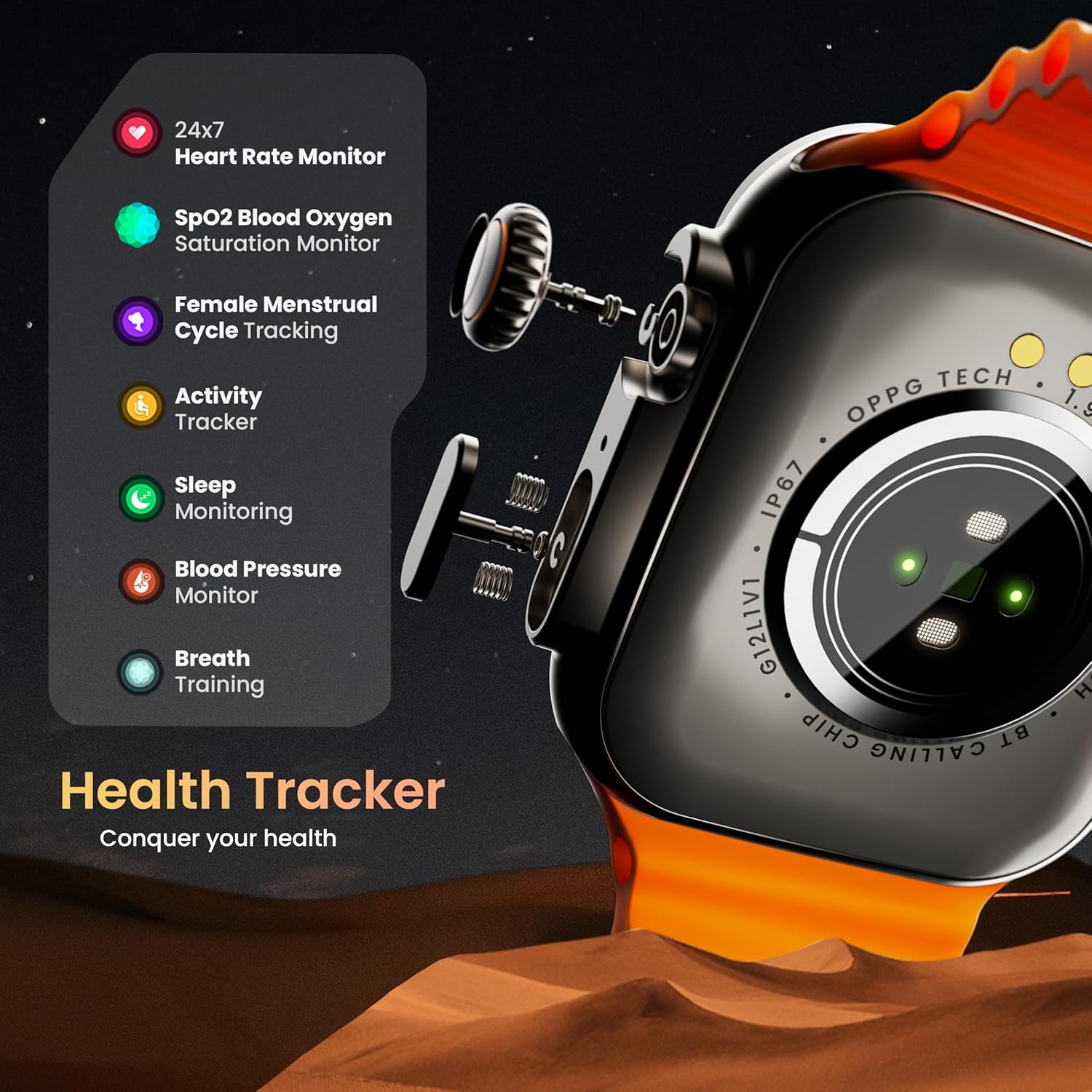
Imagem: Uma explosão view illustrating the internal mechanism of the working rotating crown, used for navigation and control.
Chamada Bluetooth

Image: The smartwatch screen showing an incoming call, alongside diagrams explaining Bluetooth 5.2 calling features like call answer/reject, dial pad, and contact sync.
The GOBOULT Crown Smart Watch supports Bluetooth Calling 5.2, allowing you to make and receive calls directly from your wrist. It features a built-in speaker and microphone for clear communication.
- Atender/Rejeitar chamadas: Tap the green icon to answer or the red icon to reject an incoming call.
- Teclado de discagem: Access the dial pad on the watch to make outgoing calls.
- Sincronizar contatos: Sync your phone's contacts to the watch via the companion app.
Monitoramento de Saúde
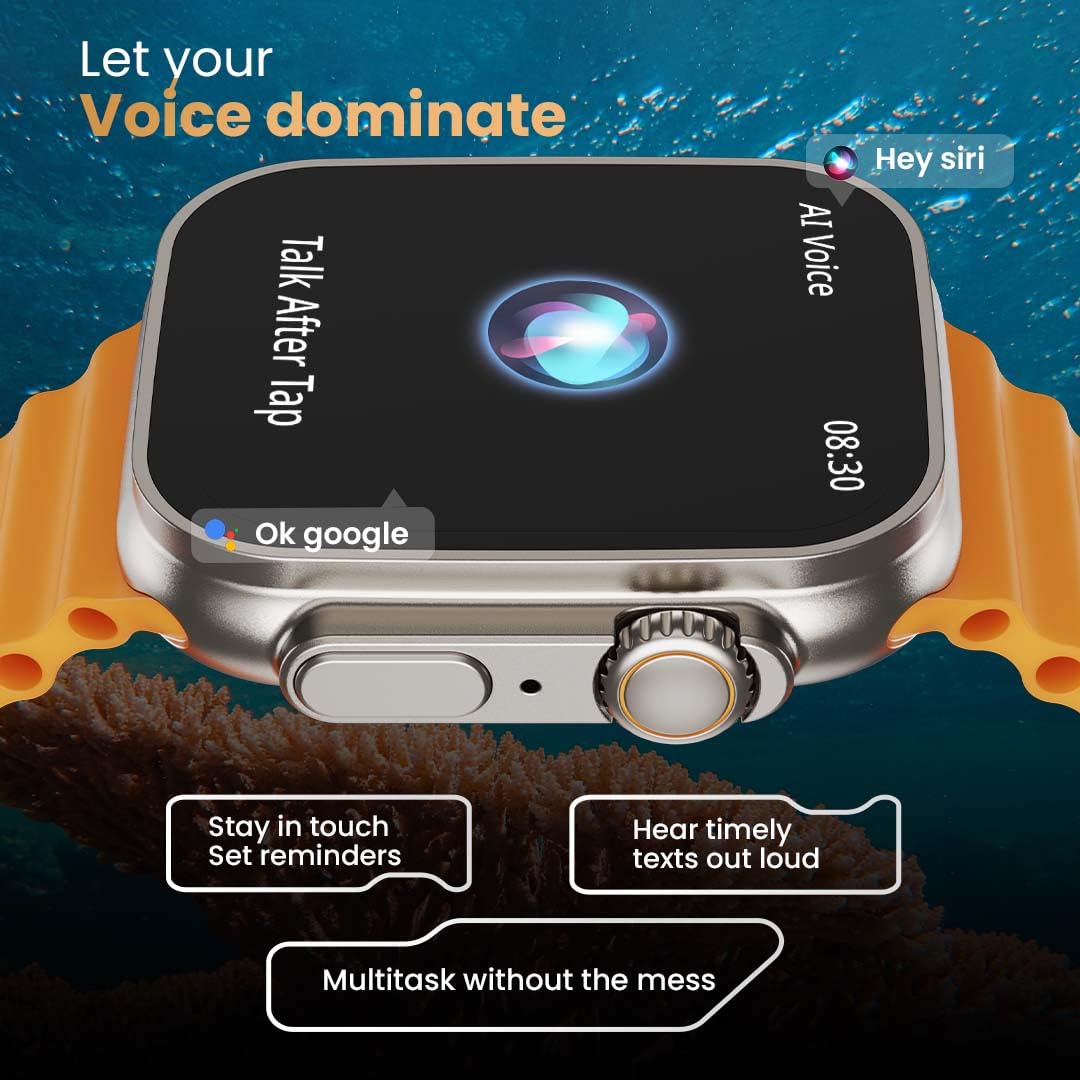
Image: The rear of the smartwatch showing its health sensors, accompanied by a list of health metrics it tracks, including heart rate, SpO2, and sleep.
The watch is equipped with an advanced health suite to help you monitor your well-being:
- 24/7 Heart Rate Monitor: Monitora continuamente sua frequência cardíaca ao longo do dia.
- SpO2 Blood Oxygen Saturation Monitor: Mede seus níveis de oxigênio no sangue.
- Monitoramento do sono: Analisa seus padrões e qualidade de sono.
- Rastreador de atividades: Registra passos, distância e calorias queimadas.
- Female Menstrual Cycle Tracking: Fornece informações e previsões sobre os ciclos menstruais.
- Treinamento respiratório: Exercícios de respiração guiada para relaxamento.
Modos esportivos
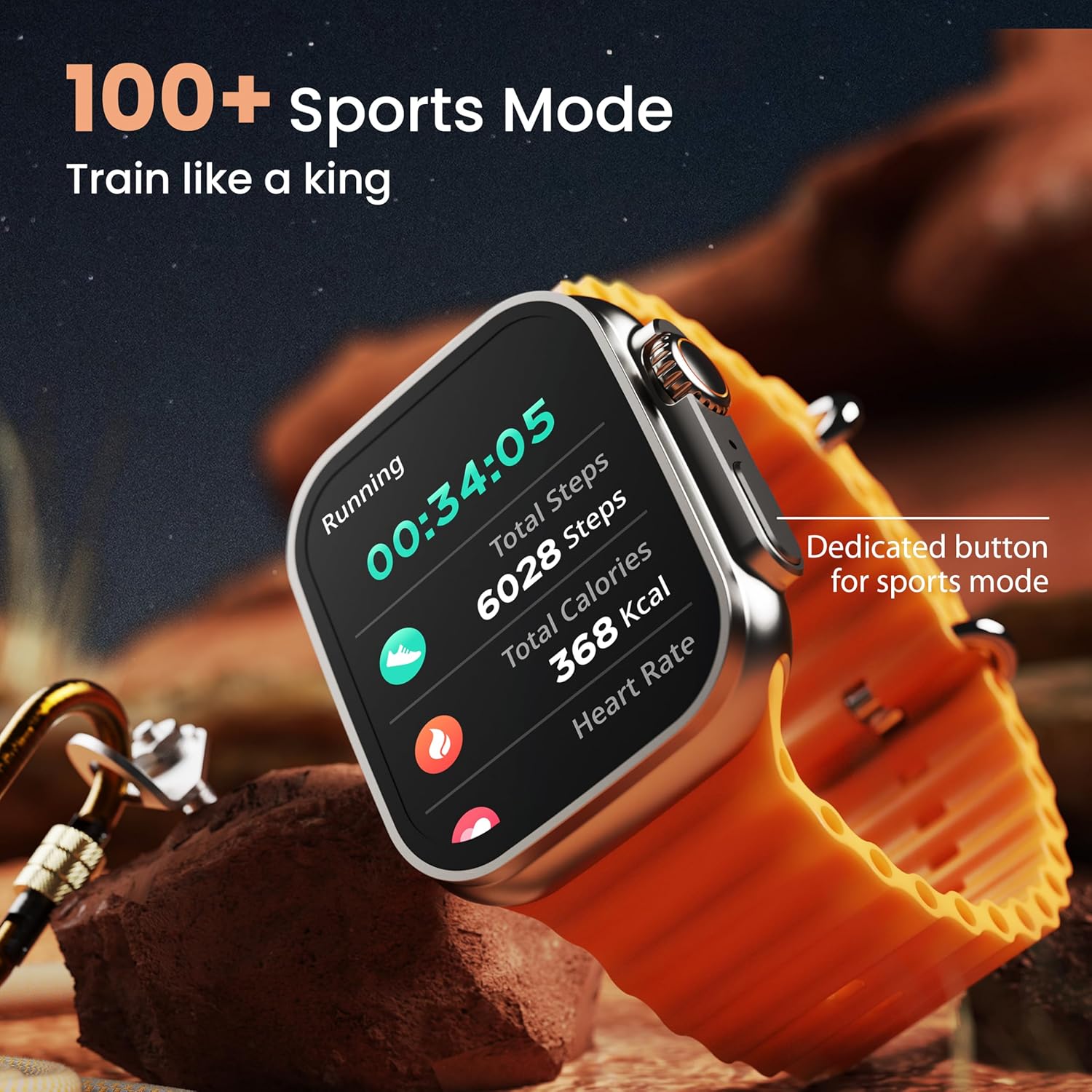
Image: The smartwatch screen showing a 'Running' sports mode with real-time metrics like duration, total steps, calories, and heart rate. A dedicated button for sports mode is also visible.
With over 120 sports modes, the GOBOULT Crown Smart Watch can track a wide range of physical activities. Select your desired sport from the watch menu to record real-time metrics, performance insights, and track your progress.
Personalização

Imagem: Uma colagem mostrandoasing various watch faces, including custom and animated options, along with different UI styles available for personalization on the smartwatch.
Personalize a sua experiência com o smartwatch:
- 100+ Cloud-Based Watch Faces: Choose from a wide selection of watch faces available through the companion app.
- Opções de personalização: Customize your screen with widgets, backgrounds, and layouts to match your style.
- 8 UI Styles: Select from different user interface styles for menu navigation.
Funções adicionais
- Assistente de voz com IA: Interact with your watch using voice commands (e.g., "Hey Siri" or "Ok Google") for tasks like setting reminders or hearing texts aloud.
- Encontre meu telefone: If your paired phone is misplaced, use this feature on your watch to make it ring/vibrate.
- Minijogos: Enjoy pre-installed mini-games directly on your watch.
- Notificações e lembretes: Receive SMS, WhatsApp, social media, and mail notifications. Set goal achievement reminders.
- Calculadora: A basic calculator function is available on the watch.
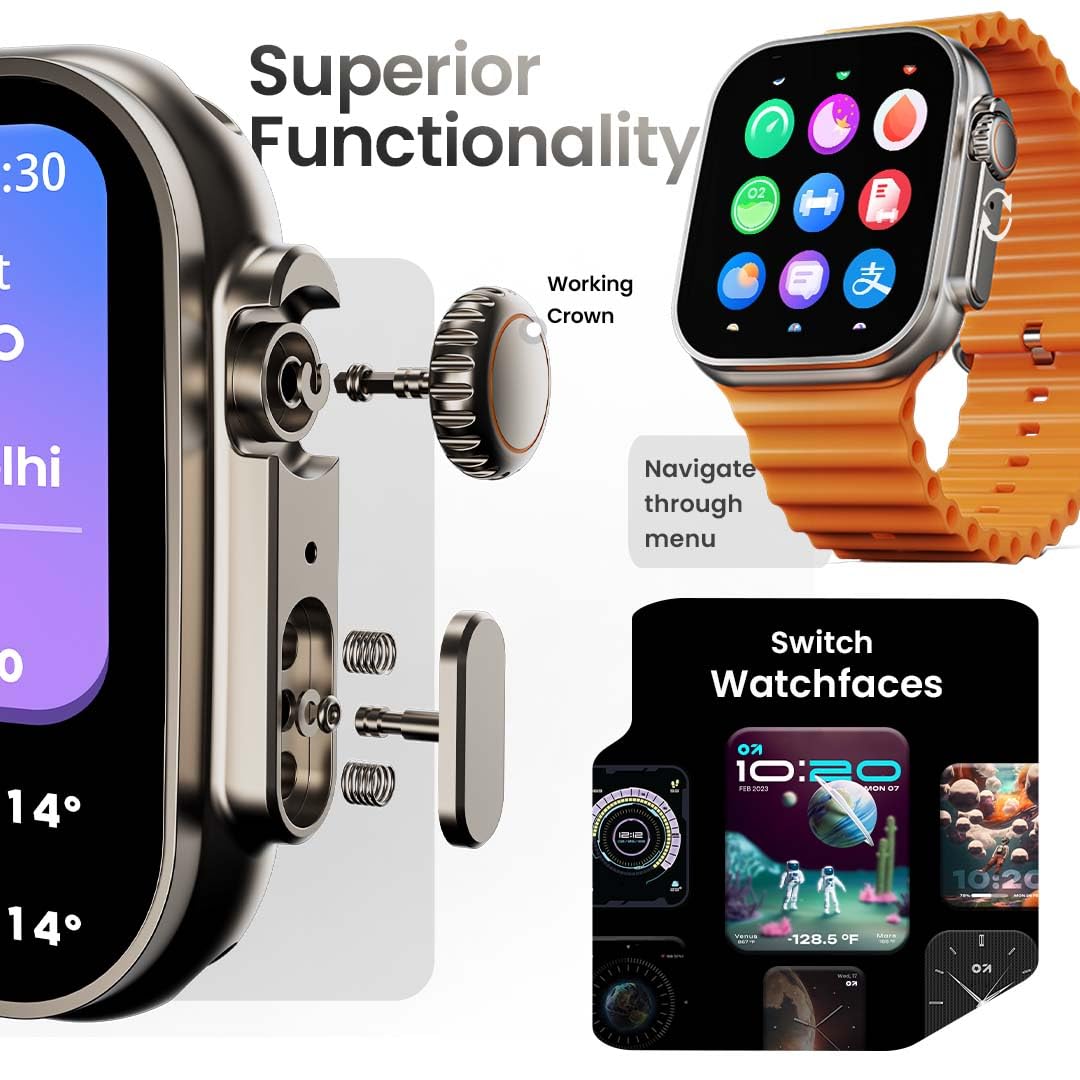
Image: The smartwatch screen showing the AI Voice Assistant interface, indicating support for voice commands like "Hey Siri" and "Ok Google".
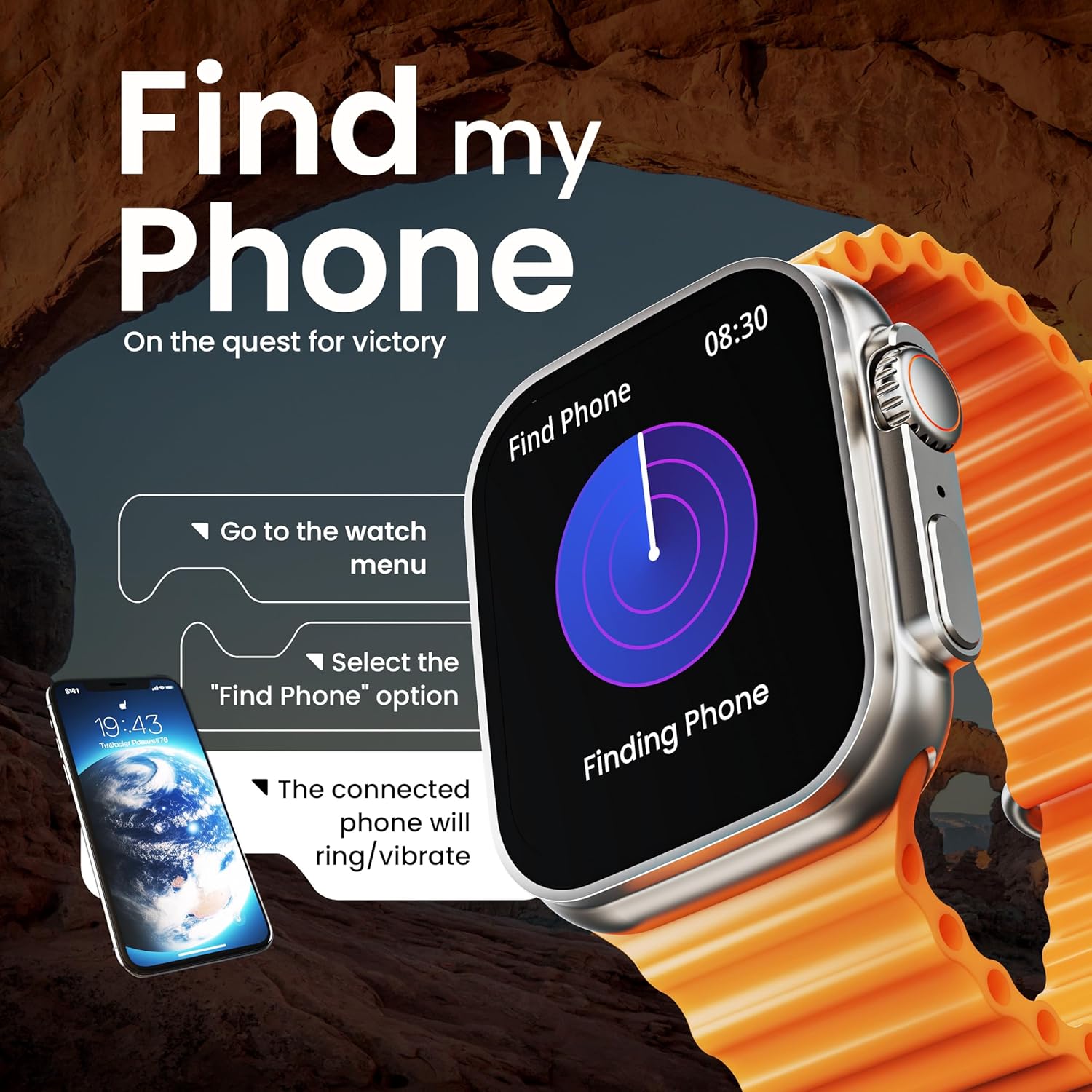
Image: The smartwatch screen illustrating the 'Find Phone' feature, with instructions on how to activate it to locate a connected smartphone.
Image: The smartwatch screen showcasing a selection of mini-games available on the device, such as 'Young Bird', 'Hamster', and 'Battleships'.

Image: The smartwatch screen showing a calculator interface, along with a pop-up notification and a list of reliable and robust features like sync notifications and reminders.
Manutenção
Limpeza
Limpe regularmente seu smartwatch e a pulseira para evitar irritações na pele e manter a higiene do dispositivo. Use um pano macio e sem fiapos. Se necessário, umedeça levemente a pulseira.ampUmedeça o pano com água. Evite produtos químicos agressivos ou materiais abrasivos.
Resistência à água
The GOBOULT Crown Smart Watch is IP67 water resistant. This means it is protected against dust and can withstand immersion in water up to 1 meter for up to 30 minutes. It is suitable for daily use and light splashes but not recommended for swimming, showering, or diving.
Cuidados com a cinta
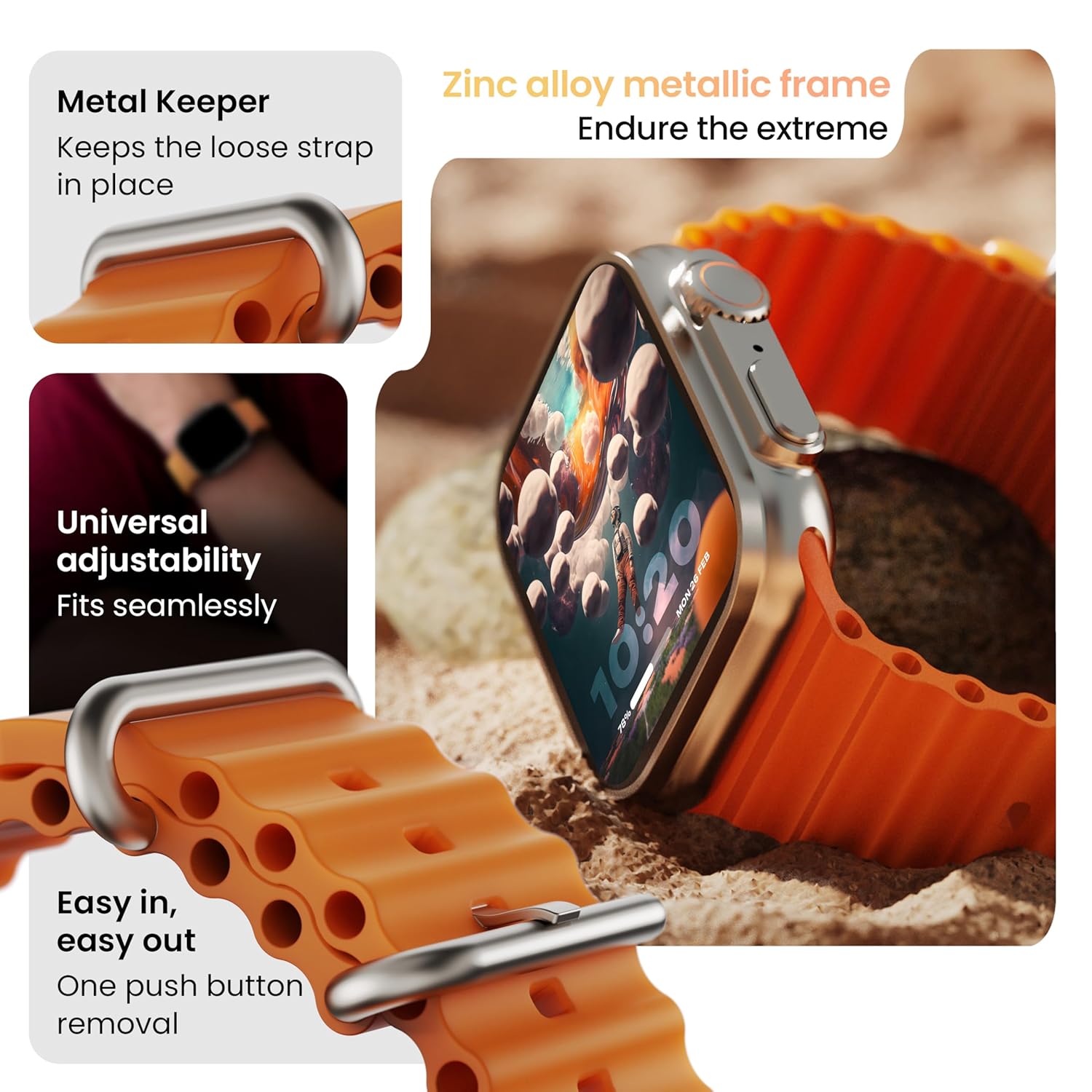
Imagem: Detalhada view of the smartwatch strap, highlighting features such as the metal keeper for securing the loose end, universal adjustability for a seamless fit, and a push-button mechanism for easy removal.
The skin-friendly silicone strap is designed for comfort. Ensure it is not too tight or too loose for accurate health tracking. Clean the strap regularly, especially after workouts, to remove sweat and dirt.
Solução de problemas
Relógio não liga
- Certifique-se de que o relógio esteja totalmente carregado. Conecte-o ao carregador por pelo menos 30 minutos.
- Pressione e mantenha pressionado o botão lateral por 10 a 15 segundos para tentar uma reinicialização forçada.
Problemas de pareamento
- Certifique-se de que o Bluetooth esteja ativado no seu telefone e no relógio.
- Ensure the watch is within the Bluetooth range (approximately 10 meters).
- Reinicie o telefone e o relógio.
- Clear the Bluetooth cache on your phone or forget the device and try pairing again.
Dados de saúde imprecisos
- Certifique-se de que o relógio esteja ajustado ao seu pulso, mas não muito apertado.
- Limpe os sensores na parte traseira do relógio.
- Avoid excessive movement during measurements for better accuracy.
As notificações não estão aparecendo.
- Check if the watch is properly connected to your phone via Bluetooth.
- Verify notification permissions for the GOBOULT app in your phone's settings.
- Ensure 'Do Not Disturb' mode is not active on either your phone or watch.
Especificações
| Recurso | Detalhe |
|---|---|
| Marca | GOBOULT |
| Modelo | Relógio Inteligente Crown |
| Tamanho da tela | 1.95 polegadas |
| Brilho da tela | 900 Nits |
| Conectividade | Bluetooth 5.2 |
| Sistema operacional | Android Wear 1.0, iOS compatible |
| Duração da bateria (média) | 7 dias |
| Tempo de carga da bateria | 150 minutos |
| Capacidade da bateria | 300 Miliamp Horas |
| Resistência à água | IP67 |
| Peso do item | 40 g |
| Componentes incluídos | Smartwatch, Charging Cable, User Manual, Warranty Card |
Garantia e Suporte
Your GOBOULT Crown Smart Watch comes with a Warranty Card included in the box. Please refer to this card for detailed information regarding warranty coverage and terms. For technical support or further assistance, please contact GOBOULT customer service through the contact information provided on the warranty card or the official GOBOULT website.


