1. Introdução
The Machenike KG98 is a versatile mechanical gaming keyboard designed for various uses including work, gaming, and study. It features multi-device connectivity, hot-swappable switches, an ergonomic structure, and customizable RGB lighting. This manual provides detailed instructions for setup, operation, and maintenance to ensure optimal performance and user experience.
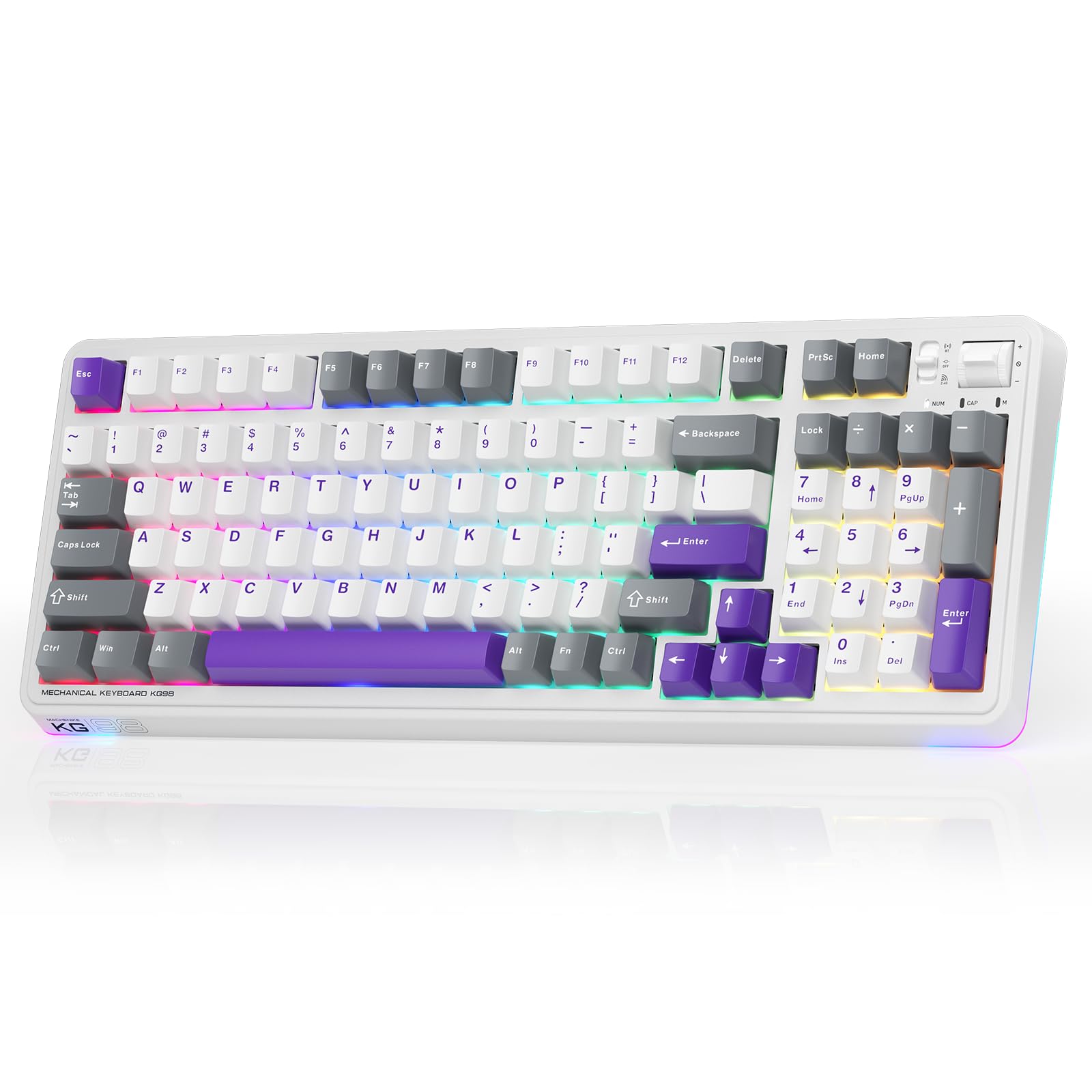
Figure 1: Machenike KG98 Mechanical Gaming Keyboard
2. O que está na caixa
Ao desembalar, verifique se todos os itens estão presentes:
- Machenike KG98 Mechanical Keyboard
- 2 Switches Lineares Pré-lubrificados Cinza Extras
- Extrator de Keycap
- Cabo USB (Tipo A para Tipo C)
- Manual do usuário (este documento)

Figure 2: Box Contents of the KG98 Keyboard
3. Configuração
3.1 Modos de conectividade
The KG98 keyboard supports three connection modes: Wired (USB-C), 2.4G Wireless, and Bluetooth (BT5.0). A mode switch is located on the top-right side of the keyboard.
- Modo com fio: Connect the provided USB-C cable to the keyboard and your computer. The mode switch should be in the middle (USB) position.
- Modo sem fio 2.4G: Locate the 2.4G USB dongle (usually stored magnetically on the keyboard's underside). Insert the dongle into your computer's USB port. Slide the mode switch to the bottom (2.4G) position. The keyboard will automatically connect.
- Modo Bluetooth: Slide the mode switch to the top (BT) position. On your device (computer, tablet, smartphone), search for Bluetooth devices and select 'Machenike KG98'. The keyboard's indicator light will flash blue during pairing.
3.2 Carregando o teclado
The keyboard is equipped with an 8000mAh battery. To charge, connect the USB-C cable to the keyboard and a power source (e.g., computer USB port, USB wall adapter). The indicator light will show charging status.

Figure 3: Connectivity and Multimedia Control Switches
Video 1: Machenike KG98 Mechanical Keyboard Overview (Seller Content)
This video demonstrates the unboxing, various features, and connectivity options of the Machenike KG98 Mechanical Keyboard, including switch removal and typing sound tests.
4. Instruções de operação
4.1 Combinações de Teclas de Função
The KG98 keyboard utilizes the 'Fn' key for various secondary functions. Refer to the included user manual for a comprehensive list of Fn key combinations for both Windows and macOS, including multimedia controls, brightness adjustments, and system functions.
4.2 Controle de Iluminação RGB
The keyboard features 16.8 million customizable RGB backlighting and dual-sided RGB light strips. Use the following key combinations to adjust the lighting:
- Fn + Shift: Cycle through various RGB lighting effects.
- Fn + Enter: Change the solid color of the current lighting effect.
- Fn + Seta para cima/para baixo: Ajuste o brilho da luz de fundo (4 níveis).
- Fn + Seta para a esquerda/direita: Adjust animation speed (4 levels).
- Fn + Page Up/Page Down: Change side light strip color.
- Fn + Home/End: Change side light strip mode/speed.
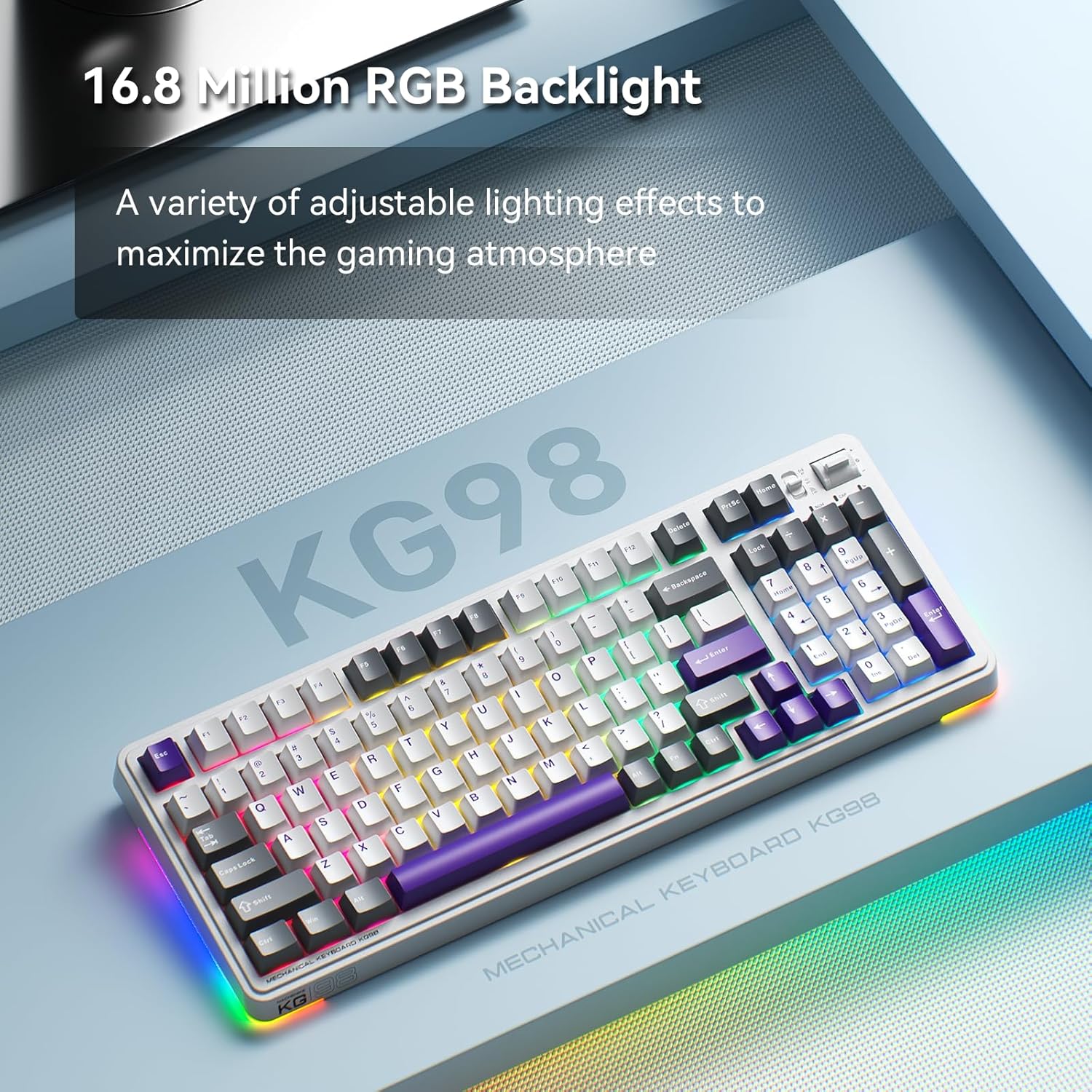
Figure 4: Customizable RGB Backlighting
4.3 Multimedia and Volume Controls
A multi-functional toggle switch is located on the top-right of the keyboard, allowing for quick adjustments:
- Girar: Ajuste o volume para cima ou para baixo.
- Imprensa: Silenciar/ativar áudio.
- Pressione e segure: Alterne entre os modos de iluminação RGB.
5. Personalização
5.1 Interruptores Hot-Swappable
The KG98 keyboard features hot-swappable sockets, allowing you to easily replace switches without soldering. This enables personalization of typing feel and sound. Use the included keycap puller and switch puller to remove and install switches. The keyboard supports both 3-pin and 5-pin switches.

Figure 5: Hot-Swappable Switches
Substituição de teclas 5.2
The keyboard comes with durable PBT keycaps. You can replace these with aftermarket keycaps of your choice to further customize the keyboard's aesthetics. Use the keycap puller to safely remove keycaps.
5.3 Personalização de Software
Download the official Machenike software to unlock advanced customization options, including:
- Key remapping for individual keys.
- Gravação e atribuição de macros.
- Detailed RGB lighting effects and color customization.
- Adjusting debounce time and sleep settings.
6. Especificações
| Número do modelo | KG98 |
| Dimensões do produto | 16.61"C x 7.48"L x 2.16"A |
| Peso do item | 3.39 libras |
| Tecnologia de Conectividade | BT5.0 (Bluetooth), 2.4G Wireless, USB-C Wired |
| Descrição do teclado | Teclado mecânico sem fio de junta |
| Retroiluminação do Teclado | RGB |
| Bateria | 1 bateria de íon de lítio (incluída) |
| Recurso especial | Noise-canceling, Hot-swappable switches, Multi-functional switch |
| Dispositivos compatíveis | Console de jogos, laptop, PC, smartphone, tablet |
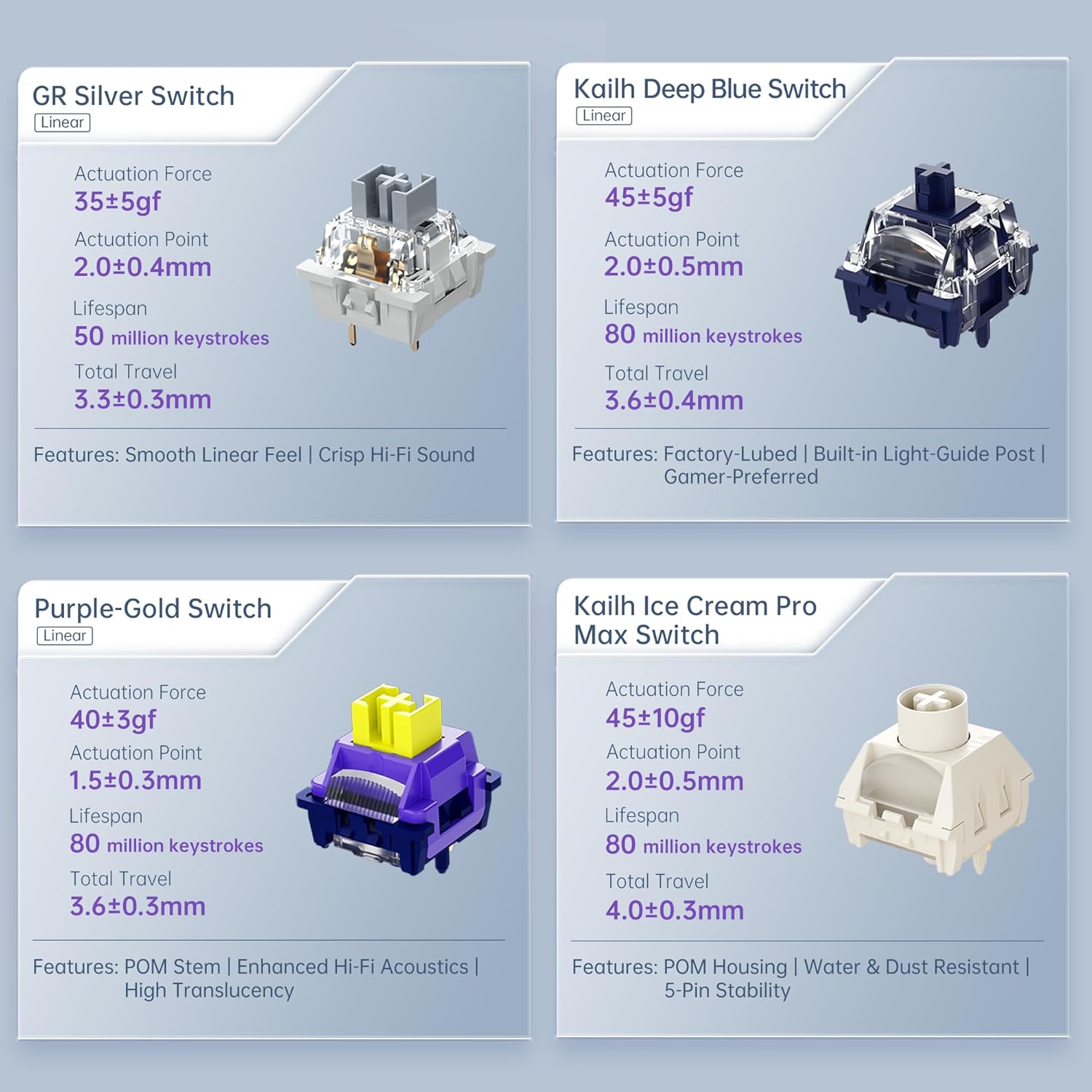
Figure 6: Premium 5-Layer Acoustic Filling Design
7. Manutenção
To ensure the longevity and optimal performance of your Machenike KG98 keyboard, follow these maintenance guidelines:
- Limpeza: Regularly clean the keyboard with a soft, dry cloth. For deeper cleaning, remove keycaps using the provided puller and use compressed air to clear debris from between switches.
- Evite líquidos: Do not expose the keyboard to liquids. If spills occur, immediately disconnect the keyboard and allow it to dry completely before re-using.
- Armazenar: Guarde o teclado em local fresco e seco, longe da luz solar direta e de temperaturas extremas.
8. Solução De Problemas
If you encounter issues with your Machenike KG98 keyboard, try the following troubleshooting steps:
- Sem resposta: Ensure the keyboard is properly connected in wired mode, or that the 2.4G dongle/Bluetooth is correctly paired and the mode switch is in the correct position. Check battery level.
- Problemas de conectividade: For wireless modes, ensure the keyboard is within range of your device. Try re-pairing Bluetooth or re-inserting the 2.4G dongle.
- Luzes RGB não funcionam: Check brightness settings (Fn + Up Arrow). Ensure the lighting mode is active (Fn + Shift).
- Teclas não registradas: If individual keys are not working, try replacing the switch using the provided tools and extra switches.
- Problemas de software: Ensure you have the latest version of the Machenike software installed. Restart your computer and the software.
- Restauração de fábrica: If problems persist, you can perform a factory reset via the customization software.
9. Garantia e Suporte
For warranty information, technical support, or service inquiries, please contact Machenike customer support through their official website ou os dados de contato fornecidos com sua compra. Guarde seu comprovante de compra para solicitações de garantia.


