1. Introdução
This manual provides essential information for setting up, operating, and maintaining your NIMO 15.6-inch FHD Laptop Nimo N155. Please read this manual thoroughly before using your device to ensure proper function and longevity.

Figure 1: NIMO 15.6-inch FHD Laptop Nimo N155 Overview
The NIMO N155 laptop is equipped with an AMD Ryzen 7 6800H processor, 32GB DDR5 RAM, and a 1TB PCIe 4.0 SSD, designed for efficient performance in various computing tasks. It features a 15.6-inch Full HD IPS anti-glare display, a backlit keyboard, and an integrated fingerprint sensor for enhanced security and user experience.
2. O que está na caixa
Verifique se todos os itens estão presentes na embalagem:
- 1 x Nimo N155 Laptop
- 1 x Type-C 100W PD Fast Charger
- 1 x Manual do Usuário (este documento)
- Windows 11 Home Operating System (pre-installed)
3. Configuração inicial
3.1. Charging the Laptop
Before first use, connect the laptop to the power adapter and charge it fully. The Type-C 100W PD Fast Charger provides rapid charging capabilities.
- Connect the Type-C charger to a power outlet.
- Plug the Type-C connector into one of the Type-C ports on your laptop.
- The charge LED indicator will illuminate, indicating that the laptop is charging.

Figure 2: Connecting the Type-C 100W PD Fast Charger
3.2. Ligando
Press the power button located on the keyboard to turn on the laptop. Follow the on-screen instructions to complete the initial Windows 11 setup, including language selection, network connection, and user account creation.
4. Laptop Components and Ports
Familiarize yourself with the various components and ports of your NIMO N155 laptop.

Figure 3: Laptop Ports and Connectors
4.1. Portas do lado esquerdo
- Porta USB 2.0: Para conectar dispositivos USB mais antigos.
- Porta USB 3.0: Para conectar dispositivos USB de alta velocidade.
- Slot para cartão Micro SD: For reading and writing to Micro SD cards.
- Plug do fone de ouvido: Para conectar fones de ouvido ou alto-falantes externos.
- Slot de bloqueio Kensington: Para proteger seu laptop com uma trava compatível.
4.2. Portas do lado direito
- LED de carga: Indica o status de carregamento.
- Type-C (PD/Charging) Port: Primarily for power delivery and charging.
- Type-C (Multifunction) Port: Supports data transfer and display output.
- Portas USB 3.0 (x2): Para conectar dispositivos USB de alta velocidade.
- Porta HDMI: Para conexão a monitores ou projetores externos.
4.3. Componentes internos
- Processador: AMD Ryzen 7 6800H (8 Cores, 16 Threads, up to 4.7 GHz).
- Gráficos: Integrated AMD Radeon 680M GPU.
- BATER: 32GB DDR5 (upgradeable).
- Armazenar: 1TB PCIe 4.0 SSD (upgradeable).
- Mostrar: 15.6-inch FHD (1920x1080) IPS Anti-Glare Display.
- Webcâmera: 2.0 MP with privacy shield.
- Sem fio: 802.11a/b/g/n/ac (Wi-Fi 5) and Bluetooth 5.2.

Figure 4: AMD Ryzen 7 6800H Processor Details

Figure 5: High-Speed RAM and PCIe SSD
5. Operando seu laptop
5.1. Exibição
The 15.6-inch Full HD IPS display offers a resolution of 1920x1080 pixels. Adjust brightness and display settings through Windows settings (Right-click on desktop > Display settings).
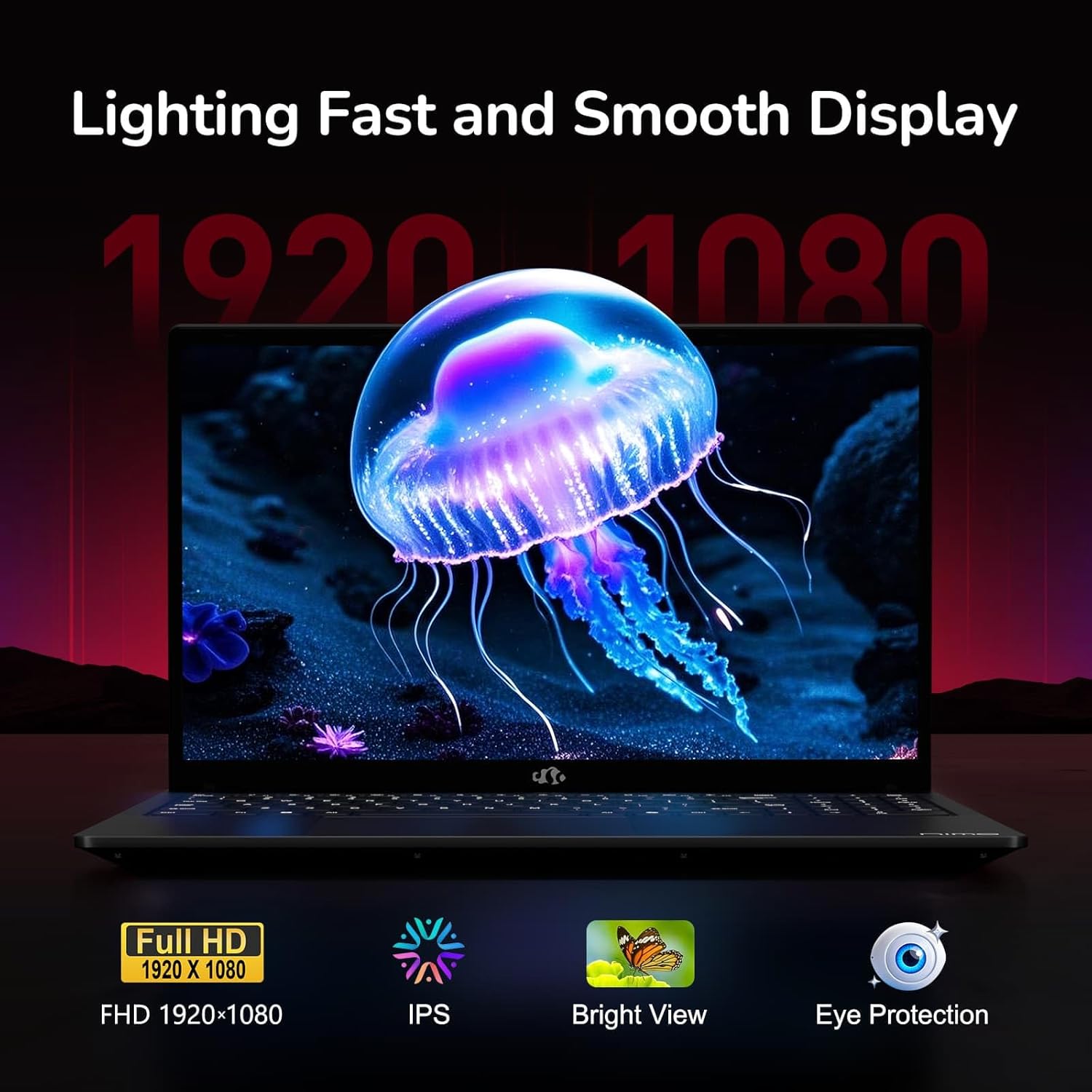
Figure 6: Laptop Display Features
5.2. Teclado e touchpad
The laptop features a backlit keyboard and a responsive touchpad with multi-touch gesture support. The integrated fingerprint sensor is located on the touchpad for secure login.
- Teclado retroiluminado: Imprensa Fn + Fx (where Fx is the backlight key, typically F3 or F4) to adjust keyboard backlight brightness.
- Sensor de impressão digital: Enroll your fingerprints via Windows Settings > Accounts > Sign-in options for quick and secure access.
- WebProteção de privacidade da câmera: Slide the physical cover over the webcam for privacy when not in use.

Figure 7: Keyboard and Input Features

Figure 8: Seamless Security Integration (Fingerprint and Webcam Shield)
5.3. Gerenciamento de energia
The laptop is equipped with a 4700mAh (53.58Wh) Lithium Polymer battery. Battery life can vary based on usage. To optimize battery life, adjust power settings in Windows and close unnecessary applications.

Figure 9: Battery Specifications
6. Manutenção e Cuidados
6.1. Limpeza
- Use um pano macio e sem fiapos para limpar a tela e a parte externa.
- Para marcas persistentes, dampLimpe o pano com água ou um produto de limpeza para telas. Evite produtos químicos agressivos.
- Certifique-se de que o laptop esteja desligado e desconectado da tomada antes de limpá-lo.
6.2. Armazenamento e Manuseio
- Guarde o laptop em local fresco e seco, longe da luz solar direta e de temperaturas extremas.
- Evite colocar objetos pesados sobre o laptop.
- Não exponha o laptop a líquidos.
6.3. Atualizações
The NIMO N155 laptop supports detachable RAM and SSD, allowing for user upgrades. Refer to the official NIMO support website or contact customer service for detailed upgrade instructions to avoid voiding your warranty.
7. Solução De Problemas
This section addresses common issues you might encounter with your NIMO N155 laptop.
| Problema | Solução possível |
|---|---|
| O laptop não liga. | Ensure the charger is properly connected and the battery has sufficient charge. Try a different power outlet. |
| A tela está em branco. | Check if the laptop is powered on. Adjust screen brightness. Connect to an external monitor to check if the issue is with the laptop's display. |
| Problemas de conexão Wi-Fi. | Ensure Wi-Fi is enabled in Windows settings. Restart your router and the laptop. Update Wi-Fi drivers. |
| A retroiluminação do teclado não está funcionando. | Press the Fn key combined with the appropriate function key (e.g., F3 or F4) to toggle or adjust the backlight. |
| Fingerprint sensor not responding. | Ensure your finger is clean and dry. Re-enroll your fingerprints in Windows settings. Update fingerprint sensor drivers. |
If you encounter issues not listed here or require further assistance, please contact NIMO customer support.
8. Especificações técnicas
| Recurso | Especificação |
|---|---|
| Nome do modelo | Nimo N155 |
| Mostrar | 15.6-inch FHD (1920x1080) IPS Anti-Glare |
| Processador | AMD Ryzen 7 6800H (8 núcleos, 16 threads, até 4.7 GHz) |
| Gráficos | Placa gráfica integrada AMD Radeon 680M |
| BATER | 32GB DDR5 4800 MHz (Dual-channel, upgradeable) |
| Armazenar | 1TB PCIe 4.0 SSD (upgradeable) |
| Sistema operacional | Windows 11 Início |
| Conectividade sem fio | Wi-Fi 5 (802.11a/b/g/n/ac), Bluetooth 5.2 |
| Portos | 1x USB 2.0, 3x USB 3.0, 2x Type-C (1x PD, 1x Multifunction), 1x HDMI, 1x Micro SD, 1x Headphone Jack, 1x Kensington Lock |
| Webcâmera | 2.0 MP (with privacy shield) |
| Bateria | 4700mAh / 53.58Wh Lithium Polymer |
| Adaptador de energia | Type-C 100W PD Fast Charger |
| Dimensões (CxLxA) | 14.07 x 8.98 x 0.76 polegadas (357.4 x 228 x 19.2 mm) |
| Peso | 3.8 libras (1.7 kg) |
| Características especiais | Backlit Keyboard, Fingerprint Reader, HD Audio, Numeric Keypad |
9. Garantia e Suporte
9.1. Garantia do Fabricante
Your NIMO N155 laptop comes with a Garantia do fabricante de 2 anosEsta garantia cobre defeitos de materiais e de fabricação sob uso normal. Guarde seu comprovante de compra para eventuais solicitações de garantia.
9.2. Política de Devolução
NIMO offers a 90-day hassle-free return policy from the date of purchase. For details on eligibility and the return process, please refer to your purchase documentation or contact customer support.
9.3. Suporte ao cliente
For technical assistance, warranty claims, or any other inquiries, please visit the official NIMO support website or contact their customer service team. Contact information can typically be found on the NIMO brand store page or included documentation.
NIMO Brand Store: Visit NIMO Store on Amazon


