1. Produto acabadoview
The MECHEER Digital Timer Switch (Model JK-TM02-BL) is a programmable timer socket designed to automate the control of electrical devices. It allows you to set specific ON/OFF times for appliances, helping to save energy and enhance home security. This timer features a clear LCD display with backlight, up to 16 programmable settings, and a random mode for holiday security.
Principais características:
- Up to 16 programmable ON/OFF settings for daily or weekly schedules.
- 24-hour and weekly scheduling options (weekdays, weekends, specific days).
- Large, high-contrast LCD display with soft white backlight for easy readability.
- Random mode to simulate occupancy for enhanced home security during absences.
- Built-in battery to retain programmed settings during power outage.
- Constructed from durable, heat-resistant PC material.
- Manual override function for immediate control.
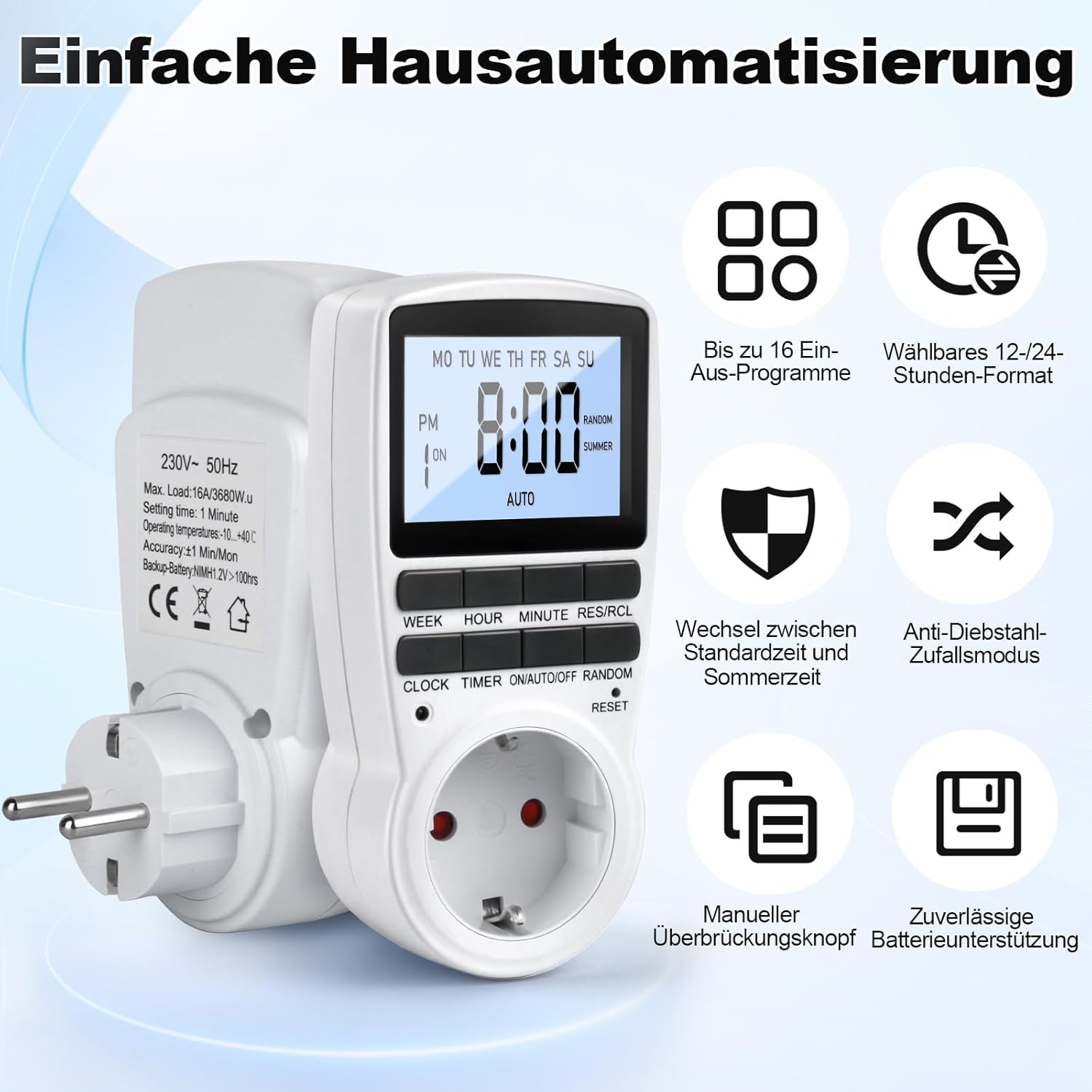
Figure 1: MECHEER Digital Timer Switch showing its display and control buttons, with icons illustrating key features like 16 programs and 12/24-hour format.
2. Instruções de segurança
- Não mergulhe o temporizador em água ou qualquer outro líquido.
- Do not connect any appliance that exceeds the maximum load rating of 16A/3680W.
- Certifique-se de que o temporizador esteja firmemente conectado a uma tomada aterrada.
- Não desmonte nem tente consertar o temporizador por conta própria. Contate pessoal qualificado para assistência técnica.
- Mantenha fora do alcance de crianças.
- Use indoors only. This timer is not suitable for outdoor use.
- Desligue o temporizador da tomada antes de limpar.
3. Conteúdo da embalagem
- 1 x MECHEER Digital Timer Switch (Model JK-TM02-BL)
- 1 x Manual do Usuário
4. Componentes do produto
Familiarize yourself with the buttons and display of your digital timer switch.
- Tela LCD: Shows current time, day, ON/OFF status, program number, and mode.
- Botão SEMANA: Sets the day of the week.
- Botão HORA: Sets the hour.
- Botão MINUTO: Sets the minute.
- RES/RCL Button: Resets or recalls program settings.
- Botão RELÓGIO: Exits programming mode and returns to clock display.
- Botão TEMPORIZADOR: Enters or exits program setting mode.
- ON/AUTO/OFF Button: Selects operating mode (ON, AUTO, OFF).
- Botão ALEATÓRIO: Activates or deactivates random mode.
- RESET Pinhole: Redefine o dispositivo para os padrões de fábrica.
Figura 2: Detalhado view of the timer's LCD display and control buttons.
5. Configuração
5.1 Configuração inicial e carregamento
- Plug the timer into a standard wall outlet for at least 5-10 minutes to charge the internal backup battery. This battery retains your settings during power outage.
- Após carregar, use um objeto pontiagudo (como a ponta de uma caneta) para pressionar o REINICIAR pinhole button located above the socket. This clears all current settings and ensures proper operation.

Figure 3: Pressing the RESET button to restore factory settings.
5.2 Ajustando a hora atual
- Pressione e segure o RELÓGIO botão.
- Enquanto segura RELÓGIO, pressione o SEMANA Pressione o botão repetidamente para definir o dia da semana atual.
- Enquanto segura RELÓGIO, pressione o HORA button repeatedly to set the current hour (12-hour or 24-hour format).
- Enquanto segura RELÓGIO, pressione o MINUTO Pressione repetidamente o botão para definir o minuto atual.
- Solte o RELÓGIO botão. A hora e o dia atuais estão definidos.
- Para alternar entre o formato de 12 horas e o de 24 horas, pressione o RELÓGIO e CRONÔMETRO botões simultaneamente.
6. Instruções de operação
6.1 Programação dos horários de LIGAR/DESLIGAR
O temporizador permite até 16 programas de LIGAR/DESLIGAR. Cada programa consiste em um tempo LIGADO e um tempo DESLIGADO.
- Pressione o CRONÔMETRO Pressione o botão uma vez para entrar no modo de configuração do programa. O visor mostrará "1 LIGADO".
- Pressione o SEMANA button to select the desired day(s) for this program. Options include: every day, specific weekdays, weekends, or custom combinations.
- Pressione o HORA Botão para definir a hora desejada de ativação.
- Pressione o MINUTO Botão para definir o tempo de ativação desejado.
- Pressione o CRONÔMETRO botão novamente. O visor mostrará "1 OFF".
- Repeat steps 2-4 to set the desired OFF day(s), hour, and minute for the first program.
- Pressione o CRONÔMETRO button to advance to the next program ("2 ON", "2 OFF", etc.) and repeat the process for up to 16 programs.
- Após configurar todos os programas desejados, pressione o RELÓGIO button to exit program mode and return to the current time display.

Figura 4: Example of 16 ON/OFF programs in action, automating devices like an aquarium light and a toaster.
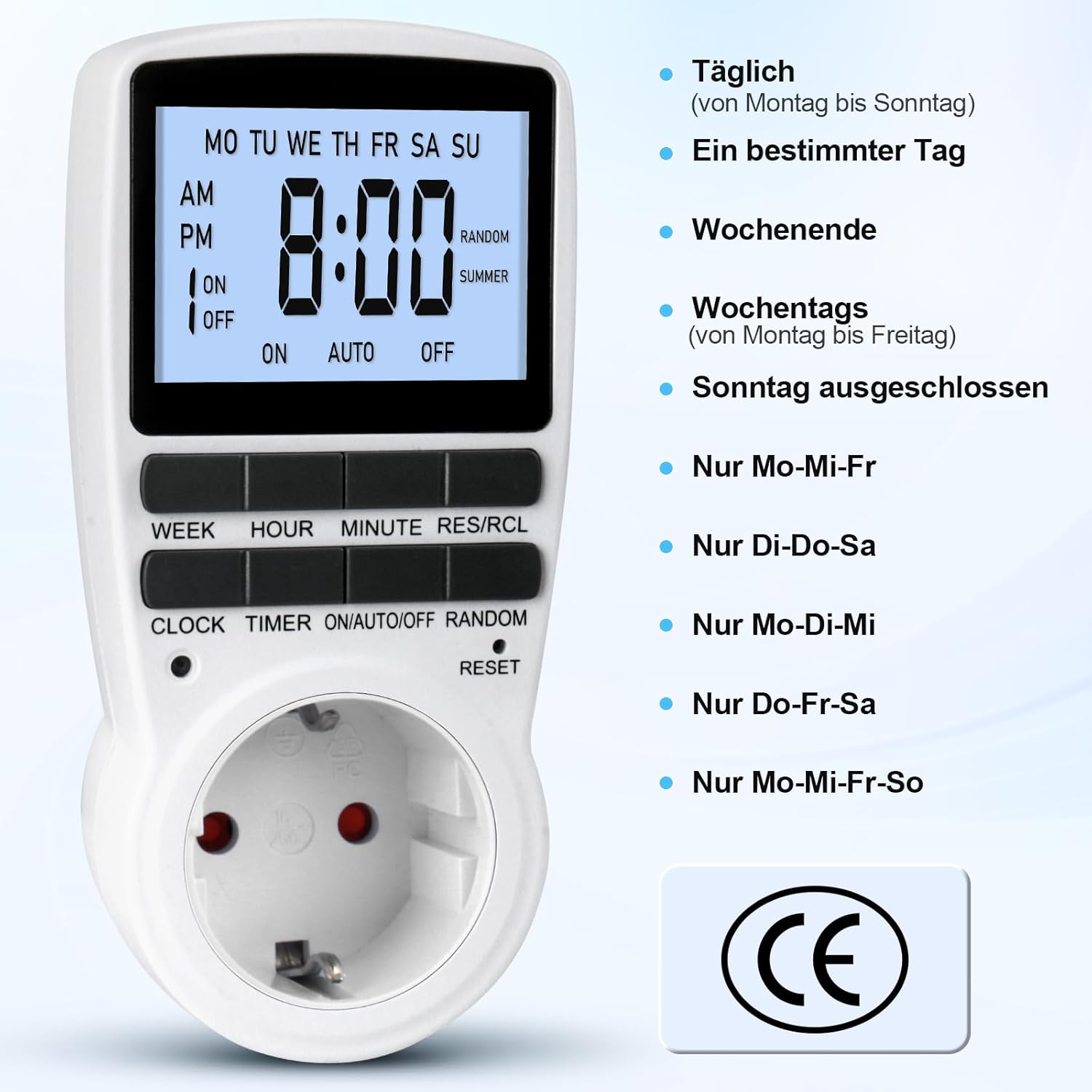
Figure 5: Different weekly programming options available, such as daily, specific days, weekends, or weekdays.
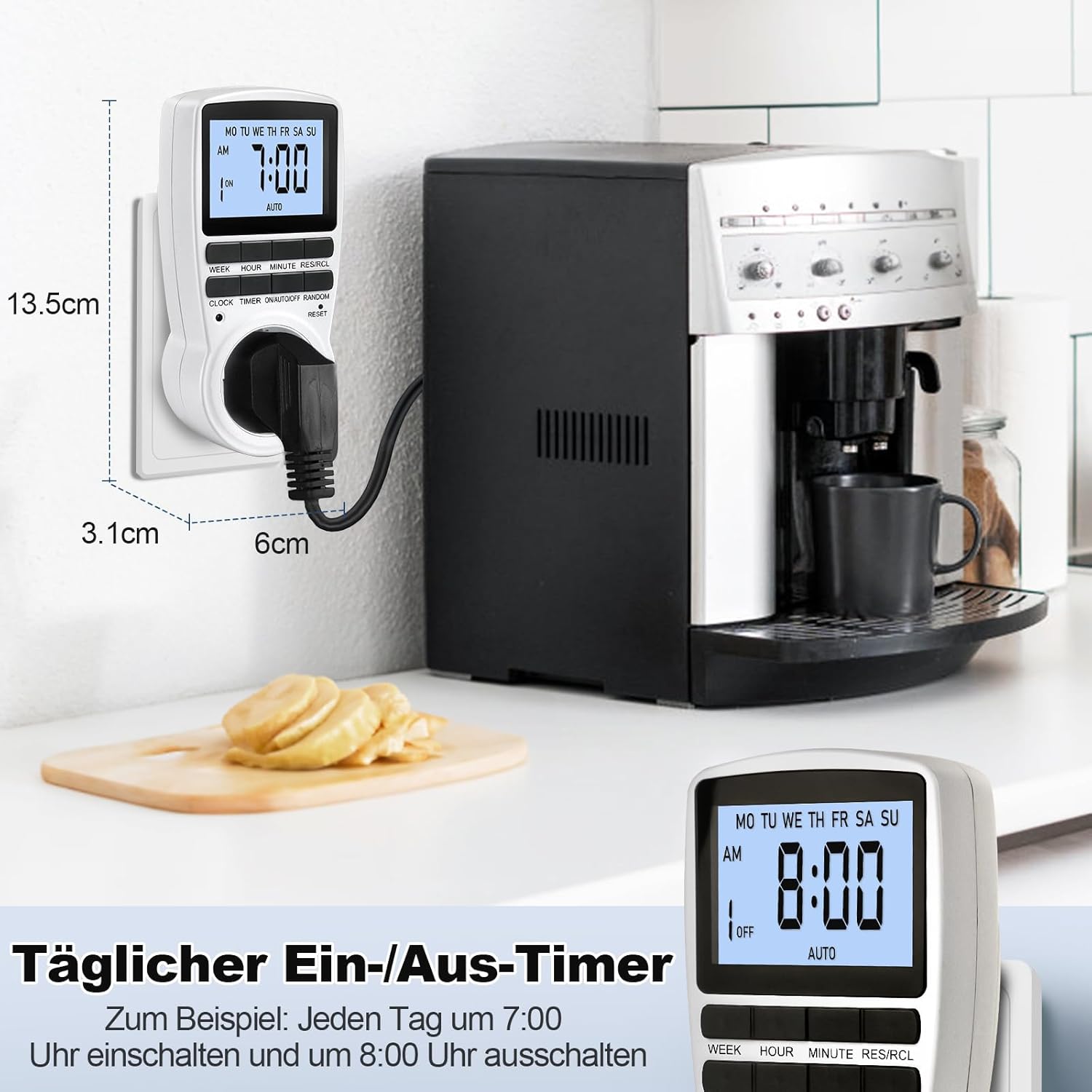
Figure 6: The timer in use, demonstrating a daily ON/OFF schedule and illustrating its compact dimensions.
6.2 Controle manual (LIGADO/AUTOMÁTICO/DESLIGADO)
Pressione o LIGAR/AUTO/DESLIGAR Pressione repetidamente o botão para alternar entre os modos de operação:
- EM: The connected appliance will remain ON, ignoring all programmed settings.
- CARRO: The connected appliance will operate according to the programmed ON/OFF times.
- OFF: The connected appliance will remain OFF, ignoring all programmed settings.
Para operação automática, certifique-se de que o temporizador esteja configurado para AUTO modo.
6.3 Random Mode (Holiday Security)
The random mode is designed to deter potential intruders by making your home appear occupied when you are away. When activated, the timer will randomly turn ON and OFF connected lights or appliances within a set period.
- To activate Random Mode, press the ALEATÓRIO button. The "RANDOM" indicator will appear on the LCD.
- To deactivate Random Mode, press the ALEATÓRIO button again. The "RANDOM" indicator will disappear.

Figure 7: The timer in holiday mode, randomly switching lights to enhance home security.
6.4 Função de retroiluminação
The LCD display features a soft white backlight for improved visibility in low-light conditions.
- The backlight activates automatically when any button is pressed.
- It will turn off automatically after approximately 30 seconds of inactivity to conserve energy.
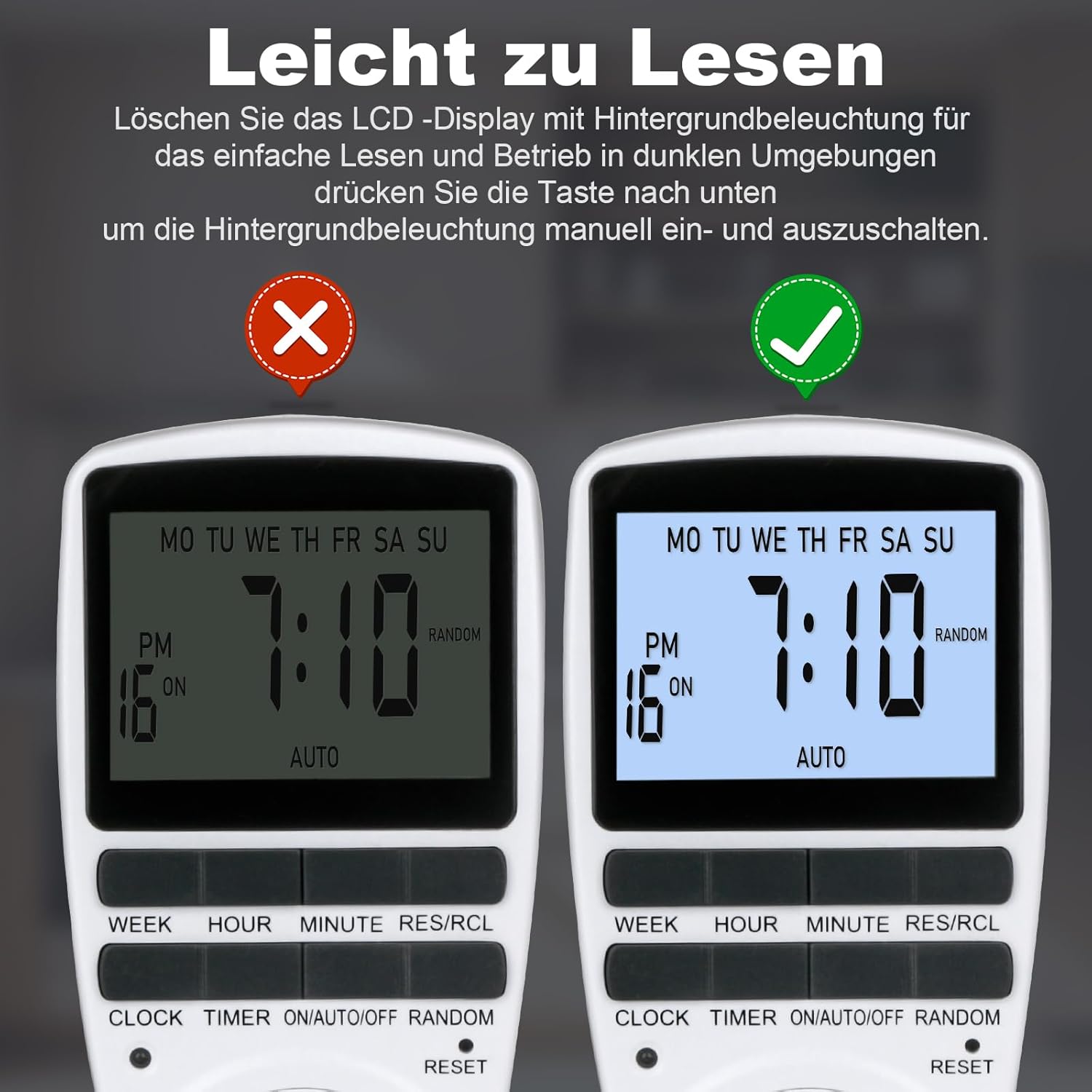
Figure 8: The timer's display with and without the backlight for clear readability.
6.5 Multi-functional Applications
The MECHEER Digital Timer Switch can be used to automate a wide range of household appliances and devices, helping to save energy and simplify your daily routine.

Figura 9: Examples of how the timer switch can be used with various devices such as lamps, ovens, aquariums, air purifiers, and routers.
7. Manutenção
- Limpeza: Desconecte o temporizador da tomada antes de limpá-lo. Limpe a parte externa com um pano macio e seco. Não use produtos de limpeza líquidos ou materiais abrasivos.
- Bateria: The timer has a built-in rechargeable battery that maintains settings during power outages. This battery is not user-replaceable. Ensure the timer is regularly plugged in to keep the battery charged.
- Armazenar: If storing the timer for an extended period, ensure it is fully charged and stored in a cool, dry place.
8. Solução De Problemas
| Problema | Possível causa | Solução |
|---|---|---|
| A tela está em branco ou com brilho reduzido. | A bateria interna está fraca ou descarregada. | Plug the timer into a live outlet for 5-10 minutes to charge the battery. |
| Timer programs are not activating. | Timer is not in AUTO mode. Incorrect program settings. | Certifique-se de que o temporizador esteja configurado para AUTO mode. Review and correct your program settings. |
| Appliance remains ON/OFF constantly. | Timer is in ON or OFF mode, not AUTO. | Pressione o LIGAR/AUTO/DESLIGAR button until "AUTO" is displayed. |
| Timer is behaving erratically. | System glitch or interference. | Perform a full reset by pressing the REINICIAR pinhole button. You will need to reprogram the time and settings. |
9. Especificações
| Recurso | Detalhe |
|---|---|
| Número do modelo | JK-TM02-BL |
| Marca | MECHEER |
| Dimensões do produto | 1.57"D x 1.97"L x 3.94"A (4 x 5 x 10 cm) |
| Peso do item | 6.7 onças (190 gramas) |
| Carga Máxima | 16A / 3680W |
| Definir hora | 1 minuto |
| Temperatura de operação | -10 a +40°C |
| Precisão | ±1 Min/Mon |
| Bateria de reserva | NiMH 1.2V >100hrs |
| Cor | Branco |
10. Garantia e Suporte
MECHEER products are designed for reliability and performance. For warranty information, technical support, or any questions regarding your Digital Timer Switch, please contact MECHEER customer service through the retailer where you purchased the product or visit the official MECHEER website. Please have your model number (JK-TM02-BL) and purchase details ready when contacting support.


