1. Introdução
Thank you for choosing the FLEXISPOT OC3 Cloud Ergonomic Office Chair. This manual provides detailed instructions for assembly, operation, maintenance, and troubleshooting to ensure you get the most comfortable and efficient experience from your new chair. Please read this manual thoroughly before assembly and use, and retain it for future reference.
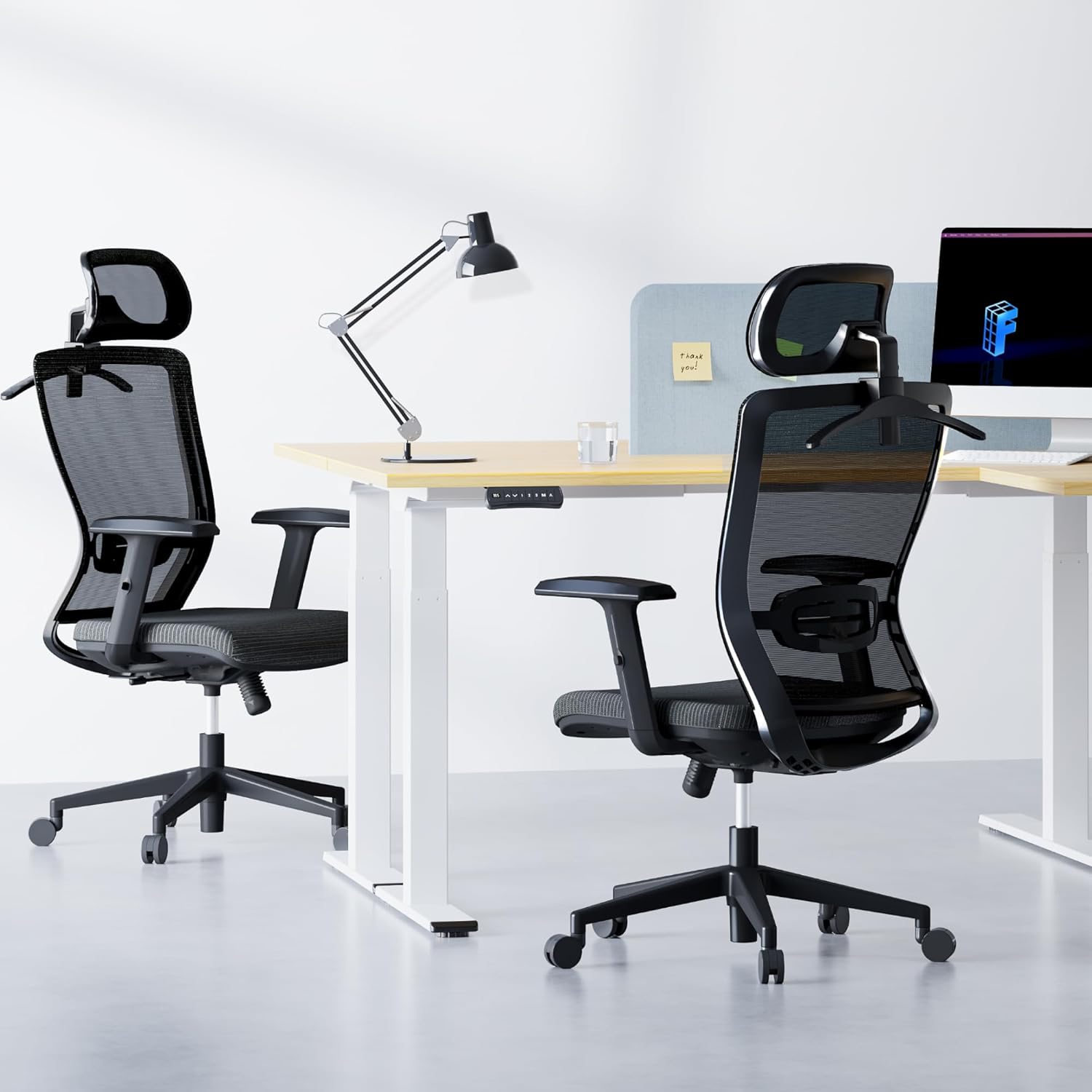
Image: The FLEXISPOT OC3 Cloud Ergonomic Office Chair, designed for comfort and support in an office environment.
2. Informações de segurança
To prevent injury and ensure safe operation, please adhere to the following guidelines:
- Não exceda a capacidade máxima de peso de 300 libras (136 kg).
- Ensure all screws and bolts are securely tightened before using the chair. Periodically check and re-tighten as necessary.
- Evite subir na cadeira ou usá-la como degrau.
- Do not sit on the armrests as this may cause damage or instability.
- Mantenha crianças e animais de estimação afastados da cadeira durante a montagem. Peças pequenas podem representar risco de asfixia.
- Utilize a cadeira em uma superfície plana para evitar que ela tombe.
- Follow all assembly and adjustment instructions carefully. Improper assembly or adjustment can lead to injury.
3. Lista de peças
Antes de iniciar a montagem, verifique se todos os componentes estão presentes e sem danos. Caso alguma peça esteja faltando ou danificada, entre em contato com o suporte ao cliente.
- Encosto (B)
- Almofada de assento (C)
- Armrest L (D)
- Armrest R (D)
- Base (E)
- Gas Lift (F)
- Wheels (K) x 5
- Mechanism (A)
- Headrest (O)
- Clothes Hanger (Q)
- Screws and Tools (H, I, G, L)
4. Configuração e montagem
Follow these steps to assemble your FLEXISPOT OC3 Cloud Ergonomic Office Chair. It is recommended to assemble the chair on a soft, clean surface to prevent damage.
Step-by-Step Assembly Video
Video: Official installation guide for the FLEXISPOT OC3 Cloud Ergonomic Office Chair, demonstrating step-by-step assembly.
Written Assembly Instructions
- Fixar os apoios de braço à almofada do assento: Connect the left and right armrests (D) to the underside of the seat cushion (C) using the provided M6*25MM screws (G). Ensure they are securely fastened.
- Mecanismo de instalação: Attach the mechanism (A) to the underside of the seat cushion (C) using the M6*20MM screws (I). Ensure the front of the mechanism aligns with the front of the seat cushion.
- Conecte o encosto: Secure the backrest (B) to the mechanism (A) using the M8*18MM screws (H).
- Montar base: Insert the five wheels (K) firmly into the holes at the end of each leg of the chair base (E). Ensure they are fully seated.
- Inserir pistão a gás: Remove the protective cover from the gas lift (F) and insert it into the center hole of the assembled base (E).
- Fixe o assento à base: Carefully place the assembled seat cushion and backrest onto the gas lift (F), aligning the center hole of the mechanism with the top of the gas lift. Press down firmly to secure.
- Install Headrest and Hanger: Remove the two screws from the headrest (O). Attach the headrest (O) and the clothes hanger (Q) to the top of the backrest (B) using the screws previously removed.
5. Instruções de operação e ajustes
The FLEXISPOT OC3 Cloud chair offers multiple adjustment options to customize your seating experience for optimal comfort and ergonomic support.
Chair Features Overview Vídeo
Vídeo: Acimaview exibição de vídeoasing the ergonomic features and adjustments of the FLEXISPOT OC3 Cloud Ergonomic Office Chair.
Ajustes
- Ajuste de altura do assento: Locate the lever on the right side under the seat. Pull the lever up to raise the seat. While seated, pull the lever up to lower the seat. Release the lever to lock the height.
- Ajuste do suporte lombar: The chair features adjustable lumbar support. Gently push or pull the lumbar support pad on the backrest to adjust its position vertically to match the curve of your lower back. The lumbar support can be moved up and down by approximately 1.9 inches.

Image: Adjusting the vertical position of the lumbar support for personalized back comfort.
- Backrest Recline and Lock: Use the tilt tension control mechanism to adjust the reclining angle. The backrest can be locked between 90 and 130 degrees. Push the lever inwards to lock the backrest in your desired position, and pull it outwards to unlock and recline.

Image: Visual representation of the chair's recline angles and tilt tension adjustment.
- Ajuste do apoio de cabeça em 2D: The headrest can be adjusted in multiple dimensions for precise neck and head support. It can be moved up and down by 2.1 inches and rotated by 30 degrees. Gently push or pull the headrest to adjust its height and angle.

Image: Details on adjusting the headrest for height and rotation.
- Ajuste do apoio de braço: The armrests are adjustable to provide comfortable support for your arms and shoulders. Lift the armrest to adjust its height.
- Cabide integrado: The headrest includes a convenient coat hanger to store clothing, keeping your workspace tidy.

Image: The headrest with its integrated coat hanger feature.
6. Manutenção
Regular maintenance will prolong the life and appearance of your office chair.
- Limpeza: For mesh and fabric parts, use a soft brush or vacuum cleaner to remove dust. For stains, gently dab with a damp cloth and mild soap, then wipe with a clean, dry cloth. Avoid harsh chemicals.
- Quadro: Wipe metal and plastic components with a soft, damp pano.
- Rodízios: Limpe periodicamente os rodízios, removendo cabelos e detritos, para garantir um movimento suave.
- Fixadores: Verifique todos os parafusos e porcas a cada poucos meses e aperte-os novamente, se necessário, para manter a estabilidade.
7. Solução De Problemas
Caso encontre algum problema com a sua cadeira, consulte os problemas e soluções comuns a seguir:
| Problema | Possível causa | Solução |
|---|---|---|
| A cadeira não tem altura ajustável. | Gas lift cover not removed; Gas lift faulty; Actuation lever disconnected. | Ensure gas lift cover is removed. Check if the gas lift is properly inserted. Verify the lever mechanism is connected. Contact support if gas lift is faulty. |
| A cadeira balança ou está instável. | Loose screws; Uneven floor. | Verifique e aperte todos os parafusos de montagem. Certifique-se de que a cadeira esteja em uma superfície plana e nivelada. |
| As rodinhas não rolam suavemente. | Debris in casters; Casters damaged. | Remove any hair or debris from the caster wheels. If casters are damaged, contact support for replacements. |
| O encosto não reclina nem trava. | Tilt mechanism locked; Mechanism faulty. | Ensure the recline lock lever is disengaged. Check the tilt tension knob. If the mechanism is faulty, contact support. |
Se o problema persistir após tentar essas soluções, entre em contato com o suporte ao cliente da FLEXISPOT.
8. Especificações
Detailed specifications for the FLEXISPOT OC3 Cloud Ergonomic Office Chair:
| Recurso | Detalhe |
|---|---|
| Marca | PONTO FLEXI |
| Nome do modelo | OC3 Cloud (Item model number: FLEXISPOT-OC3-CLOUD) |
| Cor | Preto |
| Dimensões do produto (P x L x A) | 21"P x 25.6"L x 47.2"A |
| Profundidade do assento | 21 polegadas |
| Material | Metal, Comfortable Foam (Seat Cushion), Mesh (Backrest) |
| Estilo de volta | Comfortable Mesh Back |
| Estilo de braço | Recessed, Adjustable |
| Características especiais | Adjustable Lumbar Support (1.9in up/down), 2D Headrest (2.1in lift, 30° rotation), Lockable Backrest (90-130 degrees), Foam Seat Cushion, Breathable Mesh, Integrated Coat Hanger |
| Capacidade de peso | 300 libras |
| Peso do item | 42.7 libras |
| UPC | 840460485920 |
| Uso interno/externo | Interior |

Image: Comprehensive dimensions of the OC3 Cloud chair for reference.
9. Garantia e Suporte
FLEXISPOT provides a warranty for its products. For specific warranty details, including coverage period and terms, please refer to the warranty card included with your product or visit the official FLEXISPOT website. If you require assistance with assembly, operation, or troubleshooting, or if you need to claim warranty service, please contact FLEXISPOT customer support through their official channels.
Para mais informações e suporte, visite o Loja FLEXISPOT na Amazon.


