Introdução
Thank you for choosing the MOZOTER SP9i Wireless Earbuds. These earbuds are designed to provide a comfortable and stable audio experience with advanced Bluetooth 5.3 technology, deep bass sound, and extended playtime. This manual will guide you through the setup, operation, and maintenance of your new earbuds to ensure optimal performance.
O que está na caixa
- MOZOTER SP9i Wireless Earbuds (Left and Right)
- Estojo de carregamento
- Cabo de carregamento USB-C
- Ponteiras auriculares (tamanhos P, M, G)
- Manual do usuário
Produto acimaview
The MOZOTER SP9i earbuds feature an over-ear hook design for secure fit and comfort. Each earbud is equipped with intuitive touch controls for easy management of audio and calls. The compact charging case provides additional battery life and convenient storage.

Image: The MOZOTER SP9i Wireless Earbuds resting in their open charging case, showcasing the over-ear hook design and the charging contacts.
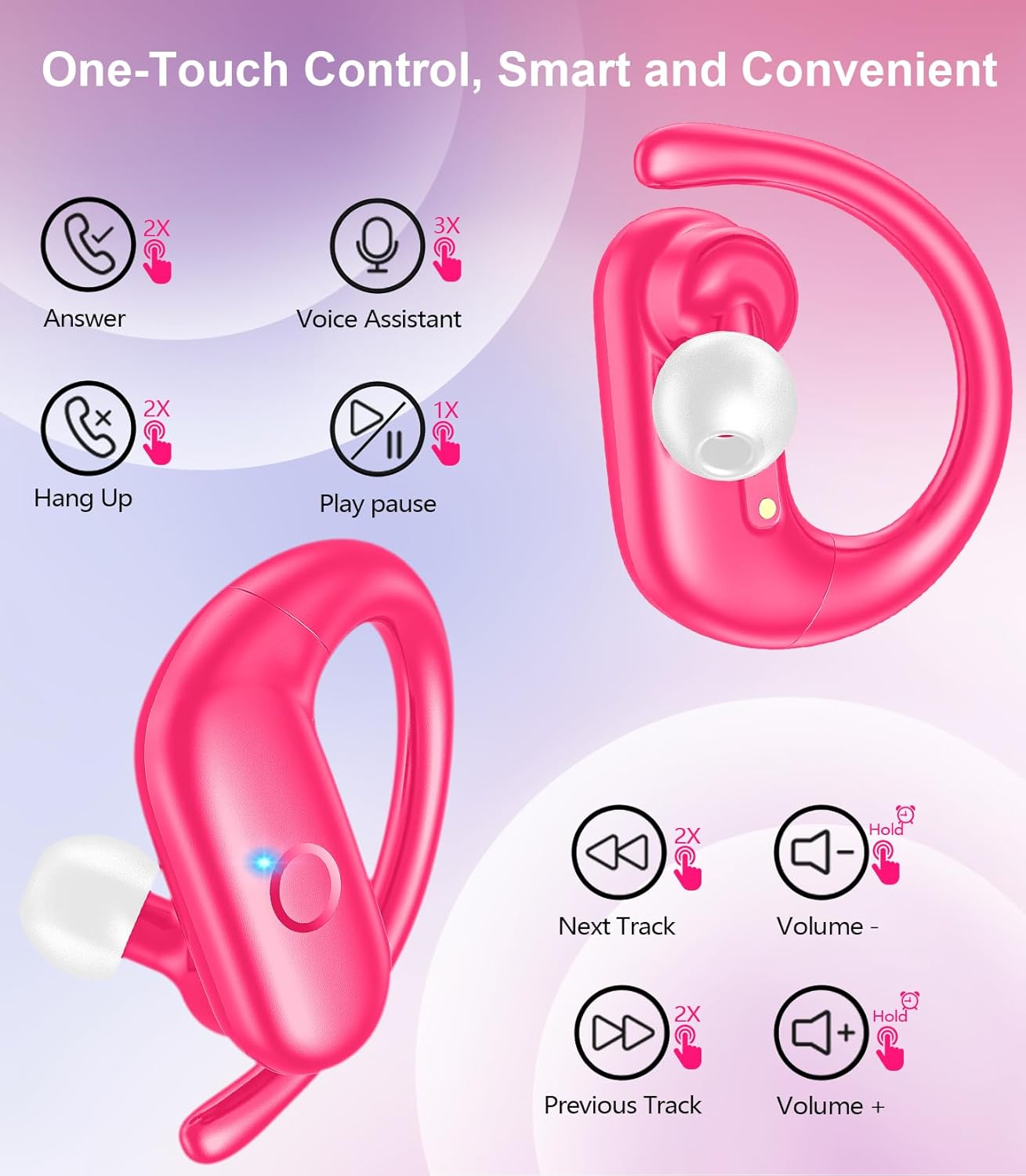
Imagem: Uma imagem detalhada view of an earbud highlighting the integrated Bluetooth 5.3 technology for stable and efficient wireless connectivity.
Configurar
1. Carregando os fones de ouvido e o estojo
Before first use, fully charge the earbuds and the charging case. Connect the provided USB-C cable to the charging port on the case and a power source. The indicator lights on the case will show the charging status.
- Tempo de carregamento: Aproximadamente 1.5 horas para uma carga completa.
- Tempo de reprodução do fone de ouvido: Até 12 horas com uma única carga.
- Tempo total de jogo com a caixa: Até 60 horas.

Image: The charging case with earbuds inside, illustrating the 60-hour total playtime, 12-hour single charge, and 48-hour case capacity, along with the USB-C charging port.
2. Emparelhamento com seu dispositivo
- Ensure the charging case has power and the earbuds are inside.
- Abra o estojo de carregamento. Os fones de ouvido ligarão automaticamente e entrarão no modo de emparelhamento.
- No seu dispositivo (smartphone, tablet, laptop), ative o Bluetooth.
- Procurar dispositivos Bluetooth disponíveis e selecione "SP9i" da lista.
- Após a conexão, você ouvirá um tom de confirmação e as luzes indicadoras dos fones de ouvido se apagarão ou piscarão lentamente.
Os fones de ouvido se reconectarão automaticamente ao último dispositivo emparelhado ao serem removidos do estojo, caso o Bluetooth esteja ativado no dispositivo.

Image: An illustration showing the MOZOTER SP9i earbuds in their open case, with a smartphone screen displaying a successful Bluetooth connection to "SP9i".
Instruções de uso
For optimal sound quality and comfort, it is important to wear the earbuds correctly and choose the appropriate eartip size.
1. Selecionando as ponteiras auriculares
The earbuds come with small (S), medium (M), and large (L) eartips. Experiment with different sizes to find the pair that provides the best seal and comfort for your ears. A good seal enhances bass response and passive noise cancellation.
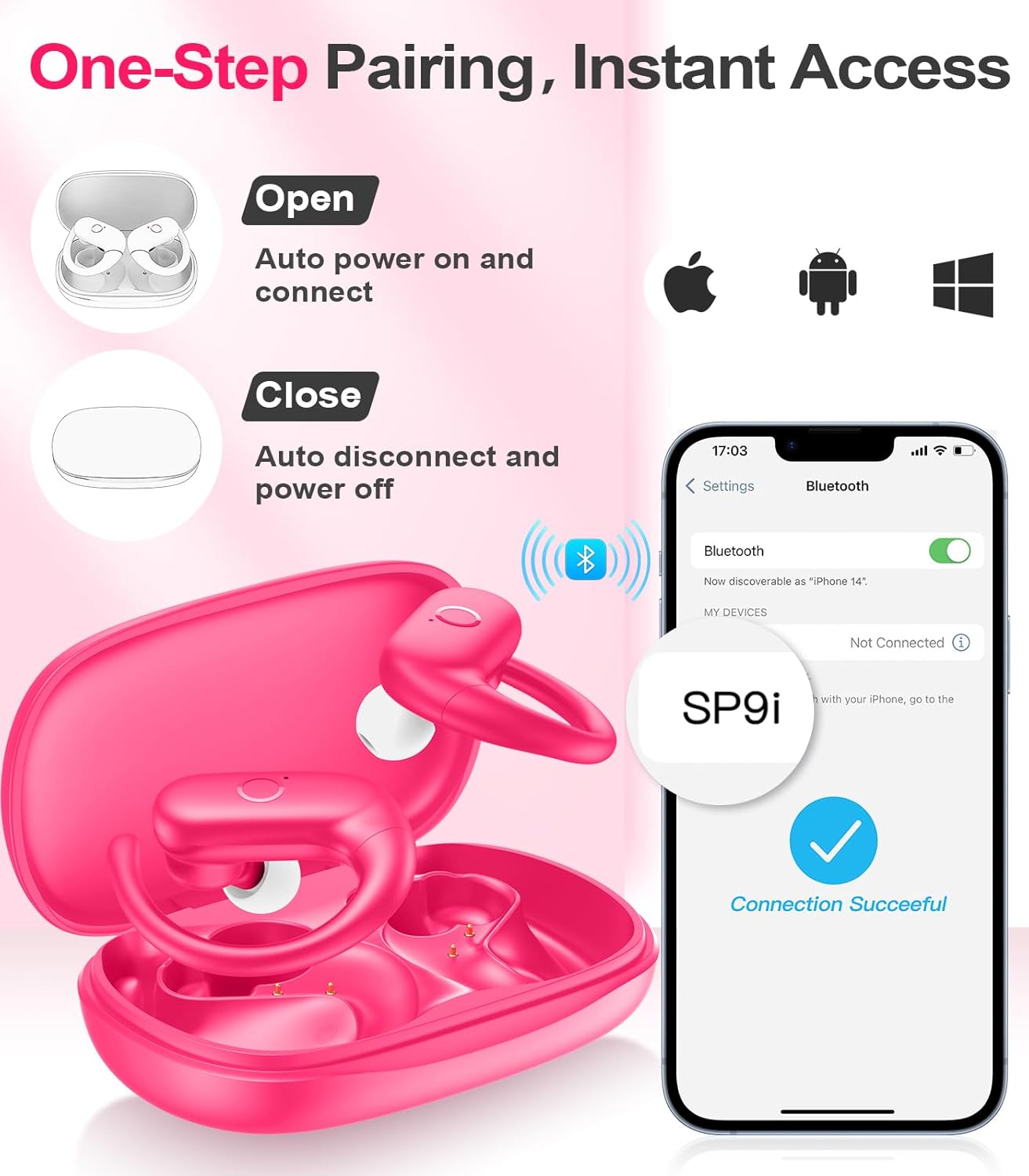
Image: A woman wearing an earbud, with an inset showing the three available eartip sizes (S, M, L) for a customized and comfortable fit.
2. Obtendo um ajuste seguro
- Etapa 1: Coloque o gancho de orelha sobre a sua orelha.
- Etapa 2: Insira suavemente o fone de ouvido no canal auditivo.
- Etapa 3: Rotate the earbud slightly to find a comfortable and secure angle. The flexible ear hooks ensure a stable fit, ideal for sports and active use.

Image: A three-step diagram illustrating the correct method to wear the MOZOTER SP9i earbuds, ensuring a secure and comfortable fit with the ear hook.

Image: A woman wearing the MOZOTER SP9i earbuds, demonstrating the ergonomic design that rests comfortably and securely on the ear.
Instruções de operação
The MOZOTER SP9i earbuds feature intuitive touch controls on each earbud. The following table outlines the functions:
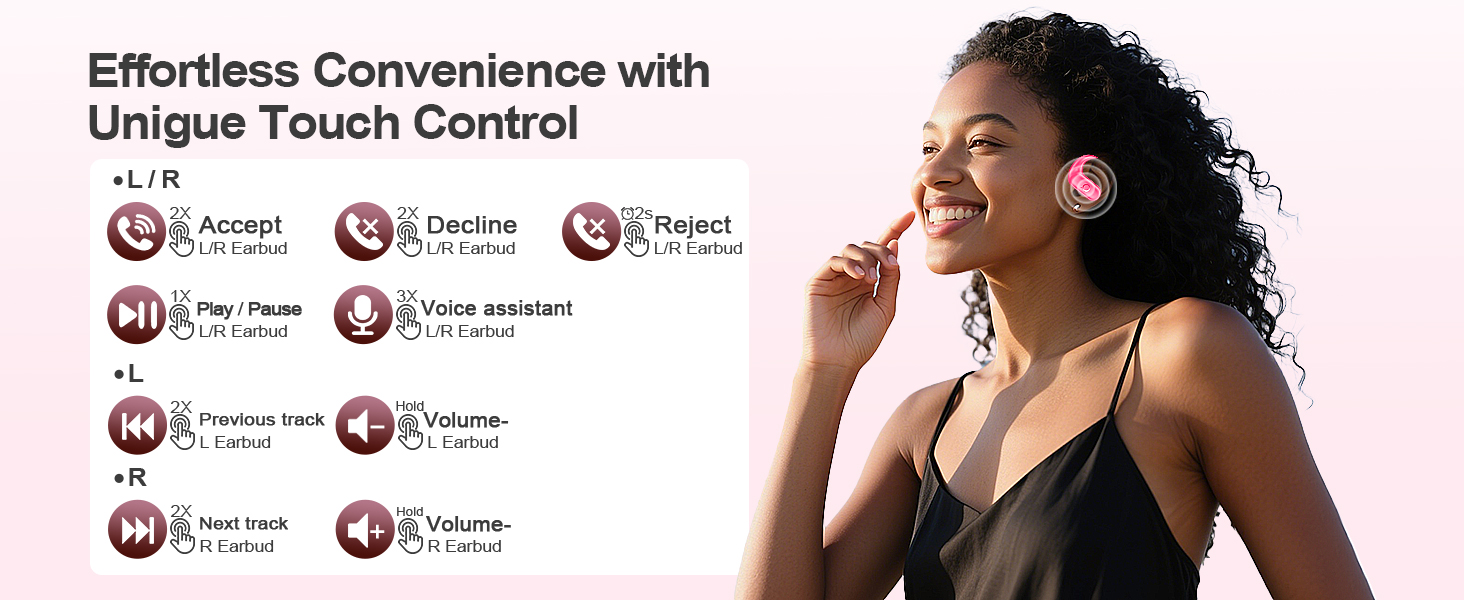
Image: A visual guide detailing the various touch control gestures for the MOZOTER SP9i earbuds, including call management, music playback, and volume adjustments.
| Ação | Gesture (L/R Earbud) |
|---|---|
| Atender chamada | Double-tap (2X) |
| Desligue a chamada | Double-tap (2X) |
| Rejeitar chamada | Triple-tap (3X) |
| Tocar/Pausar Música | Single-tap (1X) |
| Ativar Assistente de Voz | Triple-tap (3X) |
| Próxima faixa | Double-tap (2X) on Certo fone de ouvido |
| Faixa anterior | Double-tap (2X) on Esquerda fone de ouvido |
| Aumentar o volume | Aguentar Certo fone de ouvido |
| Diminuir volume | Aguentar Esquerda fone de ouvido |
Manutenção
A manutenção adequada garante a longevidade e o bom desempenho dos seus fones de ouvido.
- Limpeza: Regularly clean the eartips and the charging contacts on both the earbuds and the case with a soft, dry, lint-free cloth. Avoid using harsh chemicals or abrasive materials.
- Armazenar: Quando não estiverem em uso, guarde os fones de ouvido no estojo de carregamento para protegê-los contra poeira e danos.
- Exposição à água: While designed for sports, avoid submerging the earbuds in water. Wipe off sweat or moisture immediately after use.
Solução de problemas
If you encounter any issues with your MOZOTER SP9i earbuds, please refer to the following common solutions:
- Os fones de ouvido não estão emparelhando: Certifique-se de que ambos os fones de ouvido estejam carregados e removidos do estojo. Desligue e ligue o Bluetooth do seu dispositivo. Se os problemas persistirem, tente redefinir os fones de ouvido (consulte as instruções do fabricante). webConsulte o site para obter instruções específicas de reinicialização, caso não estejam no manual.
- Apenas um fone de ouvido está funcionando: Place both earbuds back into the charging case, close the lid, wait a few seconds, then open the lid and remove them. This often resynchronizes them.
- Má qualidade de som: Ensure the eartips provide a good seal in your ear. Clean any debris from the earbud speakers. Check your device's volume and audio settings.
- Problemas de carregamento: Ensure the charging cable is securely connected to both the case and the power source. Clean the charging contacts on the earbuds and inside the case.
- Fones de ouvido que caem: Experiment with different eartip sizes and adjust the ear hooks for a more secure fit as described in the Wearing Instructions section.
Especificações
| Recurso | Detalhe |
|---|---|
| Nome do modelo | SP9i |
| Tecnologia de Conectividade | Sem fio (Bluetooth 5.3) |
| Controle de Ruído | Cancelamento de ruído passivo |
| Impedância | 4 Ohm |
| Peso do fone de ouvido | Aproximadamente 8g por fone de ouvido. |
| Tempo de reprodução do fone de ouvido | Até 12 horas |
| Tempo total de reprodução (com estojo) | Até 60 horas |
| Porta de carregamento | USB-C |
| Componentes incluídos | Earbuds, Charging Case, Eartips, User Manual |
Garantia e Suporte
MOZOTER products are designed and manufactured to the highest quality standards. For warranty information and customer support, please refer to the documentation included with your purchase or visit the official MOZOTER website. If you require further assistance, please contact our customer service team.


