1. Produto acabadoview
The SLuB HGD T2 Wireless Earbuds feature advanced Bluetooth 5.4 technology, delivering stable connectivity and high-fidelity audio. Designed for comfort and versatility, these ear-hook style earbuds offer ENC noise cancellation for clear calls, IPX6 water resistance, and intuitive touch controls.

Image: SLuB HGD T2 Wireless Earbuds in their charging case, displaying battery levels on an LED screen.
Principais características

Image: Visual representation of the earbuds' key features: Noise Reduction, Bluetooth 5.4, Hi-Fi Sound Quality, Stable Fit, Battery Level Display, and Long Playback Time.
- Tecnologia Bluetooth 5.4: Ensures stable connection, reduced audio delay, and efficient power consumption.
- Qualidade de áudio Hi-Fi: Equipped with high-sensitivity dynamic drivers for balanced sound reproduction, enhanced bass, and immersive audio.
- Cancelamento de ruído ENC: Effectively reduces ambient noise for clear call quality.
- Ergonomic Ear-Hook Design: Provides a secure and comfortable fit, ideal for sports and extended wear, preventing accidental drops.
- Resistência à água IPX6: Protects against sweat and rain, suitable for outdoor activities and workouts.
- Controles de toque inteligentes: Manage music playback, calls, volume, and activate voice assistants with simple taps.
- Long Battery Life with LED Display: Up to 7 hours of playback per charge, with the charging case providing multiple recharges. The case features an LED display for battery status.
- Single/Dual Earbud Mode: Use either earbud independently or both together.
Conteúdo da embalagem

Image: Illustration of the package contents, including earbuds, charging case, USB Type-C cable, and user manual.
- SLuB HGD T2 Wireless Earbuds (Left and Right)
- Estojo de carregamento
- Cabo de carregamento USB Tipo-C
- Manual do usuário
2. Guia de configuração
2.1 Carregando os fones de ouvido e o estojo
- Carga inicial: Antes da primeira utilização, carregue totalmente os fones de ouvido e o estojo de carregamento.
- Carregando o estojo: Connect the provided USB Type-C cable to the charging port on the case and to a USB power adapter (not included). The LED display on the case will show the charging progress.
- Carregando os fones de ouvido: Place the earbuds into the charging case. Ensure they are correctly seated. The LED indicators on the earbuds and the case display will show charging status.
- Indicação de carga completa: The LED display will show "100" when the charging case is fully charged. The individual earbud indicators will turn off when fully charged.
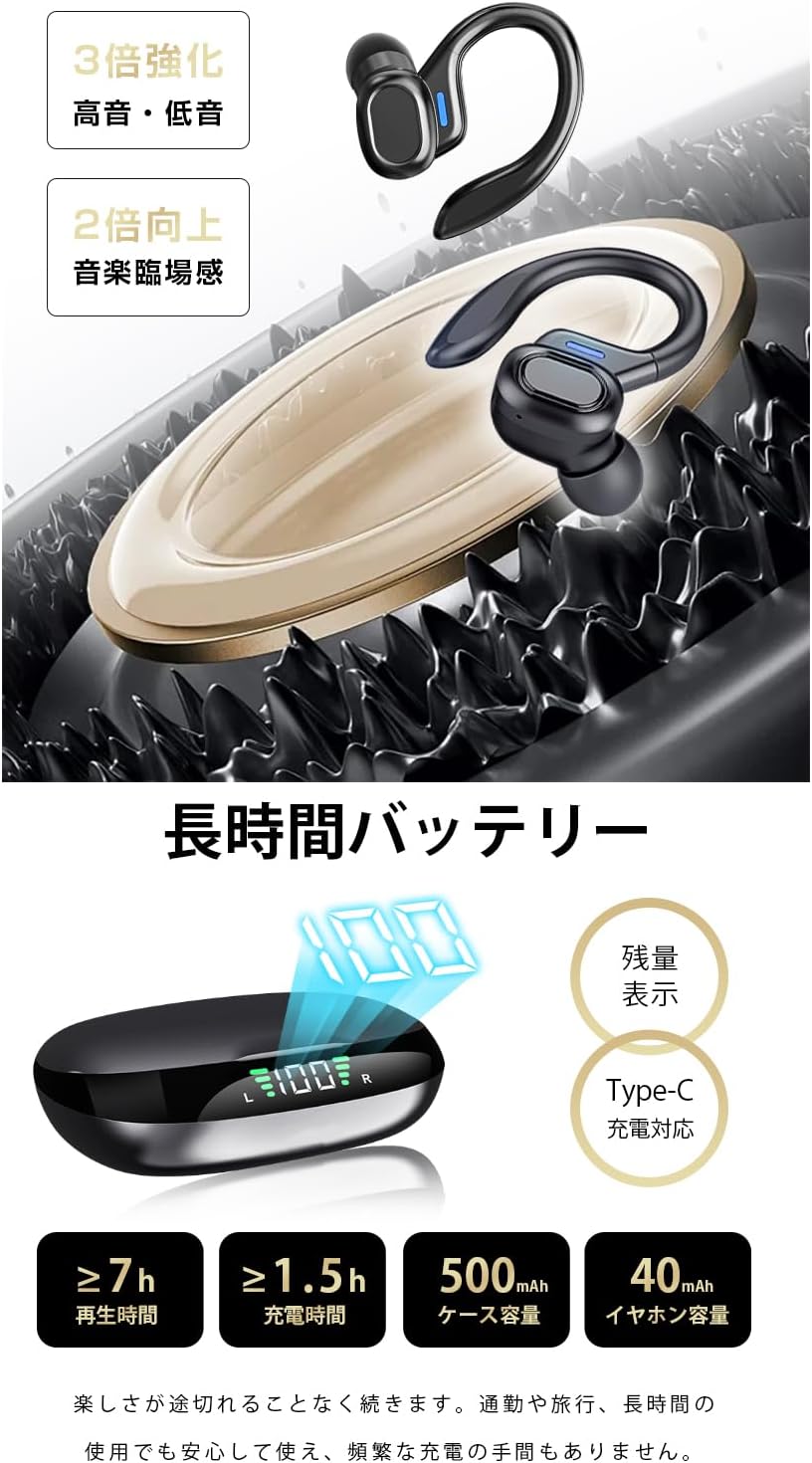
Image: The charging case displaying battery percentage and individual earbud charge status.
2.2 Emparelhamento com o seu dispositivo
- Emparelhamento pela primeira vez:
- Abra o estojo de carregamento. Os fones de ouvido entrarão automaticamente no modo de emparelhamento.
- No seu dispositivo (smartphone, tablet, etc.), ative o Bluetooth.
- Procurar "HGD T2" in the list of available Bluetooth devices and select it to connect.
- Após a conexão, um comando de voz confirmará o emparelhamento bem-sucedido.
- Reconexão automática: Após o emparelhamento inicial, os fones de ouvido se conectarão automaticamente ao último dispositivo emparelhado quando forem retirados do estojo de carregamento e o Bluetooth estiver ativado no dispositivo.
- Modo de fone de ouvido único: You can use either the left or right earbud independently. Simply take one earbud out of the case, and it will connect. The other earbud can remain in the case or be used later.

Image: Illustration showing the automatic connection process when opening the charging case and pairing with a smartphone.
3. Instruções de operação
3.1 Controles de toque
The SLuB HGD T2 earbuds feature intuitive touch controls on each earbud. The functions are as follows:

Image: Visual guide to the touch controls for music playback, calls, volume adjustment, and voice assistant activation.
| Ação | Fone de ouvido esquerdo | Fone de ouvido direito |
|---|---|---|
| Tocar/Pausar Música | Toque Único | Toque Único |
| Próxima faixa | Toque duplo | Toque duplo |
| Faixa anterior | Toque triplo | Toque triplo |
| Aumentar o volume | N / D | Pressão Longa (1s) |
| Diminuir volume | Pressão Longa (1s) | N / D |
| Atender/encerrar chamada | Toque Único | Toque Único |
| Rejeitar chamada | Pressão Longa (2s) | Pressão Longa (2s) |
| Ativar assistente de voz (Siri/Google Assistant) | Pressão Longa (2s) | Pressão Longa (2s) |
4. Manutenção e Cuidados
4.1 Limpeza
- Limpe regularmente os fones de ouvido e o estojo de carregamento com um pano macio, seco e sem fiapos.
- Não utilize produtos de limpeza abrasivos, solventes ou sprays aerossóis.
- Para garantir um carregamento adequado, certifique-se de que os contatos de carregamento dos fones de ouvido e do estojo estejam limpos e livres de detritos.
4.2 Armazenamento
- Quando não estiverem em uso, guarde os fones de ouvido no estojo de carregamento para protegê-los e mantê-los carregados.
- Guarde o dispositivo em local fresco e seco, longe de temperaturas extremas e da luz solar direta.
4.3 Resistência à água (IPX6)
- The earbuds are rated IPX6, meaning they are resistant to powerful water jets. This makes them suitable for workouts and light rain.
- Importante: IPX6 rating does not mean they are waterproof for submersion. Do not submerge the earbuds in water.
- Certifique-se de que os fones de ouvido estejam secos antes de colocá-los de volta no estojo de carregamento para evitar danos aos contatos de carregamento.
5. Solução De Problemas
| Problema | Solução possível |
|---|---|
| Os fones de ouvido não estão emparelhando/conectando. |
|
| Apenas um fone de ouvido está funcionando. |
|
| Sem som ou volume muito baixo. |
|
| O estojo de carregamento não está carregando. |
|
6. Especificações
| Recurso | Detalhe |
|---|---|
| Marca | SLuB |
| Número do modelo | HGD T2 |
| Versão Bluetooth | 5.4 |
| Pro Suportadofiles | HSP, HFP, A2DP, AVRCP |
| Distância de transmissão | Aproximadamente 10 metros (33 pés) |
| Banda de frequência operacional | 2.402GHz ~ 2.480GHz |
| Capacidade da bateria do fone de ouvido | 40mAh (cada) |
| Capacidade da bateria do estojo de carregamento | 500mAh |
| Tempo de reprodução de música | ≥ 7 horas |
| Tempo de carregamento (fones de ouvido) | Aproximadamente 1.5 horas |
| Porta de carregamento | Tipo C |
| Classificação de resistência à água | IPX6 |
| Dispositivos compatíveis | Dispositivos iOS/Android |
7. Garantia e Suporte
For warranty information and customer support, please refer to the documentation included with your purchase or contact SLuB customer service through the retailer where you purchased the product.
SLuB is committed to providing a worry-free experience. If you encounter any issues or have questions regarding your HGD T2 Wireless Earbuds, please do not hesitate to reach out for assistance.


