1. Introdução
Obrigado pela compra.asing the ZEBRONICS Zeb Vigor 100 Tower Speaker. This manual provides essential information for the safe and efficient operation of your device. Please read it thoroughly before use and retain it for future reference.
2. Instruções de segurança
- Não exponha o alto-falante à água ou umidade.
- Não abra o alto-falante casing; encaminhe todos os serviços de manutenção para pessoal qualificado.
- Mantenha a caixa de som longe da luz solar direta, fontes de calor e chamas.
- Assegure-se de que haja ventilação adequada ao redor da caixa de som para evitar superaquecimento.
- Utilize apenas o cabo de alimentação fornecido com o dispositivo.
- Evite ouvir em níveis de volume altos por longos períodos para evitar danos auditivos.
3. Conteúdo da embalagem
Verifique se todos os itens estão presentes na embalagem:
- Trolley DJ Speaker: 1 Unit
- Controle Remoto: 1 Unidade
- Wireless Microphone: 1 Unit
- Cabo de alimentação: 1 unidade
- Input Cable (3.5mm): 1 Unit
- Guia de código QR: 1 unidade
4. Produto acabadoview
The ZEBRONICS Zeb Vigor 100 is a versatile tower speaker designed for various audio applications, featuring multiple connectivity options and a robust sound output.
Principais características:
- Triple Full Range 20.32cm Drivers for comprehensive sound.
- 100W RMS Output for powerful audio delivery.
- TWS (True Wireless Stereo) Function for connecting two speakers.
- Karaoke & Mic Recording Function with included Wireless MIC.
- Multiconnectivity: Bluetooth v5.0, USB, mSD, AUX, FM.
- LED Display for easy navigation.
- Controle remoto para operação conveniente.
- Carry Handle & Wheels for portability.
- RGB Lights for visual effects.
- Dual 6.3mm Microphone input.
- Bateria recarregável embutida.
- Dedicated Control Buttons for intuitive use.
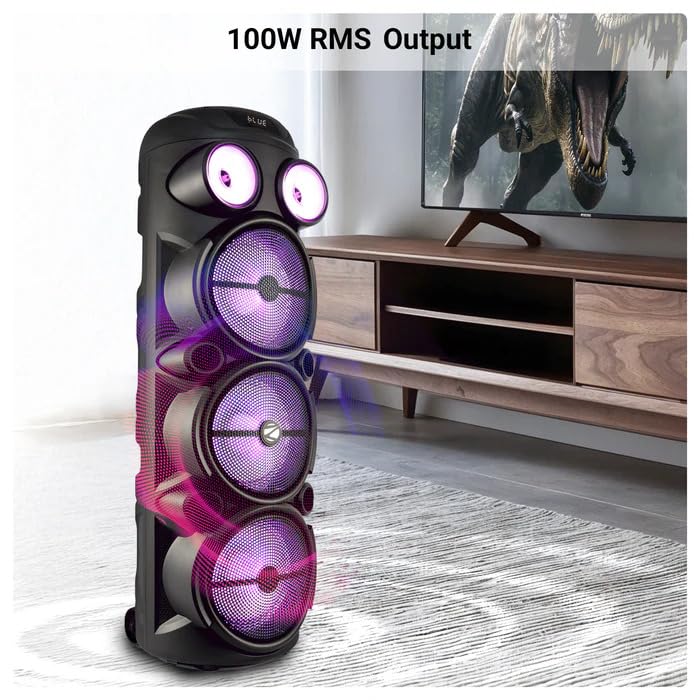
Image: The ZEBRONICS Zeb Vigor 100 Tower Speaker showcasing its 100W RMS output, positioned next to a television.
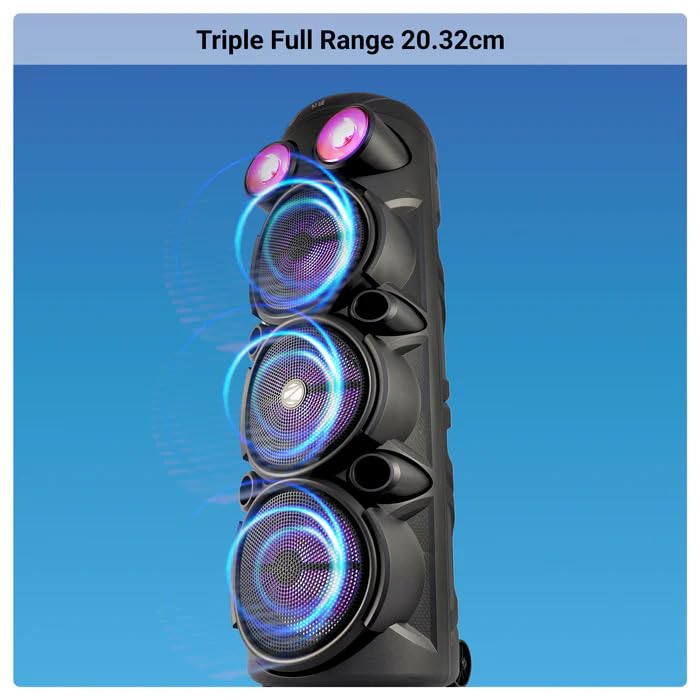
Imagem: Close-up view of the ZEBRONICS Zeb Vigor 100 highlighting its triple full-range 20.32cm drivers.
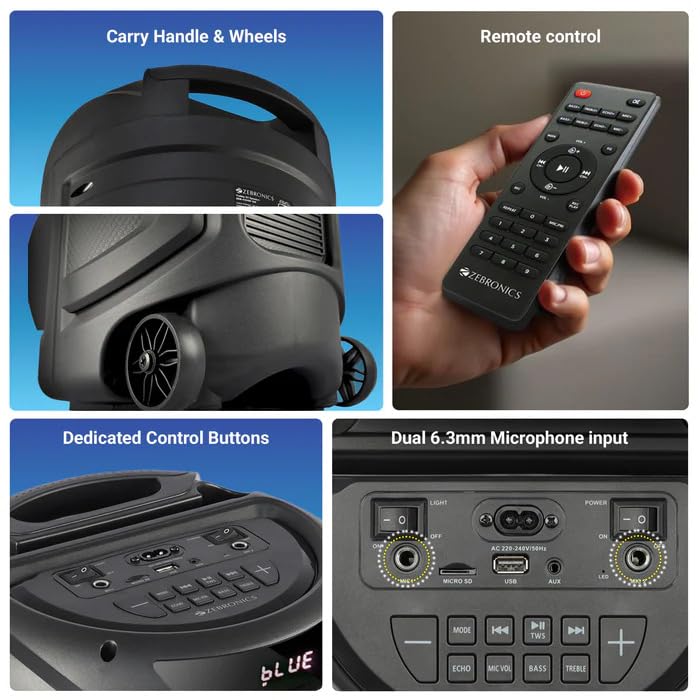
Image: A collage showing the speaker's carry handle and wheels for portability, the included remote control, the dedicated control buttons on the top panel, and the dual 6.3mm microphone inputs on the rear panel.
5. Configuração
5.1 Carregando o alto-falante
Before initial use, fully charge the speaker. Connect the provided power cord to the speaker's AC input and a suitable power outlet. The charging time is approximately 9.8 hours. A full charge provides up to 5 hours of playback at 50% volume with LED lights off.
5.2 Ligar/Desligar
Locate the power switch on the speaker's control panel. Toggle the switch to the 'ON' position to power on the speaker. Toggle to 'OFF' to power off.
6. Instruções de operação
6.1 Bluetooth Connection (BT v5.0)
- Power on the speaker. The speaker will automatically enter Bluetooth mode or you can select it using the 'MODE' button.
- Ative o Bluetooth no seu dispositivo móvel ou computador.
- Procurar available devices and select "ZEB-VIGOR 100" from the list.
- Após o emparelhamento, o alto-falante indicará uma conexão bem-sucedida e você poderá começar a reproduzir áudio.
6.2 USB/mSD Playback
- Insert a USB flash drive or mSD card (up to 32GB) containing MP3 audio files para o respectivo porto.
- The speaker will automatically detect the storage device and begin playback. If not, press the 'MODE' button to select USB or mSD mode.
- Use the control buttons or remote to play, pause, skip tracks, or adjust volume.
6.3 Entrada AUX
- Connect one end of the 3.5mm input cable to the AUX port on the speaker.
- Connect the other end to the audio output jack of your external device (e.g., smartphone, MP3 player).
- Press the 'MODE' button to select AUX input.
- Control playback and volume from your external device or the speaker.
Rádio 6.4 FM
- Press the 'MODE' button to select FM radio mode.
- Press the Play/Pause button to auto-scan and save available FM stations (frequency range 87.5 MHz - 108 MHz).
- Use os botões de faixa anterior/seguinte para navegar entre as estações salvas.
6.5 Karaoke & Mic Recording Function
- Connect the wireless microphone or a wired microphone (not included) to one of the dual 6.3mm microphone inputs.
- Adjust the microphone volume and echo using the dedicated controls.
- To record, ensure a USB drive or mSD card is inserted. Press the 'REC' button (if available on the control panel/remote) to start recording. Press again to stop.
6.6 Função TWS (True Wireless Stereo)
To connect two Zeb Vigor 100 speakers for a stereo experience:
- Ensure both speakers are powered on and in Bluetooth mode.
- On one speaker (this will be the master), press and hold the 'TWS' button. The speaker will indicate it is searching for another TWS device.
- The two speakers will automatically pair. Once connected, they will function as a stereo pair.
- Connect your mobile device to the master speaker via Bluetooth as described in section 6.1.
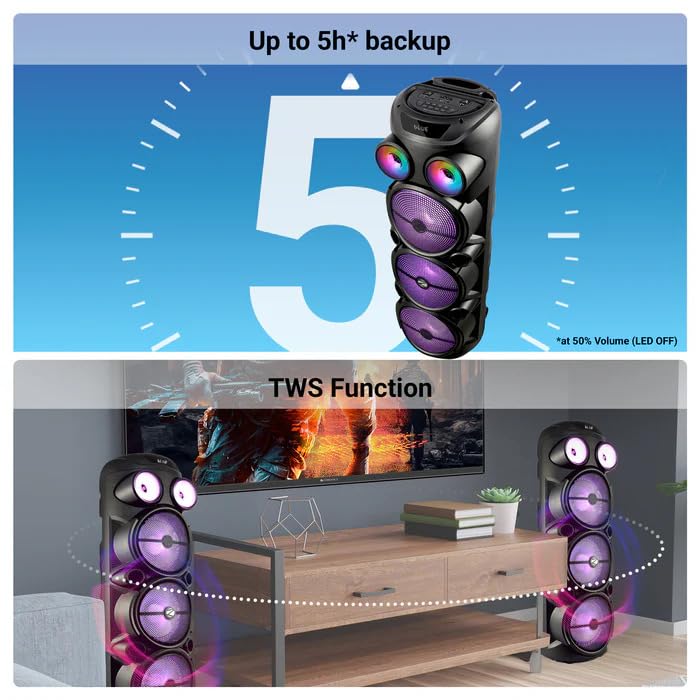
Image: The ZEBRONICS Zeb Vigor 100 speaker highlighting its up to 5-hour battery backup and the True Wireless Stereo (TWS) function, showing two speakers connected wirelessly.
6.7 luzes RGB
The speaker features dynamic RGB lights. Use the dedicated 'LIGHT' switch or button on the control panel or remote to cycle through different light modes or turn them off.
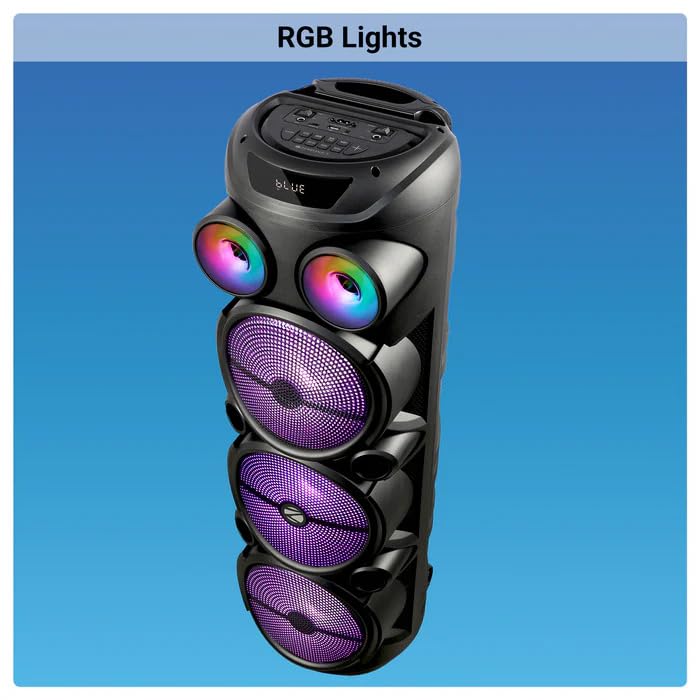
Image: The ZEBRONICS Zeb Vigor 100 Tower Speaker with its vibrant RGB lights illuminated.
6.8 Painel de controle e controle remoto
The speaker features a top-mounted control panel with buttons for mode selection, playback control, volume adjustment, microphone controls, and light control. A remote control is also provided for convenient operation from a distance.
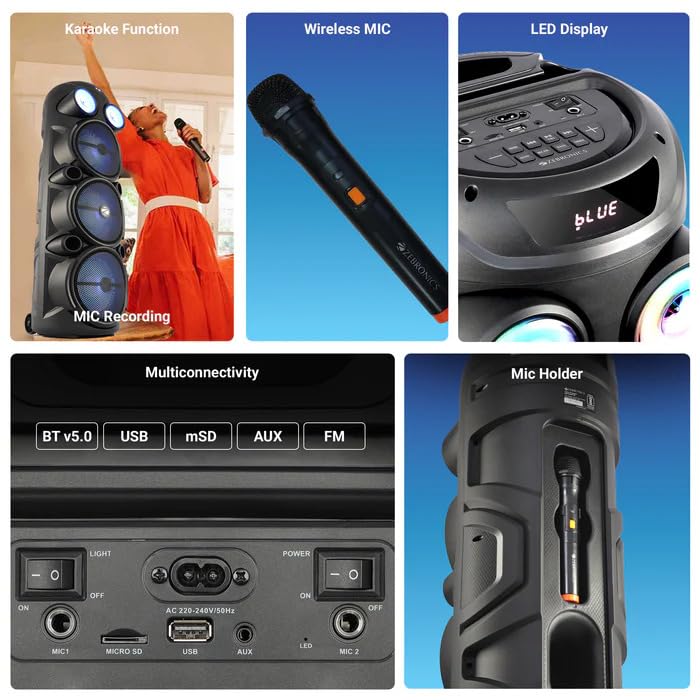
Imagem: Uma imagem detalhada view of the ZEBRONICS Zeb Vigor 100's control panel, showing options for Bluetooth v5.0, USB, mSD, AUX, and FM connectivity, along with various control buttons.
7. Manutenção
- Limpeza: Use um pano macio e seco para limpar a parte externa da caixa de som. Não use produtos de limpeza abrasivos ou solventes.
- Armazenar: Quando não estiver em uso por longos períodos, guarde a caixa de som em local fresco e seco, longe da luz solar direta e de temperaturas extremas.
- Cuidados com a bateria: Para prolongar a vida útil da bateria, evite descarregá-la completamente com frequência. Carregue a caixa de som regularmente, mesmo quando não estiver em uso.
8. Solução De Problemas
| Problema | Possível causa | Solução |
|---|---|---|
| A caixa de som não liga. | A bateria está descarregada ou o cabo de alimentação não está conectado. | Charge the speaker or ensure the power cord is securely connected. |
| Nenhuma saída de som. | Volume is too low, incorrect mode selected, or device not properly connected. | Increase volume, select the correct input mode (BT, USB, AUX, FM), or re-establish connection. |
| O emparelhamento Bluetooth falha. | Speaker is not in pairing mode, or device is too far. | Ensure speaker is in Bluetooth mode, move device closer, or clear previous pairings on your device. |
| O microfone não está funcionando. | Microphone not powered on, or volume too low. | Ensure wireless mic has batteries and is powered on. Adjust mic volume. |
9. Especificações
| Recurso | Especificação |
|---|---|
| Potência de saída (RMS) | 100 W |
| Tamanho do driver | Full range 20.32cm x 3, Tweeter 3.8cm |
| Impedância | Full range 4Ω x 1, 8Ω x 2; Tweeter 8Ω |
| Resposta de frequência | 65Hz-18kHz |
| Relação S/N | ≥60 dB |
| File Suporte a formatos (USB/SD) | MP3 |
| Entrada de linha | 3.5 mm |
| Max Supported USB/SD Memory Size | 32 GB |
| Faixa de frequência FM | 87.5 MHz - 108 MHz |
| Tempo de carregamento | 9.8 horas |
| Tempo de reprodução | 5 hours* (at 50% Volume, LED OFF) |
| Nome Bluetooth | ZEB-VIGOR 100 |
| Versão Bluetooth | v5.0 |
| Dimensão do Produto (L x P x A) | 28.6 x 28.5 x 90 cm |
| Peso líquido | 6.4 kg |
| Tipo de conector | Aux, USB |
| Número de canais | 2 |
| Entrada de áudio | Wired Microphone, Wireless Microphone, Line-Level Input |
| Cor | Preto |
| Dispositivos compatíveis | Audio Player, DJ Mixer, DVD Player, Drum, Guitar, Headphone, Headset, Karaoke System, Keyboard, Laptop, MP3 Player, Microphone, Piano, Smartphone, Tablet, Television |
10. Garantia e Suporte
10.1 Informações de garantia
The ZEBRONICS Zeb Vigor 100 Tower Speaker comes with a Garantia de 1 anos A garantia é válida a partir da data da compra. Guarde o comprovante de compra para eventuais solicitações de garantia. A garantia cobre defeitos de fabricação em condições normais de uso.
10.2 Fabricante
Zebronics India Pvt Ltd.
13/7 Smith Road, Royapettah, Chennai, Tamil Nadu - 600 002, India
10.3 Suporte ao cliente
For technical assistance, service, or warranty inquiries, please contact Zebronics customer support through their official website or the contact information provided in the QR code guide included in your package.


