1. Introdução
This manual provides detailed instructions for the installation, operation, and maintenance of your Anweller MD168BC Keyless Entry Door Lock. Please read this manual thoroughly before installation and use to ensure proper function and safety.

Image: Anweller MD168BC Integrated Door Handle Set, highlighting features like passcode, app, RFID, key, emergency power, auto-lock, passage mode, and IP54 waterproof rating.
2. Informações de segurança
- Certifique-se de que todos os componentes estejam presentes e sem danos antes da instalação.
- Do not attempt to disassemble or modify the lock, as this may void the warranty and compromise security.
- Keep mechanical keys in a safe place outside your home.
- Substitua as pilhas imediatamente quando o indicador de bateria fraca aparecer.
- Use only specified battery types (4 AA Alkaline batteries).
3. Conteúdo da embalagem
Verifique se todos os seguintes itens estão incluídos em seu pacote:
- 1 x Conjunto de Fechadura de Segurança e Maçaneta (Todas as Peças)
- 1 x Manual do Usuário
- 2 x chaves mecânicas
- 2 x Cartões RFID
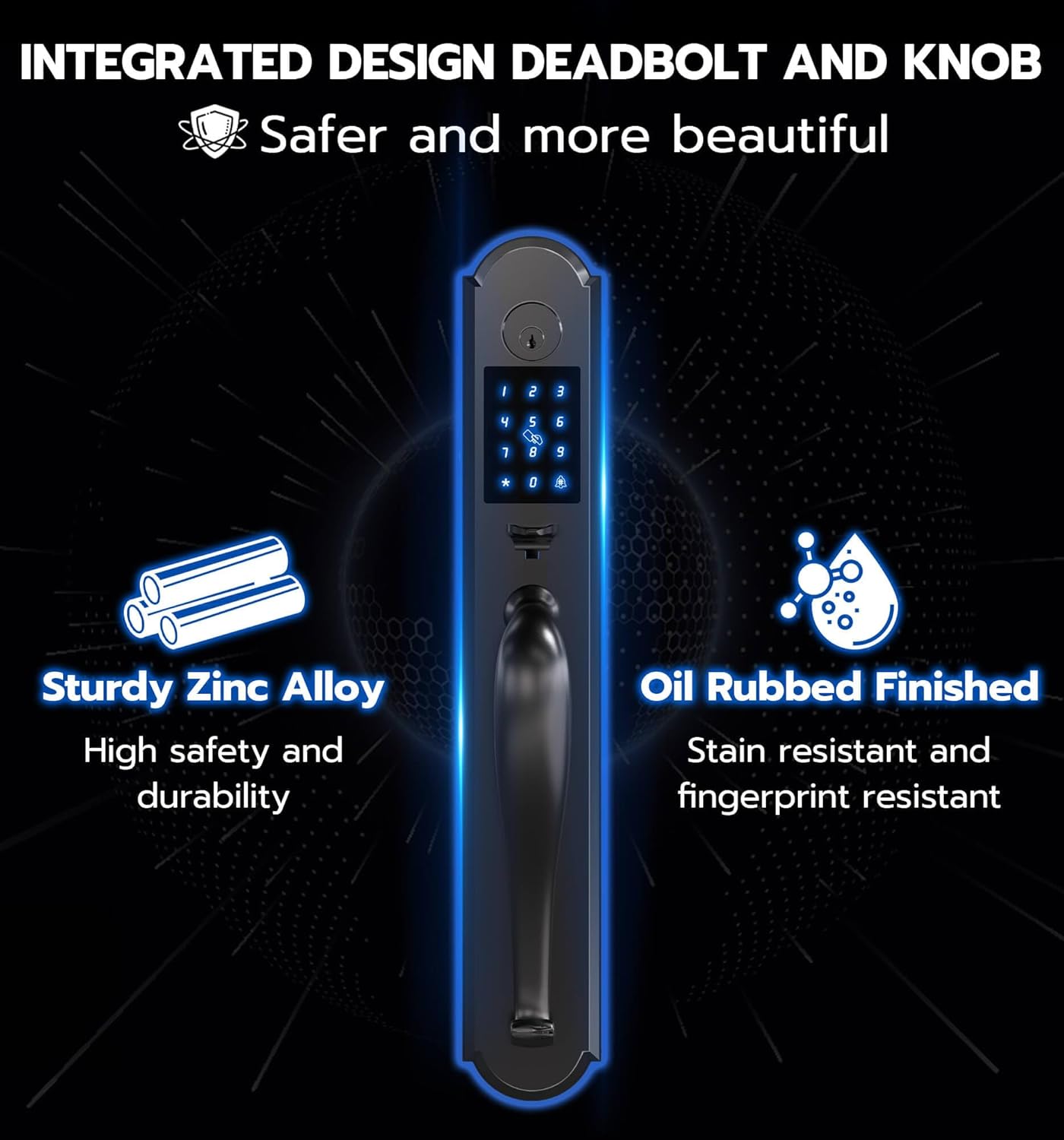
Imagem: Acimaview of all components included in the Anweller MD168BC Keyless Entry Door Lock package.
4. Guia de instalação
Antes de iniciar a instalação, certifique-se de que sua porta atenda às seguintes especificações:
- Door thickness: 1-3/8" to 2-1/8" (35mm to 55mm)
- Recuo: 2-3/8" ou 2-3/4" (60 mm ou 70 mm)
- Distance between 2 door holes: 5-1/2" (140mm)
- Hole Diameter: > 1-17/20" (47mm)
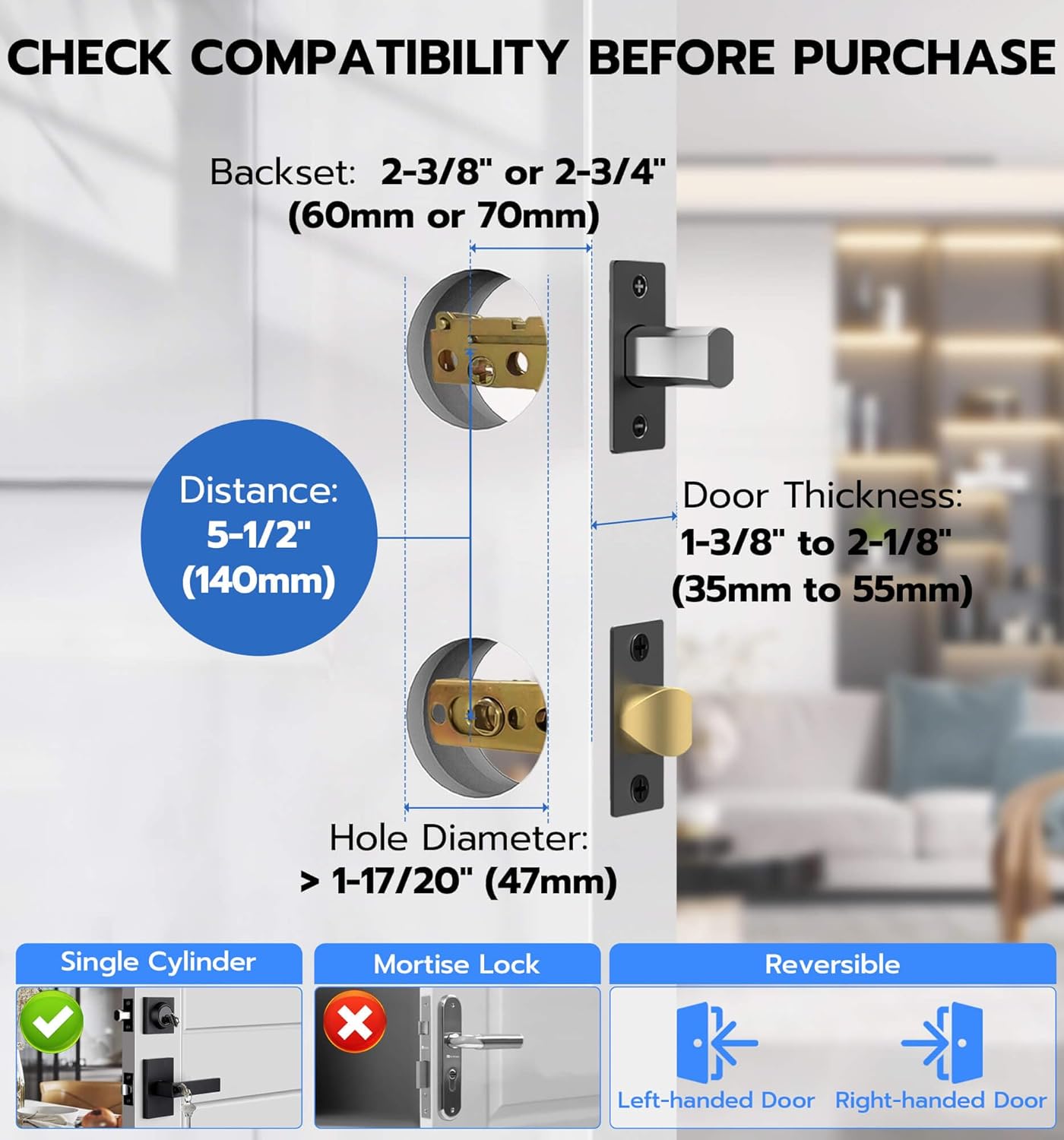
Image: Door compatibility measurements for Anweller MD168BC lock.
Vídeo de instalação
Video: Official installation guide for the Anweller MD168BC Keyless Entry Door Lock. This video demonstrates each step of the installation process, from preparing the door to securing the lock components.
Instalação passo a passo
- Instale o parafuso de fechamento e o parafuso de travamento:
Measure your door's thickness and lock body distance. If the lock body distance is 70mm, adjust the closed bolt by turning it 3/4. Align the door hole and insert the closed bolt, ensuring the 'UP' marking is at the top. Secure with screw 2. Repeat for the latch bolt.
Image: Installing the closed bolt.
- Instalar os pinos de fixação do painel frontal:
Insert the studs into the front panel and tighten them with pliers to secure.
Image: Installing front panel studs.
- Instalar o painel frontal:
Pass the front panel power cord under the closed bolt and through the door hole. Rotate the lock ruler to a horizontal position. Align the lock ruler and square rod with the center of the closing bolt and latch bolt, then buckle them up.
Image: Installing the front panel.
- Instalar a placa de base traseira:
After installing the base plate rubber gasket (arrow points up), press the edge buckle. Pass the power cord through the rear chassis and secure it with screw 1.
Image: Installing the rear base plate.
- Ajuste dos painéis dianteiro e traseiro:
Ensure the front and rear panels are vertically aligned. Tighten the screws again to secure the alignment.
Image: Adjusting front and rear panels.
- Instalar poste quadrado:
Insert the spring into the square rod, then put the square rod into the latch bolt core hole.
Image: Installing the square pole.
- Remova a tampa da caixa da bateria com trava traseira:
Press the groove on the top of the rear panel to remove the battery cover.
Image: Removing battery box cover.
- Testar a sensibilidade da fechadura:
Use pliers to hold the lock ruler. Twist to the right to lock, and to the left to unlock. Check for smooth rotation.
Image: Testing lock sensitivity.
- Instalar o painel traseiro:
Connect the front lock power cord (note the front and back of the connector). Turn the locking knob from horizontal to vertical. Align the lock ruler and square rod, then install the rear panel. Tighten the rear lock No. 3 fixing screw.
Image: Connecting power cord for rear panel installation.
- Instale a bateria:
Insert 4 AA alkaline batteries into the battery compartment. Close the battery cover.
Image: Installing batteries.
- Instalar o Meson:
Install the meson and tighten the meson screws.
Image: Installing meson.
5. Instruções de operação
The Anweller MD168BC offers four convenient ways to unlock your door:
- Senha: Enter your programmed digital code on the keypad.
- Aplicativo móvel: Use the dedicated mobile application for remote unlocking and management.
- Cartão RFID: Tap the provided RFID card to the lock for quick access.
- Chave reserva: Use the mechanical key as a traditional backup.
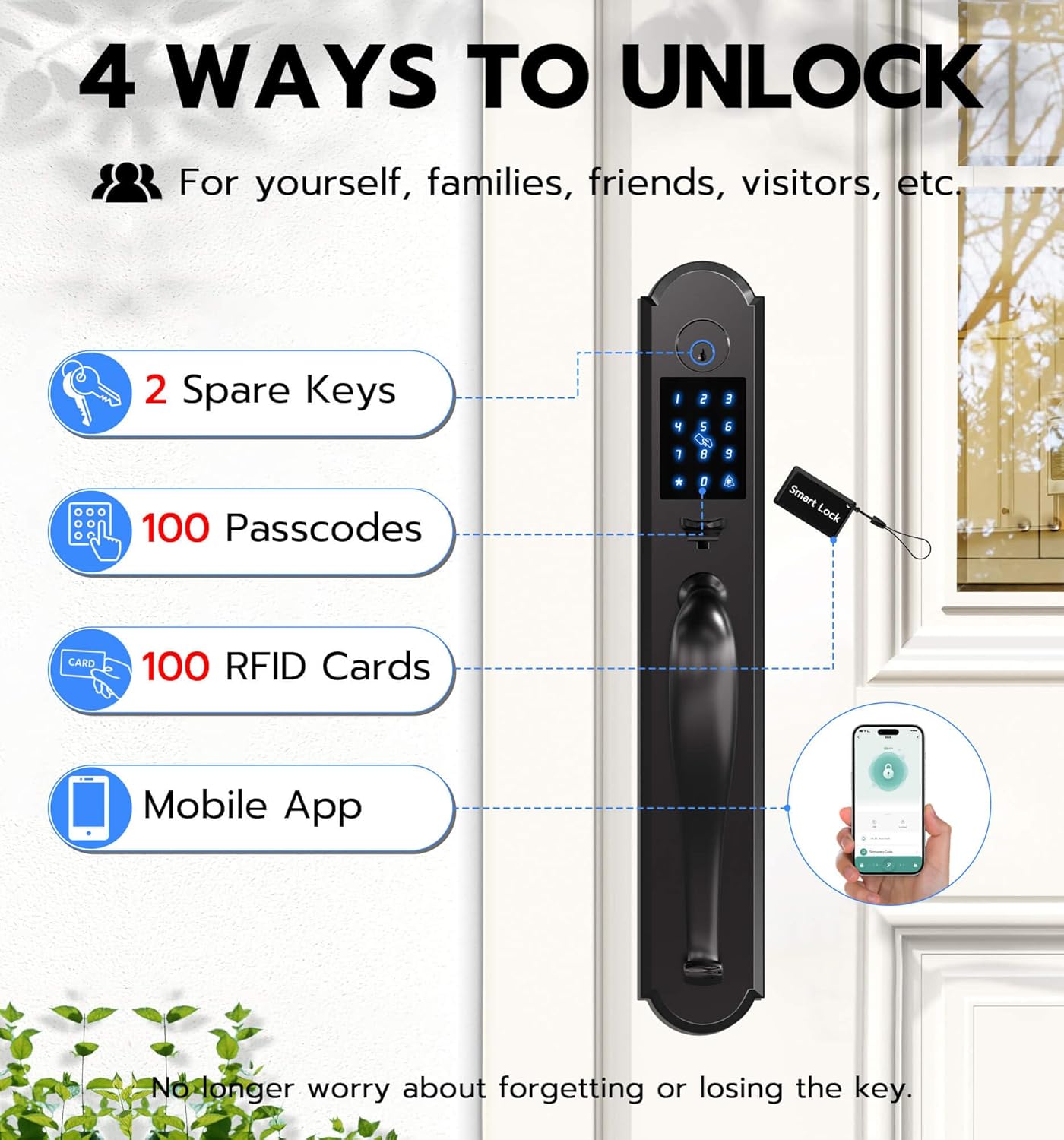
Image: Four unlocking methods for the Anweller MD168BC lock.
Principais características:
- Senha anti-espionagem: Digite dígitos aleatórios antes ou depois da sua senha real para impedir que outras pessoas a adivinhem.
- Bloqueio automático: The lock can be set to automatically lock after a specified period.
- Modo de passagem: Temporarily disable auto-lock for continuous access, ideal for gatherings.
- Multiple PIN Code Types: Create admin codes, permanent codes, custom codes, one-time codes, recurring codes, and timed codes for various users.
- Controle de aplicativo móvel: Setup/delete passcodes, program/delete RFID cards, receive real-time unlocking reminders, check lock status and battery level.
6. Manutenção
Substituição da bateria:
The lock requires 4 AA alkaline batteries. The low power consumption design ensures approximately 180 days of battery life. The lock will provide a low battery reminder. In case of complete battery depletion, a power bank can be used for emergency power via the USB-C port.

Image: Battery compartment and battery life information.
Limpeza:
Limpe a superfície da fechadura com um pano macio e seco.amp pano. Evite usar produtos de limpeza abrasivos ou solventes que possam danificar o acabamento.
7. Solução De Problemas
- A fechadura não responde: Check battery levels and replace if necessary. Ensure the power cord connections are secure.
- Invalid entry alarm: The lock will shut down for 3 minutes after 5 invalid entry codes or RFIDs. Wait for the lockout period to end.
- Dificuldade de instalação: Refer to the installation video and step-by-step guide. Ensure all measurements and alignments are correct.
- Lock not engaging/disengaging smoothly: Check for any obstructions in the door frame or latch mechanism. Ensure the square pole is correctly installed.
8. Especificações
| Recurso | Detalhe |
|---|---|
| Número do modelo | MD168BC |
| Material | Zinco |
| Cor | Preto |
| Acabamento Exterior | Preto |
| Tipo de bloqueio | Fechadura de segurança, Fechadura com teclado, Código PIN, RFID |
| Desbloqueando Caminhos | Passcode, Mobile App, RFID Card, Spare Key |
| Fonte de energia | 4 pilhas AA (não incluídas) |
| Energia de emergência | USB-C |
| Duração da bateria | Approx. 180 days standby time |
| Classificação à prova d'água | IP54 |
| Dimensões do produto | 19.3 x 3.1 x 3.3 polegadas |
| Peso do item | 8.8 libras |
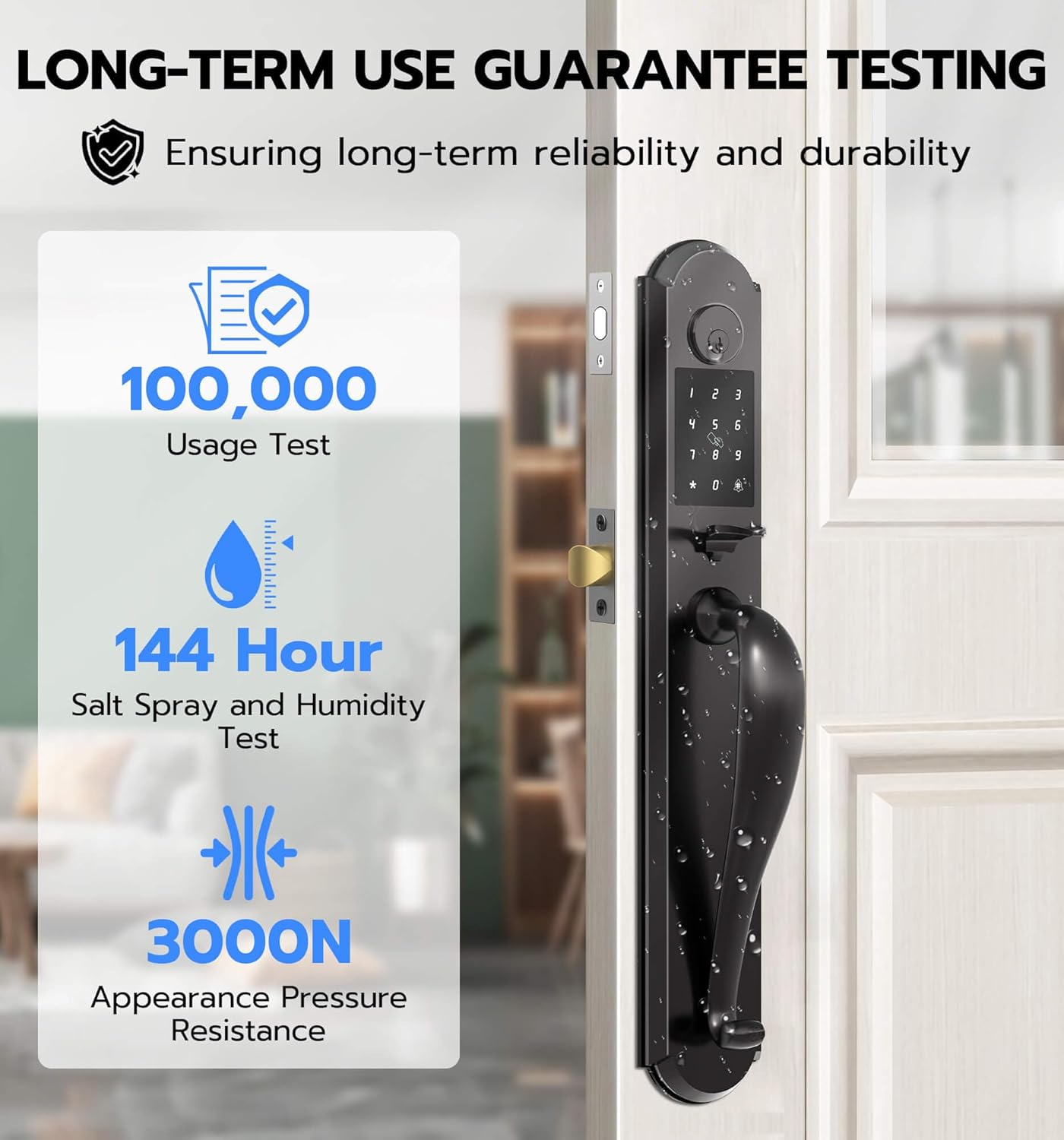
Image: Durability testing details for the Anweller MD168BC lock.
9. Garantia e Suporte
Anweller provides a 12-month warranty for this product. Additionally, free lifetime technical support is available. For any queries, replacements, or refunds within the warranty period, please contact us via email.
E-mail: hongjdzwj@outlook.com
