1. Introdução
This manual provides detailed instructions for the setup, operation, and maintenance of your POLONO PM220S Label Maker Machine. Please read this manual thoroughly before using the device to ensure proper function and longevity.
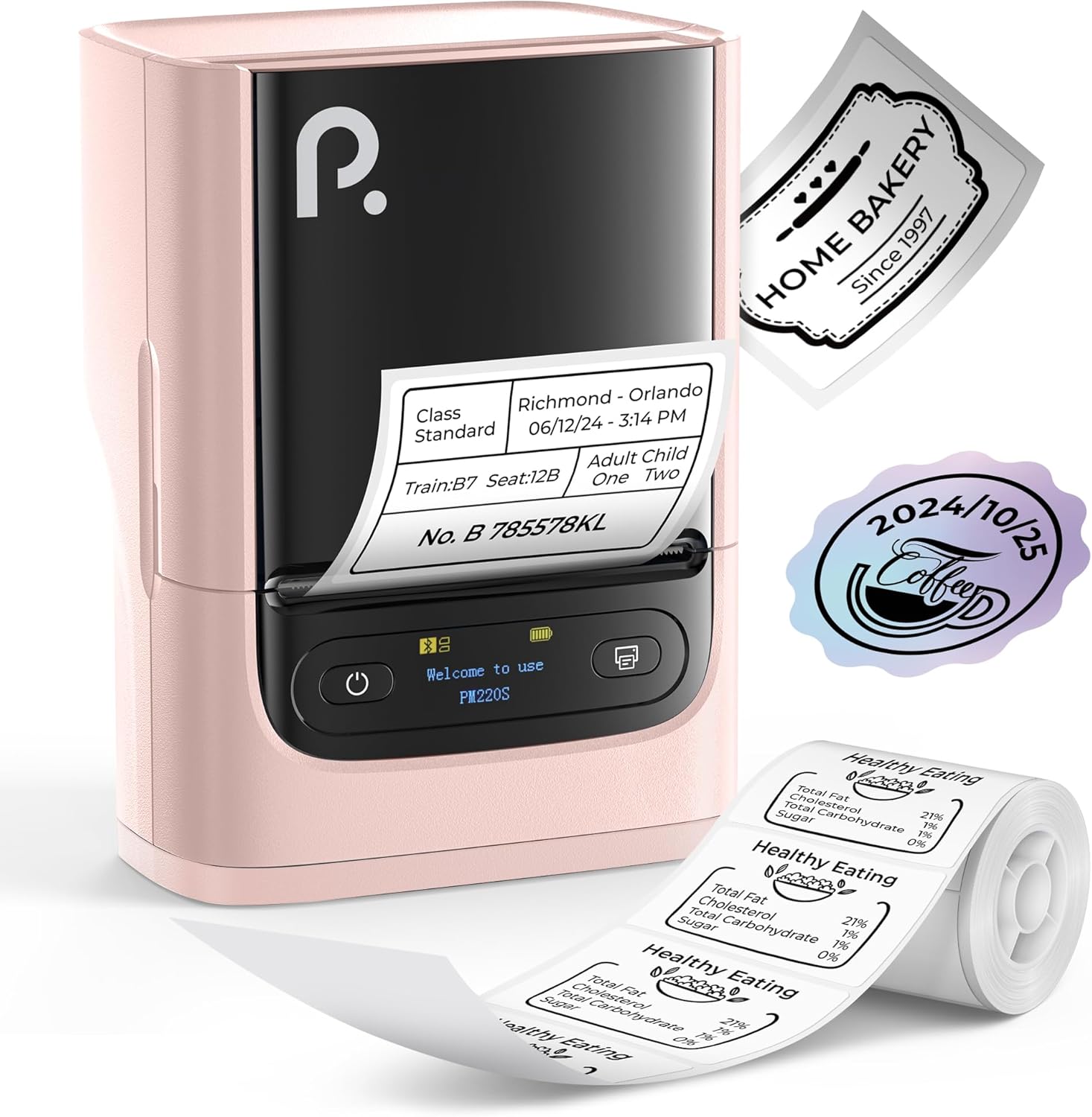
Figure 1: POLONO PM220S Label Maker Machine with sampos rótulos.
2. Produto acabadoview
2.1 Componentes incluídos
- POLONO PM220S Label Maker Machine
- Label Tape (50x30mm, pre-installed or included)
- Cabo de carregamento USB
- Manual do usuário (este documento)
2.2 Principais Características
- Conectividade Bluetooth: Seamless connection with iOS, Android, and PC devices.
- Intuitive LED Screen: Displays battery level, Bluetooth connection status, and alerts for paper shortages or timed shutdowns.
- Feature-Rich "Labelnize" App: Offers label templates, supports QR codes, barcodes, tables, text, icons, 90+ fonts, 14+ languages, and 450+ material presets.
- Premium Thermal Printing: BPA-Free Direct Thermal Technology with 203 DPI for high-definition, inkless printing.
- Ampla compatibilidade de etiquetas: Supports label widths from 23-54mm (0.91"-2.12").
- Design portátil: Compact and lightweight for easy transport and use in various environments.
3. Instruções de configuração
3.1 Carregando o dispositivo
Before first use, fully charge the label maker using the provided USB cable. The LED screen will indicate charging status.
3.2 App Installation and Driver Download
For mobile devices (iOS/Android), download the "Labelnize" app from your respective app store. For PC users, visit polono. com to download the necessary driver and application.

Figure 2: Universal compatibility with smartphones and laptops for app and driver installation.
3.3 Conectando via Bluetooth
- Ensure the PM220S is powered on.
- On your mobile device, open the "Labelnize" app.
- Within the app, search for and connect to the PM220S via Bluetooth. Do not connect directly via your device's Bluetooth settings for mobile devices.
- For PC, ensure the driver is installed, then connect through the downloaded application.
3.4 Carregando a fita de etiqueta
- Abra a tampa do compartimento da etiqueta.
- Insira o rolo de etiquetas com a superfície de impressão voltada para cima.
- Adjust the paper slot guides to secure the tape according to its width (23-54mm) for precise alignment.
- Feche a tampa.

Figure 3: Proper loading of label tape into the PM220S.
4. Instruções de operação
4.1 Using the "Labelnize" App
- Open the "Labelnize" app on your connected device.
- Select from various pre-designed templates or create your own custom labels.
- The app allows you to add text, barcodes, QR codes, tables, icons, and more.
- Customize labels using a selection of over 90 fonts and 14 languages.
- Utilize the 450+ material presets for different label applications.
- Importante: For optimal results, use specialized POLONO labels. Avoid tearing the green back sticker to prevent printing issues.
4.2 Understanding the LED Screen Display
The integrated LED screen provides real-time feedback on the printer's status:
- Nível da bateria: Indicates the current charge of the device.
- Conexão Bluetooth: Shows if the device is successfully connected via Bluetooth.
- Papel Shortage Alerta: Notifies when the label roll is low or empty.
- Desligamento cronometrado: Displays countdown for automatic power-off to conserve battery.

Figure 4: LED screen display functions for real-time status monitoring.
4.3 Impressão de uma etiqueta
- Design your label within the "Labelnize" app.
- Review o rótulo préview para garantir a precisão.
- Toque no botão "Imprimir" no aplicativo.
- The label maker will print the label using thermal technology.
- Carefully tear off the printed label.
5. Manutenção
5.1 Cuidados Gerais
- Mantenha o dispositivo limpo e livre de poeira e detritos.
- Evite expor o dispositivo a temperaturas extremas ou luz solar direta.
- Guarde o dispositivo em local seco quando não estiver em uso.
5.2 Limpeza da cabeça de impressão
If print quality degrades, the thermal print head may need cleaning:
- Desligue a etiquetadora e desconecte-a de qualquer fonte de energia.
- Abra o compartimento de etiquetas.
- Limpe delicadamente a cabeça de impressão térmica com um cotonete levemente úmido.ampenriquecido com álcool isopropílico.
- Deixe a cabeça de impressão secar completamente antes de fechar a tampa e retomar o uso.
6. Solução De Problemas
| Problema | Possível causa | Solução |
|---|---|---|
| O dispositivo não liga | Bateria fraca ou problema de energia. | Carregue o dispositivo completamente. Certifique-se de que o botão liga/desliga esteja pressionado corretamente. |
| Não é possível conectar via Bluetooth | Incorrect connection method or app issue. | Ensure you are connecting through the "Labelnize" app, not directly via phone settings. Restart both the device and the app. For PC, verify driver installation. |
| Qualidade de impressão ruim / Impressão fraca | Dirty print head, incorrect label type, or low battery. | Clean the print head (see Section 5.2). Ensure you are using thermal labels. Charge the device. |
| As etiquetas estão desalinhadas ou presas. | Improper label loading or paper slot adjustment. | Open the cover, remove any jammed labels, and reload the tape ensuring the paper slot guides are adjusted correctly for the label width. Avoid tearing the green back sticker. |
| "Paper Shortage" alert | Label roll is empty or incorrectly loaded. | Replace the label roll or re-seat it correctly. |
7. Especificações
| Marca | POLONO |
| Nome do modelo | PM220S |
| Tecnologia de Conectividade | Bluetooth |
| Tecnologia de impressão | Térmico |
| Resolução máxima de impressão | 203 DPI |
| Velocidade máxima de impressão (monocromática) | 45.0 mm/s |
| Tamanhos de mídia suportados | 23-54mm (0.91"-2.12") width, 50x30mm included |
| Dimensões do produto | 3.3"D x 4.4"L x 2.5"A (8.4 x 11.2 x 6.4 cm) |
| Peso do item | 13.4 onças (380g) |
| Recurso especial | Portable, Inkless Printing, LED Display |
8. Garantia e Suporte
For warranty information, technical support, or to purchase accessories and replacement labels, please visit the official POLONO website em polono. com or contact POLONO customer service directly.
Guarde o comprovante de compra para reclamações de garantia.


