1. Introdução
This manual provides essential information for setting up, operating, and maintaining your Samsung 27" Odyssey G5 G53F QHD Gaming Monitor. Designed for an immersive gaming experience, this monitor features QHD resolution, a 200Hz refresh rate, IPS panel technology, HDR10 support, AMD FreeSync™ Premium, Black Equalizer, and Auto Source Switch+ for optimal performance and visual clarity.
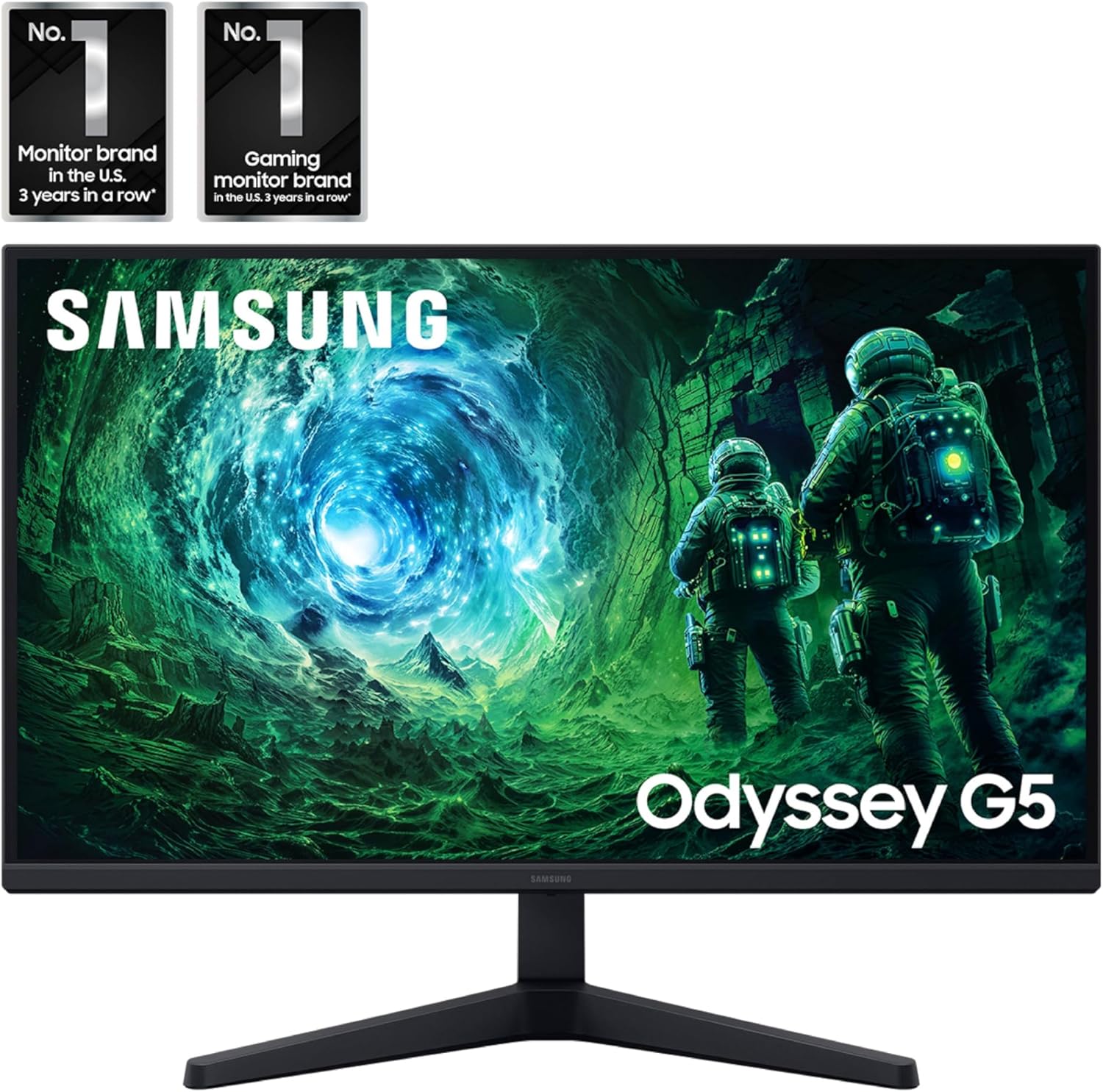
Imagem: Frente view of the Samsung 27" Odyssey G5 G53F QHD Gaming Monitor.
2. O que está na caixa
Upon unboxing your Samsung Odyssey G5 monitor, please ensure all the following components are present:
- Samsung 27" Odyssey G5 G53F QHD Gaming Monitor
- Suporte para monitor (base e braço)
- Cabo de energia
- Cabo HDMI
- Cabo DisplayPort (DP)
- Guia do Usuário / Manual de Instruções
- Mounting Screws (for stand assembly)
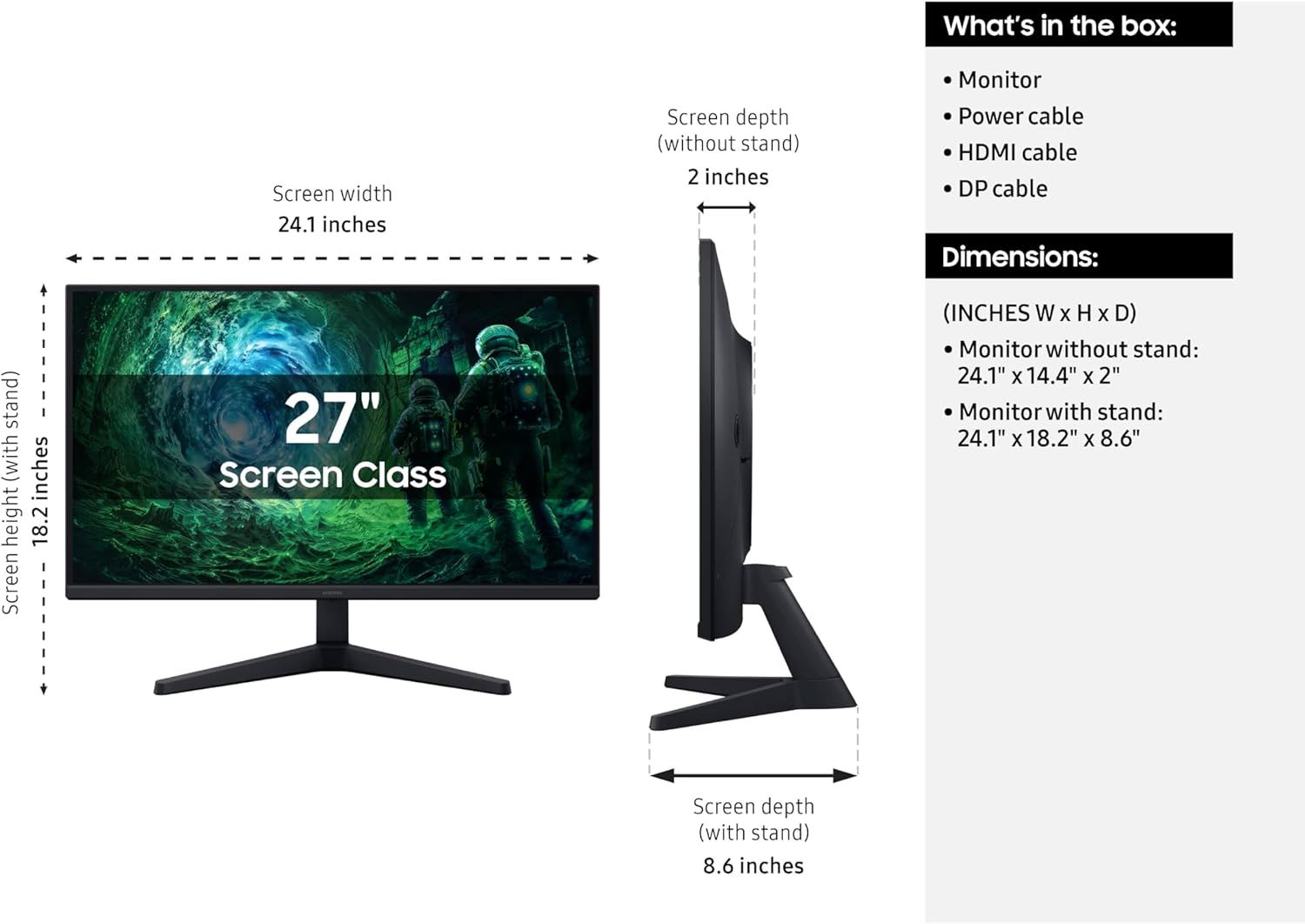
Image: Diagram showing the monitor, stand, and included cables, along with dimensions.
3. Configuração
3.1 Montagem do suporte
- Retire cuidadosamente o monitor e o suporte da embalagem.
- Attach the stand neck to the stand base. Secure it with the provided screw, typically located at the bottom of the base.
- Alinhe o suporte montado com a área de montagem na parte traseira do monitor.
- Gently push the stand into the monitor until it clicks into place. Ensure it is securely fastened.
- Tighten any additional screws if provided, to further secure the stand to the monitor.
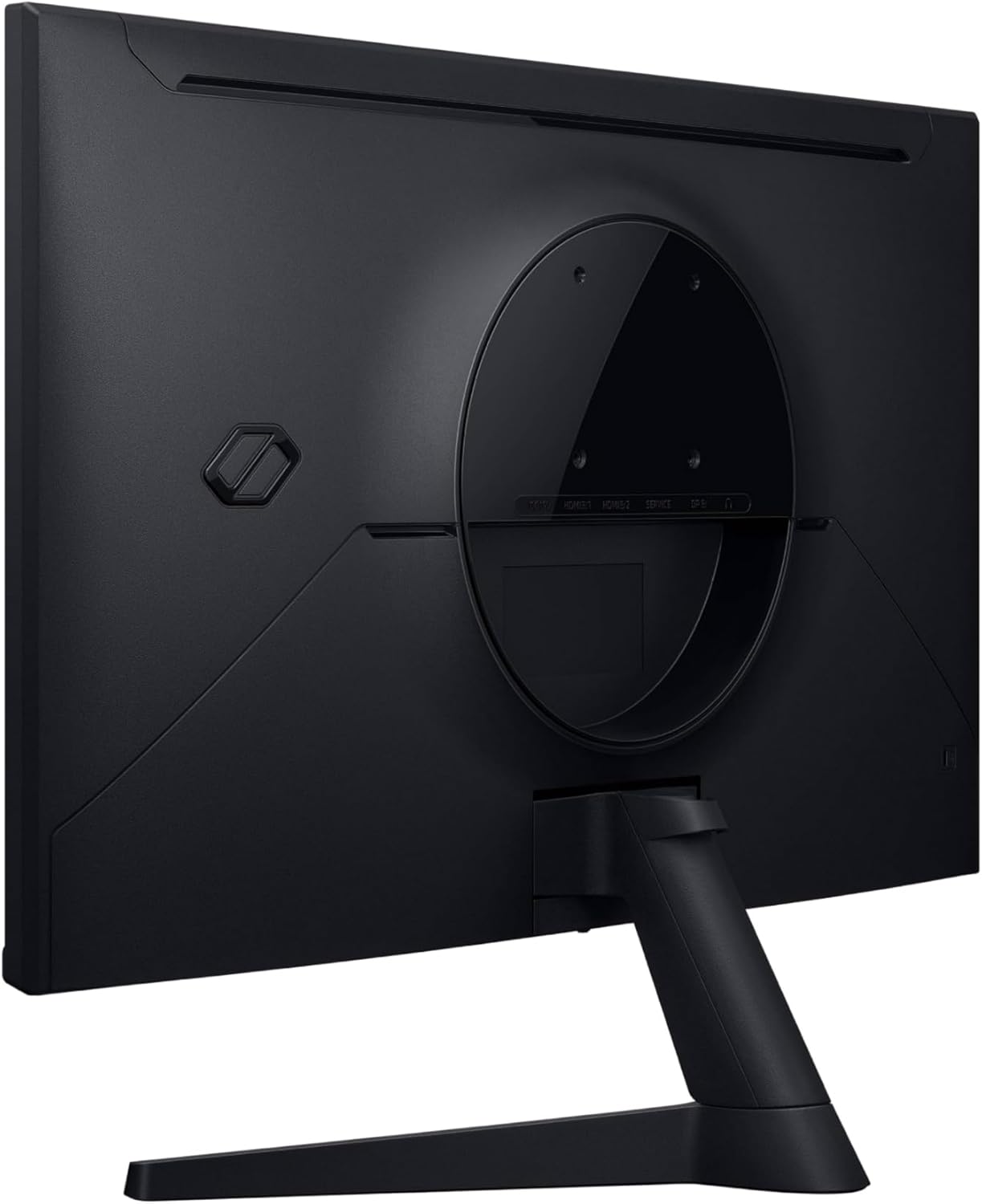
Imagem: Traseira view of the monitor showing the stand attachment point.
3.2 cabos de conexão
Conecte os cabos necessários ao seu monitor e computador/dispositivo.
- Cabo de energia: Connect one end of the power cable to the monitor's power input (DC 19V) and the other end to a power outlet.
- Cabo de vídeo: Connect either an HDMI cable or a DisplayPort (DP) cable from your computer's graphics card to the corresponding input on the monitor (HDMI IN 1, HDMI IN 2, or DP IN). For optimal performance, especially for 200Hz refresh rate and QHD resolution, use the DisplayPort connection.
- Áudio (Opcional): If you are using external speakers or headphones, connect them to the Headphone OUT port on the monitor.
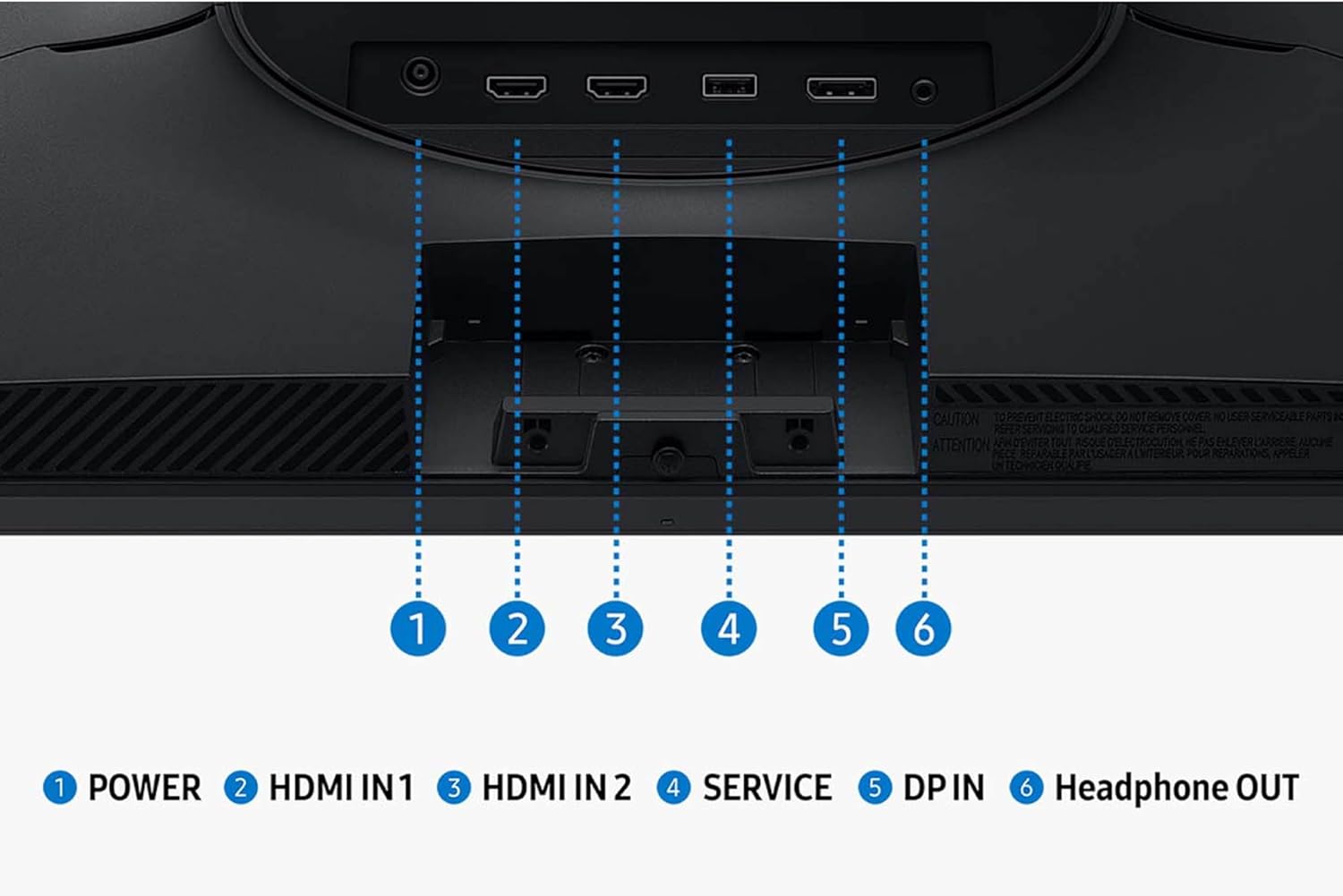
Imagem: Detalhada view das portas de entrada e saída do monitor.
3.3 Inicialização
Once all cables are connected, press the power button on the monitor to turn it on. The monitor should automatically detect the input signal. If not, you may need to manually select the input source using the monitor's OSD (On-Screen Display) menu.
4. Operando o monitor
4.1 Navegação no menu do menu OSD (On-Screen Display)
The monitor's settings can be adjusted using the OSD menu, typically accessed via a joystick or buttons located on the bottom or rear of the monitor. Navigate through the menu options to customize your viewexperiência.
4.2 Principais recursos e configurações
- Resolução QHD (2560x1440): Enjoy incredibly detailed and sharp images with 1.7 times the pixel density of Full HD.
- Taxa de atualização de 200Hz: Experience ultra-smooth gaming with fast reactions and reduced motion blur.
- 1ms Response Time (MPRT): Ensures movements are captured in real-time for precise gaming.
- IPS Panel with 178° Viewângulo de entrada: Consistently delivers precise and radiant colors across various viewpontos.
- AMD FreeSync™ Premium: Reduces choppiness, screen lag, and image tearing during intense gaming sessions. Ensure your graphics card supports AMD FreeSync™ Premium for this feature to function.
- HDR10: Provides brighter highlights and nuanced shadows for added depth, making scenes feel more realistic.
- Equalizador preto: Improves visibility in the deepest shadows, allowing you to spot enemies or details in dark areas.
- Ponto de mira virtual: Increases the accuracy of the player’s aim by displaying crosshairs on the screen.
- Troca automática de fonte+: Allows instantaneous switching between connected devices, automatically detecting and switching to a new signal source.
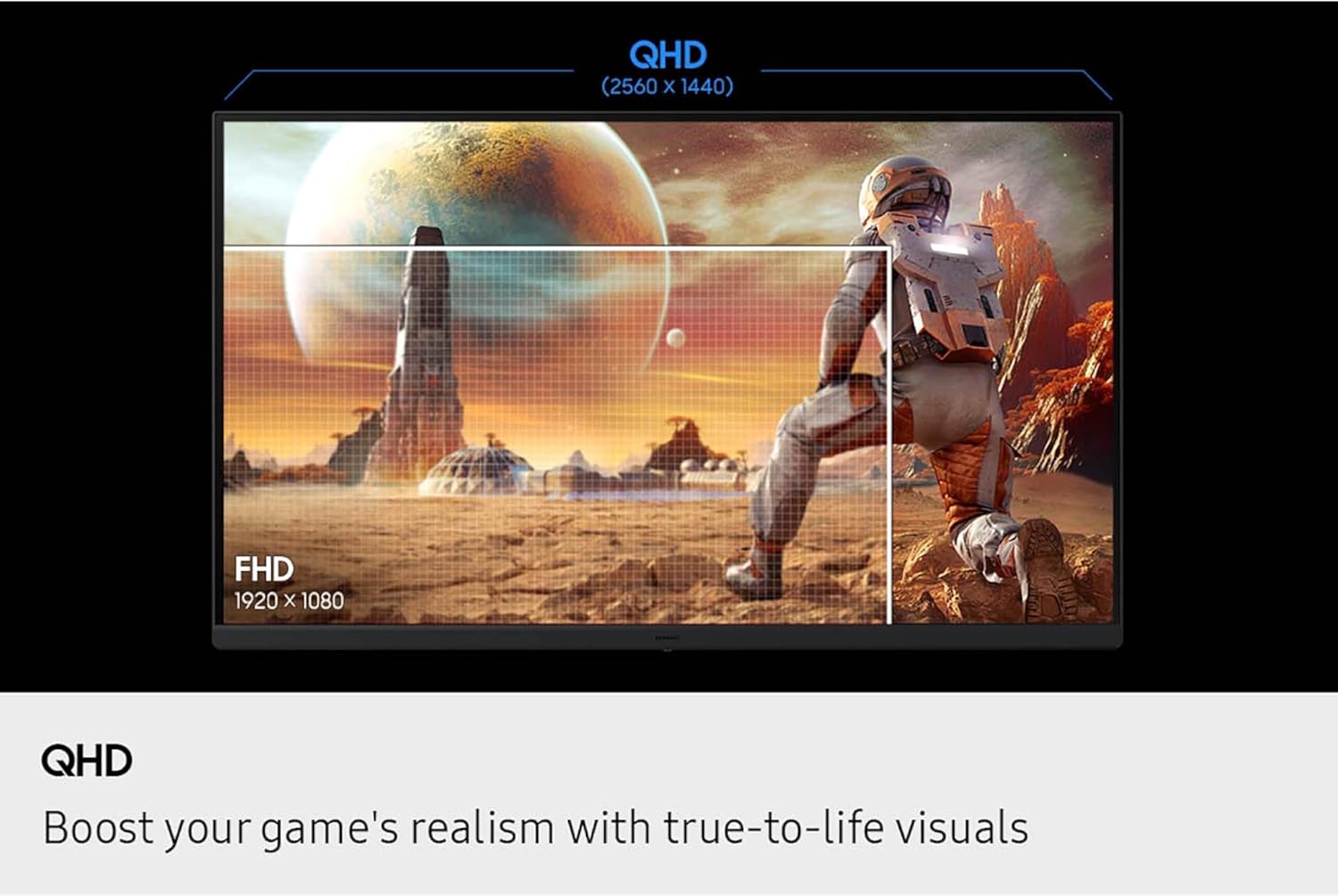
Image: Visual comparison of QHD vs. FHD resolution.

Image: Monitor displaying 200Hz refresh rate for swift and smooth gameplay.

Image: Illustration of the wide 178° viewângulo de inclinação do painel IPS.
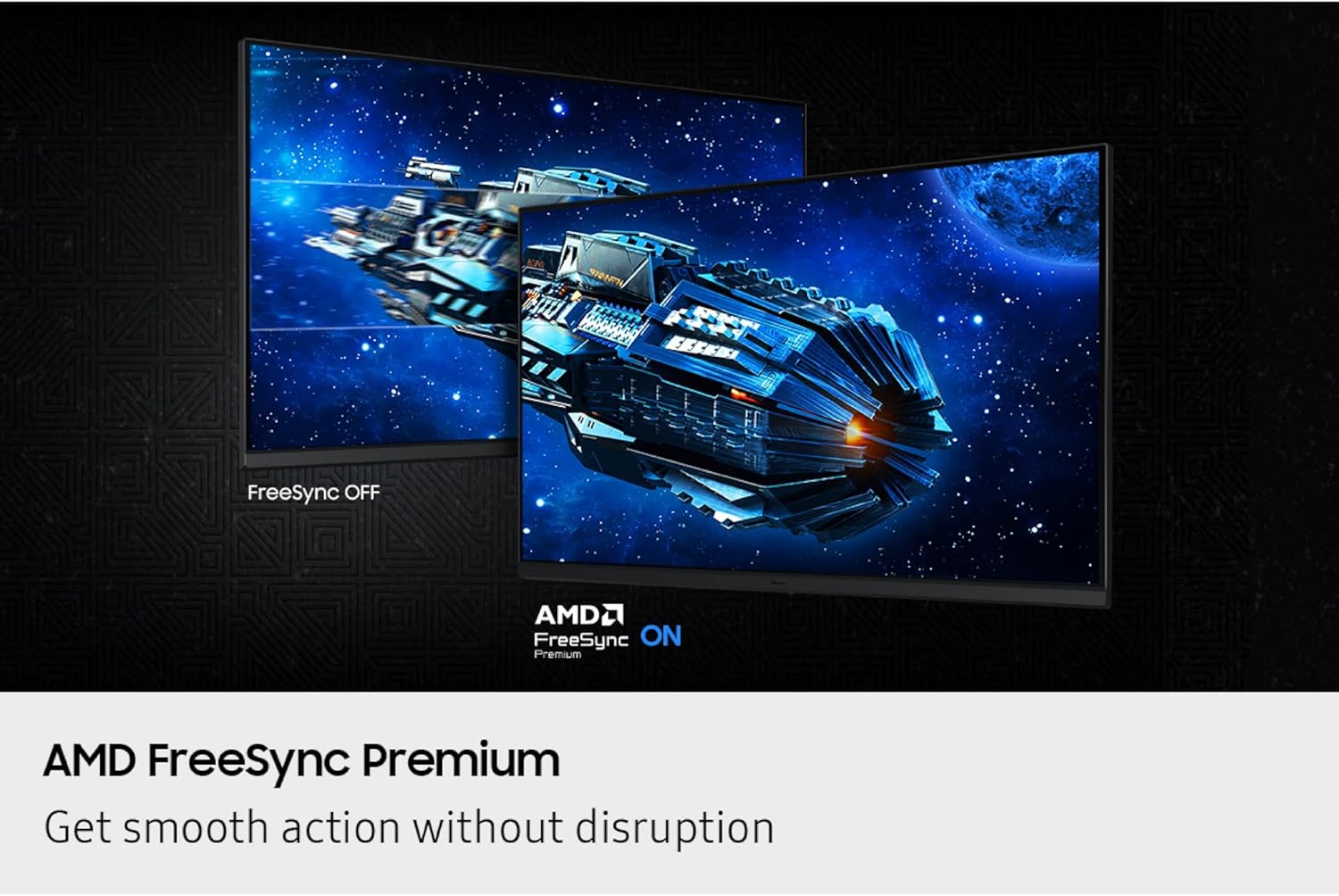
Image: Comparison of FreeSync OFF vs. FreeSync ON, demonstrating smooth action without disruption.
5. Manutenção
Para garantir a longevidade e o desempenho ideal do seu monitor Samsung Odyssey G5, siga estas orientações de manutenção:
- Limpando a tela: Limpe suavemente a tela com um pano macio e sem fiapos. Para manchas persistentes, esfregue levemente.ampen the cloth with water or a screen-safe cleaning solution. Avoid harsh chemicals, abrasive materials, or direct spraying onto the screen.
- Limpando o Casing: Use um pano macio e seco para limpar a tela do monitor.asing.
- Ventilação: Certifique-se de que as aberturas de ventilação do monitor não estejam bloqueadas para evitar superaquecimento.
- Armazenar: When not in use for extended periods, store the monitor in a cool, dry place, ideally in its original packaging to protect it from dust and physical damage.
6. Solução De Problemas
Se você encontrar problemas com seu monitor, consulte as etapas comuns de solução de problemas a seguir:
- Sem energia:
- Verifique se o cabo de alimentação está conectado firmemente ao monitor e à tomada elétrica.
- Certifique-se de que a tomada elétrica esteja funcionando.
- Pressione o botão liga/desliga no monitor.
- No Signal / Blank Screen:
- Verify that the video cable (HDMI or DisplayPort) is securely connected to both the monitor and your computer/device.
- Certifique-se de que a fonte de entrada correta esteja selecionada no menu OSD do monitor.
- Verifique se o seu computador/dispositivo está ligado e emitindo sinal.
- Experimente um cabo de vídeo ou uma porta diferente.
- Problemas de qualidade de imagem (imagem desfocada, distorcida, cores incorretas):
- Ensure the monitor's resolution is set to its native QHD (2560x1440) in your computer's display settings.
- Adjust settings like brightness, contrast, and color balance through the OSD menu.
- Verifique se o cabo de vídeo está danificado ou se há conexões soltas.
- Flickering or Tearing:
- Ensure AMD FreeSync™ Premium is enabled in both the monitor's OSD and your graphics card settings.
- Verifique se os drivers da sua placa de vídeo estão atualizados.
- Check the refresh rate setting in your computer's display settings to ensure it matches the monitor's capabilities (up to 200Hz).
7. Especificações
| Recurso | Detalhe |
|---|---|
| Marca | Samsung |
| Nome do modelo | Odyssey G5 G53F |
| Número do modelo do item | S27FG532EN |
| Tamanho da tela | 27 polegadas |
| Resolução da tela | QHD 2560x1440 Pixels |
| Resolução máxima da tela | 2560 x 1440 pixels |
| Taxa de atualização | 200Hz |
| Tempo de resposta | 1 ms (MPRT) |
| Tipo de painel | IPS |
| Viewângulo de engate | 178° (Horizontal/Vertical) |
| Suporte HDR | HDR10 |
| Tecnologia de sincronização adaptável | AMD FreeSync™ Premium |
| Proporção da tela | 16:9 |
| Superfície da tela | Fosco |
| Cor | Preto |
| Peso do item | 8.59 libras |
| Dimensões do produto (CxLxA) | 8.55 x 24.14 x 18.23 polegadas |
| Conectividade | 2x HDMI, 1x DisplayPort, 1x saída para fone de ouvido |
8. Garantia e suporte
For warranty information, technical support, or service inquiries, please refer to the warranty card included with your product or visit the official Samsung support website. Guarde o recibo de compra como comprovante para solicitações de garantia.
Você pode encontrar suporte e recursos adicionais em Loja Samsung na Amazon.


