Introdução
Thank you for choosing the LogiLink BT0070 BT 6.0 Gaming Headset. This manual provides essential information for the proper setup, operation, and maintenance of your headset. Please read these instructions carefully before using the product to ensure optimal performance and longevity.
The LogiLink BT0070 is a versatile wireless gaming headset designed for clear communication and immersive audio experiences. It features a 360° microphone, comfortable ear pads, an adjustable headband, and a long-lasting battery.
Informações de segurança
- Não exponha os fones de ouvido a temperaturas extremas, umidade ou substâncias corrosivas.
- Evite deixar o fone de ouvido cair ou submetê-lo a impactos fortes.
- Não tente desmontar ou modificar o fone de ouvido. Isso anulará a garantia e poderá causar danos.
- Mantenha o fone de ouvido longe de água e outros líquidos.
- Utilize apenas a tensão de carregamento especificada.tage e atual.
- Ouvir em volumes altos por períodos prolongados pode causar danos à audição. Ajuste o volume para um nível seguro.
Conteúdo da embalagem
Por favor, verifique se a embalagem contém os seguintes itens:
- LogiLink BT0070 Gaming Headset
- Cabo de carregamento USB
- Cabo de áudio AUX 3.5 mm
- Manual do usuário (este documento)
Produto acimaview
Familiarize yourself with the components of your LogiLink BT0070 Gaming Headset.

Imagem: Sobreview of the LogiLink BT0070 headset highlighting its adjustable headband, adjustable microphone, soft memory earmuffs, and flexible design for various head shapes.
- Faixa de cabeça ajustável: Permite um ajuste personalizado e confortável.
- Microfone ajustável: A 360° noise-isolating microphone for clear voice communication.
- Soft Memory Ear Pads: Designed for extended comfort during long gaming sessions.
- Botões de controle: (Specific button functions will be detailed in the Operating section).
- Porta AUX de 3.5 mm: For wired connection to devices.
- Porta de carregamento: Para recarregar a bateria interna.
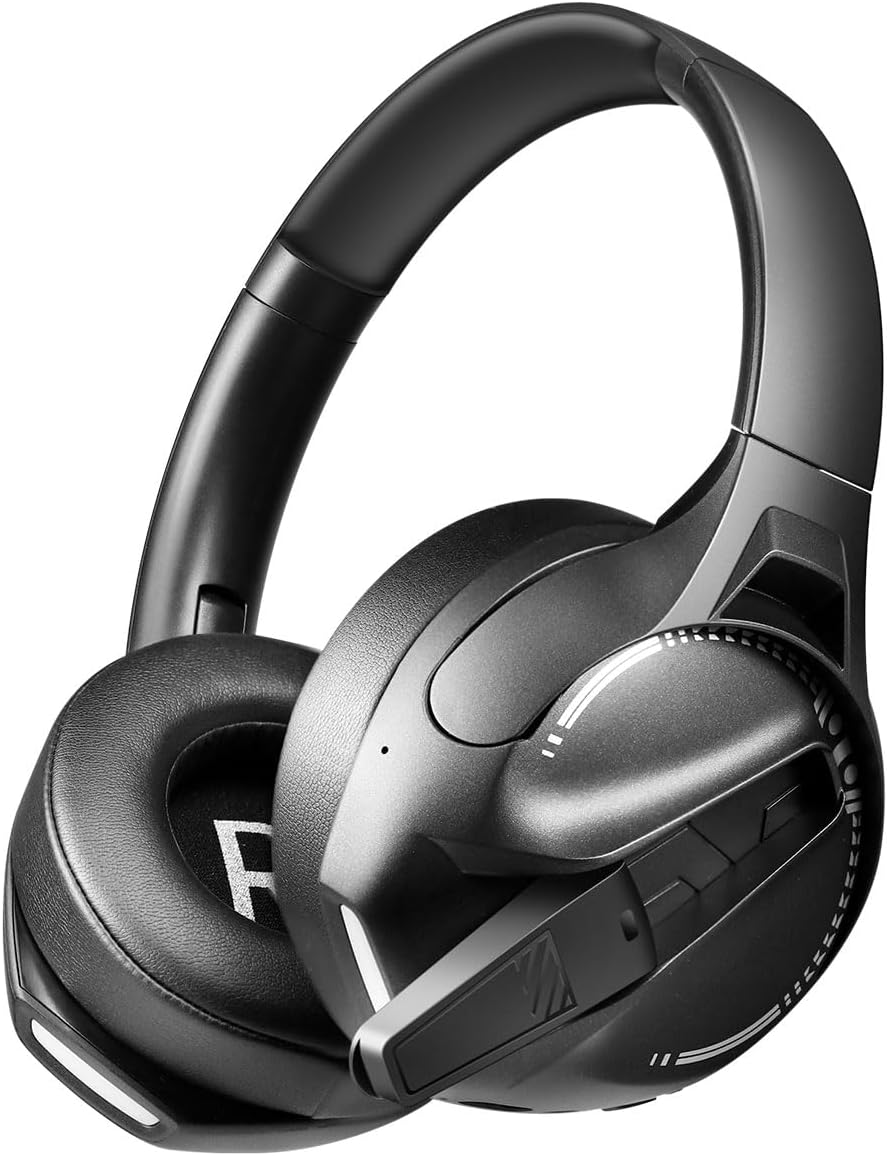
Imagem: Lado view of the LogiLink BT0070 headset, showing the extended microphone arm and ear cup design.

Imagem: Frente view of the LogiLink BT0070 headset, showcasing seu design geral.
Configurar
1. Carregando o fone de ouvido
Before first use, fully charge the headset. Connect the USB charging cable to the headset's charging port and the other end to a compatible USB power source (e.g., computer USB port, USB wall adapter).

Imagem: Illustration of power adapter requirements. Use a 3.0-3.0W power adapter. Note that a power adapter is not included with the headset.
- A full charge typically takes approximately [X] hours (specific time not provided, refer to product packaging or LED indicator).
- The LED indicator on the headset will change color or turn off once charging is complete.
- Ensure the power source provides 3.0-3.0W for optimal charging.
2. Ligar / desligar
- Para ligar: Pressione e mantenha pressionado o botão Liga/Desliga por aproximadamente 3 segundos até que o indicador LED acenda.
- Para desligar: Pressione e mantenha pressionado o botão Liga/Desliga por aproximadamente 5 segundos até que o indicador LED se apague.
3. Emparelhamento Bluetooth
To connect your headset wirelessly to a device:
- Verifique se o fone de ouvido está desligado.
- Press and hold the Power button for approximately 5-7 seconds until the LED indicator flashes rapidly (usually blue and red), indicating pairing mode.
- On your device (smartphone, laptop, etc.), enable Bluetooth and search for new devices.
- Select "LogiLink BT0070" from the list of available devices.
- Once paired, the LED indicator on the headset will typically flash slowly or turn solid blue.
4. Wired Connection (3.5mm AUX)
For a wired connection, use the included 3.5mm AUX audio cable:
- Plug one end of the 3.5mm audio cable into the AUX port on the headset.
- Conecte a outra extremidade na entrada de áudio de 3.5 mm do seu dispositivo.
- The headset will operate in passive mode, drawing no power from its battery.
5. Ajuste de ajuste
For optimal comfort and sound quality, adjust the headset to fit your head:
- Extend or retract the adjustable headband until the ear cups comfortably cover your ears.
- Ensure the soft memory ear pads create a good seal around your ears.
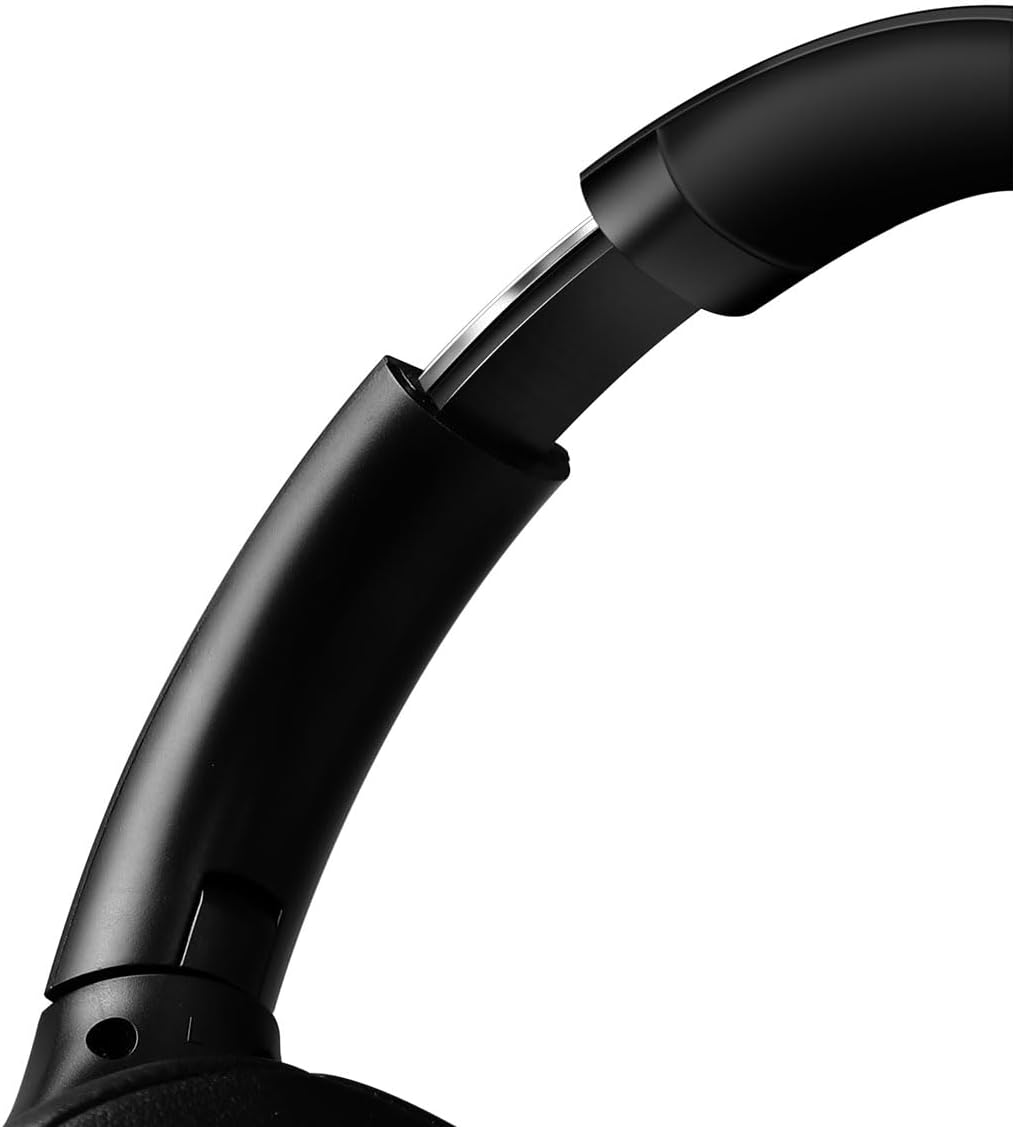
Imagem: Fechar-se view of the adjustable headband mechanism, demonstrating how to customize the fit.
Operando o fone de ouvido
1. Controles Básicos
The headset features intuitive controls, typically located on the ear cups:
- Botão de energia: Press and hold to power on/off. Short press for [X function, e.g., play/pause, answer call - specifics not provided, common functions listed].
- Aumentar o volume / próxima faixa: Pressione rapidamente para aumentar o volume. Pressione e segure para a próxima faixa.
- Diminuir o volume / faixa anterior: Pressione rapidamente para diminuir o volume. Pressione e segure para voltar à faixa anterior.
- Botão multifuncional (MFB): (Often combined with Power button) Single press to Play/Pause music or Answer/End calls. Double press to Redial last number.
2. Uso do microfone
The integrated 360° noise-isolating microphone is designed for clear communication.
- Ajustando o microfone: Posicione o microfone próximo à boca para obter a melhor captação de voz.
- Silenciar/Ativar som: (Specific button for mute not provided, common methods listed) Look for a dedicated mute button on the headset or use your device's software controls.
3. Cancelamento Ativo de Ruído (ANC)
The headset features Active Noise Cancellation to reduce ambient noise.
- Ativando o ANC: (Specific button for ANC not provided, common methods listed) Look for a dedicated ANC button or a combination press on existing buttons.
- When ANC is active, you may notice a slight change in audio characteristics.

Imagem: Users experiencing immersive audio with the LogiLink BT0070 headset, emphasizing its 3D surround sound capabilities for gaming.
Manutenção
1. Limpeza
- Wipe the headset with a soft, dry, lint-free cloth.
- Não utilize produtos de limpeza abrasivos, álcool ou solventes químicos.
- Clean the ear pads gently to remove any buildup.
2. Armazenamento
- Guarde o fone de ouvido em local fresco e seco, longe da luz solar direta e de temperaturas extremas.
- Se for armazenar a bateria por um período prolongado, certifique-se de que ela esteja parcialmente carregada (em torno de 50%) para preservar sua vida útil.

Imagem: The LogiLink BT0070 headset shown in a folded configuration, suitable for compact storage or transport.
3. Cuidados com a bateria
- Evite descarregar completamente a bateria com frequência.
- Carregue os fones de ouvido regularmente, mesmo quando não estiverem em uso, para manter a saúde da bateria.
Solução de problemas
Se você tiver problemas com seu fone de ouvido, consulte os problemas e soluções comuns a seguir:
| Problema | Solução possível |
|---|---|
| O fone de ouvido não liga. | Ensure the headset is fully charged. Press and hold the Power button for the required duration. |
| Não foi possível emparelhar via Bluetooth. | Ensure the headset is in pairing mode (rapidly flashing LED). Turn off and on your device's Bluetooth. Move closer to the device. Clear previous Bluetooth connections on your device. |
| Sem som ou volume muito baixo. | Check headset and device volume levels. Ensure the headset is properly connected (Bluetooth or AUX). For Bluetooth, check audio output settings on your device. |
| O microfone não está funcionando. | Ensure the microphone is not muted. Check microphone input settings on your device. Ensure the microphone is positioned correctly. |
| A qualidade do som é ruim. | Ensure the headset is within Bluetooth range. Check for interference from other wireless devices. For wired connection, ensure the 3.5mm cable is fully inserted. |
Especificações
Key technical specifications for the LogiLink BT0070 Gaming Headset:
| Recurso | Detalhe |
|---|---|
| Modelo | BT0070 |
| Tecnologia de Conectividade | Bluetooth 6.0, entrada auxiliar de 3.5 mm |
| Comunicação sem fio | Bluetooth |
| Tipo headset | Sobre a orelha |
| Diâmetro do driver | 40 milímetros |
| Impedância | 32 Ohms |
| Microfone | 360° Noise-isolating, Omnidirectional |
| Controle de Ruído | Cancelamento de ruído ativo |
| Duração da bateria | Até 50 horas |
| Cor | Preto |
| Peso do item | 500 gramas |
| Dimensões do produto | 16.8 x 17.8 x 7.5 cm |
| Compatível com | Smartphone & Laptop |
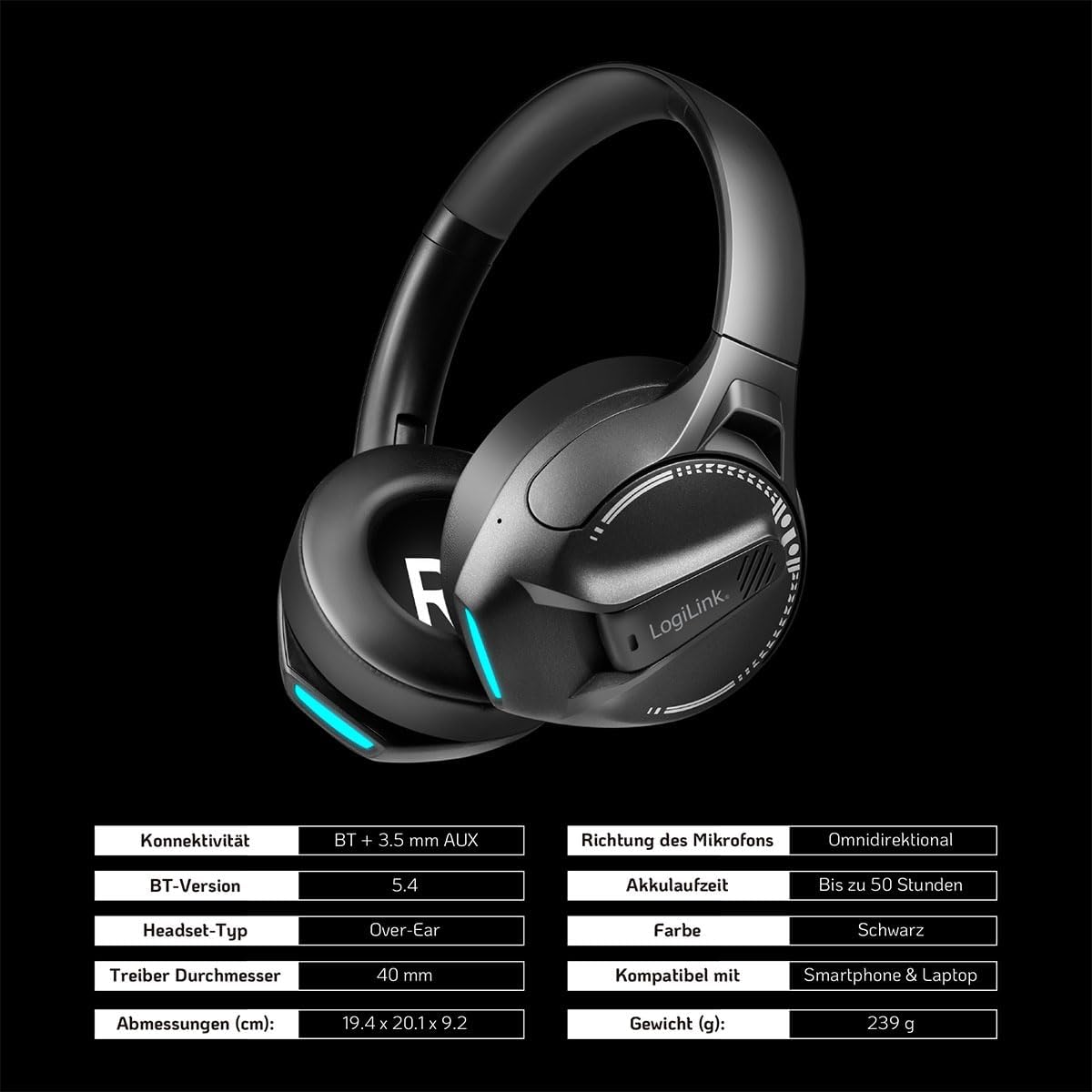
Imagem: Visual representation of key specifications for the LogiLink BT0070 headset, including connectivity, battery life, and dimensions. Note: The image lists Bluetooth version 5.4, while the product title specifies 6.0.
Garantia e Suporte
LogiLink products are designed and manufactured to the highest quality standards. For warranty information and technical support, please refer to the warranty card included with your product or visit the official LogiLink website.
Guarde o comprovante de compra para reclamações de garantia.


