1. Introdução
This manual provides instructions for the KODAK 10.1-inch Digital Photo Frame, Model 1028c. Please read this manual thoroughly before using the device to ensure proper operation and to maximize your experience. This digital photo frame is designed to display photos and videos without requiring a Wi-Fi connection, offering a simple and direct way to enjoy your digital memories.
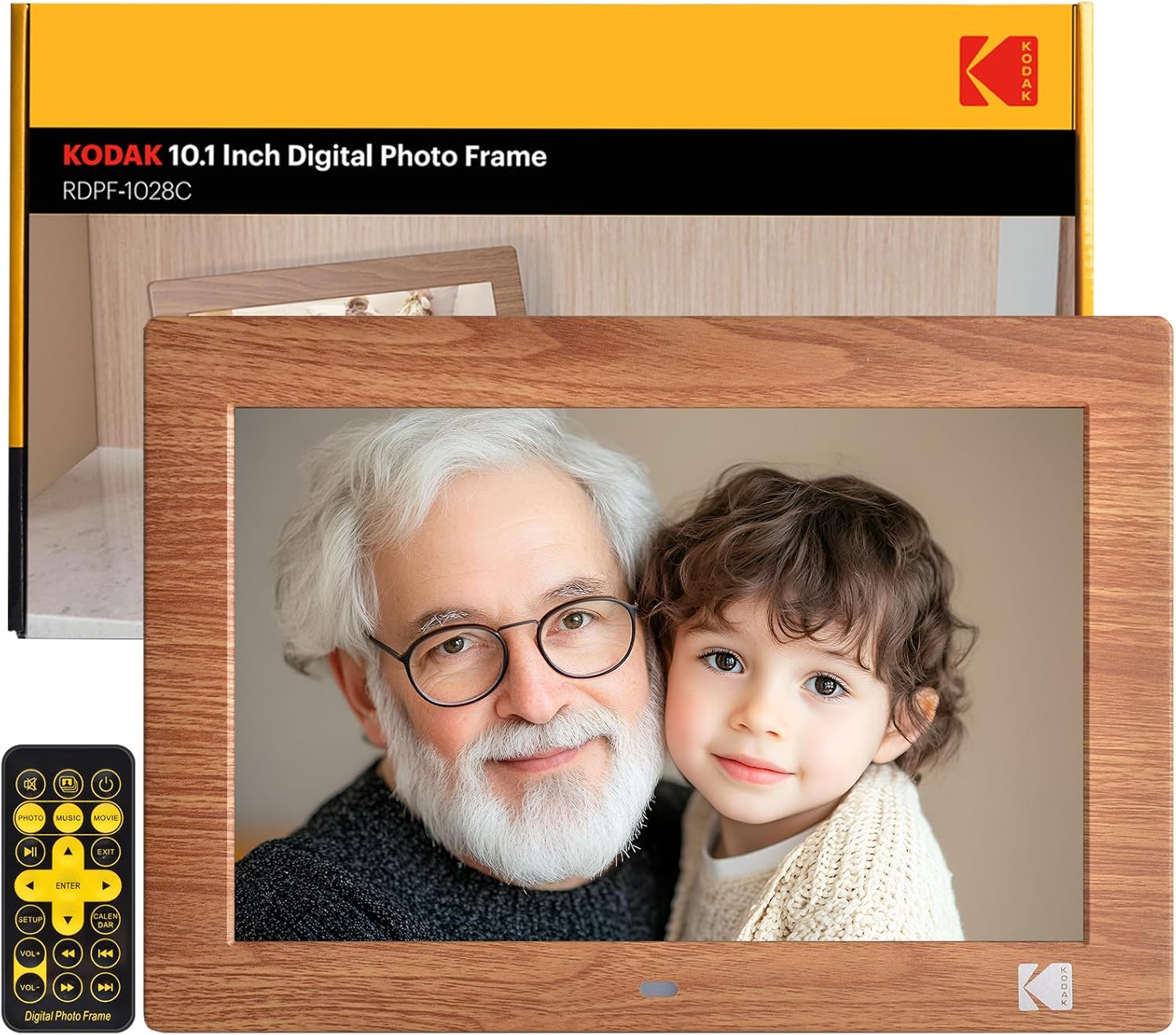
Image: The KODAK 10.1-inch Digital Photo Frame showcasing its vibrant display with a family photo.
2. Produto acabadoview
2.1 Principais Características
- 10.1-inch HD IPS Display: Features a 1280x800 resolution screen with a 16:10 aspect ratio and 178° ultra-wide viewing angle for clear images.
- Não é necessário Wi-Fi: Operates independently without internet connection or app downloads.
- Operação fácil de usar: Simple plug-and-play functionality with USB drives or SD cards (up to 256GB). Includes a remote control for easy navigation.
- Multifuncional: Supports photo, video, and music playback. Includes calendar, clock, and alarm functions.
- Ligar/desligar automático: Programmable power schedule for convenience.
- Colocação flexível: Supports horizontal or vertical orientation with auto-rotation, and can be wall-mounted.

Image: Visual representation of the frame's display specifications.
2.2 Conteúdo da embalagem
Verifique se todos os itens estão presentes na embalagem:
- KODAK 10.1-inch Digital Photo Frame
- Controle remoto
- Suporte para porta-retratos
- Manual do usuário (este documento)
- Cabo de alimentação CC

Imagem: Todos os componentes incluídos na embalagem do produto.
2.3 Interfaces de dispositivos
The frame is equipped with multiple ports for connectivity:
- Slot para cartão SD: Suporta cartões SD de até 256 GB.
- Porta USB: For connecting USB flash drives up to 256GB.
- Tomada de fone de ouvido de 3.5 mm: Para saída de áudio.
- Conector de alimentação CC: Para conectar o adaptador de energia.

Imagem: Detalhada view of the various ports and interfaces on the back of the digital photo frame.
3. Configuração
3.1 Inicialização
- Connect the DC power cable to the DC power connector on the back of the frame.
- Conecte o adaptador de energia a uma tomada de parede.
- The frame will automatically power on. If not, press the power button on the back of the frame or on the remote control.
3.2 Inserting Storage Devices
To display photos and videos:
- Insert a USB flash drive or SD card (pre-loaded with your media files) into the corresponding port on the frame.
- Ensure the storage device is formatted to a compatible file sistema (ex.: FAT32, exFAT).
- The frame will automatically detect the device and begin playing media.
Image: Demonstrating the simple process of inserting an SD card and USB drive into the frame.
3.3 Frame Placement
The frame can be placed horizontally or vertically, and supports wall mounting:
- Colocação da área de trabalho: Attach the included photo frame stand to the designated slot on the back for stable desktop use.
- Montagem na parede: Use the wall hanging hole on the back of the frame. Ensure appropriate wall anchors and screws are used (not included). The frame features auto-rotation to adjust orientation based on gravity sensing.

Image: Details of the frame's stand and wall mounting options, with examples of display orientation.
4. Instruções de operação
4.1 Usando o controle remoto
The included remote control provides full functionality for navigating menus and controlling playback.

Image: Illustrating the use of the remote control for convenient operation.
4.2 Reprodução de mídia
- Fotos: The frame supports JPG, BMP, PNG, GIF, and WEBP formats. Photos will display in a slideshow format.
- Vídeos: The frame supports MP4, MKV, MOV, and AVI formats.
- Música: The frame supports MP3, WMA, OGG, AAC, and FLAC formats. Music can be played as background audio during photo slideshows.
Use the remote control to navigate through files, adjust volume, and control playback (play, pause, next, previous).
4.3 Multifunction Features
Beyond media display, the frame offers additional utilities:
- Calendar & Clock: Exibe a data e hora atuais.
- Alarme: Defina alarmes para lembretes.
Image: The frame's versatility, showing calendar, automatic on/off, and media playback.
4.4 Ligar/Desligar automático
You can program the frame to turn on and off at specific times:
- Acesse o menu de configurações usando o controle remoto.
- Navigate to the 'Auto On/Off' option.
- Set your desired power-on and power-off times.
Image: Demonstrating the automatic on/off scheduling feature for convenient use.
5. Manutenção
- Limpando a tela: Use um pano macio e sem fiapos para limpar suavemente a tela. Para manchas persistentes, esfregue levemente.ampLimpe o pano com água ou uma solução de limpeza de telas. Evite produtos químicos agressivos.
- Limpando a moldura: Limpe a parte externa da moldura com um pano seco e macio.
- Armazenar: When not in use for extended periods, disconnect the power adapter and store the frame in a cool, dry place.
- Evite líquidos: Do not expose the frame to water or excessive moisture.
6. Solução De Problemas
| Problema | Possível causa | Solução |
|---|---|---|
| O frame não liga. | Cabo de alimentação mal conectado; problema na tomada. | Ensure power cable is securely connected to both the frame and the outlet. Test the outlet with another device. |
| No pictures or videos displayed. | Storage device not inserted; incompatible file formato; corrompido files. | Ensure SD card or USB drive is correctly inserted. Verify media files are in supported formats (JPG, MP4, etc.). Try another storage device or reformat the current one. |
| Frame shuts off unexpectedly. | Automatic On/Off schedule enabled; power supply issue. | Check the 'Automatic On/Off' settings in the menu. Ensure the power adapter is functioning correctly and providing stable power. |
| O controle remoto não funciona. | Baterias descarregadas; obstrução; controle remoto fora de alcance. | Replace remote control batteries. Ensure no obstructions between the remote and the frame's IR receiver. Operate within a reasonable range. |
| Some photos not displaying. | Incompatível file format (e.g., PNG not recognized); file corrupção. | Ensure all photos are in supported formats like JPG. Convert problematic files se necessário. |
7. Especificações
- Dimensões do produto: 8 x 10 x 0.99 polegadas
- Peso do item: 2.12 libras
- Número do modelo: 1028c
- Marca: KODAK
- Tamanho da tela: 10.1 polegadas
- Resolução: 1280 x 800 (WXGA)
- Proporção da tela: 16:10
- Viewângulo de entrada: 178° IPS
- Dispositivos compatíveis: Personal Computer, SD Card, USB Flash Drive
- Formatos de fotos suportados: JPG, BMP, PNG, GIF, WEBP
- Formatos de vídeo suportados: MP4, MKV, MOV, AVI
- Formatos de música suportados: MP3, WMA, OGG, AAC, FLAC
- Suporte de Armazenamento: SD Card (up to 256GB), USB Flash Drive (up to 256GB)
8. Garantia e Suporte
KODAK provides professional technical support and after-sales service for this product. For assistance, please refer to the contact information provided with your purchase or visit the official KODAK support website.
8.1 Vídeos de Produtos
For visual guidance on setup and features, please refer to the following official product videos:
Vídeo: Geral sobreview and features of the KODAK Digital Photo Frame.
Video: Detailed demonstration of the frame's functionalities.
Video: Vertical orientation display and usage examples.
Video: Quick guide to setting up and using the frame.
Video: Exploring the various display modes and settings.
Video: Tips for optimizing your photo and video display.
Video: Comprehensive guide to all features and controls.
Video: Extended tutorial on advanced settings and customization.
Video: Short demonstration of key features in vertical mode.
Vídeo: Rápidoview of the frame's user interface.


