Introdução
This manual provides essential information for setting up, operating, and maintaining your Apple Watch Series 11 GPS + Cellular 42mm. Please read these instructions carefully to ensure proper use and to maximize the device's capabilities.
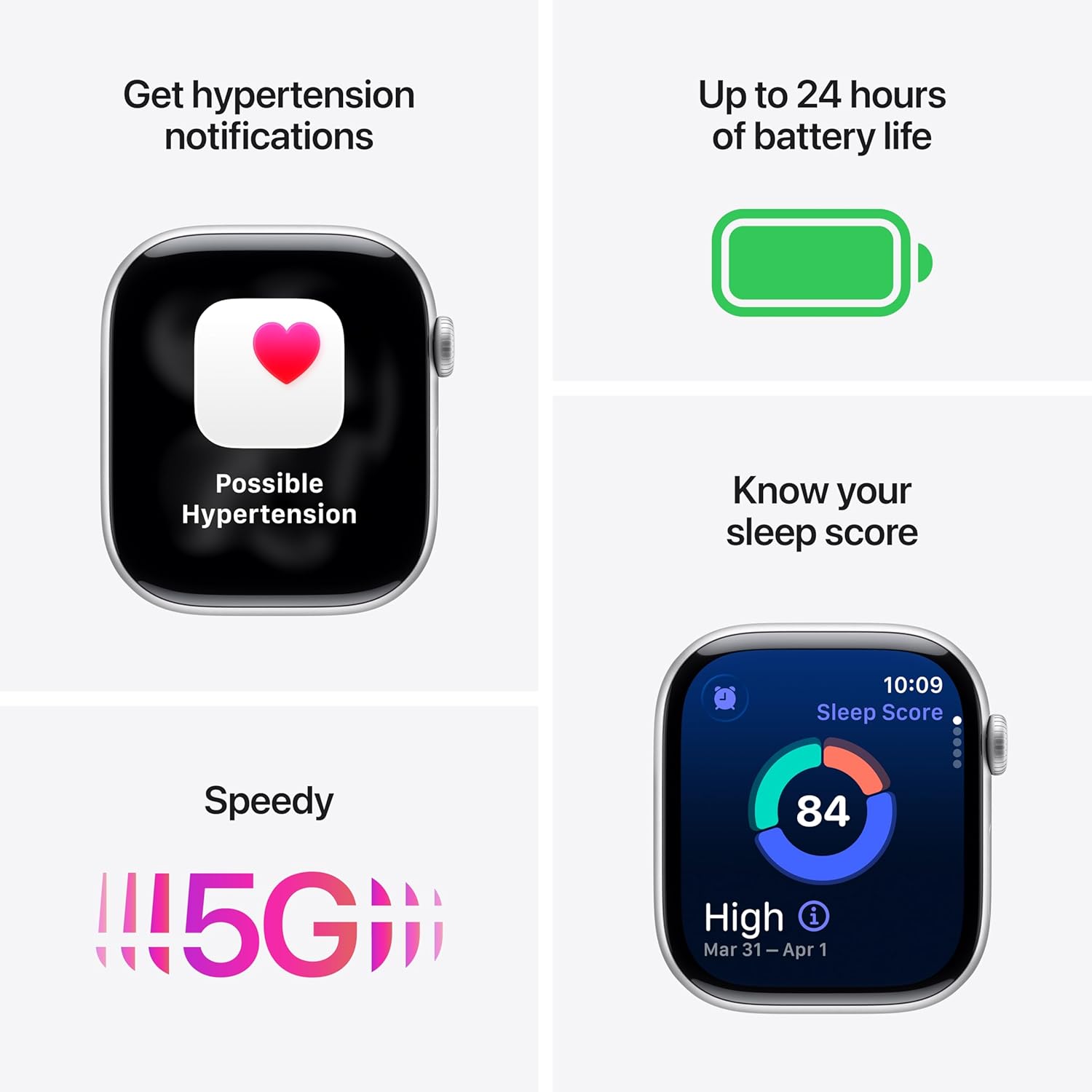
Image: The Apple Watch Series 11, showcasing its design with a Natural Titanium Case and Natural Milanese Loop band.
O que está na caixa
Verifique se todos os itens estão presentes na embalagem:
- Apple Watch Series 11 GPS + Cellular 42mm Natural Titanium Case
- Natural Milanese Loop
- Cabo de carregamento magnético de 1 m

Image: A visual representation of the Apple Watch Series 11, its Milanese Loop band, and the USB-C Magnetic Fast Charging Cable, as found in the product box.
Configurar
- Carregue seu Apple Watch: Connect the magnetic charging cable to the back of your Apple Watch and plug the USB-C end into a power adapter (sold separately) or a USB-C port. Allow the watch to charge until it powers on.
- Pair with iPhone: Ensure your iPhone is updated to the latest iOS version and has Bluetooth enabled. Open the Apple Watch app on your iPhone. Follow the on-screen instructions to pair your watch. Position your iPhone so the Apple Watch appears in the viewlocalizador.
- Set Up Cellular (GPS + Cellular models): During the pairing process, you will be prompted to set up cellular service. This requires an active cellular plan with a compatible carrier. Follow the steps provided by your carrier.
- Personalize as configurações: Personalize your watch settings, including passcode, Apple Pay, and app preferences.
Operando o dispositivo
Monitoramento de Saúde
The Apple Watch Series 11 offers advanced health tracking capabilities:
- Hypertension Notifications: The watch can detect signs of chronic high blood pressure and provide notifications.
- Pontuação do sono: Track and understand your sleep quality with detailed sleep scores.
- Aplicativo de ECG: Take an electrocardiogram (ECG) at any time to record your heart's electrical activity.
- Monitorização da frequência cardíaca: Receive notifications for high, low, or irregular heart rhythms.
- Blood Oxygen App: Meça seus níveis de oxigênio no sangue.
- Aplicativo Vitals: View overnight health metrics for comprehensive insights.
- Notificações de apneia do sono: Receive alerts for possible sleep apnea events.

Image: The Apple Watch Series 11 screen showing current heart rate and an overview of overnight vitals, illustrating its health monitoring features.
Monitoramento de condicionamento físico
Utilize the watch for comprehensive fitness tracking:
- Anéis de atividade: Track your daily movement, exercise, and standing goals.
- Aplicativo de treino: Access advanced metrics for various workouts, including Pacer, Heart Rate Zones, and training load.
- Workout Buddy: Connect with Apple Intelligence on your iPhone for enhanced workout support.

Image: The Apple Watch Series 11 displaying activity rings on one screen and an active 'Outdoor Run' workout on another, highlighting its fitness tracking capabilities.
Conectividade
Stay connected with your Apple Watch:
- 5G and LTE: Make calls, send texts, download music, and access emergency services without your iPhone nearby.
- Wi-Fi e Bluetooth: Connect to wireless networks and accessories.

Image: A person wearing the Apple Watch Series 11, with text indicating "A 5G leap in connectivity," demonstrating its advanced cellular capabilities.
Características de segurança
The watch includes features designed for your safety:
- Detecção de queda: Automatically detects hard falls and can initiate a call to emergency services.
- Detecção de colisões: Can detect severe car crashes and connect you with emergency services.
- SOS de emergência: Press and hold the side button to quickly contact emergency services.
- Check-in: Automatically notifies a loved one when you arrive at your destination.
Controles
- Coroa Digital: Navigate menus, zoom, and scroll with haptic feedback.
- Botão lateral: Access the Dock, Apple Pay, and Emergency SOS.
- Double Tap and Wrist Flick Gesture: Interact with the watch using simple hand movements.
- Siri: Use voice commands for various tasks with on-device processing.
Duração da bateria e carregamento
The Apple Watch Series 11 is designed for extended use:
- Uso normal: Até 24 horas de duração da bateria.
- Modo de baixo consumo: Até 38 horas de duração da bateria.
- Fast-Charge Capable: Achieve up to 80% charge in approximately 30 minutes.
- Quick Charge for Short Use: 15 minutes of charging provides up to 8 hours of normal use, or 5 minutes for up to 8 hours of sleep tracking.
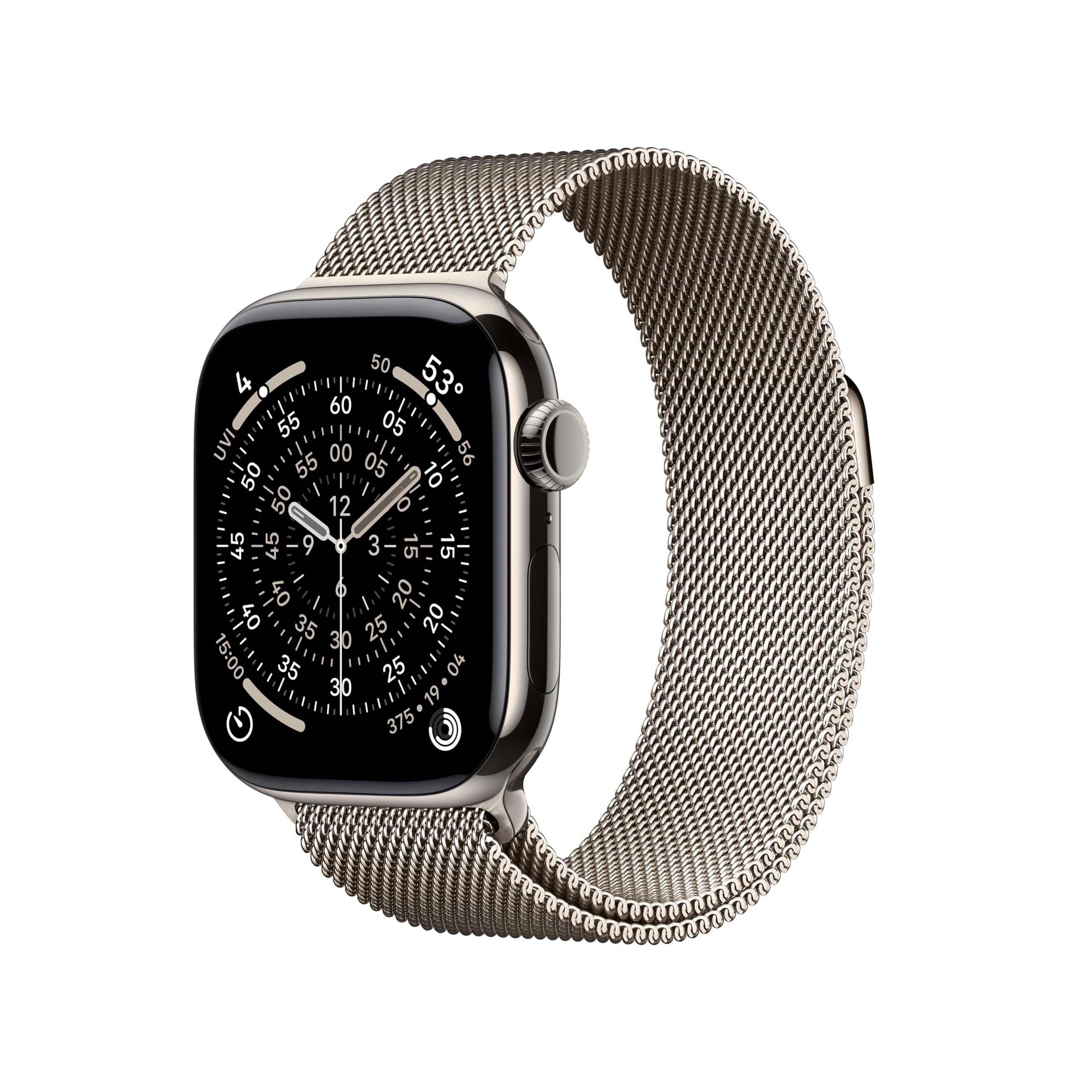
Image: A composite image highlighting key features of the Apple Watch Series 11, including hypertension notifications, up to 24 hours of battery life, sleep score display, and 5G connectivity.
Durabilidade e cuidados
Your Apple Watch Series 11 is built for resilience:
- Resistência à água: Resistente à água até 50 metros, adequado para natação.
- Resistência à poeira: IP6X dust resistant.
- Display Durability: Features a superdurable glass display that is 2x more scratch resistant than Series 10. Titanium cases include a sapphire front crystal.
Instruções de cuidados:
- Clean your watch regularly with a soft, lint-free cloth.
- Evite expor o relógio a temperaturas extremas ou a produtos químicos agressivos.
- Seque bem o relógio após o contato com a água.
Solução de problemas
If you encounter issues with your Apple Watch, consider the following steps:
- Reinicie seu relógio: Press and hold the side button until the power off slider appears, then drag the slider. To turn it back on, press and hold the side button again until you see the Apple logo.
- Verifique as conexões: Ensure your Apple Watch is properly paired with your iPhone and that Bluetooth and Wi-Fi are enabled. For cellular models, verify your cellular plan is active.
- Atualizar software: Certifique-se de que tanto o seu Apple Watch quanto o seu iPhone estejam executando as versões mais recentes do software.
- Redefinir configurações: If problems persist, you may need to reset your Apple Watch settings via the Apple Watch app on your iPhone.
- Entre em contato com o suporte: For further assistance, visit the official Apple Support website ou entre em contato com o atendimento ao cliente da Apple.
Especificações
| Dimensões do produto | 9.4 x 3 x 1.2 polegadas |
| Peso do item | 1.28 onças |
| Fabricante | Maçã |
| Número do modelo do item | MF8P4LW/A |
| Sistema operacional | watchOS |
| Capacidade de armazenamento de memória | 64 GB |
| Características especiais | Monitor de atividades, tela sempre ativa, monitoramento de ciclo menstrual, GPS, monitor de frequência cardíaca |
| Capacidade da bateria | 327 Miliamp Horas |
| Tecnologia de Conectividade | 5G and LTE, GPS + Cellular |
| Padrão de comunicação sem fio | 802.11a/g/n/ac, Bluetooth |
| GPS | GPS integrado |
| Forma | Retangular |
| Tamanho da tela | 42 milímetros |
| Material | Alumínio ou titânio |
| Dimensions (42mm) | Altura: 42mm, Largura: 36mm, Profundidade: 9.7mm |
| Case Weight (Titanium) | 34.6g |
| Mostrar | Always-On Retina display, up to 2,000 nits brightness, 326 pixels per inch |
| Lasca | S10 SiP with 64-bit dual-core processor, 4-core Apple Neural Engine |
| Sensores | Electrical heart sensor, Optical heart sensor, Blood oxygen sensor, Temperature sensor, Compass, Altimeter, Gyroscope, Accelerometer, Ambient light sensor, Depth gauge, Water temperature sensor |
| Durabilidade | Water resistance 50m (swimproof), Dust Resistance IP6X |
Garantia e Suporte
Your Apple Watch Series 11 is covered by Apple's standard limited warranty. For detailed warranty information, technical support, service options, and additional resources, please visit the official Apple Support website:
You can also find information regarding AppleCare+ for extended coverage and accidental damage protection.