1. Produto acabadoview
The NICGIGA 16 Port 2.5Gb Ethernet Switch (Model S25-1600) is an unmanaged network switch designed to expand your network capacity with high-speed 2.5 Gigabit Ethernet ports. It features a fanless metal design for quiet operation and efficient heat dissipation, supporting both desktop and 19-inch rack mounting. This plug-and-play device requires no software configuration, making it suitable for home and small office environments requiring enhanced network performance.
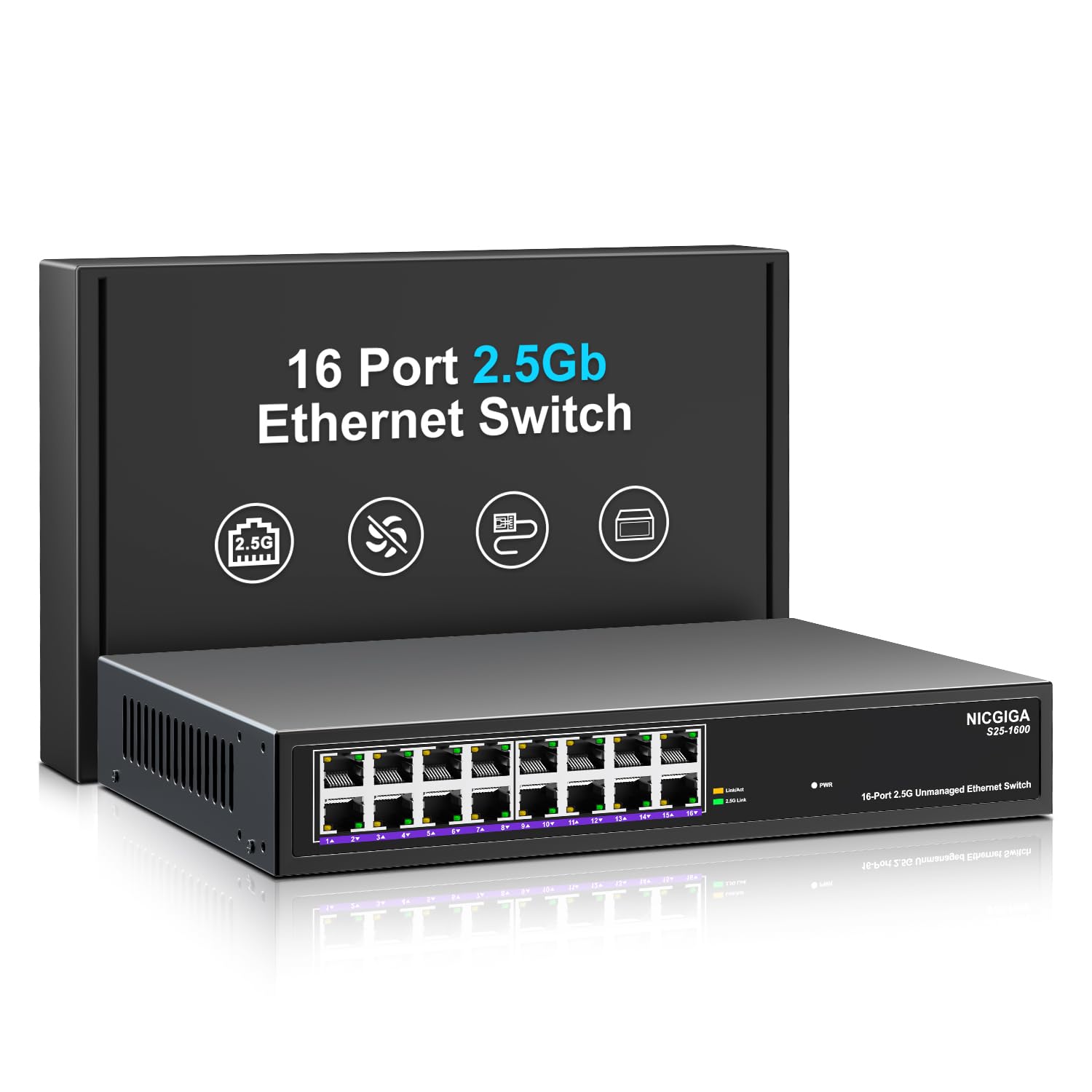
Figura 1: Frente view of the NICGIGA S25-1600 switch, highlighting the 16 RJ45 ports and LED indicators for power and link status.
2. Conteúdo da embalagem
Verifique se os seguintes itens estão incluídos em seu pacote:
- NICGIGA 16 Port 2.5Gb Ethernet Switch (Model S25-1600)
- Adaptador de energia
- Kit de montagem em rack (se aplicável)
- Manual do usuário (este documento)
3. Recursos do Produto
- 16 portas RJ45 de 2.5 Gbps: Provides high-speed connectivity for multiple devices.
- Capacidade de comutação de 80 Gbps: Ensures high-performance data transfer without bottlenecks.
- Auto-Negociação: Automatically detects and adjusts to optimal link speeds (100Mbps, 1Gbps, 2.5Gbps) for connected devices.
- Conecte e use: No software or configuration required for immediate use.
- Fanless Metal Design: Offers silent operation and robust heat dissipation.
- Desktop or 19-inch Rack Mount: Opções de instalação flexíveis.
- Proteção contra raios de 4KV: Aumenta a durabilidade do dispositivo contra surtos elétricos.
- MDI/MDIX automático: Elimina a necessidade de cabos crossover.
- Encaminhamento de dados sem bloqueio: Ensures full wire-speed throughput on all ports simultaneously.

Figure 2: Key features of the NICGIGA S25-1600 switch, including its 2.5Gbps ports, rack-mountable design, fanless operation, plug-and-play functionality, metal casing e proteção contra raios de 4KV.
4. Instruções de configuração
The NICGIGA 16 Port 2.5Gb Ethernet Switch is designed for simple plug-and-play installation. Follow these steps to set up your switch:
- Conexão de energia: Connect the provided power adapter to the switch's power input port and then plug the adapter into a standard electrical outlet. The Power LED on the front panel should illuminate.
- Conexão do dispositivo: Connect your network devices (e.g., computers, NAS, WiFi 6 APs, routers) to any of the 16 RJ45 ports on the switch using standard Ethernet cables. The switch will automatically detect the link speed and establish a connection.
- Verificação: Observe the LED indicators on the front panel. A green light indicates a 2.5G link, while a yellow light indicates a 100Mb/1G link. A flashing yellow light signifies data transmission.

Figure 3: Simplified setup process: connect power, connect devices, and the network is ready.
Opções de montagem:
The switch supports both desktop placement and 19-inch rack mounting. Use the included rack mount kit for rack installations.

Figure 4: The NICGIGA S25-1600 switch installed in a 19-inch rack, showing its compact dimensions suitable for enterprise and data center use.
5. Instruções de operação
As an unmanaged switch, the NICGIGA S25-1600 operates automatically once connected. There is no software configuration required.
Indicadores LED:
- LED de energia:
- Sobre: O switch está ligado.
- Desligado: O switch está desligado.
- Port Link/Activity LEDs (Green/Yellow):
- Luz verde acesa: Indicates a 2.5G network link is established.
- Luz Amarela Acesa: Indicates a 100Mb/1G network link is established.
- Yellow Light Flashing: Indicates data transmission activity on the port.
- Desligado: No link is established or the connected device is powered off.
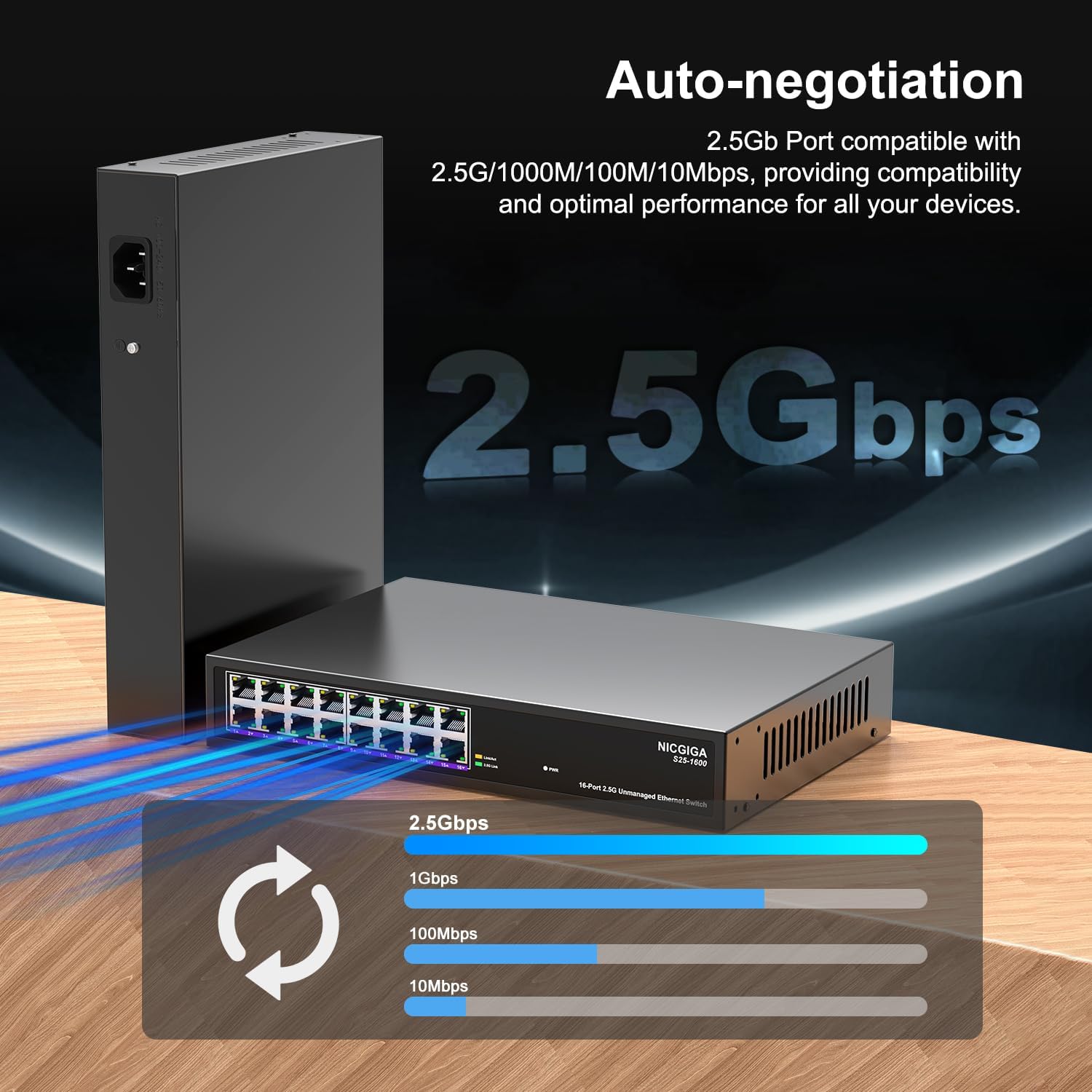
Figure 5: The auto-negotiation function ensures compatibility and optimal performance across various network speeds.
6. Manutenção
The NICGIGA S25-1600 switch is designed for minimal maintenance.
- Limpeza: Use um pano macio e seco para limpar a parte externa do interruptor. Não use produtos de limpeza líquidos ou em aerossol.
- Ventilação: Ensure the switch is placed in a well-ventilated area. Although fanless, proper airflow helps maintain optimal operating temperatures. Do not block ventilation openings.
- Condições ambientais: Operate the switch within the recommended temperature and humidity ranges specified in the technical specifications.
7. Solução De Problemas
If you encounter issues with your NICGIGA S25-1600 switch, refer to the following troubleshooting tips:
| Problema | Possível causa | Solução |
|---|---|---|
| Sem indicação de energia pelo LED. | Sem fonte de alimentação ou adaptador de energia com defeito. |
|
| No Link/Activity LED for a connected device. |
|
|
| Velocidade de rede lenta. |
|
|
8. Especificações
| Recurso | Descrição |
|---|---|
| Modelo | S25-1600 |
| Portos | 16 porta RJ100 1000/2500/45 Mbps |
| Capacidade de comutação | 80 Gbps |
| Taxa de encaminhamento de pacotes | 89.28 Mpps |
| Tabela de endereços MAC | 16 mil |
| Moldura Jumbo | 12 mil |
| cache de memória | 12Mbit |
| Auto-Negociação | 100Mb/1G/2.5G |
| MDI / MDIX | Suportado |
| Design sem ventilador | Sim |
| Habitação | Metal |
| Opções de montagem | Desktop, 19-inch Rack Mount |
| Proteção contra raios | 4 kV |
| Dimensões da embalagem | 13.62 x 10.51 x 3.5 polegadas |
| Peso do item | 4.09 libras |
| UPC | 790885830181 |
9. Garantia e Suporte Técnico
NICGIGA provides a one-year warranty for this product. For technical assistance or warranty claims, please contact NICGIGA customer support. Lifetime technical support is available for the product.
For further information, please visit the official NICGIGA website or refer to the contact details provided with your purchase.


