Introdução
This manual provides detailed instructions for the proper use, setup, and maintenance of your Trevi EAR 100 AID Wireless Headphones. Please read this manual carefully before using the product to ensure optimal performance and longevity.
Conteúdo da embalagem
Verifique se todos os itens estão presentes na embalagem:
- Trevi EAR 100 AID Wireless Headphones (Left and Right Earbuds)
- Charging Case with Touch Display
- Cabo de carregamento USB-C
- 2 Pairs of Ear Tips (various sizes)
- Manual do usuário (este documento)
Produto acimaview
Familiarize yourself with the components of your Trevi EAR 100 AID headphones.
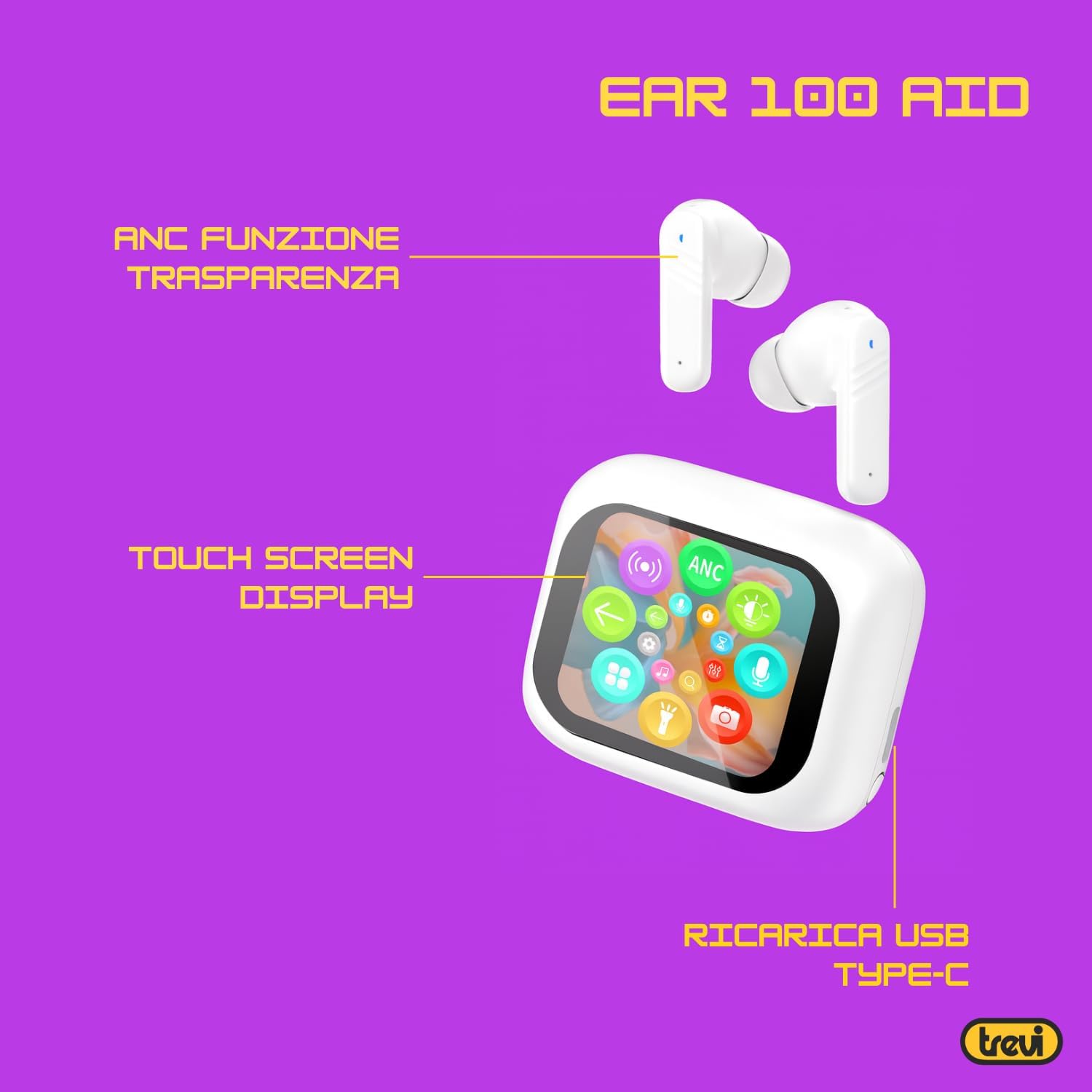
Image: Trevi EAR 100 AID Wireless Headphones and Charging Case. This image shows the earbuds and the charging case from a front-facing perspective.

Imagem: Lado view of Trevi EAR 100 AID Wireless Headphones and Charging Case. This image provides a profile view of the earbuds and their charging case.
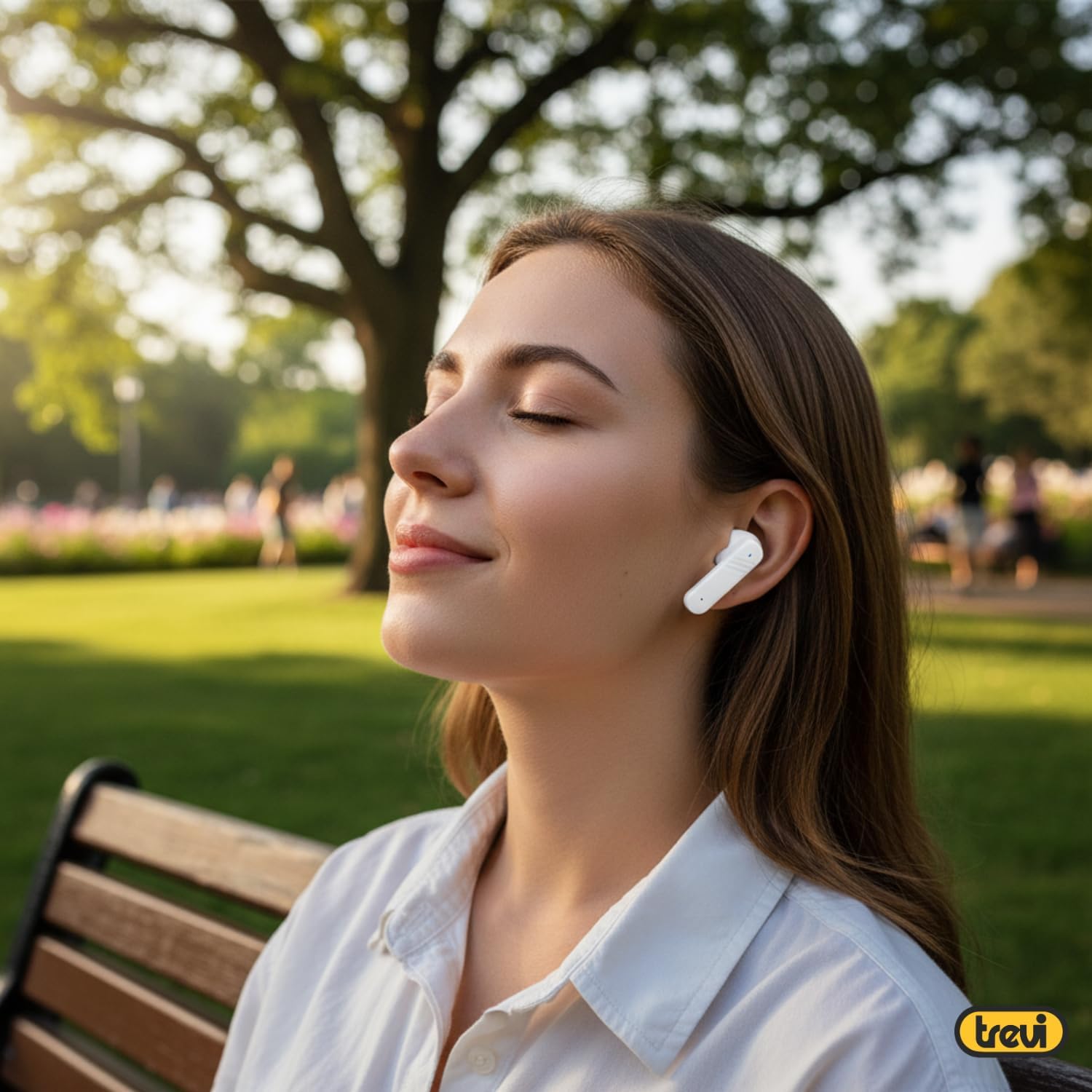
Imagem: Costas view of Trevi EAR 100 AID Wireless Headphones and Charging Case. This image displays the rear aspect of the earbuds and their charging case.

Imagem: Acimaview of Trevi EAR 100 AID features. This graphic highlights the Active Noise Cancellation (ANC) and Transparency function, the Touch Screen Display on the charging case, and the USB-C charging port.
Configurar
1. Carregando os fones de ouvido e o estojo
Antes da primeira utilização, carregue totalmente os fones de ouvido e o estojo de carregamento.
- Coloque os fones de ouvido no estojo de carregamento.
- Conecte o cabo de carregamento USB-C à porta de carregamento do estojo e a uma fonte de alimentação.
- The display on the charging case will indicate the charging status.
- A full charge provides up to 5 hours of earbud autonomy, extendable with the charging case.

Image: Smart Charging Case with Rapid Charging. This image shows the open charging case with earbuds inside, emphasizing its quick charging capability via USB Type-C. A QR code for the AI COOL app download is also visible.
2. Emparelhamento com um dispositivo
- Certifique-se de que os fones de ouvido estejam dentro do estojo de carregamento e que o estojo esteja aberto.
- No seu dispositivo (smartphone, tablet, etc.), ative o Bluetooth.
- Procurar "Trevi EAR 100 AID" in the list of available Bluetooth devices.
- Selecione para emparelhar. Um aviso de voz confirmará a conexão bem-sucedida.
- The headphones use Wireless V5.4 technology for a fast and reliable connection.
3. AI COOL App Installation
For AI simultaneous translation and advanced features, download the AI COOL app.
- Scan the QR code found on the charging case or in the product packaging.
- Alternativamente, visite https://www.xuanjiai.cn/app/download para baixar o aplicativo.
- Siga as instruções na tela para instalar e configurar o aplicativo.
Instruções de operação
1. Usando os fones de ouvido
Select the appropriate ear tips for a comfortable and secure fit. Insert the earbuds gently into your ears and adjust them until they feel snug.

Image: A woman wearing Trevi EAR 100 AID earbuds comfortably while relaxing in a park. This illustrates the in-ear fit and comfort of the headphones.
2. Touch Controls on Charging Case Display
The charging case features a touch display for smart controls.
- Reprodução de música: Control play, pause, skip tracks directly from the display.
- Gerenciamento de chamadas: Atender, encerrar ou rejeitar chamadas.
- Modos de áudio: Alterne entre os modos ANC, Transparência e Normal.
- Equalizador (EQ): Ajuste o som profissionalfiles.
- Encontre fones de ouvido: Use this function to locate misplaced earbuds.

Image: Trevi EAR 100 AID charging case with color LED touch screen. The screen displays various functions such as call answering, music playback, and other smart controls.

Image: Customizable screen options for the Trevi EAR 100 AID charging case. This image shows four dynamic and one static high-quality display options that can be changed at any time.
3. Cancelamento Ativo de Ruído (ANC) e Modo Transparência
The headphones offer two distinct audio modes for different environments:
- Cancelamento ativo de ruído (ANC): Eliminates external noise, providing a quiet listening experience. This mode is ideal for travel or noisy environments, reducing external noise by up to 35 dB with an effectiveness of up to 99.44%.
- Modo de transparência: Allows you to hear your surroundings while still enjoying your audio. This is useful for situations where you need to be aware of your environment, such as walking in a city or listening to announcements.
Switch between these modes using the touch controls on the charging case or through the connected app.

Image: A person using Trevi EAR 100 AID earbuds on an airplane, demonstrating the deep active noise reduction (ANC) feature. The image highlights the intelligent external noise cancellation up to 35 dB.
4. AI Simultaneous Translation
Utilize the AI COOL app for real-time language translation.
- Ensure the AI COOL app is installed and connected to your headphones.
- Open the app and select the desired translation mode (e.g., conversation mode, interpreter mode).
- Speak into your device's microphone or the earbud's microphone, and the translation will be provided in real-time through the earbuds.
- This feature is designed for seamless communication across language barriers during travel, work, or multilingual conversations.
5. Clear Calls with ENC Technology
The headphones feature Environmental Noise Cancellation (ENC) technology for clear voice calls.
- ENC reduces background noise during calls, making your voice clearer to the person on the other end.
- This technology is optimized for crowded environments, ensuring conversations are clear and free from interference.

Image: A man making a phone call using Trevi EAR 100 AID earbuds. This image illustrates the ENC (Environmental Noise Cancellation) technology for clear calls, optimized for crowded environments.
Manutenção
- Limpeza: Limpe regularmente os fones de ouvido e o estojo de carregamento com um pano macio, seco e sem fiapos. Não use produtos de limpeza abrasivos ou solventes.
- Dicas de ouvido: Remove and clean the ear tips with mild soap and water, then dry thoroughly before reattaching.
- Armazenar: Quando não estiverem em uso, guarde os fones de ouvido no estojo de carregamento para protegê-los contra poeira e danos.
- Cuidados com a bateria: Para preservar a vida útil da bateria, evite descarregá-la completamente com frequência. Carregue o dispositivo regularmente, mesmo que não o utilize por longos períodos.
Solução de problemas
| Problema | Solução possível |
|---|---|
| Os fones de ouvido não ligam. | Ensure the charging case and earbuds are fully charged. Place earbuds in the case and close it, then open again. |
| Não foi possível emparelhar com o dispositivo. | Make sure Bluetooth is enabled on your device. Ensure earbuds are in pairing mode (usually by opening the case). Forget the device from your Bluetooth list and try pairing again. |
| Sem som ou volume muito baixo. | Check volume levels on both your device and the headphones. Ensure earbuds are properly seated in your ears. Reconnect the Bluetooth connection. |
| A tradução por IA não está funcionando. | Verify the AI COOL app is installed, updated, and properly connected to the headphones. Check your internet connection for translation services. |
| Problemas de carregamento. | Check the USB-C cable and power adapter. Ensure the charging contacts on the earbuds and case are clean and free of debris. |
Especificações
| Recurso | Detalhe |
|---|---|
| Marca | Trevi |
| Nome do modelo | EAR 100 AID |
| Cor | Branco |
| Colocação da orelha | Intra-auricular |
| Fator de forma | Intra-auricular |
| Controle de Ruído | Cancelamento de ruído ativo (ANC) |
| Entrada para fone de ouvido | No Jack (Wireless) |
| Tecnologia de Conectividade | Sem fio |
| Tecnologia de comunicação sem fio | Bluetooth V5.4 |
| Componentes incluídos | 2 Ear Tips, Cable, User Manual |
| Duração da bateria (fones de ouvido) | Up to 5 hours (extendable with charging case) |
| ANC Effectiveness | Up to 35 dB reduction, 99.44% shielding effectiveness |
Garantia e Suporte
For warranty information and technical support, please refer to the official Trevi webou entre em contato com o serviço de atendimento ao cliente. Guarde o comprovante de compra para eventuais solicitações de garantia.
Para obter mais assistência, visite o Trevi Store on Amazon.


