1. Produto acabadoview
The ILIFE A30 Pro is an advanced robot vacuum and mop combo designed for efficient floor cleaning. It features precision LiDAR navigation, smart app control, and a self-emptying station for hands-free maintenance. This manual provides essential information for setting up, operating, and maintaining your device.
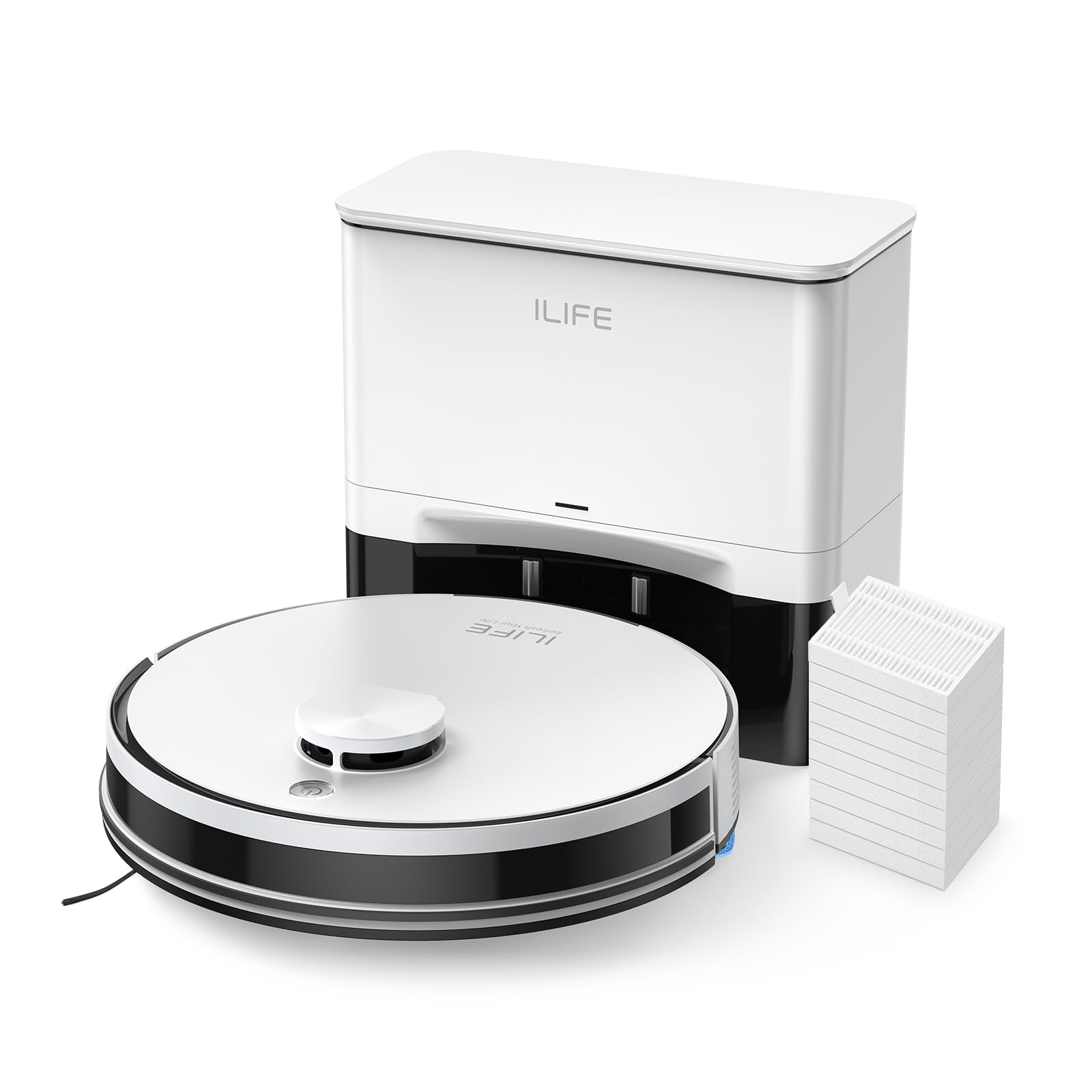
Figure 1: ILIFE A30 Pro Robot Vacuum and Mop Combo with its self-empty station, remote control, and various cleaning accessories.
2. Configuração
2.1 Desembalagem e posicionamento inicial
Carefully remove all components from the packaging. Place the self-empty station against a wall in an open area, ensuring there are no obstacles within 1 meter (3 feet) to the front and sides. Plug the power cord into a wall outlet.
2.2 Carregando o robô
Place the robot vacuum onto the charging pins of the self-empty station. Ensure the charging contacts on the robot align with those on the station. The robot will begin charging automatically.
2.3 Conexão do aplicativo
Download the ILIFEClean App from your device's app store. Follow the in-app instructions to connect your A30 Pro robot vacuum to your home's 2.4GHz WiFi network. The app allows for advanced control and customization of cleaning tasks.

Figure 2: The ILIFEClean App provides comprehensive control over your robot vacuum, including scheduling, mode selection, and zone cleaning.
3. Instruções de operação
3.1 Navegação e mapeamento LiDAR
The A30 Pro uses advanced LiDAR laser technology and the SLAM algorithm to create accurate maps of your home. During its first cleaning cycle, the robot will map your environment, which can then be viewed and customized in the ILIFEClean App. This ensures optimal cleaning routes and higher coverage.

Figure 3: LiDAR navigation allows the robot to create detailed maps for efficient cleaning and path planning.
3.2 Modos de limpeza e poder de sucção
The robot offers 3-in-1 functionality: sweeping, vacuuming, and mopping. It features a roller brush for effective pickup of dirt, debris, and pet hair from various floor types. You can select from four suction modes:
- Quiet (500Pa): For light cleaning with minimal noise.
- Standard (1000Pa): Default mode for everyday cleaning.
- Strong (1800Pa): For more stubborn dirt and debris.
- Max (5000Pa): Maximum power for deep cleaning carpets and heavily soiled areas.

Figure 4: The A30 Pro combines sweeping, vacuuming, and mopping. The mop holder can be removed if only vacuuming is desired.
3.3 Recursos de controle do aplicativo
The ILIFEClean App provides extensive control over your robot vacuum:
- Zonas proibidas e paredes virtuais: Set specific areas the robot should avoid.
- Cronograma de limpeza: Program daily or weekly cleaning times.
- Room/Area Selection: Choose specific rooms or zones for cleaning.
- Water Level & Suction Power: Adjust settings according to your cleaning needs.

Figure 5: Utilize the app to define no-go zones and virtual walls, preventing the robot from entering restricted areas.
3.4 Compatibilidade com assistentes de voz
The A30 Pro is compatible with Alexa and Google Assistant, allowing for hands-free control using voice commands.
4. Manutenção
4.1 Estação de Esvaziamento Automático
The self-empty station automatically empties the robot's dustbin into a larger 2.5L dust bag after each cleaning cycle. Each bag can hold up to 8 weeks of debris, providing up to 280 days of hands-free cleaning with the included 5 bags.

Figure 6: The self-empty station automatically disposes of collected debris into a large capacity dust bag, reducing manual emptying frequency.
4.2 Substituição do Filtro
The ILIFE A30 Pro comes with 10 replacement filters. Regularly check and replace filters to maintain optimal suction performance and air quality.
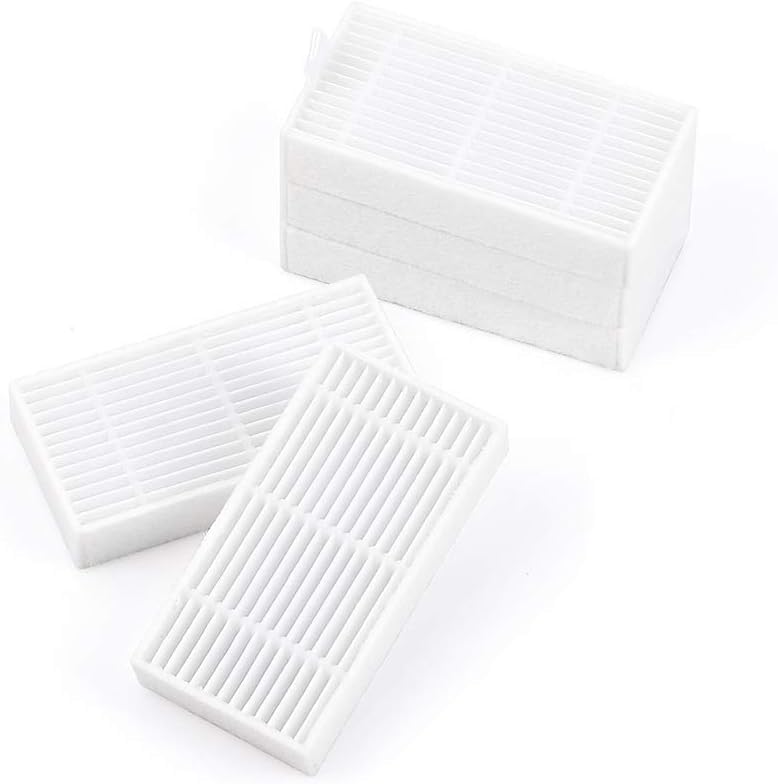
Figure 7: A pack of replacement filters ensures long-term maintenance of your robot vacuum's filtration system.
5. Solução De Problemas
If your robot vacuum encounters an issue, check the following:
- Sem energia: Ensure the charging station is plugged in and the robot is properly docked.
- Stuck/Error Message: Check the ILIFEClean App for specific error codes and instructions. Clear any obstacles around the robot.
- Baixo desempenho de limpeza: Clean the main brush, side brushes, and filters. Ensure the dust bag in the self-empty station is not full.
- Problemas de conectividade de aplicativos: Verify your WiFi network is 2.4GHz. Restart your router and the robot vacuum.
6. Especificações
| Recurso | Detalhe |
|---|---|
| Modelo | A30 Pro |
| Marca | EU VIDA |
| Navegação | LiDAR |
| Funcionalidade | Varre, aspira e lava (3 em 1) |
| Poder de sucção | Up to 5000Pa (Max Mode) |
| Capacidade do saco de pó | 2.5L (up to 8 weeks per bag) |
| Controle de aplicativo | ILIFEClean App (2.4GHz WiFi only) |
| Assistente de voz | Alexa, Assistente do Google |
| Filtros incluídos | 10 Pcs Replacement Filters |
7. Garantia e Suporte
For warranty information, product support, or to purchase additional accessories, please refer to the official ILIFE website or contact their customer service directly. Details can typically be found in the included warranty card or quick start guide.


