1. Introdução
The TOPDON Topscan Master is a professional-grade wireless diagnostic tool designed for automotive technicians and enthusiasts. This device connects to your vehicle's OBD2 port and communicates via Bluetooth with your iOS or Android smartphone, providing comprehensive vehicle diagnostics, bidirectional control, and numerous maintenance functions. This manual provides detailed instructions for setup, operation, and maintenance to ensure optimal performance and longevity of your device.
2. Produto acabadoview
The Topscan Master offers a robust set of features for in-depth vehicle analysis and maintenance. Its compact design allows for easy portability and use in various environments.

Image 2.1: TOPDON Topscan Master device with smartphone interface showing live data stream.
Principais características:
- Ampla cobertura de veículos: Supports over 120 global vehicle brands, including modern protocols like CAN-FD and DoIP for 2020+ GM/Chrysler, BMW F/G chassis, and 2017+ Land Rover.
- Acesso seguro ao gateway: Provides unrestricted diagnostics on FCA vehicles and supports other secure gateway access (e.g., Nissan, Renault).
- Controle bidirecional: Perform active tests on various components such as windows, headlights, injectors, and fuel pumps.
- Comprehensive Maintenance Functions: Access to over 30 service functions, including Oil Reset, EPB Reset, DPF Regeneration, TPMS Reset, BMS Reset, and Cylinder Balance Test.
- Diagnóstico completo do sistema: OE-level access to all vehicle modules (Engine, Transmission, ABS, Airbag, A/C, etc.) for reading/clearing codes and viewobtendo dados em tempo real.
- TopFix AI Assistant: Interprets fault codes and provides step-by-step repair procedures, wiring diagrams, and connector pinouts.
- Portabilidade sem fio: Operates via Bluetooth, allowing diagnostics from your smartphone.
- Suporte multilíngue: Menu available in 45 languages.
3. Guia de configuração
3.1 Desembalagem
Verify the contents of your package:
- Topscan Master Device (x1)
- Guia de início rápido (x1)
3.2 Instalação do aplicativo
The Topscan Master operates with the dedicated TOPDON app, compatible with iOS and Android devices.
- Baixe o aplicativo: Procurar 'TOPDON' in the Apple App Store (for iOS) or Google Play Store (for Android) and install the application.
- NFC Quick Installation (Optional): For compatible devices, touch your smartphone to the NFC tag on the Topscan Master packaging to quickly open the app download page.

Image 3.1: NFC Quick Installation feature for downloading the TOPDON app.
3.3 Conexão de dispositivo
- Localize a porta OBD2: Identify your vehicle's 16-pin OBD2 diagnostic port, typically located under the dashboard on the driver's side.
- Dispositivo de conexão: Plug the Topscan Master device firmly into the vehicle's OBD2 port. The device's indicator lights should illuminate.
- Ligue a ignição: Gire a chave de ignição do veículo para a posição 'ON' (motor desligado).
- Parear via Bluetooth: Open the TOPDON app on your smartphone. The app will automatically search for and connect to the Topscan Master via Bluetooth. Follow any on-screen prompts for initial pairing.
- Identificação do veículo: The app will attempt to automatically identify the vehicle via AutoVIN. If unsuccessful, you may need to manually enter vehicle information.
4. Instruções de operação
Once connected, the TOPDON app provides a user-friendly interface for various diagnostic and maintenance functions.
4.1 Diagnóstico completo do sistema
This function allows you to access and diagnose all available electronic control modules (ECUs) in the vehicle.
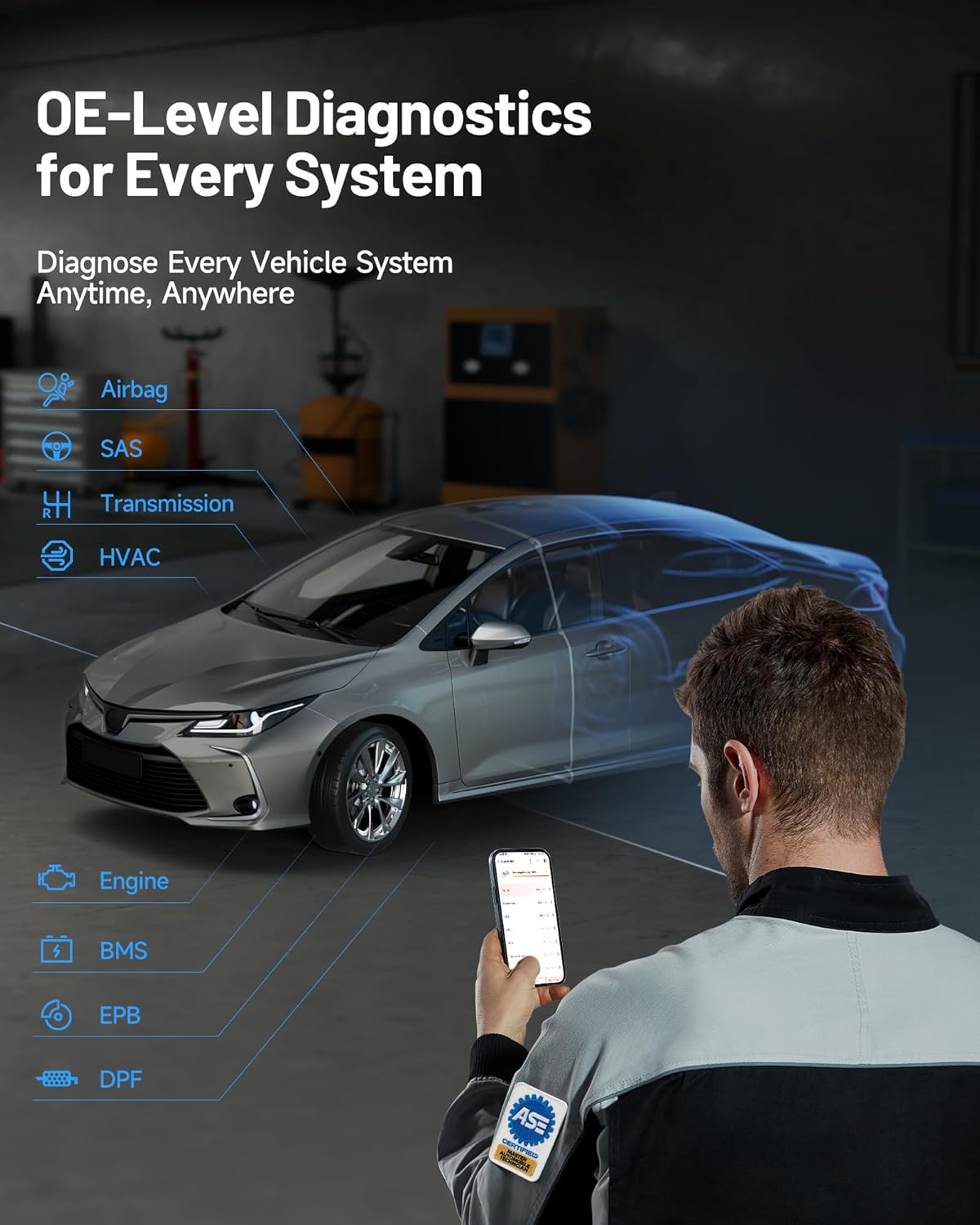
Image 4.1: OE-level diagnostics for every system, showing a mechanic using the device with a car.
- Ler/Apagar códigos de falha (DTCs): Recupere os códigos de diagnóstico de falhas (DTCs) de todos os sistemas e apague-os após os reparos.
- Transmissão de dados ao vivo: View real-time data parameters from various sensors and components. Data can be displayed in text, graph, or gauge format.
- Read Freeze Frame: Capture uma imagem instantânea das condições de funcionamento do veículo no momento em que um código de falha (DTC) foi registrado.
- Leia as informações da ECU: Display specific information for the tested control unit, including unit type, version numbers, and other specifications.
4.2 Controle bidirecional (Testes ativos)
This feature allows you to send commands to vehicle components to test their functionality directly, aiding in faster fault isolation.

Image 4.2: Bi-directional control interface demonstrating direct command capabilities for various vehicle components.
To perform an active test:
- Navigate to the 'Bi-directional Control' section within the app.
- Select the component you wish to test (e.g., 'Window Up/Down', 'Fuel Pump On/Off').
- Siga as instruções na tela para ativar e observar a resposta do componente.
4.3 Maintenance Functions (Resets & Calibrations)
The Topscan Master includes over 30 common maintenance and service functions.

Imagem 4.3: Terminadoview of 30+ common maintenance functions available with the Topscan Master.
Examples of functions include:
- Redefinição de óleo: Reinicie o sistema de monitoramento da vida útil do óleo após a troca de óleo.
- Reinicialização do EPB: Deactivate and activate the electronic parking brake system for brake service.
- Regeneração do DPF: Perform forced diesel particulate filter regeneration.
- Redefinição de TPMS: Reinicie os sensores do sistema de monitoramento da pressão dos pneus.
- Reinicialização do BMS: Register new battery replacement to the ECU.
- Adaptação do acelerador: Reaprenda a posição do corpo da borboleta.
- Reinicialização do ângulo de direção: Reset the steering angle sensor.
- Codificação do injetor: Codifique os novos números dos injetores na ECU.
Always refer to the specific vehicle's service manual and follow all safety precautions when performing maintenance functions.
4.4 TopFix AI Assistant
The integrated TopFix AI Assistant helps simplify complex repairs by providing detailed information and step-by-step guidance.

Image 4.4: TopFix AI Assistant interface providing detailed fault explanations and repair steps.
- Fault Interpretation: Get clear explanations for diagnostic trouble codes (DTCs).
- Instruções passo a passo: Access guided repair procedures.
- Dados técnicos: View wiring diagrams, connector pinouts, and other professional repair documentation.
4.5 Secure Gateway Access (SGW)
The Topscan Master supports secure gateway access for specific vehicle brands, allowing full diagnostic capabilities on newer models.

Image 4.5: Secure Gateway Access comparison, highlighting Topscan Master's broader compatibility.
For FCA vehicles, the device allows unrestricted diagnostics. Note that some secure gateways may require a valid OEM account for full access to certain functions.
5. Manutenção
Proper care and maintenance will extend the life of your Topscan Master device.
- Limpeza: Use um pano macio e seco para limpar o dispositivo. Evite usar produtos de limpeza abrasivos ou solventes.
- Armazenar: Guarde o dispositivo em local fresco e seco, longe da luz solar direta e de temperaturas extremas.
- Atualizações de software: Regularly check for and install software updates via the TOPDON app to ensure compatibility with the latest vehicle models and diagnostic features. The device includes 1 year of free updates.
- Conexão: Ensure the OBD2 connector pins are clean and free from debris.
6. Solução De Problemas
If you encounter issues with your Topscan Master, refer to the following common troubleshooting steps:
- Dispositivo não liga: Ensure the device is securely plugged into the vehicle's OBD2 port and the vehicle's ignition is in the 'ON' position. Check the vehicle's fuse for the OBD2 port if necessary.
- Falha na conexão Bluetooth: Make sure Bluetooth is enabled on your smartphone. Close and reopen the TOPDON app. If the issue persists, try restarting both your smartphone and the Topscan Master device.
- App Not Detecting Vehicle: Verify that the device is properly connected to the OBD2 port and the ignition is on. Try manual VIN entry if AutoVIN fails. Ensure the vehicle is OBD2 compliant.
- Função de diagnóstico não está funcionando: Ensure the vehicle model and year are correctly identified in the app. Some advanced functions may require specific vehicle conditions (e.g., engine running, specific temperature).
- Desempenho lento: Ensure your smartphone has sufficient memory and is running the latest version of the TOPDON app. Close other background applications.
- Mensagens de erro: Note down any error codes or messages displayed and refer to the app's help section or contact technical support.
7. Especificações
| Recurso | Especificação |
|---|---|
| Marca | TOPDON |
| Modelo | TOPDON Topscan Master |
| Número do modelo do item | TopScan Master-CA |
| Fonte de energia | Porta OBD2 do veículo |
| Dimensões do produto | 3.1"C x 1.5"L x 4.7"A |
| Peso do item | 3.87 onças |
| Compatibilidade do sistema operacional | iOS e Android |
| Tipo de ajuste automotivo | Universal Fit (OBD2 compliant vehicles) |
| Conectividade | Bluetooth |
| Protocolos Suportados | CAN-FD, DoIP, and standard OBD2 protocols |
8. Garantia e Suporte
8.1 Atualizações de Software
Your TOPDON Topscan Master includes one year of free software updates from the date of activation. These updates ensure your device remains compatible with new vehicle models and receives the latest diagnostic features and bug fixes. After the initial year, flexible renewal options (monthly, quarterly, or yearly) are available. Core functions such as full-system read/clear codes and live data remain fully usable even without renewal.
8.2 Suporte Técnico
TOPDON provides responsive local technical support to assist with any questions or issues you may encounter. Support is available in 45 languages.
For technical assistance, please visit the official TOPDON website or refer to the contact information provided in the TOPDON app.


