Introdução
This manual provides essential information for the safe and efficient use of your Volkano Valencia Series Ladies Smart Watch. Please read these instructions carefully before using the device and retain them for future reference.
O que está na caixa
- Volkano Valencia Series Smart Watch (VK-5050-GD)
- Dock de carregamento sem fio
- Manual do usuário
Produto acimaview
The Volkano Valencia Series Smart Watch features a 1.32" AMOLED touchscreen display and a metal mesh strap. It offers various functionalities including Bluetooth wireless calling, health tracking, multi-sport modes, and smart notifications.

Imagem: Frente view of the Volkano Valencia Smart Watch, showing the circular AMOLED display with digital time, heart rate, and step count. The rose gold metal mesh strap is visible.
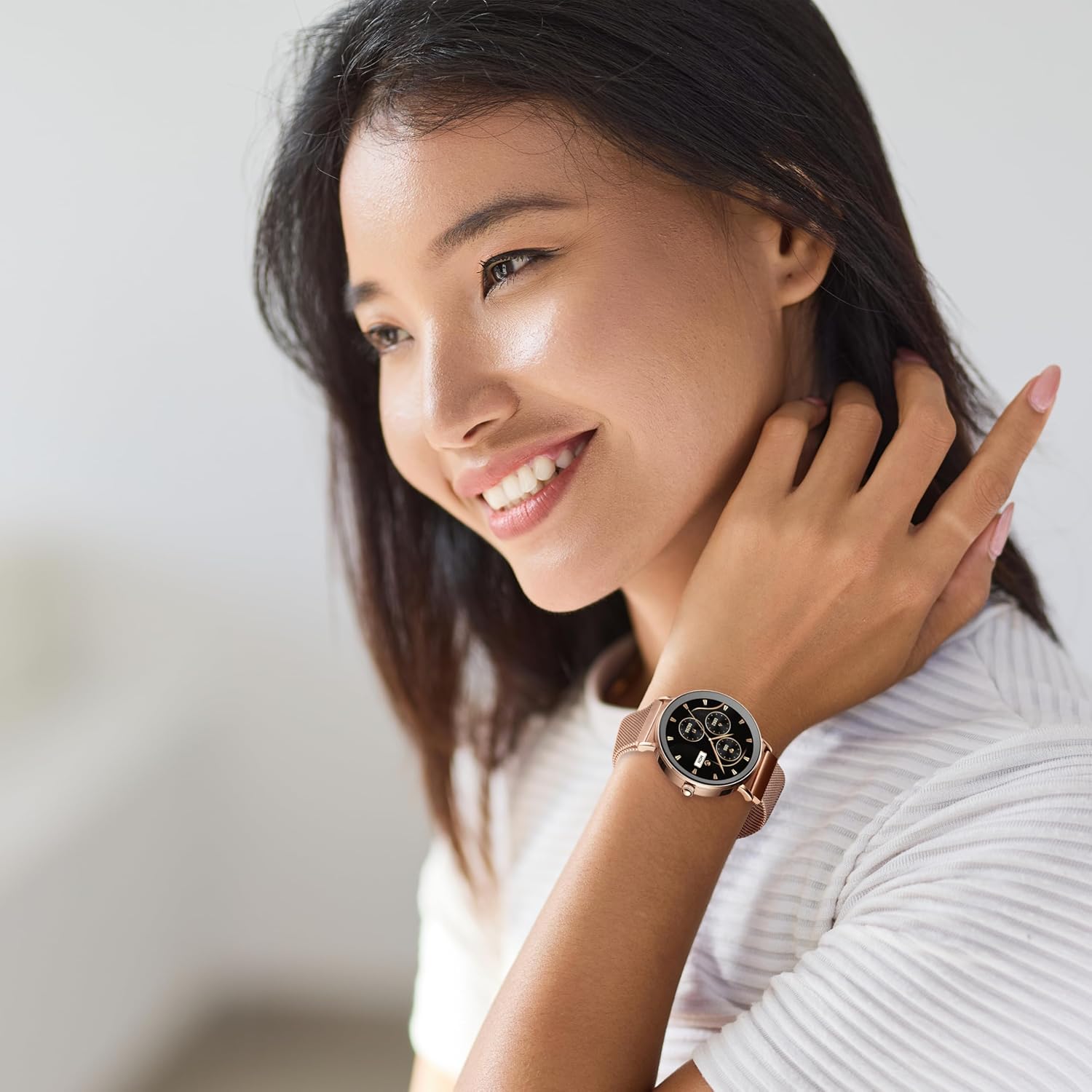
Imagem: Voltar view of the Volkano Valencia Smart Watch, highlighting the optical heart rate and blood oxygen sensors, along with the wireless charging contacts. The model number VK-5050 is visible.
Configurar
1. Carregando o relógio inteligente
Before first use, fully charge the smart watch. Place the watch onto the included wireless charging dock. Ensure the charging contacts on the watch align with the dock. The watch display will indicate charging status. A full charge typically takes approximately 2 hours.
2. Ligar/desligar
- Ligar: Press and hold the side button for a few seconds until the Volkano logo appears.
- Desligar: Pressione e mantenha pressionado o botão lateral e, em seguida, selecione a opção "Desligar" na tela.
3. Emparelhando com seu smartphone
- Download the companion application from your smartphone's app store (compatible with Android 5.1+ and iOS 8.0+).
- Certifique-se de que o Bluetooth esteja ativado em seu smartphone.
- Open the application and follow the on-screen instructions to add your device.
- Select "VK-5050-GD" or a similar device name from the list of available Bluetooth devices in the app.
- Confirme a solicitação de pareamento no seu relógio e no smartphone.
Instruções de operação
1. Navegação Básica
- Tela sensível ao toque: Deslize para a esquerda/direita ou para cima/para baixo para navegar pelos menus e recursos. Toque para selecionar.
- Botão lateral: Pressione para retornar à tela inicial ou ativar o visor.
2. Bluetooth Wireless Calling
Após emparelhar com seu smartphone, você poderá fazer e receber chamadas diretamente do seu relógio.
- Fazendo chamadas: Access the dialer or contact list on your watch.
- Recebendo chamadas: An incoming call notification will appear on the watch. Tap to answer or decline.
3. Built-in Voice Assistant
Activate the voice assistant feature on your watch to perform tasks such as setting reminders, checking weather, or controlling music using voice commands.
4. Notificações inteligentes
Receive real-time alerts for calls, messages, emails, and app notifications directly on your wrist. Ensure notification permissions are enabled in your smartphone's settings and the companion app.
5. Remote Camera & Music Control
- Controle da câmera: Open the camera function in the companion app on your phone, then use your watch as a remote shutter button.
- Controle de música: Control playback (play/pause, skip tracks) of music playing on your smartphone through the watch's music control interface.
6. Monitoramento de saúde
O relógio monitora diversas métricas de saúde:
- Monitor de frequência cardíaca: Provides continuous or on-demand heart rate readings.
- Monitor de oxigênio no sangue: Mede os níveis de saturação de oxigênio no sangue.
- Pedômetro: Tracks daily steps taken.
- Rastreador de calorias: Estima as calorias queimadas com base na atividade.
For accurate readings, ensure the watch is worn snugly on your wrist, approximately one finger-width above the wrist bone.
7. Modos multiesportivos
The watch supports over 100 multi-sport modes to track various physical activities. Select the desired sport mode from the watch menu to record specific workout data.
8. Resistência à água (3 ATM)
The watch is rated 3 ATM water-resistant, meaning it is protected from splashes such as rain or hand washing. It is não suitable for immersion in water, swimming, or sauna use.

Imagem: A woman smiling, wearing the Volkano Valencia Smart Watch on her left wrist. The watch features a rose gold finish and a metal mesh strap.
Manutenção
1. Limpeza
Wipe the watch screen and body with a soft, dry, lint-free cloth. For the strap, use a slightly damp Se necessário, limpe com um pano e seque bem. Evite usar produtos químicos agressivos ou materiais abrasivos.
2. Cuidados com a bateria
To prolong battery life, avoid fully discharging the watch frequently. Charge the watch regularly, especially if it will not be used for an extended period. Store in a cool, dry place.
3. Diretrizes de resistência à água
Adhere strictly to the 3 ATM water resistance rating. Do not immerse the watch in water, expose it to high-pressure water jets, or use it in saunas or steam rooms. Water damage due to improper use is not covered under warranty.
Solução de problemas
- Relógio que não liga: Ensure the watch is fully charged. Connect it to the wireless charging dock for at least 30 minutes.
- Não foi possível emparelhar com o smartphone:
- Certifique-se de que o Bluetooth esteja ativado em seu telefone.
- Certifique-se de que o relógio esteja dentro do alcance do Bluetooth (normalmente 10 metros).
- Reinicie o relógio e o smartphone.
- Check if the companion app has necessary permissions.
- Dados de saúde imprecisos: Ensure the watch is worn correctly, snugly on the wrist, and the sensors are clean. Avoid excessive movement during measurements.
- As notificações não estão aparecendo: Verify that notifications are enabled in both your phone's settings and the companion application. Ensure the watch is connected via Bluetooth.
Especificações
| Número do modelo | VK-5050-GD |
| Versão Bluetooth | 5.3 Low Energy (JL7012 Chipset) |
| Mostrar | Tela sensível ao toque AMOLED de 1.32" |
| Memória | 640KB RAM + 128Mb Flash Storage |
| Bateria | 230mAh (2-3 days active use / up to 15 days standby) |
| Carregando | Wireless Dock Included |
| Compatibilidade | Android 5.1+ | iOS 8.0+ |
| Resistência à água | 3 ATM (Splash-proof, not for immersion) |
| Cor | Ouro rosa |
Garantia e Suporte
Garantia do fabricante
Este produto Volkano está coberto por uma garantia. Garantia limitada de 1 ano from the date of purchase. This warranty covers manufacturing defects and workmanship under normal use. Damage resulting from misuse, accidents, unauthorized modifications, or failure to follow instructions is not covered.
You may be eligible for an additional prorrogação de 12 meses to your warranty, totaling 24 months of coverage, by registering your product. Please refer to the Volkano official website or product packaging for registration details.
Suporte ao cliente
For technical assistance, troubleshooting, or warranty claims, please contact Volkano customer support. Refer to the contact information provided on the official Volkano website ou a embalagem do seu produto.


