1. Introdução
The Coleman Compact Panel Light is a versatile, multi-functional lighting solution designed for various outdoor and indoor applications. Its compact design and remote control capability offer convenience and adaptability. This manual provides essential information for the safe and effective use of your device.

Figure 1: Coleman Compact Panel Light in its closed, compact form.
2. Conteúdo da embalagem
Verifique se todos os itens listados abaixo estão incluídos em seu pacote:
- Coleman Compact Panel Light Unit
- Cabo de carregamento USB Tipo-C
- Controle remoto sem fio
3. Configuração e Carregamento Inicial
3.1 Carregamento Inicial
Before first use, fully charge the Coleman Compact Panel Light. Use the provided USB Type-C cable to connect the light to a compatible USB power source (e.g., wall adapter, computer USB port, power bank).
- Locate the USB Type-C charging port on the light unit.
- Insert the USB Type-C cable into the light's port.
- Conecte a outra extremidade do cabo a uma fonte de alimentação USB.
- The charging indicator light will illuminate during charging and typically change color or turn off when fully charged. Refer to the indicator status for your specific model.
A full charge ensures optimal performance and battery life.

Figure 2: The Coleman Compact Panel Light connected via USB Type-C cable for charging.
4. Instruções de operação
4.1 Powering On/Off and Light Modes
The light can be operated using the integrated buttons on the unit or the wireless remote control.
- Botão de energia: Press and hold the power button on the unit or the remote to turn the light ON or OFF.
- Ajuste de brilho: Short press the '+' or '-' buttons on the unit or remote to cycle through different brightness levels.
- Modos de luz: The light may feature multiple modes (e.g., full panel illumination, spotlight, ambient). Press the mode button (often indicated by a light bulb icon) on the unit or remote to switch between available modes.
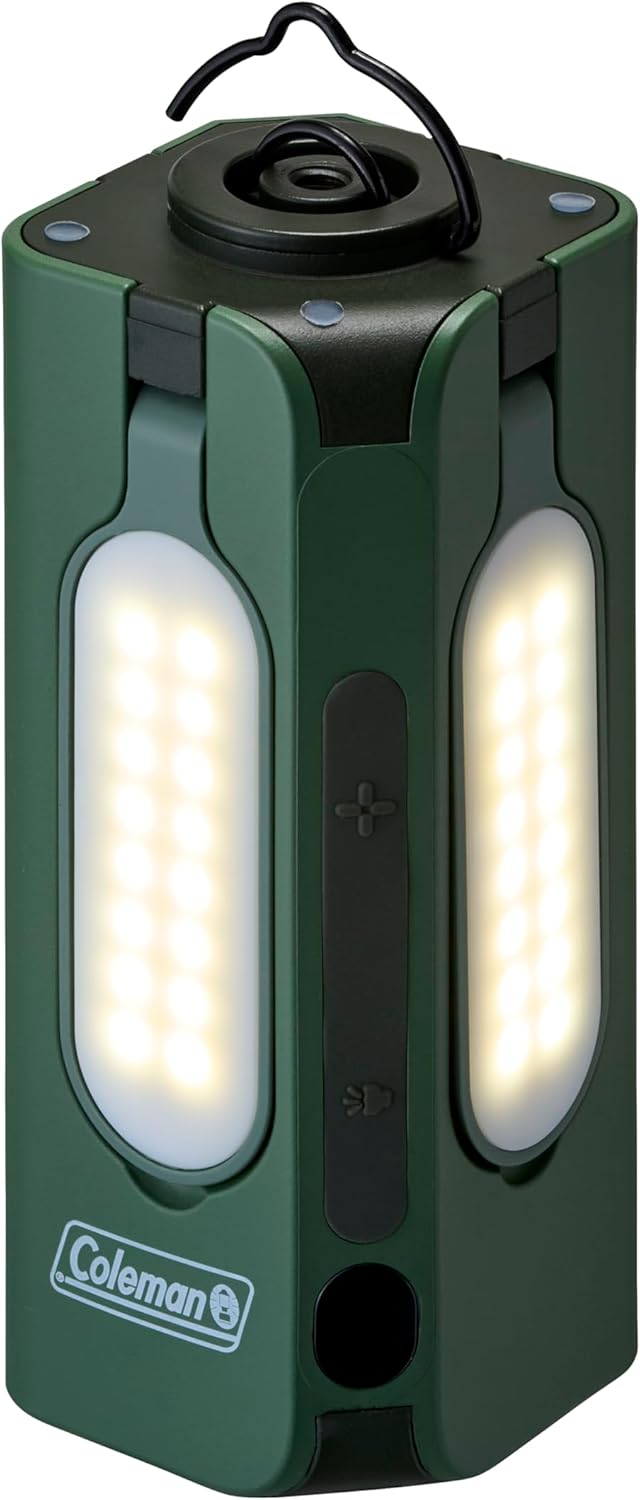
Figure 3: Closed panels with lights illuminated.

Figure 4: Focused spotlight function.
4.2 Deploying Light Panels
The Compact Panel Light features multiple adjustable panels for broader illumination.
- Gently pull each panel outwards from the main unit.
- Adjust the angle of each panel to direct light as needed.
- To retract, gently push each panel back into its original position until it clicks securely.

Figure 5: Panels extended for wide area lighting.

Figure 6: Illumination in a dark environment with panels extended.
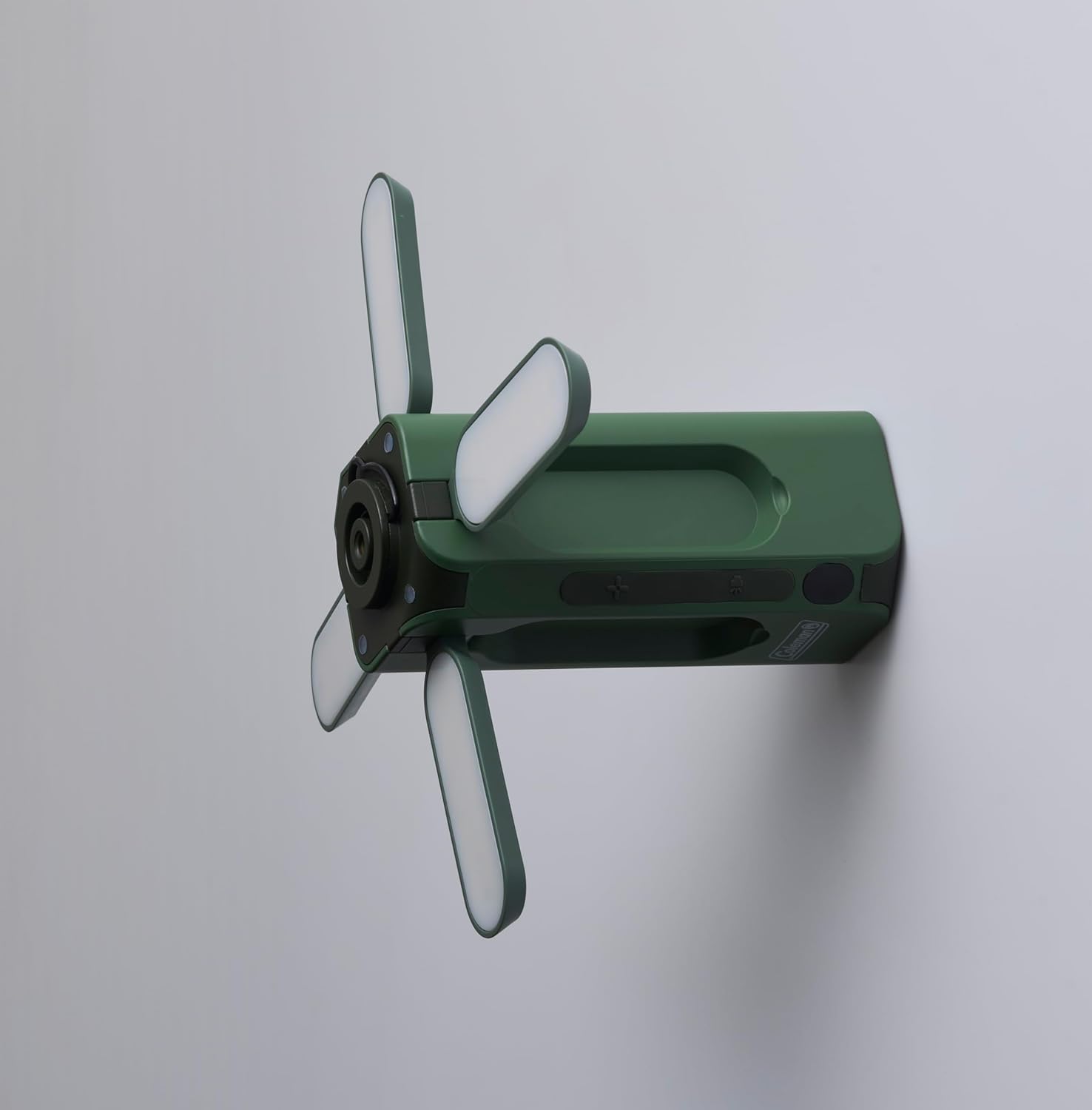
Figura 7: Lateral view with panels extended, illustrating mounting versatility.
5. Utilizando o controle remoto sem fio
The included wireless remote control allows for convenient operation from a distance.
- Botão de energia: Pressione para ligar ou desligar a luz.
- Botões de brilho (+/-): Ajuste a intensidade da luz.
- Botão de modo: Cycle through different lighting modes (if applicable).
Ensure the remote control has working batteries (if applicable, check battery compartment for type) and is within operational range of the light unit.

Figure 8: Coleman Compact Panel Light with its wireless remote control.
6. Manutenção
6.1 Limpeza
Para limpar a luz, limpe-a com um pano macio eamp cloth. Do not use abrasive cleaners or solvents, as these may damage the finish or electronic components. Ensure the charging port cover is securely closed before cleaning.
6.2 Armazenamento
When storing the light for extended periods, ensure it is fully charged. Store in a cool, dry place away from direct sunlight and extreme temperatures. Recharge the unit every 3-6 months to maintain battery health.
7. Solução De Problemas
- A luz não acende:
- Certifique-se de que a unidade esteja totalmente carregada.
- Verifique se o botão liga/desliga está pressionado corretamente.
- Controle remoto não funciona:
- Check if the remote's batteries need replacement (if applicable).
- Certifique-se de que não haja obstruções entre o controle remoto e a unidade de iluminação.
- Confirm the remote is within operational range.
- A luz está fraca ou intermitente:
- The battery level may be low; recharge the unit.
- Ensure the light panels are fully extended and clean.
8. Especificações
| Modelo | Compact Panel Light |
| Marca | Coleman |
| Dimensões (fechado) | 5P x 5L x 12.5A centímetros |
| Peso do item | 700 gramas |
| Cor | Verde |
| Fonte de energia | Recarregável (USB Tipo C) |
| Componentes incluídos | USB Type-C Cable, Wireless Remote Control |
| Montagem necessária | Não |
9. Informações de segurança
- Não exponha a lâmpada a temperaturas extremas, luz solar direta por períodos prolongados ou chamas abertas.
- Evite submergir a luz na água.
- Do not attempt to disassemble or modify the light unit, as this may void the warranty and pose safety risks.
- Mantenha fora do alcance de crianças.
- Use only the provided or a certified USB Type-C cable for charging.
10. Garantia e Suporte
For warranty information or technical support, please refer to the documentation provided with your purchase or visit the official Coleman website. Guarde o comprovante de compra para solicitações de garantia.


