Introdução
Thank you for choosing the Klinsmann KRV306 Robotic Vacuum and Mop. This 2-in-1 intelligent cleaning robot is designed to provide efficient and convenient floor cleaning for your home. Please read this manual carefully before use to ensure proper operation, maintenance, and to maximize the lifespan of your device.
Instruções de segurança
To reduce the risk of injury or damage, read and follow all safety precautions when setting up, using, and maintaining your robot. Keep this manual in a safe place for future reference.
- Este aparelho pode ser usado por crianças com 8 anos ou mais e pessoas com capacidades físicas, sensoriais ou mentais reduzidas ou com falta de experiência e conhecimento, desde que tenham recebido supervisão ou instruções sobre o uso do aparelho de forma segura e entendam os perigos envolvidos.
- As crianças devem ser supervisionadas para garantir que não brinquem com o aparelho.
- A limpeza e a manutenção do usuário não devem ser feitas por crianças sem supervisão.
- Utilize apenas o adaptador de energia original fornecido pelo fabricante.
- Não utilize o robô em áreas com chamas abertas ou objetos frágeis.
- Certifique-se de que todos os cabos e objetos pequenos sejam removidos do chão antes do uso para evitar emaranhamentos.
- Do not immerse the robot or its charging base in water.
- Não utilize o robô para recolher detritos grandes, líquidos ou objetos em chamas.
Conteúdo da embalagem
Verifique se todos os componentes estão presentes na embalagem:
- Klinsmann KRV306 Robotic Vacuum and Mop
- Adaptador de carregamento
- Escovas laterais (2 pares)
- Caixote de lixo
- Esfregar Pano
- Manual do usuário
Configurar
- Desembale o robô: Retire cuidadosamente o robô e todos os acessórios da embalagem.
- Instalar escovas laterais: Attach the side brushes to the designated slots on the bottom of the robot until they click into place.
- Carregue o robô:
- Connect the charging adapter to a power outlet and to the charging port on the robot.
- Ensure the robot is fully charged before its first use. A full charge takes approximately 3-4 hours. The indicator light will change to signal a full charge.
- Prepare a área de limpeza: Remove any obstacles, loose cables, or small items from the floor to prevent the robot from getting stuck or damaging items.
Instruções de operação
Ligar/Desligar
- Para ligar: Press and hold the power button on the robot until the indicator light illuminates.
- Para desligar: Mantenha pressionado o botão liga/desliga até que a luz indicadora se apague.
Modos de limpeza
The KRV306 offers three cleaning modes:
- Automatic (Zigzag) Mode: Press the power button once to start cleaning in an automatic zigzag pattern. This mode is suitable for general cleaning of open areas.
- Modo de limpeza localizada: Place the robot in a specific dirty area and press the spot cleaning button (if available, or cycle through modes). The robot will clean in a spiral pattern to concentrate on that area.
- Modo de limpeza de bordas: Activate this mode to have the robot clean along walls and furniture edges.
Função de limpeza
Para usar a função de limpeza com esfregão:
- Fill the water tank (if separate) or attach the damp mopping cloth to the designated area on the robot.
- Inicie um ciclo de limpeza. O robô irá aspirar e passar pano simultaneamente.
- Remove the mopping cloth and empty the water tank after each use.
Navigation and Sensors
The KRV306 is equipped with intelligent navigation features:
- Anti-drop Infrared Sensors: These sensors detect stairs and elevated surfaces, preventing the robot from falling.
- Mechanical Bumper: The bumper allows the robot to gently detect and navigate around obstacles like furniture without causing damage.
- Escalada de Limiar: The robot can easily slide over thresholds up to 10mm high, ensuring continuous cleaning across different rooms.
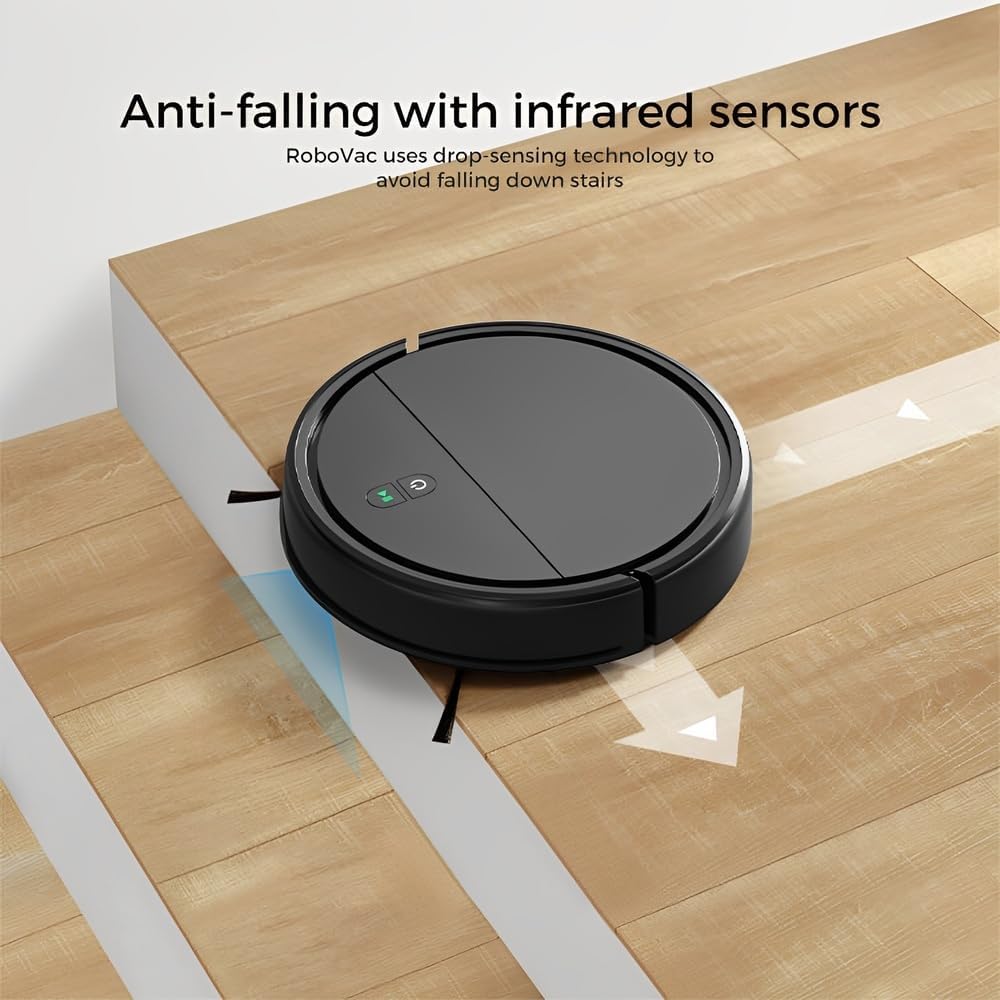
Image: Anti-falling infrared sensors prevent the robot from falling down stairs.

Image: The mechanical bumper allows the robot to navigate around furniture without damage.
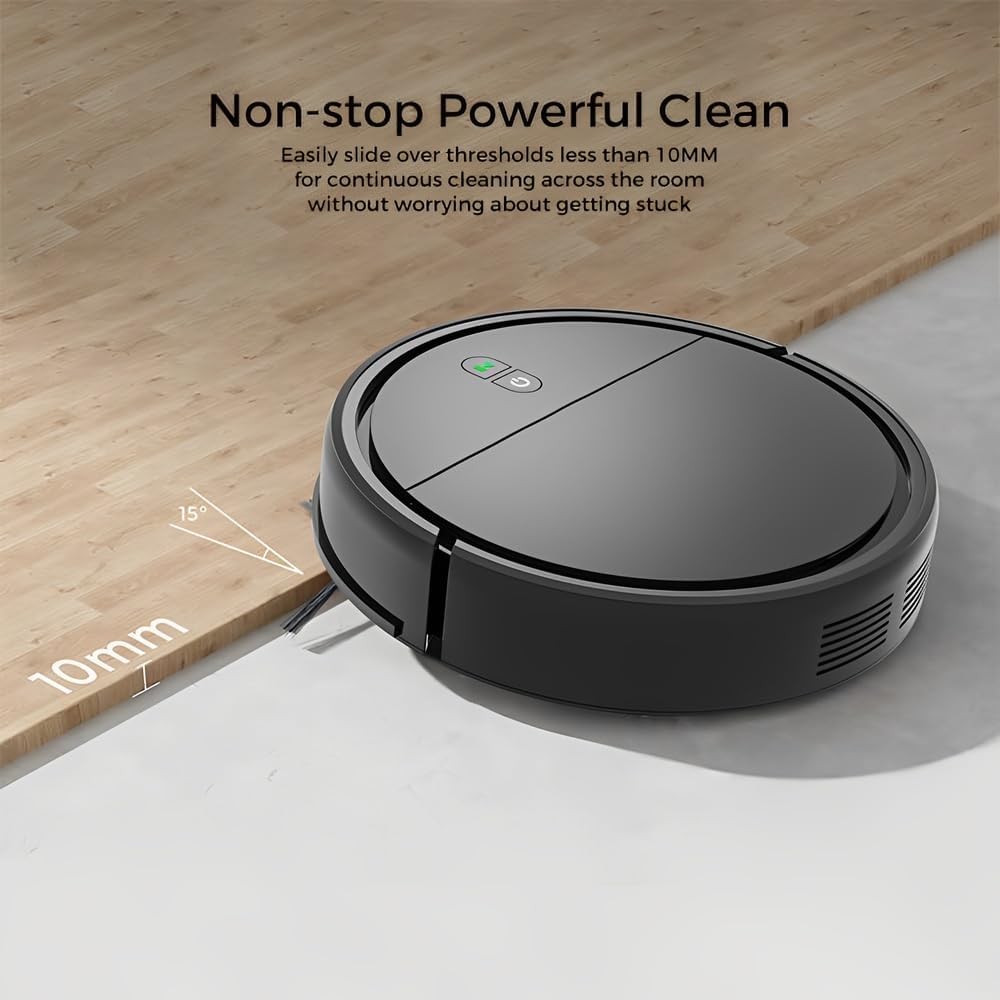
Image: The robot can easily overcome thresholds up to 10mm for continuous cleaning.
Manutenção
Regular maintenance ensures optimal performance and extends the life of your robot.
Esvaziando a lata de lixo

Image: The large dustbin collects various types of debris, reducing the frequency of emptying.
- Pressione o botão de liberação do recipiente de lixo e puxe-o para fora.
- Abra a tampa da lixeira e despeje o conteúdo em uma lata de lixo.
- Clean the filter inside the dustbin with the provided cleaning tool or a soft brush. Replace the filter if necessary.
- Rinse the dustbin with water if needed, ensuring it is completely dry before reinserting.
Escovas laterais de limpeza
- Regularly check side brushes for tangled hair or debris.
- Carefully remove any tangled material. If brushes are worn, replace them with new ones.
Sensores de limpeza
- Wipe the anti-drop sensors and charging contacts on the bottom of the robot with a clean, dry cloth.
- Ensure the bumper area is free of debris.
Cleaning Mopping Cloth
- Remove the mopping cloth after each use.
- Wash the cloth by hand or machine. Allow it to air dry completely before reattaching.
Solução de problemas
| Problema | Possível causa | Solução |
|---|---|---|
| O robô não liga. | Bateria fraca; Botão liga/desliga não pressionado corretamente. | Carregue o robô; pressione e segure o botão liga/desliga por alguns segundos. |
| O robô fica preso com frequência. | Obstacles (cables, rugs, small items); Dirty sensors. | Clear the cleaning area; Clean the anti-drop and bumper sensors. |
| Desempenho de limpeza insatisfatório. | Compartimento de pó cheio; Filtro entupido; Escovas laterais gastas. | Esvaziar o compartimento de pó; Limpar/substituir o filtro; Limpar/substituir as escovas laterais. |
| Robô cai da escada. | Dirty anti-drop sensors; Sensors obstructed. | Clean the anti-drop sensors thoroughly. |
| A função de esfregar o chão é ineficaz. | Mopping cloth is dry or dirty. | Dampen the mopping cloth; Clean or replace the mopping cloth. |
Especificações
| Modelo | KRV306 |
| Marca | Vida |
| Funções | Aspirar, esfregar |
| Tipo de Bateria | Íon de lítio 1500mAh |
| Tempo de execução | Até 80 minutos |
| Tempo de carregamento | 3-4 horas |
| Poder de sucção | 400PA |
| Nível de ruído | Máx. 68 dB |
| Capacidade do caixote do lixo | Optimized (ample capacity) |
| Dimensões (Diâmetro x Altura) | 29 cm x 7.2 cm |
| Peso | 2.1 kg |
| Threshold Climbing Ability | Até 10 mm |
| Características especiais | Anti-drop Infrared Sensor, Mechanical Bumper, Low Noise, Compact, Rechargeable |
Informações de garantia
The Klinsmann KRV306 Robotic Vacuum and Mop comes with a Garantia de 90 dias from the date of purchase, covering manufacturing defects. This warranty does not cover damage caused by misuse, accidents, unauthorized modifications, or normal wear and tear. Please retain your proof of purchase for warranty claims.
Suporte ao cliente
If you encounter any issues or have questions regarding your Klinsmann KRV306, please refer to the troubleshooting section of this manual. For further assistance, contact the retailer or manufacturer's customer service department with your product model and purchase details.


