1. Introdução
This manual provides essential information for setting up, operating, and maintaining your DOOGEE Note 56 X PRO Android 16 smartphone. Please read this guide thoroughly to ensure proper usage and to maximize the device's capabilities. Keep this manual for future reference.
2. O que está na caixa
Ao abrir a embalagem, verifique se todos os itens listados abaixo estão presentes:
- 1x DOOGEE NOTE 56 X PRO Cell Phone
- 1x Cabo USB Tipo C
- 1x Carregador
- 1x capa de telefone
- 1x Cartão de Garantia
- 1x Manual do Usuário (este documento)
- 1x Card Removal Pin
- 1x Protective Film (Pre-applied)

Image: Contents of the DOOGEE Note 56 X PRO retail box.
3. Dispositivo acabadoview
Familiarize yourself with the physical components of your DOOGEE Note 56 X PRO smartphone.

Imagem: Frente e verso view of the DOOGEE Note 56 X PRO.
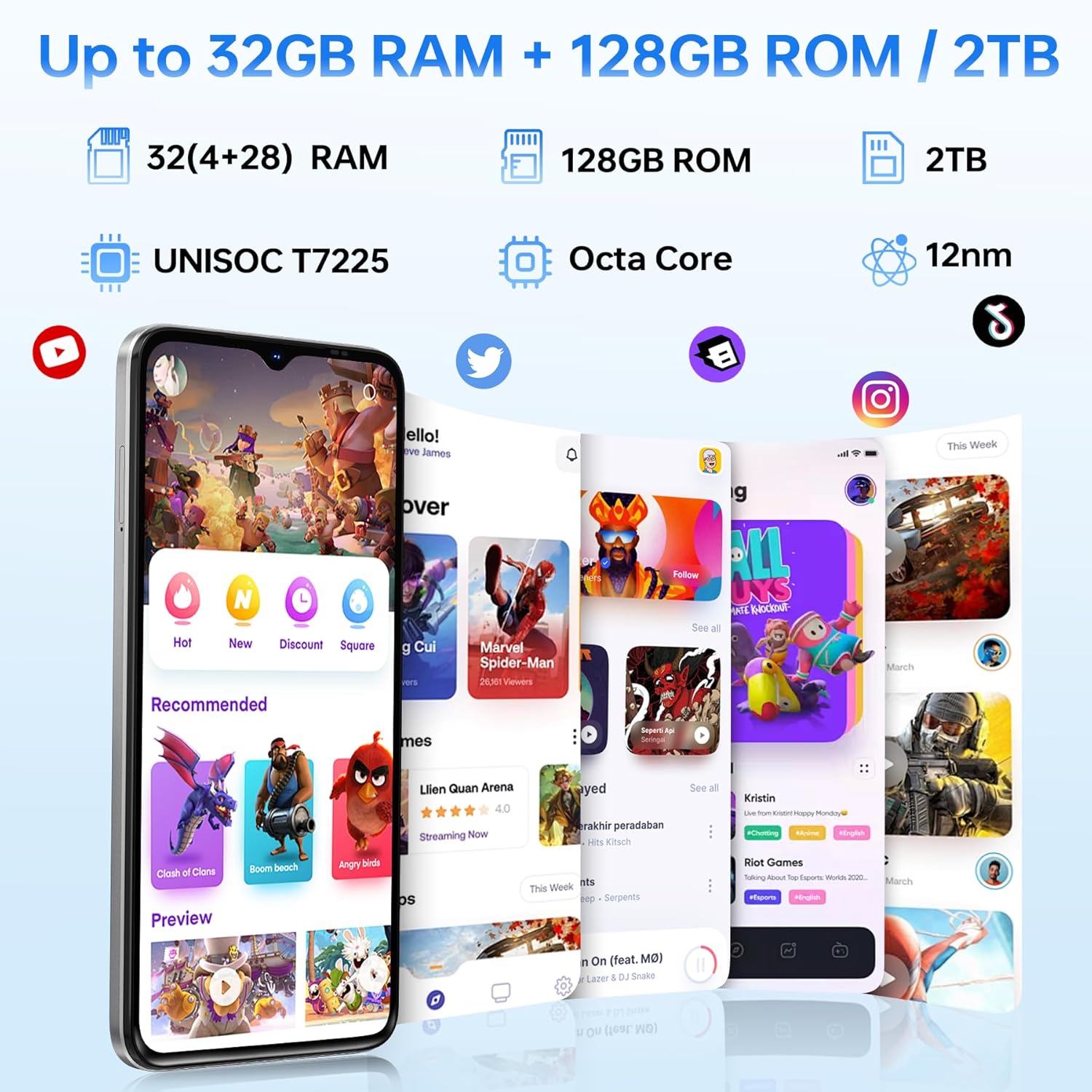
Imagem: Side profile of the DOOGEE Note 56 X PRO, demonstrating its slim design.

Imagem: Superior e inferior view of the DOOGEE Note 56 X PRO, indicating port locations.
4. Configuração
4.1. Installing SIM and TF Cards
- Localize a bandeja do cartão SIM na lateral do telefone.
- Insert the provided card removal pin into the small hole next to the tray to eject it.
- Place your Nano-SIM card(s) and/or TF (microSD) card into the tray according to the diagram. The phone supports dual SIM (SIM1 + SIM2) or one SIM card and one TF card for expandable storage up to 2TB.
- Reinsira cuidadosamente a bandeja no telefone até que ela fique nivelada com o corpo do dispositivo.
4.2. Inicialização da alimentação e carregamento
- Pressione e mantenha pressionado o botão Liga/Desliga (localizado na lateral) até que o logotipo da DOOGEE apareça.
- Siga as instruções na tela para concluir a configuração inicial, incluindo a seleção do idioma, a conexão Wi-Fi e a configuração da conta do Google.
- To charge the phone, connect the Type-C USB cable to the phone's charging port and the other end to the provided charger. Plug the charger into a power outlet. The phone supports 10W fast charging.
- Para obter a melhor duração da bateria, carregue totalmente o dispositivo antes da primeira utilização.
5. Operando seu telefone
5.1. Sistema Operacional Android 16
The DOOGEE Note 56 X PRO runs on the Android 16 operating system, offering an intuitive user experience with enhanced features:
- Game Space: Optimize gaming performance and manage notifications during gameplay.
- Smart Body Sensing: Utilize advanced sensor capabilities for various applications.
- Screen Sense: Intelligent screen features for improved interaction.
- Aprimoramento da exibição de vídeo: Optimized visual quality for video playback.
- Live Subtitles: Real-time captioning for audio content.
- Espaço privado: Create a secure, isolated environment for sensitive apps and data.
- Modo de sistema duplo: Run two separate system environments for enhanced privacy or work/personal separation.
- Super Clipboard: Advanced clipboard functionality for efficient copy-pasting.
- Tela dividida: Use two applications simultaneously on the same screen for multitasking.

Imagem: Acimaview of Android 16 features.
5.2. Calls, Messages, and Internet
- Fazendo chamadas: Toque no ícone Telefone, digite o número e toque no botão de chamada.
- Enviando mensagens: Toque no ícone Mensagens, inicie uma nova conversa, insira o destinatário e a mensagem e, em seguida, envie.
- Conectividade com a Internet: Connect to Wi-Fi via Settings > Network & internet > Wi-Fi. Ensure mobile data is enabled via Settings > Network & internet > Mobile network for cellular internet access.
5.3. Funções da câmera
The phone features a 13MP main camera and an 8MP front camera, enhanced by Google intelligent camera features.
- Tirando fotos: Abra o aplicativo Câmera, enquadre a foto e toque no botão do obturador.
- Troca de câmeras: Tap the camera switch icon to toggle between the main and front cameras.
- Câmera Inteligente do Google: Utilize features like homework analysis, view search, and e-commerce search directly from the camera interface.

Image: Camera specifications and capabilities.
5.4. Recursos de segurança
- Desbloqueio facial: Cadastre seu rosto para desbloquear de forma rápida e segura.
- Reconhecimento de impressões digitais laterais: Use the side-mounted fingerprint sensor for convenient access.
5.5. NFC e GPS
- NFC (Comunicação de Campo Próximo): Enable NFC in settings to use features like Google Pay for contactless payments.
- GPS: The phone supports Beidou, Galileo, Glonass, and GPS navigation systems for accurate location services.
5.6. Assistente de IA do Google Gemini
The integrated Google Gemini AI assistant offers advanced functionalities:
- Gemini Live: Engage in real-time conversations with the AI.
- Unleash Creativity: Generate ideas and creative content.
- Smarter Insights: Gain deeper understanding from information.
- Language Partner: Assist with language learning and translation.

Image: Key connectivity and security features.
6. Manutenção
6.1. Cuidados com a bateria
The DOOGEE Note 56 X PRO is equipped with a 6150mAh Silicon-Carbon battery.
- Use only the provided charger and cable to prevent damage.
- Evite expor o telefone a temperaturas extremas.
- O telefone suporta carregamento reverso OTG, permitindo que ele funcione como um carregador portátil para outros dispositivos.

Imagem: Estimativas de capacidade e uso da bateria.
6.2. Limpando seu dispositivo
Gently wipe the screen and body with a soft, lint-free cloth. Avoid using harsh chemicals or abrasive materials.
7. Solução De Problemas
Se você encontrar problemas com seu dispositivo, tente as seguintes soluções comuns:
- O telefone não liga: Certifique-se de que a bateria esteja carregada. Conecte o carregador e aguarde alguns minutos antes de tentar ligar novamente.
- Aplicativos travando: Feche e reinicie o aplicativo. Se o problema persistir, limpe o cache do aplicativo ou reinstale-o.
- Sinal de rede fraco: Verifique a instalação do seu cartão SIM. Mova-se para uma área com melhor cobertura de rede.
- Tela não responde: Restart the phone by holding the power button.
- Bateria descarregando rapidamente: Reduce screen brightness, close unused apps, or disable unnecessary features like GPS or Bluetooth when not in use.
For more complex issues, refer to the official DOOGEE support resources or contact customer service.
8. Especificações
Key technical specifications for the DOOGEE Note 56 X PRO:
| Recurso | Especificação |
|---|---|
| Nome do modelo | DOOGEE NOTE 56 X PRO |
| Sistema operacional | Androide 16 |
| Processador | Unisoc T7225 Octa-Core Chipset |
| BATER | 32GB (4GB basic + up to 28GB extended) |
| Armazenamento interno | 128 GB |
| Armazenamento expansível | Até 2 TB via cartão TF |
| Tamanho da tela | 6.56 polegadas |
| Tipo de exibição | Tela HD+ IPS com entalhe em forma de gota |
| Resolução | 720*1612 |
| Taxa de atualização | 90Hz |
| Câmera principal | 13MP |
| Câmera Frontal | 8MP |
| Capacidade da bateria | 6150mAh Silicon-Carbon |
| Carregando | Carregamento rápido de 10 W, carregamento reverso OTG. |
| Conectividade | 4G, Bluetooth 5.0, NFC, Wi-Fi 2.4G/5G |
| Navegação | GPS, Glonass, Galileo, Beidou |
| Conector de áudio | 3.5 milímetros |
| Dimensões | 8.45mm Ultra-Slim |
| Peso | 195g |
9. Produto acabadoview Vídeo
Assista a este vídeo para uma explicação visual.view of the DOOGEE Note 56 X PRO's design and key features.
Video: DOOGEE Note 56 X PRO Android 16 Cell Phone Unlocked - Product Overview.
10. Garantia e Suporte
DOOGEE provides a 30-day no-reason return policy for this product. Additionally, long-term technical support and 24-hour online customer service are available. If you have any questions or require assistance with your DOOGEE Note 56 X PRO, please contact the DOOGEE customer service team.


