Introdução
Thank you for choosing the Grundig 3-in-1 Wireless Charging Station. This device is designed to provide a convenient and efficient way to charge your Qi-compatible smartphone, smartwatch, and wireless earbuds simultaneously. Please read this manual carefully before use to ensure proper operation and to maximize the lifespan of your product.
Informações de segurança
- Não desmonte nem modifique o dispositivo.
- Mantenha o dispositivo longe de água, umidade e altas temperaturas.
- Evite deixar cair ou submeter o dispositivo a impactos fortes.
- Use only certified power adapters that meet the specified input requirements (5V/2A or 9V/1.67A).
- The charging station features integrated protection against overcharge, overheating, and overvoltage para garantir uma operação segura.
- Do not place metal objects or magnetic cards on the charging surface, as this may interfere with charging or damage the device.
Conteúdo da embalagem
- 1x Grundig 3-in-1 Wireless Charging Station
- 1x cabo de carregamento USB-C
- 1x Manual do Usuário
Produto acimaview
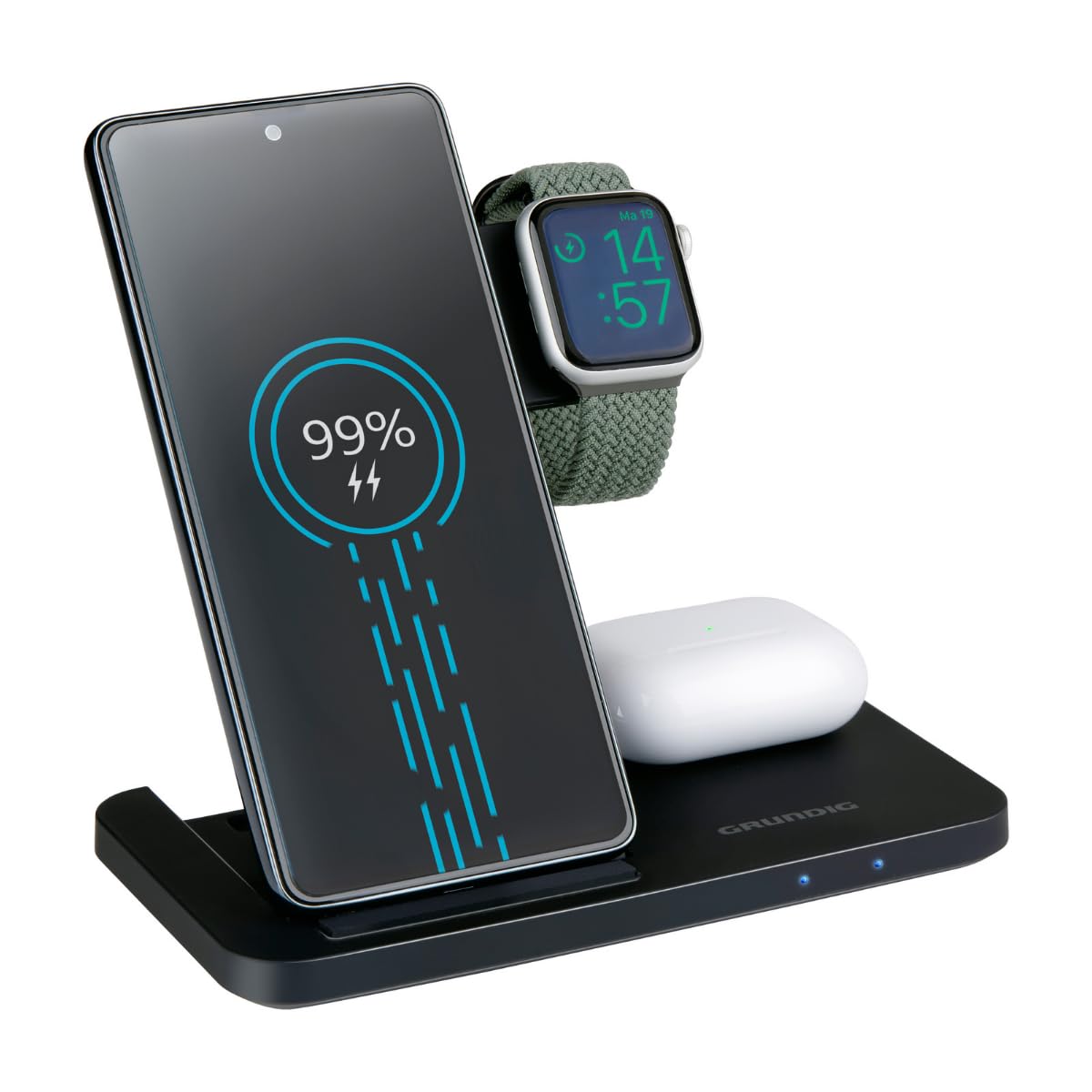
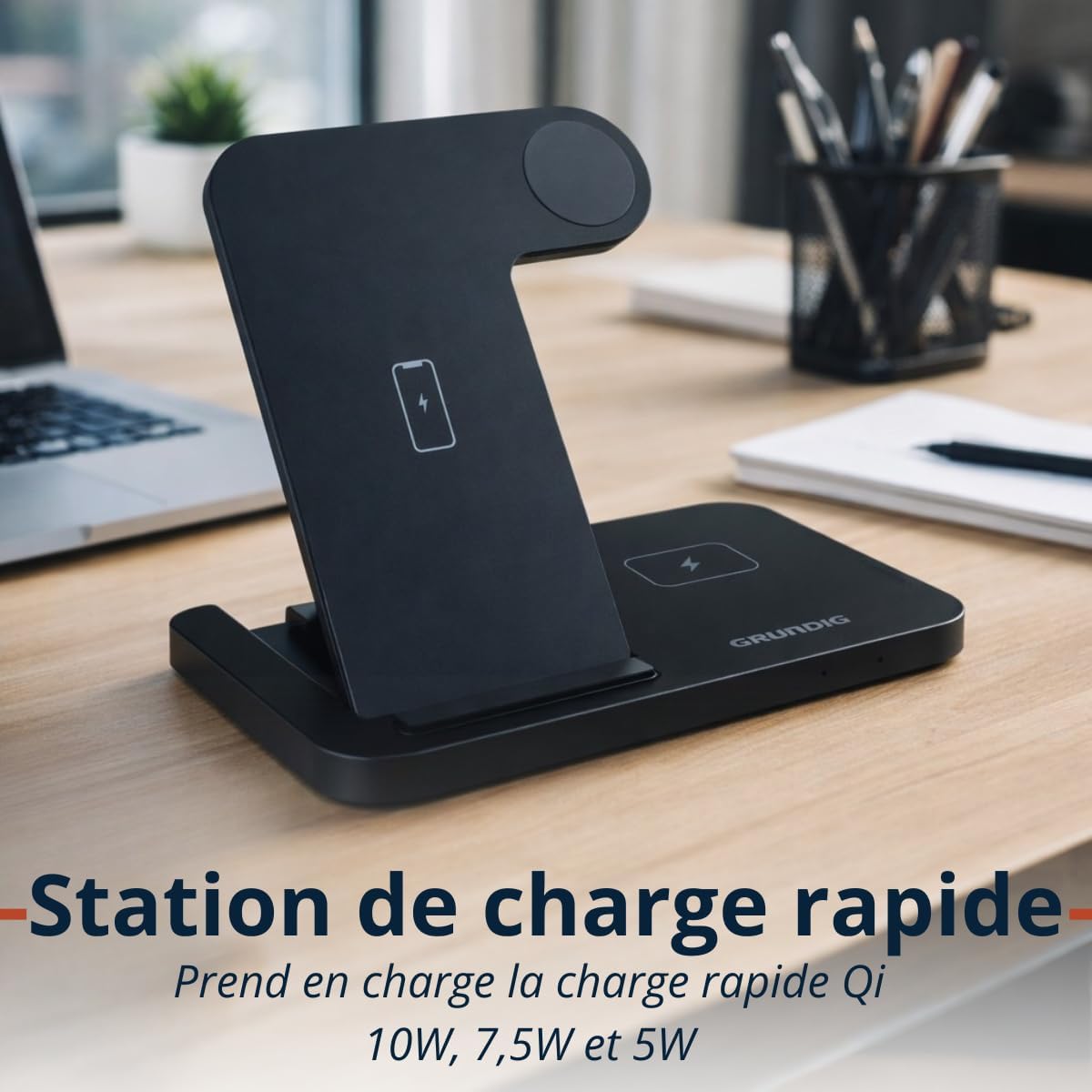
The Grundig 3-in-1 Wireless Charging Station is designed for convenience and efficiency. It features a foldable design for portability and three dedicated charging zones for your smartphone, smartwatch, and wireless earbuds.

Configurar
- Unpack the Grundig 3-in-1 Wireless Charging Station and the USB-C cable.
- Connect the provided USB-C cable to the input port on the charging station.
- Connect the other end of the USB-C cable to a compatible power adapter (not included). Ensure the power adapter meets the input specifications (5V/2A or 9V/1.67A) for optimal performance, especially for fast charging.
- Coloque a estação de carregamento em uma superfície estável e plana.
Instruções de operação
Carregando seus dispositivos
- Carregamento de smartphone: Place your Qi-compatible smartphone vertically on the designated smartphone charging pad. Ensure the phone is centered for proper alignment. The charging station supports 10W, 7.5W, and 5W wireless charging for smartphones.
- Carregamento do smartwatch: Place your Apple Watch or other compatible smartwatch on the dedicated smartwatch charging module. The module provides 2W charging output.
- Carregamento dos fones de ouvido: Place your wireless earbuds case on the designated earbuds charging pad. This pad provides 5W charging output.
Indicadores LED
The charging station is equipped with LED indicators to show the charging status of your devices. Refer to the product's specific LED behavior for detailed status information (e.g., solid light for charging, blinking for error, off for fully charged or no device).

Manutenção
- To clean the charging station, disconnect it from the power source and wipe it with a soft, dry cloth.
- Não utilize produtos de limpeza abrasivos, solventes ou produtos químicos agressivos, pois estes podem danificar a superfície ou os componentes internos.
- Ensure the charging pads are free from dust and debris to maintain optimal charging efficiency.
Solução de problemas
- Dispositivo não carrega:
- Ensure the charging station is properly connected to a power source.
- Verifique se o seu dispositivo é compatível com Qi.
- Check if the device is correctly aligned on the charging pad. Remove any thick cases that might interfere with wireless charging.
- Tente usar um cabo USB-C e um adaptador de alimentação diferentes.
- Carregamento lento:
- Ensure you are using a power adapter that supports fast charging (e.g., a Quick Charge 3.0 or Power Delivery adapter).
- Confirm proper alignment of the device on the charging pad.
- Indicadores LED não funcionam:
- Check the power connection to the charging station.
- Se o problema persistir, entre em contato com o suporte ao cliente.
Especificações
| Marca | CHÃO |
| Modelo | Estação de carregamento sem fio 3 em 1 |
| Entrada | USB-C 5V/2A, 9V/1.67A |
| Smartphone Output | 10W / 7.5W / 5W (Qi) |
| Smartwatch Output | 2W |
| Saída para Fones de Ouvido | 5W |
| Dimensões (dobradas) | Aproximadamente. 140 × 70 × 14 mm |
| Peso | Aprox. 150 g |
| Wireless Charging Zones | Smartphone, Smartwatch, Earbuds |
| Compatibilidade | Qi-enabled smartphones, Apple Watch, other smartwatches, wireless earbuds |
| Recursos de proteção | Overcharge, Overheat, Overvoltage Proteção |
Informações de garantia
This Grundig 3-in-1 Wireless Charging Station comes with a manufacturer's warranty of 2 anos a partir da data da compra. Esta garantia cobre defeitos em materiais e mão de obra sob uso normal.
The warranty does not cover damage caused by misuse, accidents, unauthorized modifications, or failure to follow the instructions in this manual. Please retain your proof of purchase for warranty claims.
For full warranty terms and conditions, please refer to the official Grundig website ou entre em contato com o suporte ao cliente.
Apoiar
If you encounter any issues or have questions regarding your Grundig 3-in-1 Wireless Charging Station that are not addressed in this manual, please visit the official Grundig website for further assistance or contact their customer support.
Você pode encontrar mais informações e recursos de suporte visitando o GRUNDIG Brand Store.